
OttLite CSRD300W-SHPR
OttLite ClearSun LED Travel Task Lamp
Model: CSRD300W-SHPR
Manuale di istruzioni
1. Prodotto finitoview
The OttLite ClearSun LED Travel Task Lamp is a versatile and portable lighting solution designed for various tasks, from reading to crafting. It features OttLite's exclusive ClearSun LED technology, which provides balanced, smooth lighting that reduces eyestrain. The lamp is cordless, powered by a rechargeable battery, and includes a digital display with time, date, and temperature, along with touch-activated controls for brightness adjustment.

The OttLite ClearSun LED Travel Task Lamp, mostraasingrazie al suo display digitale e al design compatto.
2. Caratteristiche principali
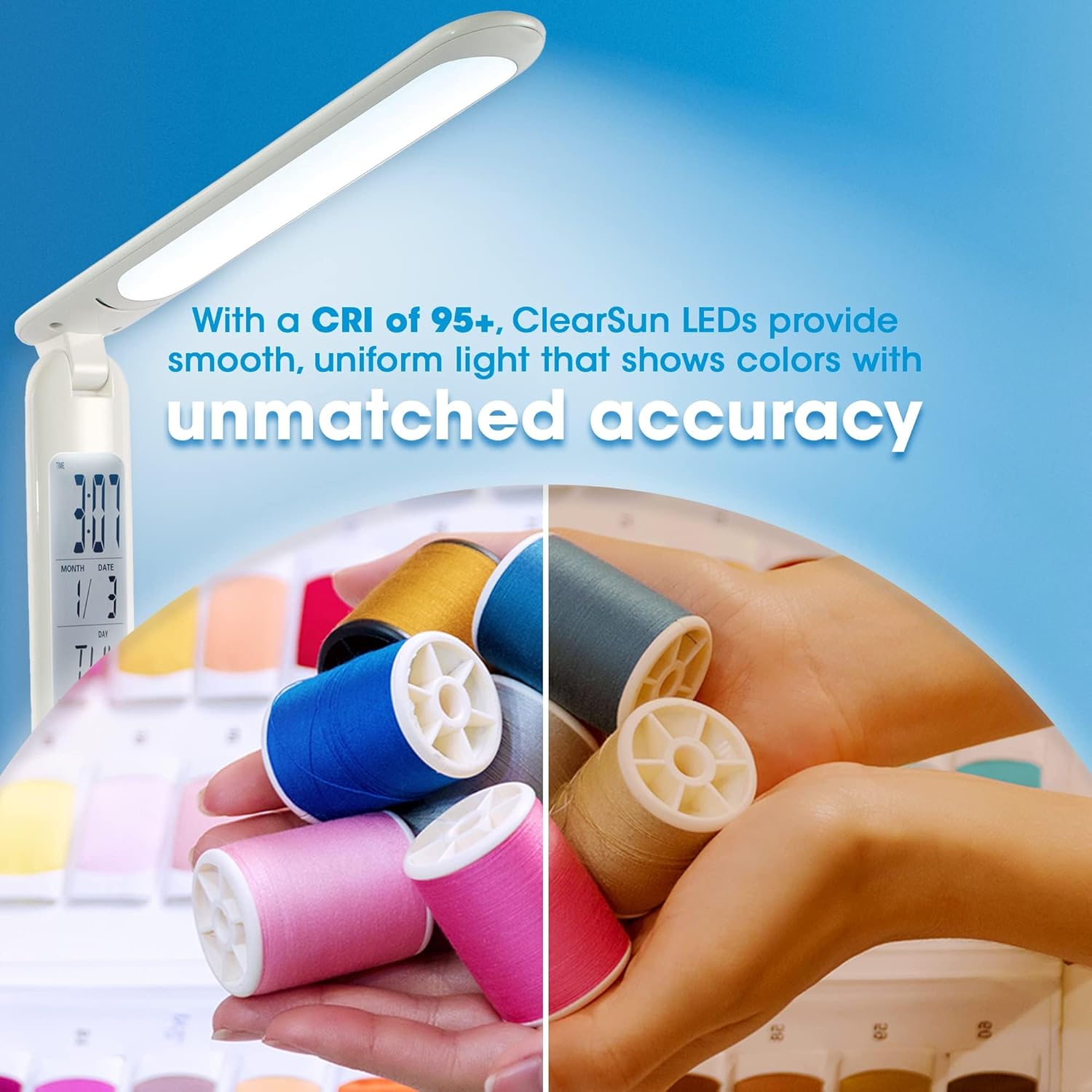
- ClearSun LED Technology: Provides natural daylight illumination, reducing eyestrain by up to 51% and showing colors with unmatched accuracy (CRI of 95+).
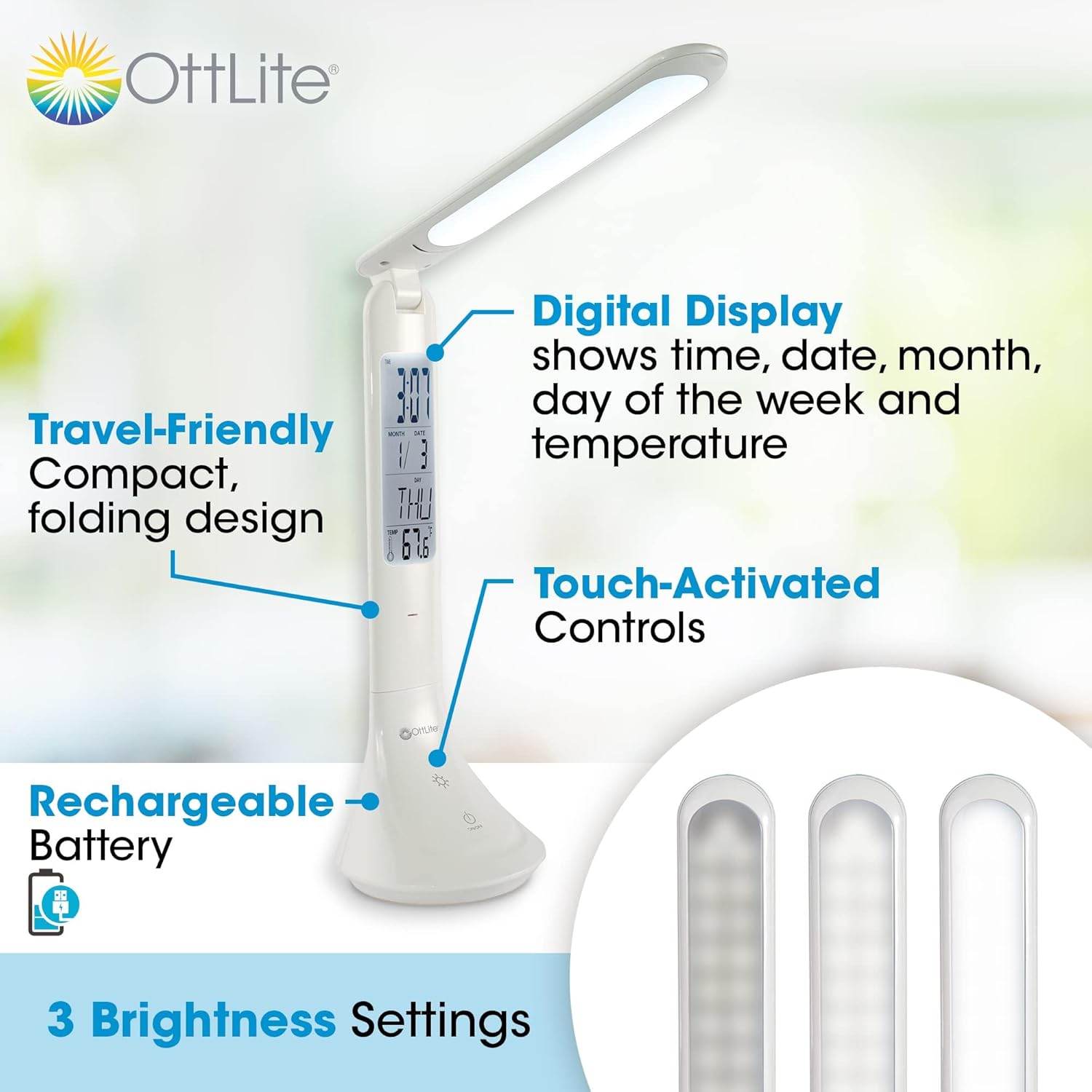
- Display digitale: Integrated display shows current time, date, month, day of the week, and ambient temperature.
- Controlli attivati dal tocco: Easily adjust brightness with three distinct settings.
- Batteria ricaricabile: Cordless operation for ultimate portability.
- Design adatto ai viaggi: Compact and foldable, adjusting in height from 10.75 to 15 inches, making it ideal for travel.
- Ricarica USB: Ricarica comodamente lamp via a standard USB connection.
Dettagliato view della lamp's features, including its digital display, touch controls, and brightness settings.

Comparison of light spectrums, illustrating how ClearSun LED technology mimics natural daylight for reduced eyestrain.
3. Impostazione
- Disimballare la Lamp: Rimuovere con cautela il lamp and all components from the packaging. Ensure all parts are present: the lamp unit and a USB charging cable.
- Carica iniziale: Prima del primo utilizzo, caricare completamente lamp. Connect the small end of the USB charging cable to the charging port on the lamp's base and the larger end to a USB power source (e.g., computer USB port, USB wall adapter). The charging indicator light will illuminate during charging and turn off when fully charged. A full charge typically takes several hours.
- Setting the Digital Display:
- Locate the small buttons near the digital display, usually labeled 'MODE' and 'SET'.
- Press 'MODE' to cycle through time, date, and alarm settings.
- When the desired setting (e.g., time) is blinking, press 'SET' to adjust the value. Continue pressing 'SET' to increment the value, or hold it down for faster adjustment.
- Press 'MODE' again to confirm the setting and move to the next adjustable parameter.
- The temperature display is automatic and does not require setting.
Il lamp can be conveniently charged via a USB connection, such as to a laptop.
4. Istruzioni per l'uso
- Accensione/spegnimento: Lightly touch the power icon (⏻) sulla lampbase per accendere o spegnere la luce.
- Regolazione della luminosità: Con la lamp on, repeatedly touch the brightness icon (☀) to cycle through the three available brightness settings (low, medium, high).
- Regolazione Lamp Posizione: Il lamp features an adjustable arm and head. Gently pivot the lamp head and arm to direct the light as needed. The lamp can be folded down for compact storage and transport.
- Monitoraggio della batteria: Il lamp is designed for portable use. For extended periods of use, it is recommended to keep the lamp plugged into a USB power source.

The compact and portable design makes the lamp suitable for use in various settings, including travel.

Il lamp's adjustable height and folding mechanism allow for versatile positioning and easy storage.
5. Manutenzione
- Pulizia: Per pulire lamp, ensure it is turned off and unplugged. Use a soft, dry cloth to wipe down the surfaces. Do not use abrasive cleaners or solvents, as they may damage the finish.
- Cura della batteria: To prolong the life of the rechargeable battery, avoid completely draining it frequently. Recharge the lamp regularly, especially if it will not be used for an extended period.
- Magazzinaggio: Quando non in uso, piegare lamp nella sua forma compatta e conservarlo in un luogo fresco e asciutto, lontano dalla luce solare diretta e da temperature estreme.
6. Risoluzione Dei Problemi
| Problema | Possibile causa | Soluzione |
|---|---|---|
| Lamp non si accende. | La batteria è scarica. | Collegare lamp to a USB power source and allow it to charge. |
| Lamp turns off shortly after being unplugged. | Battery charge is low or battery capacity has diminished over time. | Assicurare lamp is fully charged before use. For extended use, keep the lamp collegato. |
| Digital display is incorrect or not working. | Display settings need adjustment or internal battery for display is low. | Refer to 'Setting the Digital Display' in the Setup section. Ensure the main lamp battery is charged, as it powers the display. |
| La luce tremola o è fioca. | Batteria scarica. | Ricarica la lamp. |
7. Specifiche
| Specificazione | Valore |
|---|---|
| Numero di modello | CSRD300W-SHPR |
| Marca | OttLite |
| Tipo di sorgente luminosa | LED (ClearSun) |
| Temperatura del colore | 5000 gradi Celsius |
| Luminosità | 263 lumen |
| Cosatage | 3.3 watt |
| Fonte di alimentazione | Rechargeable Battery / Corded Electric (USB) |
| Dimensioni del prodotto (piegato) | 3.5"P x 10.75"L x 3.5"A |
| Altezza regolabile | Da 10.75" a 15" |
| Peso dell'articolo | 11.4 once |
| Materiale | Plastica |
| Tecnologia di connettività | USB |
| Codice UPC | 761712024653 |
8. Garanzia e supporto
For warranty information or technical support regarding your OttLite ClearSun LED Travel Task Lamp, please contact OttLite Technologies directly. You can typically find contact details on the OttLite official websito o tramite il rivenditore presso il quale è stato acquistato il prodotto.
Si prega di conservare la prova d'acquisto per eventuali reclami in garanzia.
Ask a question about this manual
Ask about setup, troubleshooting, compatibility, parts, safety, or missing instructions. Manuals+ will review the question and use this page’s manual context to help answer it.