
1. Introduzione
Thank you for choosing the WiZ 6-inch Tunable White LED Recessed Downlight. This smart lighting solution allows you to enjoy personalized illumination, enhancing your home environment with ease. This manual provides essential information for the safe and efficient use of your new downlight, covering installation, operation, maintenance, and troubleshooting.
2. Caratteristiche del prodotto
- Controllo intelligente dell'illuminazione: Enjoy intelligent lighting with the WiZ 6-inch (15cm diameter) Tunable White LED Recessed Downlight.
- Tunable White Spectrum: Choose between different shades of warm to cool white light (from 2700K to 6500K) to help you concentrate, relax, energize, or simply illuminate your space clearly.
- Customizable Schedules & Scenes: Set personalized schedules to turn lights on and off according to your daily routines, or select from preset scenes.
- Compatibilità del controllo vocale: Control your lights using your voice with popular smart assistants like Alexa, Siri, or Google Assistant.
- Connettività Wi-Fi: WiZ lights connect directly to your existing Wi-Fi network without the need for additional hardware or a hub.
- Lunga durata ed efficienza energetica: Features a lifespan of 15,000 hours and a luminous flux of 1950 lumens, offering both durability and energy savings.

Figura 2.1: Oltreview of WiZ Smart Features
3. Contenuto della confezione
Verificare che tutti i componenti siano presenti nella confezione:
- 1 x WiZ 6-inch Tunable White LED Recessed Downlight (RD6 17W)
- 1 x Manuale utente (questo documento)
4. Informazioni sulla sicurezza
Si prega di leggere attentamente tutte le istruzioni di sicurezza prima dell'installazione e dell'uso. Il mancato rispetto di queste istruzioni può causare scosse elettriche, incendi o altri pericoli.
- Sicurezza elettrica: Always turn off power at the circuit breaker before installing or servicing the downlight. Ensure proper grounding.
- Installazione: Install in accordance with national and local electrical codes. If you are unsure about the installation, consult a qualified electrician.
- Ambiente operativo: Do not use in wet locations or where directly exposed to water. Suitable for indoor use only.
- Compatibilità: Use only with WiZ compatible devices and applications.
- Disposizione: Smaltire il prodotto e i suoi componenti in modo responsabile, nel rispetto delle normative locali.
5. Guida all'installazione
Follow these steps to install and connect your WiZ Recessed Downlight:
- Prepararsi per l'installazione: Turn off the power to the circuit at the main fuse box or circuit breaker.
- Misura apertura: Ensure your ceiling opening is suitable for a 6-inch (15cm) recessed downlight. Refer to the product dimensions.
- Collegare il cablaggio: Connect the downlight's wiring to your household electrical wiring according to the wiring diagram provided with the product (not shown here, typically in a separate installation guide). Ensure all connections are secure.
- Inserisci Downlight: Gently push the downlight into the ceiling opening until the spring clips secure it in place.
- Ripristina alimentazione: Riattivare la corrente tramite l'interruttore automatico.
- Download WiZ App: Scarica l'app WiZ dall'app store del tuo smartphone (disponibile per iOS e Android).
- Pair the Downlight: Open the WiZ app and follow the on-screen instructions to pair your new downlight. The app will guide you through the process of connecting the light to your Wi-Fi network.

Figura 5.1: Dimensioni del prodotto

Figure 5.2: WiZ App Pairing Process
6. Istruzioni per l'uso
Once installed and paired, you can control your WiZ downlight using the WiZ app or voice commands.
6.1. Using the WiZ App
- Acceso/Spento: Tap the light icon in the app to turn the downlight on or off.
- Regolazione della luminosità: Use the slider in the app to adjust the brightness level.
- Temperatura del colore: Select from a range of warm to cool white tones (2700K to 6500K) to suit your mood or activity.
- Scene: Choose from a variety of pre-set dynamic light modes or create your own custom scenes for different occasions.
- Orari: Set up daily or weekly schedules for your lights to turn on/off or change scenes automatically.
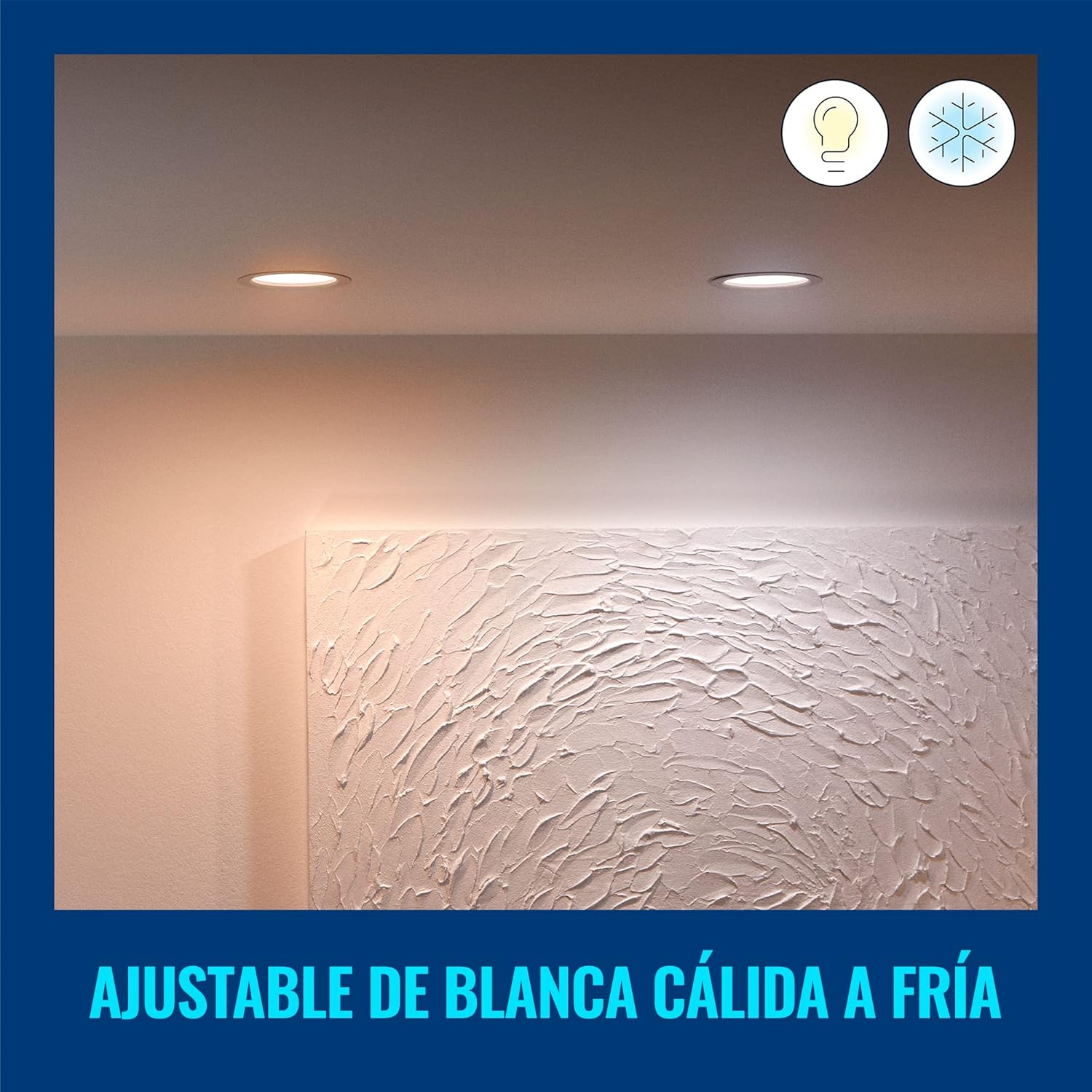
Figure 6.1: Warm White Light Setting
6.2. Controllo vocale
Integrate your WiZ downlight with smart home assistants for hands-free control:
- Assistente Google: Link your WiZ account in the Google Home app. Then use commands like, "Hey Google, turn on the living room light."
- Amazon Alexa: Enable the WiZ skill in the Alexa app. Use commands such as, "Alexa, set the kitchen light to warm white."
- Scorciatoie Apple Siri: Create custom Siri Shortcuts in the WiZ app for quick voice commands.

Figura 6.2: Integrazione del controllo vocale
7. Manutenzione e cura
To ensure the longevity and optimal performance of your WiZ downlight, follow these simple care instructions:
- Pulizia: Disconnect power before cleaning. Use a soft, dry cloth to wipe the surface of the downlight. Do not use abrasive cleaners or solvents.
- Nessuna parte riparabile dall'utente: The LED light source is integrated and not replaceable. Do not attempt to disassemble the downlight.
- Condizioni ambientali: Avoid exposing the downlight to extreme temperatures or high humidity, as this may affect its performance and lifespan.
8. Risoluzione Dei Problemi
If you encounter issues with your WiZ downlight, refer to the following common problems and solutions:
| Problema | Possibile causa | Soluzione |
|---|---|---|
| La luce non si accende. | No power, loose wiring, or faulty unit. | Check circuit breaker. Ensure wiring is secure. If problem persists, contact customer support. |
| Impossibile connettersi al Wi-Fi. | Password Wi-Fi errata, fuori portata o problema con il router. | Verify Wi-Fi password. Move downlight closer to router. Restart router. Ensure you are connecting to a 2.4GHz Wi-Fi network. |
| La luce tremola o si attenua inaspettatamente. | Unstable power supply or interference. | Check electrical connections. Ensure no other devices are causing electrical interference. |
| Il controllo vocale non funziona. | Incorrect setup with smart assistant or internet connectivity issues. | Ensure WiZ account is correctly linked in your smart assistant app. Check internet connection. |
Per ulteriore assistenza, consultare la sezione assistenza clienti.
9. Specifiche
| Attributo | Valore |
|---|---|
| Marca | WiZ |
| Numero di modello | 929002647712 |
| Produttore | Signify Mexico |
| Colore | Bianco |
| Materiale | Plastica |
| Forma | Girare |
| Fonte di alimentazione | Elettrico |
| Voltage | 120 Volt (CA) |
| Cosatage | 17 watt |
| Tipo di lampadina | LED (integrato) |
| Flusso luminoso | 1950 lumen |
| Caratteristiche speciali | Dimmable, Low Consumption |
| Utilizzo | Decoration, General Lighting |
| Sono necessarie batterie? | NO |
| Dimensioni del prodotto (L x P x A) | 16.5 x 15 x 4.7 cm (6.5 x 5.91 x 1.85 pollici) |
| Peso del prodotto | 220 grammi |
| Durata | 15,000 ore |
10. Informazioni sulla garanzia
WiZ products are designed for reliability and performance. This product comes with a standard manufacturer's warranty against defects in materials and workmanship. Please refer to the official WiZ websito o nella documentazione di acquisto per i termini e le condizioni di garanzia specifici, inclusi i dettagli sulla durata e sulla copertura.
11. Assistenza clienti
If you have any questions, require technical assistance, or need to report an issue, please contact WiZ customer support through the following channels:
- Supporto online: Visita il sito ufficiale WiZ websito for FAQs, troubleshooting guides, and contact forms.
- Supporto in-app: Access support resources directly within the WiZ mobile application.
- Supporto al rivenditore: For purchase-related inquiries, contact the retailer where you bought the product.