
1. Introduzione
Thank you for choosing the Symcode 2-in-1 Wireless CCD Barcode Scanner. This device offers both 2.4GHz wireless and USB wired connectivity, providing flexibility for various applications. It is designed for efficient and accurate scanning of 1D barcodes from both printed materials and digital screens. This manual provides detailed instructions on setting up, operating, maintaining, and troubleshooting your barcode scanner.
2. Prodotto finitoview
2.1 Contenuto della confezione
Dopo aver disimballato, verificare che tutti gli articoli elencati di seguito siano presenti e in buone condizioni:
- 1 x Symcode CCD Barcode Scanner
- 1 cavo USB
- 1 dongle wireless da 2.4 GHz
- 1 x Manuale utente in inglese

Figure 2.1: Package Contents of the Symcode Barcode Scanner.
2.2 Componenti dello scanner
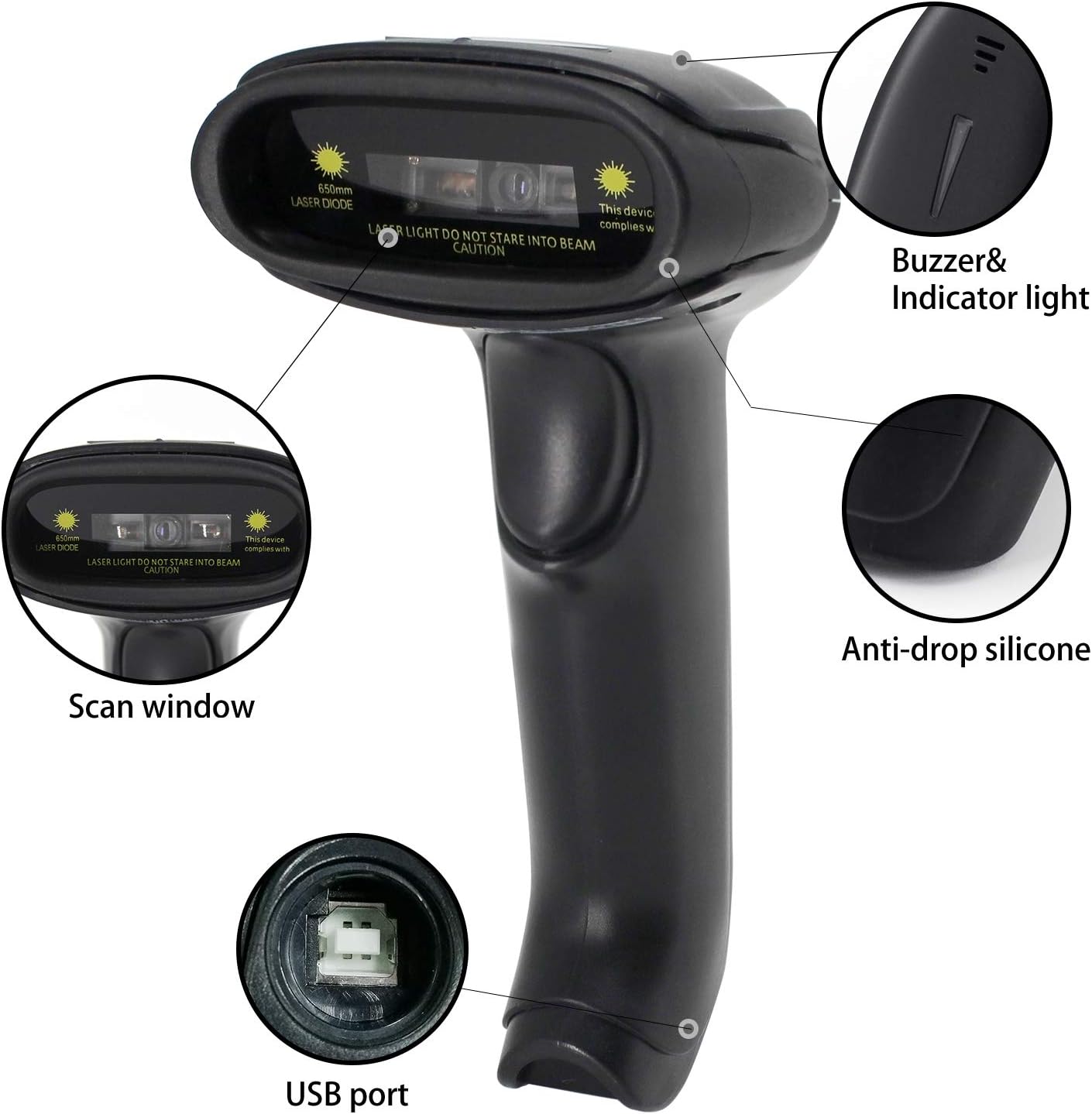
Figure 2.2: Key Components of the Symcode Barcode Scanner.
- Finestra di scansione: Area through which the barcode is read.
- Buzzer & Indicator Light: Provides audio and visual feedback for successful scans and status.
- Porta USB: Per la connessione cablata e la ricarica.
- Anti-drop Silicone: Provides protection against accidental drops.
2.3 Dimensioni del prodotto
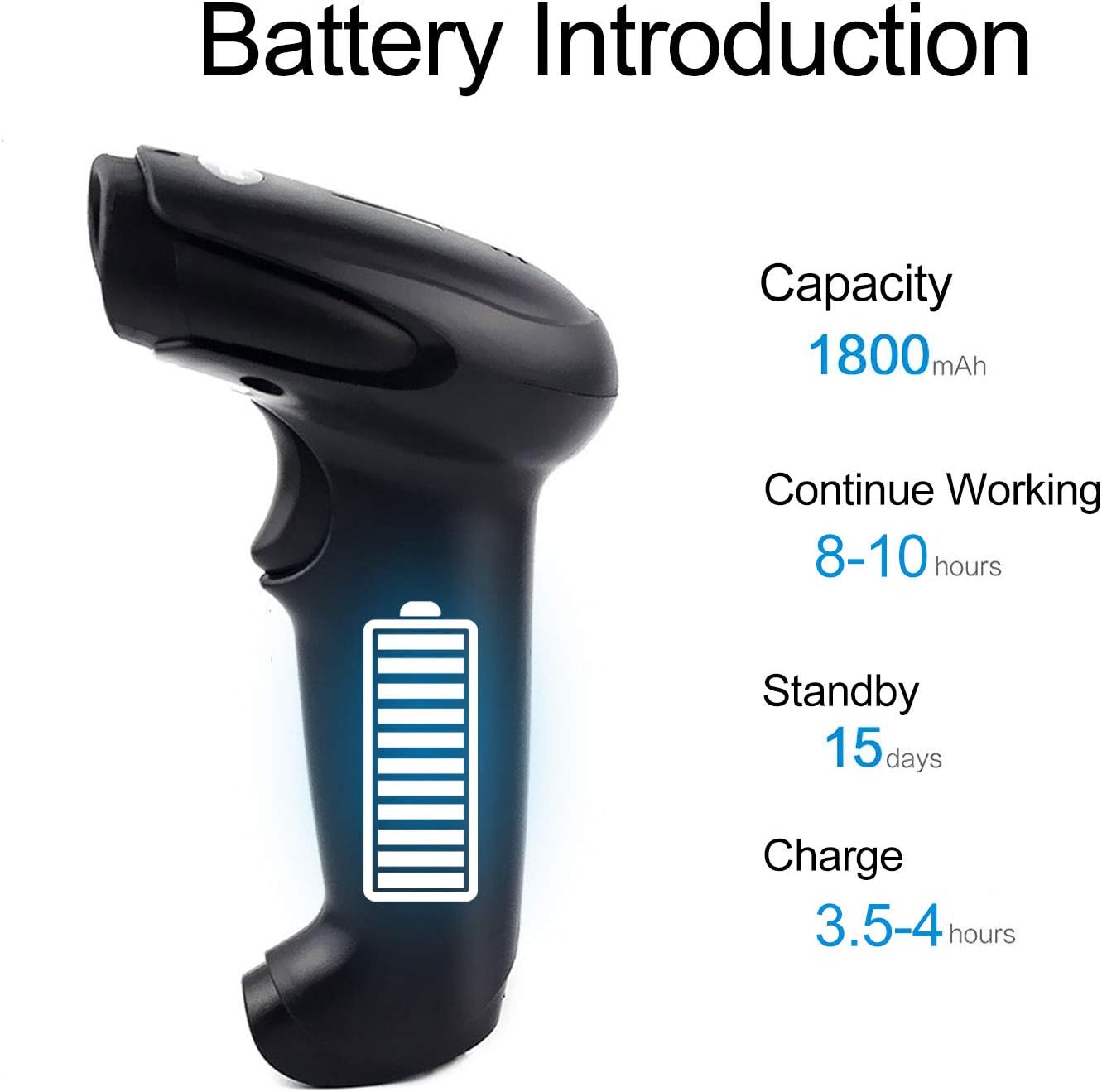
Figure 2.3: Dimensions of the Symcode Barcode Scanner.
3. Impostazione
3.1 Connessione cablata (USB)
- Connect the USB cable to the scanner's USB port.
- Plug the other end of the USB cable into an available USB port on your computer, laptop, or POS machine.
- The scanner is plug-and-play; no additional drivers are required. It will be recognized automatically by Windows, Mac, Android, and Linux systems.
3.2 Wireless Connection (2.4GHz Dongle)
- Insert the 2.4GHz wireless dongle into an available USB port on your computer, laptop, or POS machine.
- Accendi lo scanner di codici a barre. Si accoppierà automaticamente con il dongle.
- The scanner is plug-and-play; no additional drivers are required. It will be recognized automatically by Windows, Mac, Android, and Linux systems.
4. Istruzioni per l'uso
4.1 Procedura di scansione di base
- Ensure the scanner is powered on and connected (wired or wireless).
- Punta la finestra di scansione verso il codice a barre che desideri scansionare.
- Press the trigger button (if in trigger mode) or position the scanner over the barcode (if in auto-sense or continuous mode).
- A successful scan will be indicated by a beep and a flash of the indicator light. The barcode data will be transmitted to your connected device.
4.2 Modalità di scansione
Lo scanner supporta tre modalità di scansione:
- Trigger Scan: Press the trigger button to activate the scan beam.
- Auto-sense Scan: Lo scanner rileva automaticamente un codice a barre nel suo campo di view e attiva il raggio di scansione.
- Scansione continua: The scan beam remains continuously active, allowing for rapid scanning without pressing the trigger.
Refer to the included user manual (physical copy) for instructions on how to switch between these scanning modes. If you encounter difficulties, please contact Symcode customer support.
4.3 Tipi di codici a barre supportati
This CCD barcode scanner is designed to read Codici a barre 1D, whether printed on paper or displayed on digital screens. It does not support 2D barcodes (e.g., QR codes).
Supported 1D barcode symbologies include: EAN-8, EAN-13, Codabar, CODE11, CODE 39, CODE 93, CODE128, China Post, GS1-128, GS1 Limited, GS1 Omnidirectional, UPC-A, UPC-E, ISBN/ISSN, ISBT, Interleaved 2 of 5, Matrix 2 of 5, Industrial 2 of 5, 2 of 5, MSI, Plessey, ITF14.

Figure 4.1: Scanning a barcode from a digital screen.
5. Informazioni sulla batteria
The Symcode barcode scanner is equipped with a high-capacity rechargeable battery for extended operation.

Figura 5.1: Specifiche della batteria.
- Capacità: 1800 mAh
- Orario di lavoro continuo: Da 8 a 10 ore
- Tempo di standby: 15 giorni
- Tempo di carica: Da 3.5 a 4 ore
To charge the scanner, connect it to a USB power source using the provided USB cable. The indicator light will show charging status.
6. Connettività wireless
The 2.4GHz wireless connection provides reliable data transmission over a significant range.
- Transmission Distance (Indoor): 15-30 meters (in crowded indoor environments)
- Transmission Distance (Outdoor): 30-100 meters (in open outdoor environments)

Figure 6.1: Wireless Transmission Range.
Modalità operative 6.1
The scanner supports two primary operating modes for data handling:
- Modalità normale: Data is transferred immediately after each scan.
- Modalità di archiviazione: Barcode data is stored internally in the scanner's 16MB memory (capable of storing over 50,000 barcode entries). Data can then be uploaded to the connected device by scanning a specific setting code. This mode is useful for inventory taking or when out of wireless range.
7. Programmazione dei codici a barre
The Symcode barcode scanner is programmable, allowing customization of its output and behavior. These settings are typically configured by scanning specific programming barcodes found in the full user manual.
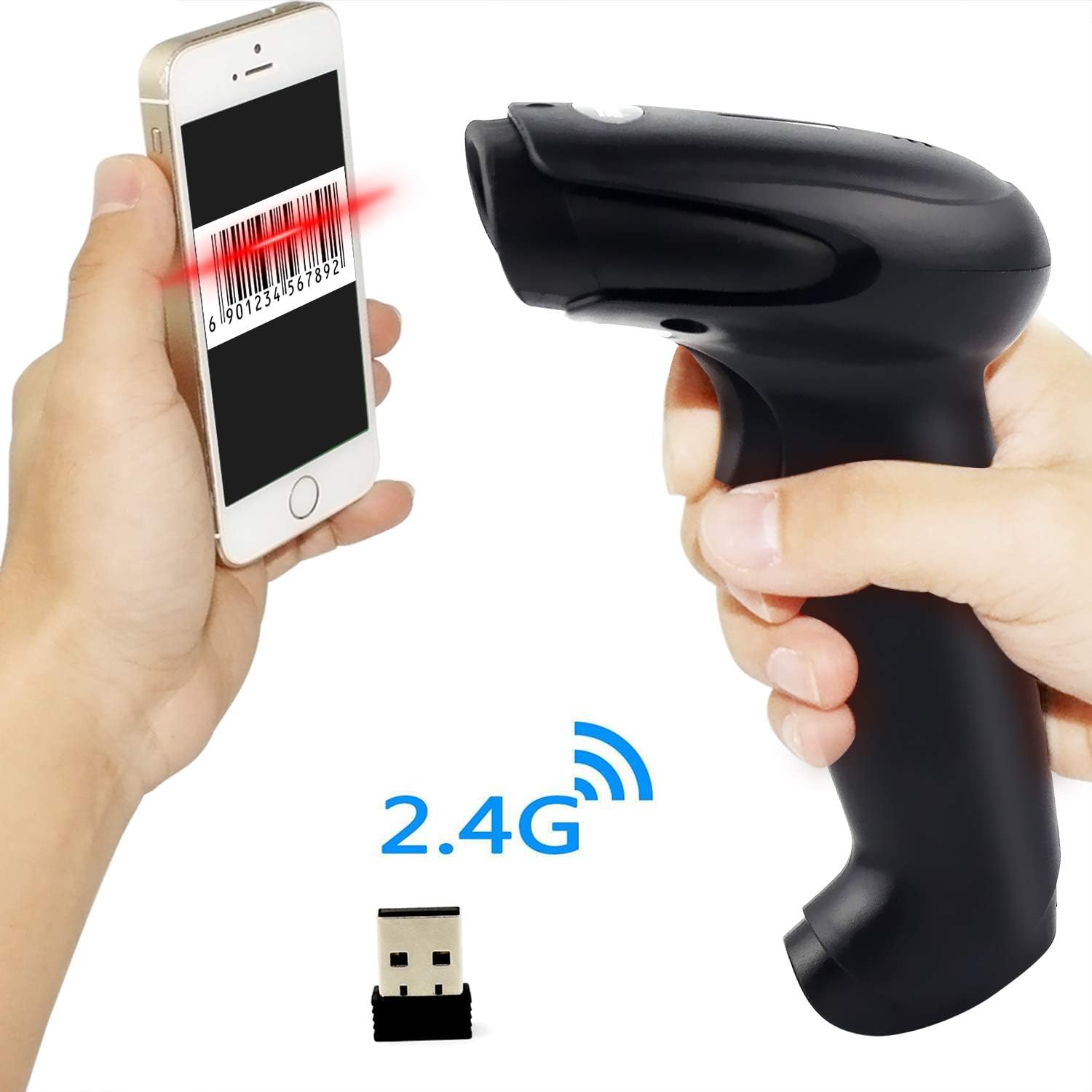
Figure 7.1: Barcode Programming Capabilities.
Le caratteristiche programmabili includono:
- Conversione dei casi: Adjusting output to uppercase or lowercase.
- Regolazione del volume: Changing the sound level of the buzzer.
- Terminator Setting: Adding a specific character (e.g., Enter, Tab) after each scanned barcode.
- Prefix or Suffix Setting: Adding custom characters before or after the scanned data.
- Character Manipulation: Adding or masking specific characters within the barcode data.
For detailed programming instructions, please refer to the comprehensive programming guide included with your scanner or contact Symcode support.
8. Manutenzione
Una corretta manutenzione garantisce la longevità e le prestazioni ottimali dello scanner.
- Pulizia: Utilizzare un panno morbido e asciutto per pulire l'esterno dello scanner. Per la finestra di scansione, utilizzare un panno privo di lanugine leggermenteampcon un detergente non abrasivo. Evitare prodotti chimici aggressivi o materiali abrasivi.
- Magazzinaggio: Conservare lo scanner in un luogo fresco e asciutto, lontano dalla luce solare diretta e da temperature estreme.
- Cura della batteria: Avoid fully discharging the battery frequently. If storing for a long period, charge the battery to about 50% and recharge every few months.
9. Risoluzione Dei Problemi
Se riscontri problemi con lo scanner, consulta i seguenti problemi comuni e le relative soluzioni:
| Problema | Possibile causa/soluzione |
|---|---|
| Lo scanner non si accende. | Battery is low or depleted. Charge the scanner for 3.5-4 hours. |
| Lo scanner non legge i codici a barre. |
|
| Nessun dato trasmesso al computer. |
|
| Scanner beeps continuously or behaves erratically. | The scanner might be in an incorrect setting mode. Refer to the full user manual for factory reset instructions or contact support. |
If the problem persists after trying these solutions, please contact Symcode customer support for further assistance.
10. Specifiche
| Parametro | Valore |
|---|---|
| Sorgente luminosa | 632nm Visible LED Light |
| Modalità di scansione | Trigger / Auto-sense / Continuous |
| Risoluzione | ≥ 4 mil / 0.1mm @ PCS90% |
| Processore | ARM32-bit |
| Velocità di scansione | 200 scansioni/sec |
| Profondità di campo | 40-500 millimetri |
| Indicatore | LED e cicalino |
| Contrasto di stampa | ≥ 30% |
| Volume di eserciziotage | CC 3.3V-5V |
| Capacità della batteria | 1800 mAh |
| Funzionamento continuo | 8-10 ore |
| Tempo di standby | 15 giorni |
| Tempo di carica | 3.5-4 ore |
| Wireless Transmission (Indoor) | 15-30 metri |
| Wireless Transmission (Outdoor) | 30-100 metri |
| Capacità di archiviazione | 16MB (over 50,000 barcode entries) |
| Temperatura di esercizio | -20 ℃ to 50 ℃ (-4 ℉ to 122 ℉) |
| Temperatura di conservazione | -40 ℃ to 70 ℃ (-40 ℉ to 158 ℉) |
| Umidità | Dal 5% all'95% (senza condensa) |
| Luminosità ambientale | Massimo 100,000 lux |
| Sistema operativo supportato | Windows, Mac, Android, Linux |
11. Garanzia e supporto
The Symcode barcode scanner comes with a Garanzia di 180 giorni dalla data di acquisto, coprendo difetti di fabbricazione e malfunzionamenti in condizioni di normale utilizzo. Si prega di conservare la prova d'acquisto per eventuali reclami in garanzia.
For technical support, warranty service, or any questions regarding your product, please contact Symcode customer service through the platform where you purchased the product or refer to the contact information provided in the physical user manual.