
1. Introduzione
Thank you for choosing the Beelink GK55 Mini PC. This compact and powerful computer is designed for various applications, from home entertainment to office productivity. This manual provides essential information for setting up, operating, maintaining, and troubleshooting your device.
The Beelink GK55 features an Intel J4125 processor, 8GB DDR4 RAM, and a 256GB SSD, offering efficient performance in a small form factor. It supports 4K video output, dual-band Wi-Fi, Bluetooth 4.2, and multiple connectivity options including Dual HDMI and USB 3.0 ports.
2. Prodotto finitoview
2.1 Contenuto della confezione
- Mini PC Beelink GK55
- Adattatore di alimentazione
- Cavo HDMI
- Manuale d'uso
- Supporto VESA (opzionale)
2.2 Disposizione del dispositivo
Familiarize yourself with the ports and features of your Beelink GK55 Mini PC.

Immagine: frontale e laterale view of the Beelink GK55 Mini PC, showing the power button, USB ports, and ventilation.

Immagine: Posteriore view of the Beelink GK55 Mini PC, displaying two USB ports, two LAN ports, two HDMI ports, and the DC power input.
2.3 Porte e connettori
- Porte USB: 3.0 Per collegare periferiche ad alta velocità.
- Porte USB: 2.0 Per collegare periferiche standard.
- Porta USB di tipo C: Per il trasferimento dei dati e l'output del display.
- Porte HDMI (x2): For connecting to displays, supporting dual monitor setup.
- Porte LAN (x2): Per la connettività di rete cablata.
- Ingresso alimentazione CC: Per collegare l'adattatore di alimentazione.
- Jack audio: Per collegare cuffie o altoparlanti.
- Pulsante di accensione: Per accendere/spegnere il dispositivo.
2.4 Componenti interni
The Beelink GK55 is engineered with efficient components for reliable performance.

Immagine: dettagliata view of the Intel J4125 processor, highlighting its 4 cores/4 threads, 4M cache, 2.0GHz up to 2.7GHz burst frequency, 8GB DDR4 support, and Intel UHD Graphics 600.

Immagine: Interna view showing the M.2 SATA SSD 2280 slot and the provision for an expandable 2.5-inch HDD, with optional configurations of 128GB, 256GB, and 512GB.

Image: An exploded diagram of the Beelink GK55 Mini PC, illustrating the internal layout of the motherboard, cooling fan, heat sink, and various ports.
Video: Un oltreview of the Beelink GK55 Mini PC, showcasing its design, internal components like the Intel J4125 processor, M.2 SATA SSD, cooling system, and various ports. The video also demonstrates its dual display capabilities and compact size.
3. Impostazione
3.1 Collegamento delle periferiche
- Connetti Display: Use an HDMI cable to connect your monitor(s) to the HDMI ports on the back of the Mini PC. The device supports dual display output.
- Collegare tastiera e mouse: Collega la tastiera e il mouse USB alle porte USB disponibili.
- Connetti rete (facoltativo): For a wired internet connection, connect an Ethernet cable from your router or modem to one of the LAN ports.

Image: The Beelink GK55 Mini PC connected to a large 4K display, demonstrating its capability to output high-resolution video.
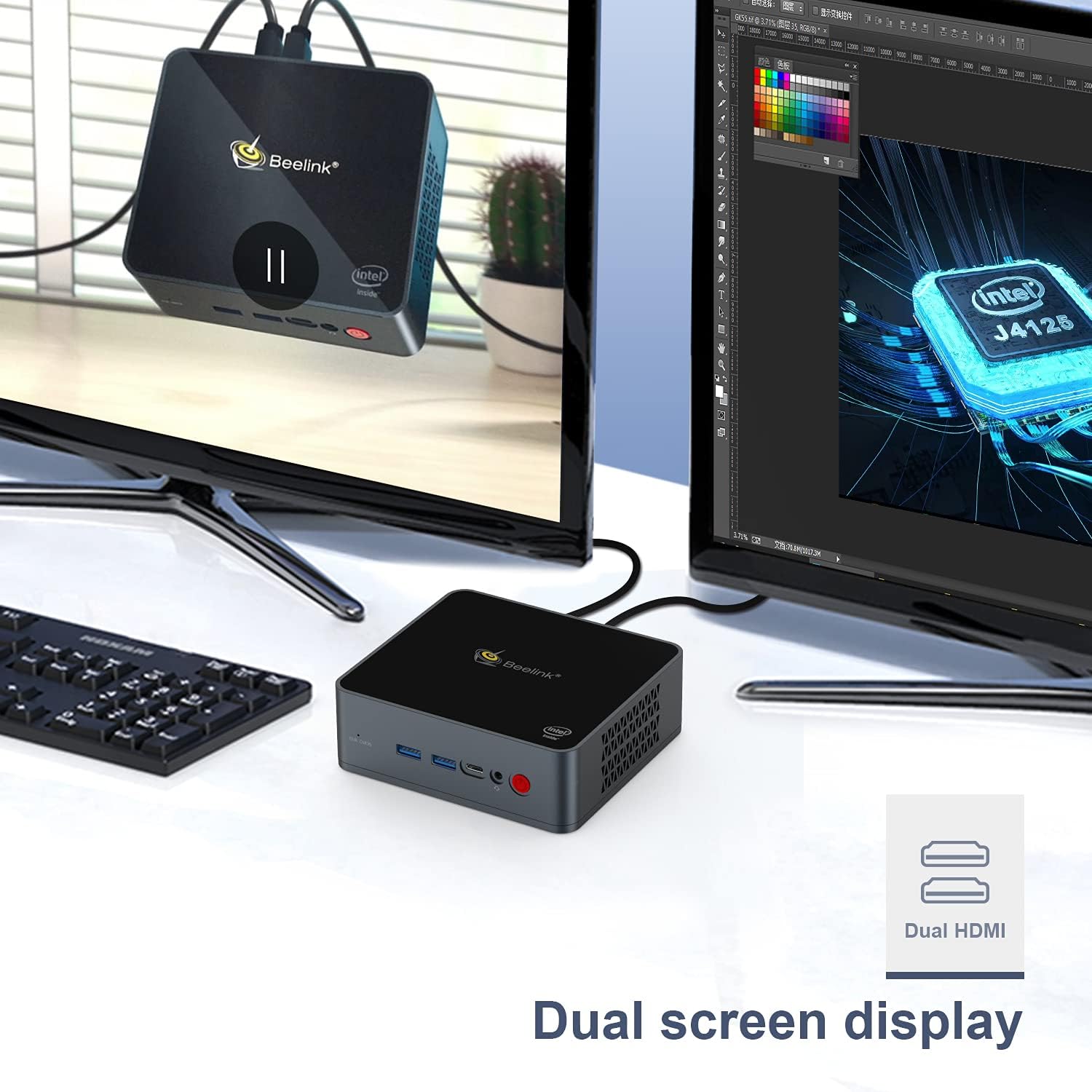
Image: The Beelink GK55 Mini PC connected to two monitors, illustrating its dual screen display capability for enhanced productivity.
3.2 Accensione
- Collegare l'adattatore di alimentazione alla porta di ingresso dell'alimentazione CC del Mini PC, quindi collegare l'adattatore a una presa di corrente.
- Premere il pulsante di accensione situato sulla parte anteriore del dispositivo. La spia di alimentazione si illuminerà.
- The Mini PC will boot up, and the operating system (Windows 10 Pro or Linux, depending on your configuration) will load.
4. Istruzioni per l'uso
4.1 Funzionamento di base
- Accensione/spegnimento: Press the power button once to turn on. To turn off, use the operating system's shutdown function or press and hold the power button for 5 seconds.
- Ricomincia: Utilizzare la funzione di riavvio del sistema operativo.
- Modalità risparmio: Utilizzare la funzione di sospensione del sistema operativo.
4.2 Visualizzazione dell'uscita
The Beelink GK55 supports up to 4K resolution at 30Hz via its HDMI ports. For optimal display quality, ensure your monitor and HDMI cables support 4K resolution.
4.3 Connettività wireless
- Wifi: The device supports 2.4G and 5G Wi-Fi. To connect, navigate to your operating system's network settings, select your desired Wi-Fi network, and enter the password.
- Bluetooth: The device includes Bluetooth 4.2. To pair Bluetooth devices, go to your operating system's Bluetooth settings and follow the pairing instructions for your specific device.

Image: An illustration showing the Beelink GK55 Mini PC connected to various peripherals such as a monitor, TV, headset, sound system, keyboard, mouse, camera, and gamepad, highlighting its extensive connectivity.
5. Manutenzione
5.1 Pulizia
Regularly clean the exterior of the Mini PC with a soft, dry cloth. Use compressed air to clear dust from ventilation openings to ensure proper airflow and prevent overheating.
5.2 Espansione dello storage
The Beelink GK55 supports storage expansion. You can add an M.2 SATA SSD (2280 form factor) or a 2.5-inch HDD/SSD to increase storage capacity. Refer to the detailed instructions for internal component access if you plan to upgrade storage.
5.3 Sistema di raffreddamento
The Mini PC is equipped with a heat pipe and fan for efficient heat dissipation. Ensure the ventilation openings are not obstructed to maintain optimal operating temperatures.
6. Risoluzione Dei Problemi
If you encounter issues with your Beelink GK55 Mini PC, refer to the following common problems and solutions:
- Nessun potere:
- Assicurarsi che l'adattatore di alimentazione sia collegato saldamente sia al Mini PC sia a una presa di corrente funzionante.
- Verificare che la presa di corrente funzioni.
- Nessuna visualizzazione:
- Verificare che il cavo HDMI sia collegato saldamente sia al Mini PC che al monitor.
- Assicurarsi che il monitor sia acceso e impostato sulla sorgente di input corretta.
- Prova una porta HDMI o un cavo diverso.
- Nessuna connessione Internet (cablata):
- Verificare che il cavo Ethernet sia collegato correttamente sia al Mini PC sia al router/modem.
- Controlla lo stato del tuo router/modem.
- Nessun Wi-Fi/Bluetooth:
- Assicurati che Wi-Fi e Bluetooth siano abilitati nelle impostazioni del tuo sistema operativo.
- Check for driver updates if issues persist.
- Accessing BIOS/Boot Menu:
- To enter the BIOS setup menu, press the 'Delete' ripetutamente il tasto durante l'avvio.
- To enter the boot menu, press the 'F7' ripetutamente il tasto durante l'avvio.
7. Specifiche
| Caratteristica | Specificazione |
|---|---|
| Marca | Collegamento ape |
| Numero di modello | GK55 |
| Sistema operativo | Windows 10 Pro (supports Linux) |
| Modello CPU | Processore Intel Celeron J4125 |
| Velocità della CPU | 2.7 GHz (Burst Frequency) |
| Numero di processori | 4 |
| Dimensione della memoria RAM installata | 8 GB DDR4 |
| Capacità di archiviazione della memoria | SSD da 256 GB |
| Interfaccia del disco rigido | Serial ATA-600 (for 2.5" HDD/SSD expansion) |
| Descrizione della scheda grafica | Grafica Intel UHD integrata |
| Risoluzione | Risoluzione: 3840 x 2160 (4K) |
| Tecnologia di connettività | Bluetooth 4.2, 2.4G+5G WiFi, USB Type-A, USB Type-C, HDMI |
| Interfaccia Hardware | HDMI, USB tipo C |
| Dimensioni dell'articolo | 4.88 x 4.45 x 1.61 pollici |
8. Garanzia e supporto
Beelink products come with a standard manufacturer's warranty. For specific warranty terms and conditions, please refer to the warranty card included with your product or visit the official Beelink websito.
If you require technical assistance, have questions about your product, or need to report an issue, please contact Beelink customer support through their official channels. Provide your product model (GK55) and serial number for faster service.