
1. Introduzione
Thank you for choosing the AUNA CDC 200 Portable DAB+/FM CD Player. This device combines the versatility of a portable CD player with the advanced capabilities of DAB+ and FM radio. Designed for on-the-go listening, it features a rechargeable battery, an anti-skip function, and supports various audio formats. Please read this manual carefully to ensure proper use and maintenance of your device.

Image 1.1: AUNA CDC 200 Portable DAB+/FM CD Player. This image shows the compact design of the device.
2. Caratteristiche del prodotto
- DAB+ and FM Radio Tuner: Accedi a un'ampia gamma di stazioni radio digitali e analogiche.
- Riproduzione CD: Supports CD, CD-R, CD-RW, and MP3-CD formats.
- Design portatile: Compatto e leggero per un facile trasporto.
- Batteria ricaricabile: Integrated 1000 mAh battery for extended mobile use.
- Esposizione dell'affissione a cristalli liquidi: Clear Liquid Crystal display for track information and radio station details.
- Funzione anti-salto: Ensures stable audio playback during movement.
- Aumento dei bassi: Enhances low-frequency audio for a richer sound experience.
- Porta micro USB: Per caricare il dispositivo.
- Jack per cuffie da 3.5 mm: Per l'ascolto privato.
3. Contenuto della confezione
Si prega di controllare la confezione per verificare la presenza dei seguenti elementi:
- AUNA CDC 200 Portable DAB+/FM CD Player
- Cuffie intrauricolari
- Cavo di ricarica micro USB
- Manuale dell'utente (questo documento)
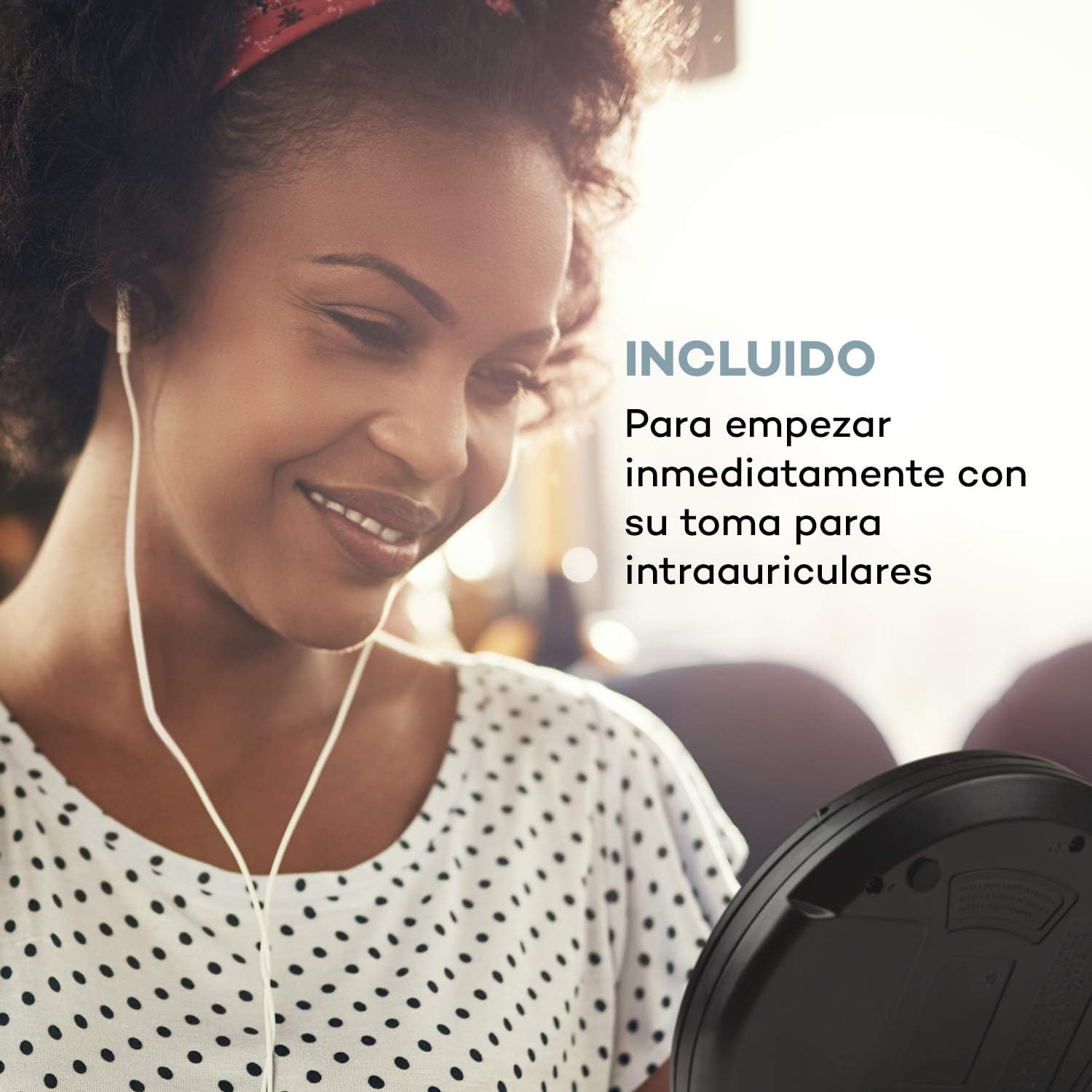
Image 3.1: The AUNA CDC 200 includes a pair of in-ear headphones for immediate use.
4. Controlli e collegamenti
Familiarize yourself with the buttons and ports on your AUNA CDC 200:
- Interruttore OFF/ON: Accende o spegne il dispositivo.
- Pulsante Play/Pausa (►/−): Avvia o mette in pausa la riproduzione del CD.
- Pulsante di arresto (■): Interrompe la riproduzione del CD.
- Skip/Search Buttons (◀◀ / ►►): Skips tracks or fast forwards/rewinds during CD playback. In radio mode, tunes to the next/previous station.
- Pulsante MENU: Accede alle opzioni del menu.
- P-MODE Button: Seleziona le modalità di riproduzione (ad esempio, ripetizione, casuale).
- Pulsante FONTE: Switches between CD and Radio modes.
- Pulsante SCAN: Initiates station scanning in radio mode.
- Pulsante INFO: Displays additional information (e.g., radio station details).
- Pulsante INVIO: Conferma le selezioni nei menu.
- TU+/TU- Buttons: Adjusts tuning in radio mode or navigates menu options.
- Porta micro USB: Per collegare il cavo di ricarica.
- Jack per cuffie da 3.5 mm: Per collegare le cuffie.

Immagine 4.1: Passoview of the AUNA CDC 200's top panel with control buttons and LC display.
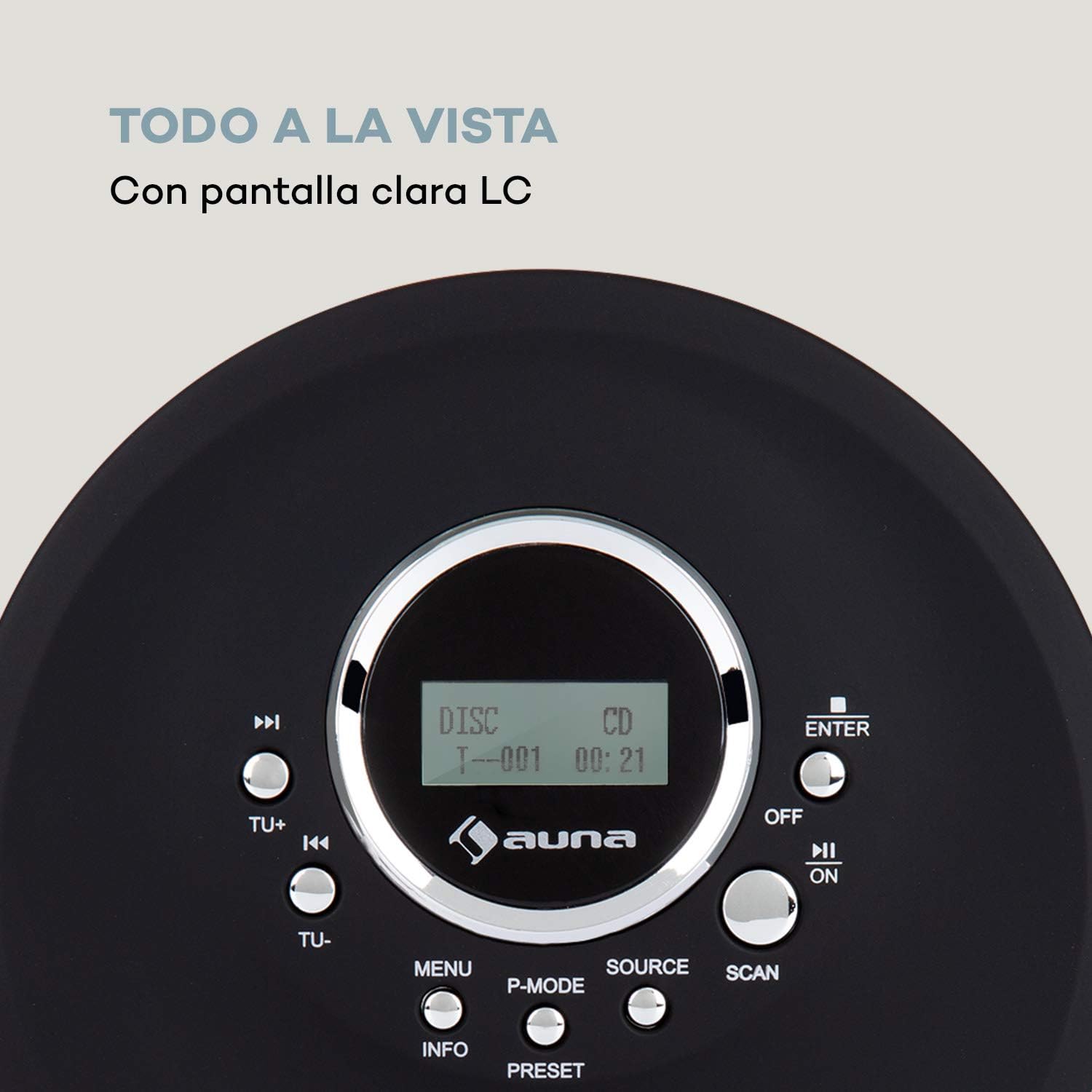
Image 4.2: The clear LC display shows track information and operating status.
5. Impostazione
5.1 Caricamento della batteria
Before first use, fully charge the integrated 1000 mAh battery. Connect the supplied Micro USB cable to the device's Micro USB port and the other end to a USB power source (e.g., a computer USB port, a USB wall adapter, or a power bank). The charging indicator will illuminate during charging and turn off when fully charged.
Image 5.1: The AUNA CDC 200 can be charged via Micro USB from various power sources.
5.2 Collegamento delle cuffie
Insert the 3.5mm jack of your headphones into the headphone port on the side of the device. Ensure the connection is secure for optimal audio output.
5.3 Inserimento di un CD
- Far scorrere l'interruttore OPEN per aprire il coperchio del vano CD.
- Carefully place a CD (audio CD, CD-R, CD-RW, or MP3-CD) onto the spindle with the label side facing up.
- Premere delicatamente il CD finché non scatta in posizione.
- Chiudere saldamente il coperchio del vano CD finché non si blocca.

Image 5.2: The CD compartment supports various disc formats including CD, CD-R, CD-RW, and MP3-CD.
6. Istruzioni per l'uso
6.1 Accensione/Spegnimento
Fai scorrere il SPENTO/ACCESO switch to the 'ON' position to power on the device. Slide it to 'OFF' to power off.
6.2 Riproduzione CD
- Ensure a CD is inserted and the device is powered on.
- Premere il tasto FONTE button to select CD mode. The display will show 'CD'.
- Premere il tasto Riproduci/Pausa (►/−) button to start playback. The track number and elapsed time will be displayed.
- Premere Riproduci/Pausa (►/−) di nuovo per mettere in pausa la riproduzione. Premerlo ancora una volta per riprendere.
- Premere Skip/Search (►►) per passare alla traccia successiva. Premere Salta/Cerca (◀◀) per andare all'inizio della traccia corrente o della traccia precedente.
- Premere e tenere premuto Skip/Search (►►) or (◀◀) to fast forward or rewind through the current track.
- Premere il tasto Fermare) per interrompere la riproduzione.
Anti-Skip Function
The AUNA CDC 200 features an integrated anti-skip function to prevent interruptions during playback, especially when the device is in motion. This function is automatically active during CD playback.
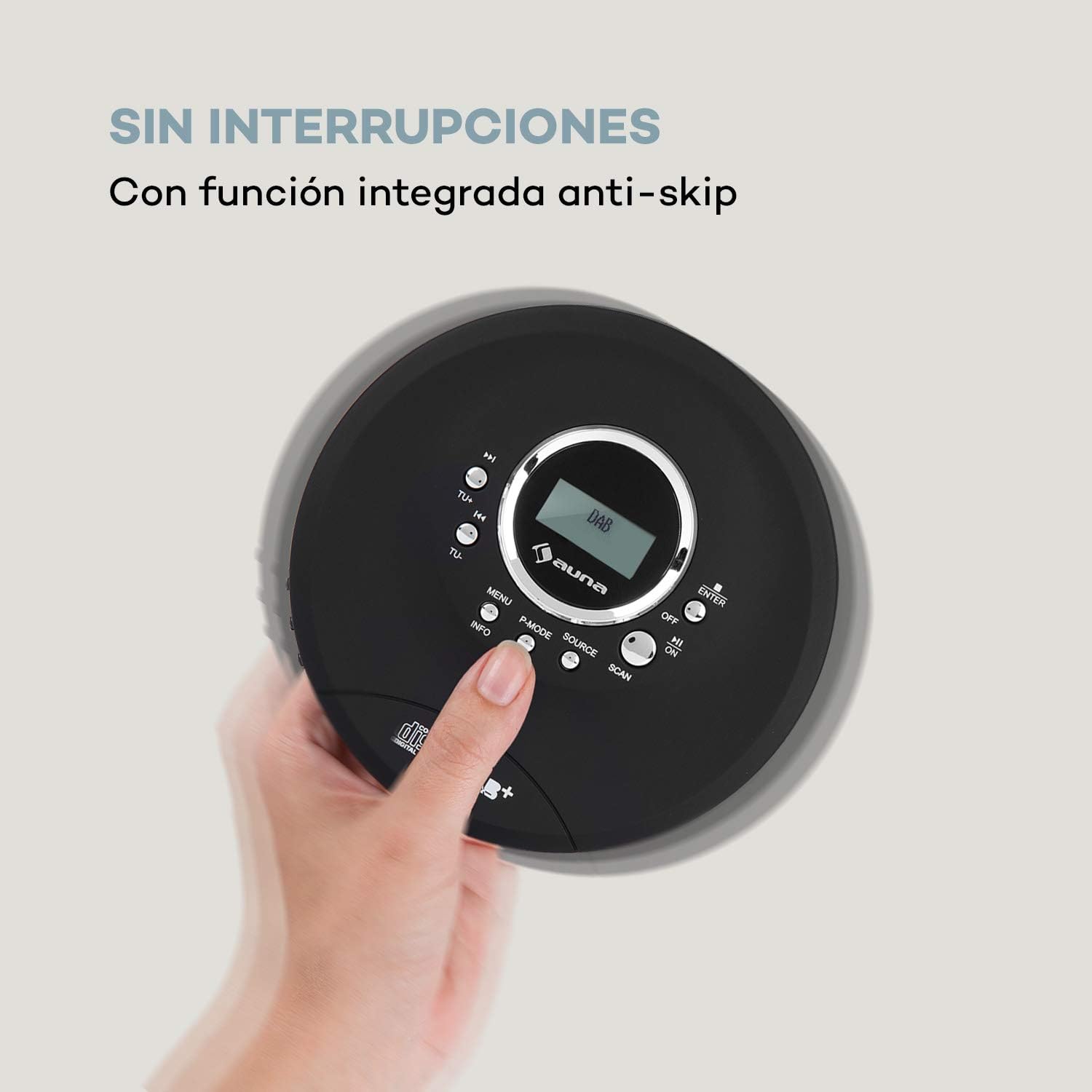
Image 6.1: The anti-skip function ensures uninterrupted audio playback.
Playback Modes (P-MODE)
Premere il tasto MODALITÀ P button repeatedly to cycle through different playback modes such as Repeat One, Repeat All, Random, or Program Play (if available).
6.3 Funzionamento radio (DAB+/FM)
- Premere il tasto FONTE button to select Radio mode. The display will show 'DAB' or 'FM'.
- Scansione automatica: Premere il tasto SCANSIONE button to automatically search for available DAB+ or FM stations. The device will store found stations.
- Sintonizzazione manuale: Utilizzare il TU+ or TU- pulsanti per sintonizzarsi manualmente su una frequenza specifica.
- Selezione delle stazioni: Dopo la scansione, utilizzare il Skip/Search (◀◀ / ►►) pulsanti per navigare tra le stazioni memorizzate.
- Visualizzazione delle informazioni: Premere il tasto INFORMAZIONI pulsante per view additional information about the current radio station (e.g., program type, signal strength).

Image 6.2: The AUNA CDC 200 features a DAB+ and FM radio tuner for diverse listening options.
6.4 Funzione Bass Boost
The AUNA CDC 200 includes a bass boost feature. To activate or deactivate it, refer to the device's menu options by pressing the MENU button and navigating with TU+/TU- E ENTRARE.
7. Manutenzione
7.1 Pulizia
- Pulire la parte esterna del dispositivo con un panno morbido e asciutto.
- Non utilizzare detergenti abrasivi, cere o solventi.
- To clean the CD lens, use a specialized CD lens cleaning kit. Do not touch the lens directly.
7.2 Cura della batteria
- Evitare di scaricare completamente la batteria frequentemente.
- Se il dispositivo non verrà utilizzato per un periodo prolungato, caricarlo periodicamente per preservare la salute della batteria.
- Non esporre il dispositivo a temperature estreme.
8. Risoluzione Dei Problemi
If you encounter issues with your AUNA CDC 200, refer to the following table:
| Problema | Possibile causa | Soluzione |
|---|---|---|
| Il dispositivo non si accende. | Battery is discharged. Power switch is OFF. | Charge the battery. Slide the power switch to ON. |
| Nessun suono dalle cuffie. | Headphones not connected properly. Volume too low. Faulty headphones. | Ensure headphones are fully plugged in. Increase volume. Try different headphones. |
| Il CD salta o non viene riprodotto. | CD is dirty or scratched. CD inserted incorrectly. Device is subject to strong vibrations. | Clean or replace the CD. Reinsert the CD correctly. Ensure the anti-skip function is active and minimize movement. |
| Ricezione radiofonica scadente. | Segnale debole. Interferenza. | Relocate the device to an area with better reception. Avoid sources of electronic interference. |
9. Specifiche
- Marca:
- AUNA
- Numero modello:
- CDC 200 (Manufacturer Reference: MG3-90400-jfhg)
- Compatible Audio Formats:
- CD, CD-R, CD-RW, MP3-CD
- Sintonizzatore radio:
- DAB+, FM
- Fonte di energia:
- 1000 mAh Rechargeable Battery, Micro USB (Electric Cable)
- Connettività:
- USB (per la ricarica), jack per cuffie da 3.5 mm
- Display:
- Schermo LCD
- Dispositivi compatibili:
- Cuffie
- Stile:
- Portatile
- Opzioni colore:
- Nero, Rosso
10. Informazioni sulla sicurezza
- Non esporre il dispositivo a pioggia, umidità o temperature estreme.
- Evitare di far cadere o sottoporre il dispositivo a forti impatti.
- Non tentare di smontare o riparare il dispositivo da soli. Rivolgersi a personale qualificato.
- Tenere il dispositivo lontano da forti campi magnetici.
- Smaltire la batteria e il dispositivo secondo le normative locali.
11. Garanzia e supporto
Per informazioni sulla garanzia e supporto tecnico, fare riferimento alla documentazione fornita con l'acquisto o visitare il sito ufficiale AUNA websito. Conservare la prova d'acquisto per eventuali reclami in garanzia.