
Introduzione
Thank you for choosing the AUNA Microstar Sing Vertical Karaoke Micro System. This manual provides essential information for the safe and efficient operation of your device. Please read it thoroughly before use and retain it for future reference.
Istruzioni di sicurezza
- Leggere attentamente tutte le istruzioni prima di utilizzare l'unità.
- Tenere l'unità lontana da acqua, umidità e luce solare diretta.
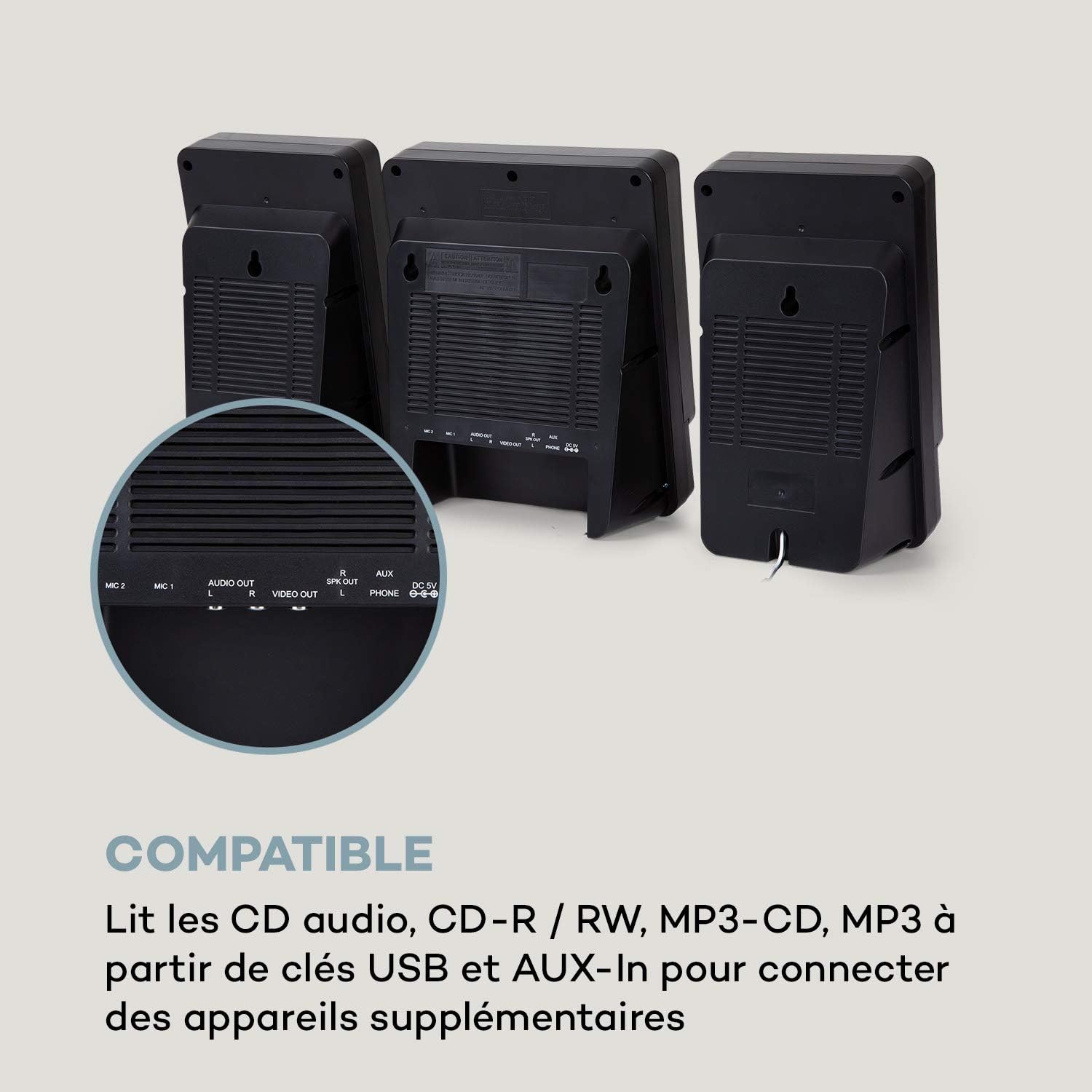
- Non ostruire le aperture di ventilazione. Assicurarsi che vi sia spazio sufficiente attorno all'unità per un corretto flusso d'aria.
- Utilizzare solo l'alimentatore fornito con l'unità.
- Non tentare di riparare o modificare l'unità autonomamente. Per qualsiasi intervento di assistenza, rivolgersi a personale qualificato.
- Clean the unit only with a dry, soft cloth. Do not use liquid cleaners or aerosols.
- Tenere le parti di piccole dimensioni e i materiali di imballaggio fuori dalla portata dei bambini.
Contenuto della confezione
Si prega di controllare la confezione per verificare la presenza dei seguenti elementi:
- AUNA Microstar Sing Main Unit
- Altoparlanti stereo (2 unità)
- Microfono cablato
- Adattatore di alimentazione
- Manuale dell'utente (questo documento)
Prodotto finitoview
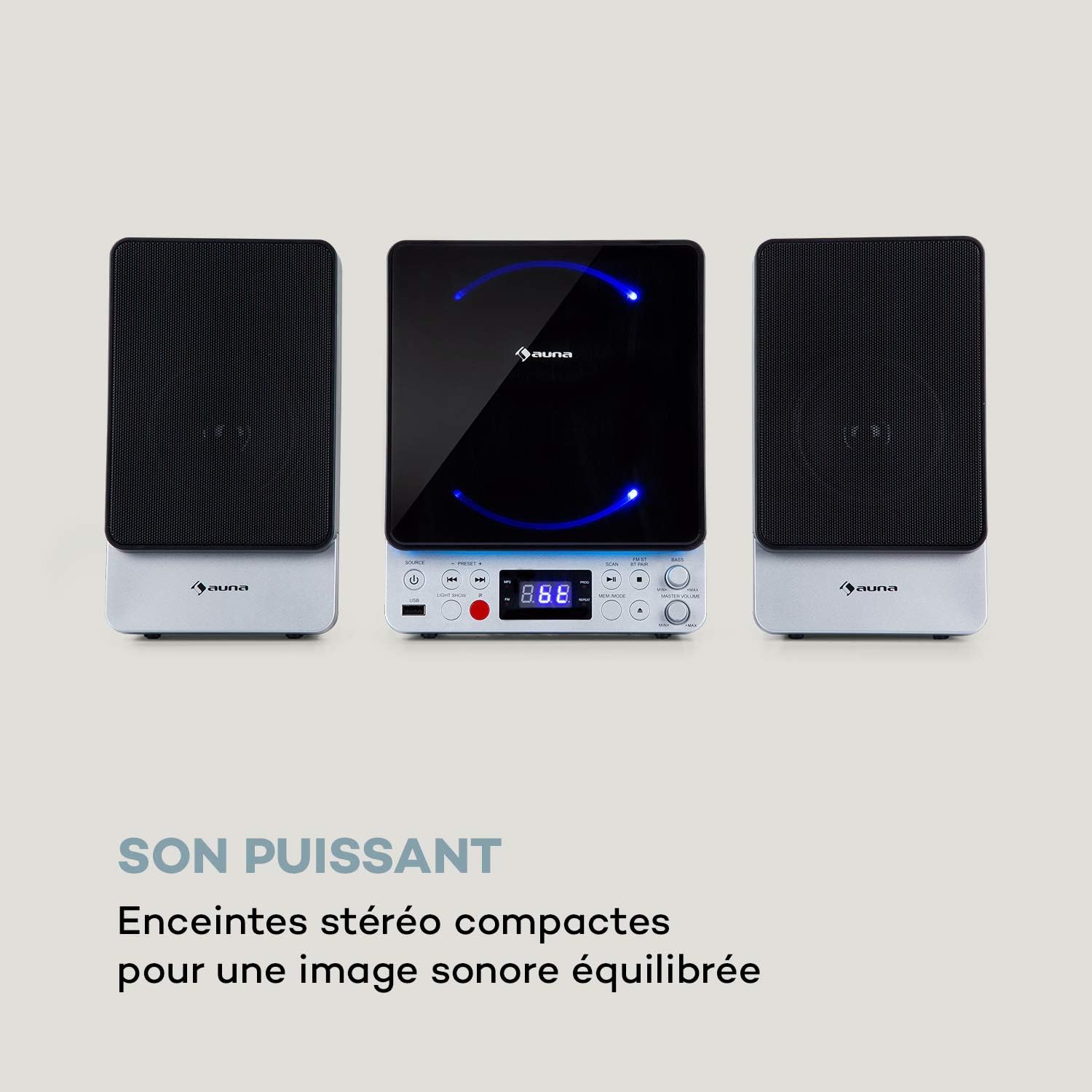
The AUNA Microstar Sing is a versatile micro system designed for karaoke and audio playback. It features a compact design, multiple input options, and integrated LED lighting.


Caratteristiche principali:
- Design verticale salvaspazio
- CD player compatible with standard audio CDs, CD-R, CD-RW, MP3 CDs, and CD-G (Karaoke CDs with graphics)
- Video output (composite PAL) for displaying CD-G lyrics on an external screen
- Bluetooth interface for wireless audio streaming
- USB port for MP3 playback from USB storage devices
- FM radio tuner with 30 preset stations
- Two microphone inputs for duets
- Integrated LED lighting for ambiance
- AUX-In for connecting external audio sources
Impostare
1. Disimballaggio e posizionamento:
Carefully remove all components from the packaging. Place the main unit and speakers on a stable, flat surface. Ensure there is adequate ventilation around the unit.
2. Collegamento degli altoparlanti:
Connect the two stereo speakers to the speaker output ports on the main unit. Ensure a secure connection for optimal sound quality.
3. Collegamento elettrico:
Connect the supplied power adapter to the DC 5V input on the main unit, then plug the adapter into a wall outlet.
4. Microphone Connection:
Plug the wired microphone into one of the MIC input jacks (MIC 1 or MIC 2) on the main unit.
5. Video Output (for CD-G):
If using CD-G discs, connect a composite video cable (not included) from the VIDEO OUT port on the main unit to the video input of your TV or monitor.
Istruzioni per l'uso
1. Accensione/spegnimento:
Premere il tasto ENERGIA pulsante per accendere o spegnere l'unità.
2. Selezione della fonte:
Premere il tasto FONTE button repeatedly to cycle through available modes: CD, Bluetooth (BT), USB, FM, AUX.
3. Riproduzione CD:
- Selezionare la modalità CD utilizzando il FONTE pulsante.
- Aprire lo scomparto del CD.
- Place a CD (audio CD, CD-R, CD-RW, MP3 CD, or CD-G) onto the spindle with the label side facing up.
- Close the CD compartment. The disc will begin playing automatically or after pressing RIPRODUCI/PAUSA.
- Utilizzo PRECEDENTE E PROSSIMO pulsanti per saltare le tracce.

4. Associazione Bluetooth:
- Select BT mode using the FONTE pulsante. Il display mostrerà "BT" e lampeggerà, indicando la modalità di associazione.
- Abilita il Bluetooth sul tuo dispositivo mobile (smartphone, tablet, ecc.).
- Cercare "AUNA Microstar Sing" in your device's Bluetooth settings and select it to pair.
- Once paired, you can stream audio wirelessly from your device to the Microstar Sing.

5. Riproduzione USB:
- Inserire una chiavetta USB contenente audio MP3 files nella porta USB.
- Selezionare la modalità USB utilizzando il FONTE pulsante.
- L'unità rileverà automaticamente e inizierà a riprodurre MP3 files.
- Utilizzo PRECEDENTE E PROSSIMO pulsanti per navigare tra le tracce.
6. Radio FM:
- Selezionare la modalità FM utilizzando il FONTE pulsante.
- Premere il tasto SCANSIONE pulsante per eseguire la scansione automatica e salvare le stazioni FM disponibili.
- Utilizzare il PRESET + E PRESET - pulsanti per scorrere le stazioni salvate.
7. Funzione Karaoke:
With a CD-G disc playing and connected to a TV, or any audio source playing, adjust the microphone volume using the dedicated VOLUME MICROFONO knob. Sing along with the music. The LED lighting will enhance the karaoke experience.
8. Controllo del volume:
Regolare il volume generale utilizzando il VOLUME PRINCIPALE pomello. Il BASS knob allows for bass level adjustment.
9. LED Light Show:
Premere il tasto SPETTACOLO DI LUCI button to activate or deactivate the integrated LED lighting effects.
Manutenzione
Pulizia:
Pulire l'unità con un panno morbido e asciutto. Non utilizzare detergenti abrasivi, cere o solventi poiché potrebbero danneggiare la finitura. Assicurarsi che l'unità sia scollegata dalla presa di corrente prima di pulirla.
Magazzinaggio:
If not in use for an extended period, unplug the unit and store it in a cool, dry place, away from direct sunlight and extreme temperatures.
Risoluzione dei problemi
| Problema | Possibile causa | Soluzione |
|---|---|---|
| Nessun potere | Adattatore di alimentazione non collegato o presa difettosa. | Assicurarsi che l'adattatore di alimentazione sia collegato saldamente all'unità e a una presa di corrente funzionante. |
| Nessun suono | Volume troppo basso; sorgente selezionata non corretta; altoparlanti non collegati. | Increase master volume. Select the correct input source. Check speaker connections. |
| Il CD non viene riprodotto | CD inserted incorrectly; disc scratched/dirty; incorrect mode. | Ensure CD is inserted correctly. Clean or replace the disc. Select CD mode. |
| Il Bluetooth non si connette | Unit not in pairing mode; device too far; Bluetooth off on source device. | Ensure unit is in BT mode and flashing. Move device closer. Enable Bluetooth on your device. |
| Il microfono non funziona | Microphone not connected; MIC volume too low. | Ensure microphone is securely plugged in. Increase MIC volume. |
| Scarsa ricezione della radio FM | Segnale debole; antenna non posizionata correttamente. | Adjust the position of the unit or external antenna (if applicable) for better reception. |
Specifiche
| Caratteristica | Specificazione |
|---|---|
| Marca | AUNA |
| Numero di modello | MG3-9200-hghg |
| Colore | Argento |
| Tecnologia di connettività | Bluetooth, USB |
| Connessioni | USB, AUX-In, Microphone (2), Video Out (Composite) |
| Porte USB totali | 1 |
| Tipo di supporto | CD-RW, USB, MP3 CD, CD-G |
| Numero di altoparlanti | 2 (Stereo) |
| Componenti inclusi | Microfono |
| Usi consigliati | Casa |
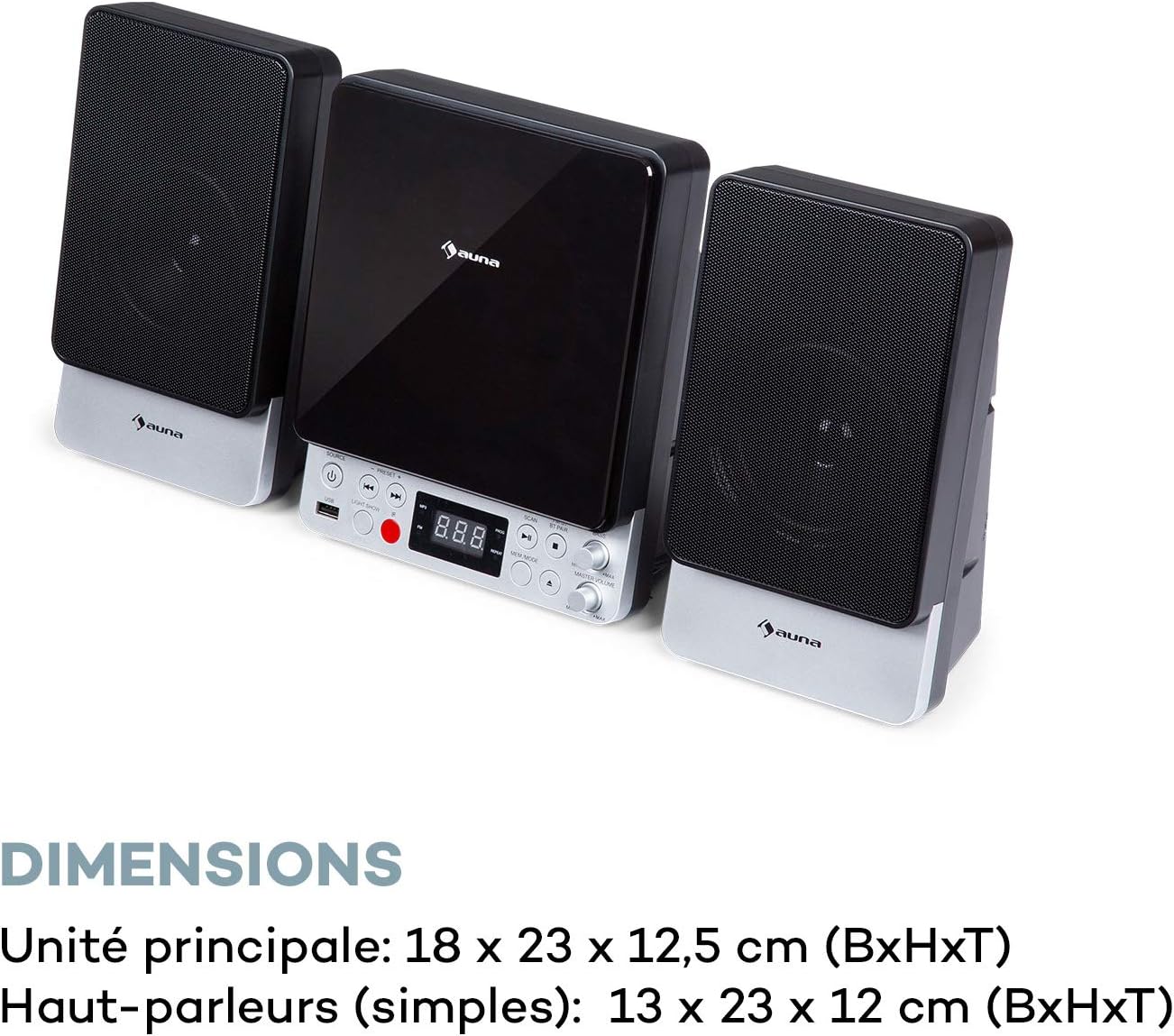
| Dimensioni dell'unità principale (LxAxP) | Dimensioni: 18 x 23 x 12.5 cm |
| Speaker Dimensions (WxHxD, each) | Dimensioni: 13 x 23 x 12 cm |
Garanzia e supporto
For warranty information and technical support, please refer to the warranty card included with your product or contact AUNA customer service directly. Keep your proof of purchase for any warranty claims.
For further assistance, please visit the official AUNA websito o contattare i loro canali di supporto.