
Introduzione
Grazie per l'acquistoasing the Shinco Bluetooth Speaker. This speaker is designed to deliver powerful audio with deep bass and vibrant party lights, suitable for various occasions. It features Bluetooth connectivity, True Wireless Stereo (TWS) pairing, and multiple input options including USB, TF card, AUX, and microphone/guitar inputs. Please read this manual carefully to ensure proper use and to maximize your listening experience.
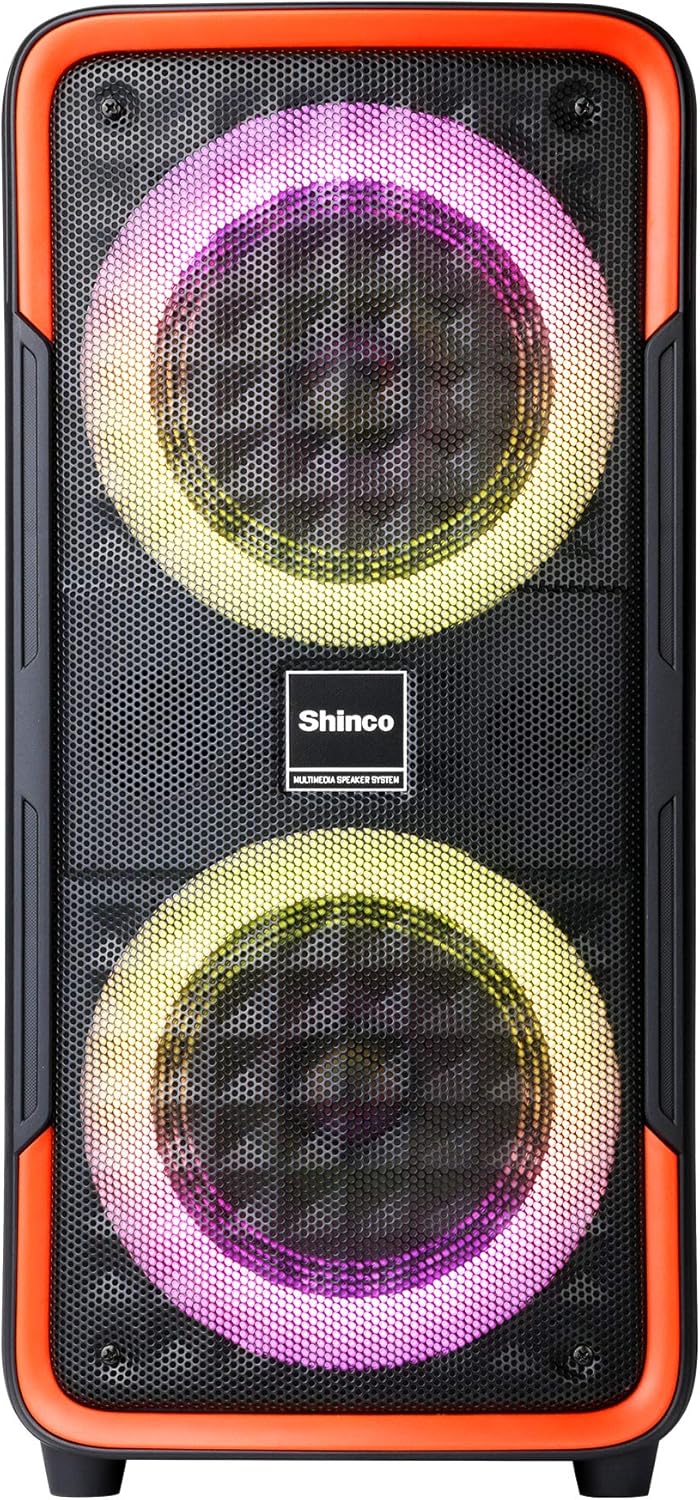
Figura 1: Davanti view of the Shinco Bluetooth Speaker, showcasing its dual woofers with dynamic LED lighting.
Cosa c'è nella scatola
Upon unpacking your Shinco Bluetooth Speaker, please ensure all items are present:
- Shinco Bluetooth Speaker
- Adattatore di alimentazione (per la ricarica)
- Microfono cablato (se incluso nel modello)
- Manuale d'uso
Impostare
Caricamento dell'altoparlante
Before first use, fully charge the speaker. Connect the provided power adapter to the DC 5V input port on the speaker and plug the other end into a wall outlet. The charging indicator light will illuminate. Once fully charged, the indicator light may change color or turn off, depending on the model. A full charge typically takes several hours.
Accensione/spegnimento
To power on the speaker, press and hold the Power button located on the control panel. You will hear an audible prompt, and the LED lights will activate. To power off, press and hold the Power button again.

Figura 2: Close-up of the speaker's control panel, showing the power button, mode selection, volume controls, and various input ports.
Istruzioni per l'uso
Connettività Bluetooth
- Power on the speaker. It will automatically enter Bluetooth pairing mode, indicated by a flashing Bluetooth icon or LED.
- Sul tuo cellulare o tablet, attiva il Bluetooth e cerca i dispositivi disponibili.
- Select "Shinco Speaker" (or similar name) from the list of devices.
- Una volta effettuata la connessione, sentirai un suono di conferma e l'indicatore Bluetooth smetterà di lampeggiare.
The speaker can maintain a stable connection within 65 feet (approximately 20 meters) in an open area.
Accoppiamento True Wireless Stereo (TWS)
TWS allows you to pair two Shinco Bluetooth Speakers for a stereo sound experience.
- Assicurarsi che entrambi gli altoparlanti siano accesi e non connessi ad alcun dispositivo Bluetooth.
- On one speaker (this will be the primary speaker), press and hold the TWS button. You will hear a prompt indicating TWS pairing mode.
- L'altoparlante principale cercherà automaticamente l'altoparlante secondario e si collegherà ad esso.
- Once paired, you will hear a confirmation sound. The LED indicators on both speakers will show a stable connection.
- Ora, collega il tuo dispositivo all'altoparlante principale tramite Bluetooth come descritto sopra. L'audio verrà riprodotto in stereo da entrambi gli altoparlanti.

Figura 3: Two Shinco speakers operating in True Wireless Stereo (TWS) mode, providing a wider soundstage.
Riproduzione USB/scheda TF
Insert a USB flash drive or TF (Micro SD) card into the respective port on the control panel. The speaker will automatically detect the storage device and begin playing audio files (MP3, WAV, etc.). Use the playback controls (Play/Pause, Next/Previous Track) on the speaker to manage your music.
Ingresso AUX
Connect an external audio device (e.g., MP3 player, laptop) to the AUX input port using a 3.5mm audio cable. The speaker will automatically switch to AUX mode, or you may need to press the Mode button to select AUX. Audio will then be played from your connected device.
Microphone/Guitar Input
Plug a 1/4" microphone or guitar into the MIC/GUITAR input port. Adjust the microphone volume using the dedicated knob (if available) or the main volume control. This feature is ideal for karaoke or live performances.
Luci di festa
The speaker features integrated LED party lights. Press the LED button on the control panel to cycle through various lighting modes and patterns. The lights can flash, blink, and synchronize with the rhythm of the music, enhancing the atmosphere.
Manutenzione
- Pulizia: Utilizzare un panno morbido e asciutto per pulire l'esterno dell'altoparlante. Non utilizzare detergenti abrasivi, cere o solventi.
- Magazzinaggio: Conservare l'altoparlante in un luogo fresco e asciutto, lontano dalla luce solare diretta e da temperature estreme.
- Cura della batteria: Per prolungare la durata della batteria, evitare di scaricarla completamente frequentemente. Caricare regolarmente l'altoparlante, anche se non in uso, per preservare la salute della batteria.
- Esposizione all'acqua: Questo altoparlante non è impermeabile. Evitare di esporlo all'acqua o a umidità eccessiva.
Risoluzione dei problemi
| Problema | Possibile causa | Soluzione |
|---|---|---|
| L'altoparlante non si accende. | La batteria è scarica. | Connect the speaker to a power source using the provided adapter and allow it to charge. |
| Nessun suono dall'altoparlante. | Il volume è troppo basso; modalità di input errata; dispositivo non collegato correttamente. | Increase volume on both the speaker and the connected device. Ensure the correct input mode (Bluetooth, AUX, USB/TF) is selected. Reconnect the device. |
| La connessione Bluetooth non riesce. | Speaker is out of range; device's Bluetooth is off; speaker is connected to another device. | Move the device closer to the speaker. Ensure Bluetooth is enabled on your device. Disconnect from other devices and try pairing again. |
| L'associazione TWS non riesce. | Speakers are too far apart; one speaker is already connected via Bluetooth. | Ensure both speakers are close to each other. Disconnect any Bluetooth devices from both speakers before initiating TWS pairing. |
| Microphone sound is poor or absent. | Microphone not fully plugged in; microphone volume too low; faulty microphone. | Ensure the microphone is securely plugged into the 1/4" input. Adjust microphone volume. Test with another microphone if possible. |
Specifiche
| Caratteristica | Dettaglio |
|---|---|
| Modello | B08PTZVWF2 |
| Dimensioni (HWD) | 22.83 x 11.42 x 10.63 inches (approx. 21 x 9.65 x 8.66 inches as per feature bullets) |
| Peso | 10.38 libbre |
| Connettività | Bluetooth, USB, TF Card, AUX (3.5mm Jack), 1/4" Microphone/Guitar Input |
| Caratteristiche speciali | Party Lights (LED), True Wireless Stereo (TWS), Built-in Handles |
| Fonte di alimentazione | Alimentato a batteria (1 batteria agli ioni di litio inclusa) |
| Colore | Nero, Rosso |

Figura 4: Shinco Bluetooth Speaker illustrating its physical dimensions.
Garanzia e supporto
Shinco products are designed for reliability and performance. This product comes with a standard manufacturer's warranty against defects in materials and workmanship. Please refer to the warranty card included with your purchase for specific terms and conditions, including the warranty period and coverage details.
For technical support, troubleshooting assistance, or warranty claims, please contact Shinco customer service. Contact information can typically be found on the product packaging or on the official Shinco website. Please have your product model number (B08PTZVWF2) and proof of purchase ready when contacting support.