
1. Introduzione
This manual provides essential information for the installation, operation, maintenance, and troubleshooting of your MAXSUN GeForce RTX 2060 iCraft 6GB graphics card. Please read this manual thoroughly before installing and using the product to ensure proper functionality and safety.
2. Informazioni sulla sicurezza
- Scollegare sempre l'alimentazione dal computer prima di installare o rimuovere qualsiasi componente.
- Indossare un braccialetto antistatico o toccare frequentemente un oggetto metallico collegato a terra per evitare danni ai componenti causati da scariche elettrostatiche (ESD).
- Maneggiare la scheda grafica tenendola per i bordi per evitare di toccare i componenti sensibili.
- Assicurare un'adeguata ventilazione all'interno del case del computer per evitare il surriscaldamento.
- Do not attempt to repair the graphics card yourself. Refer to qualified service personnel.
3. Contenuto della confezione
Verifica che il pacco contenga i seguenti articoli:
- 1 x MAXSUN GeForce RTX 2060 iCraft 6GB Graphics Card
Se qualche articolo risulta mancante o danneggiato, contattare il rivenditore.
4. Prodotto finitoview
The MAXSUN GeForce RTX 2060 iCraft 6GB graphics card is designed for gaming PCs, featuring NVIDIA's Turing GPU architecture, 6GB GDDR6 memory, and a 192-bit memory interface. It includes a triple-fan cooling system and RGB lighting.

Figura 4.1: Fronte view of the MAXSUN GeForce RTX 2060 iCraft 6GB graphics card, showing the three cooling fans and RGB lighting elements.

Figura 4.2: Angolato view of the graphics card, highlighting its robust design and cooling solution.

Figura 4.3: Posteriore view della scheda grafica, mostraasing the alloy backplate designed for structural integrity and heat dissipation.

Figure 4.4: Display output ports on the graphics card, including DisplayPort (DP), HDMI, and DVI connectors.
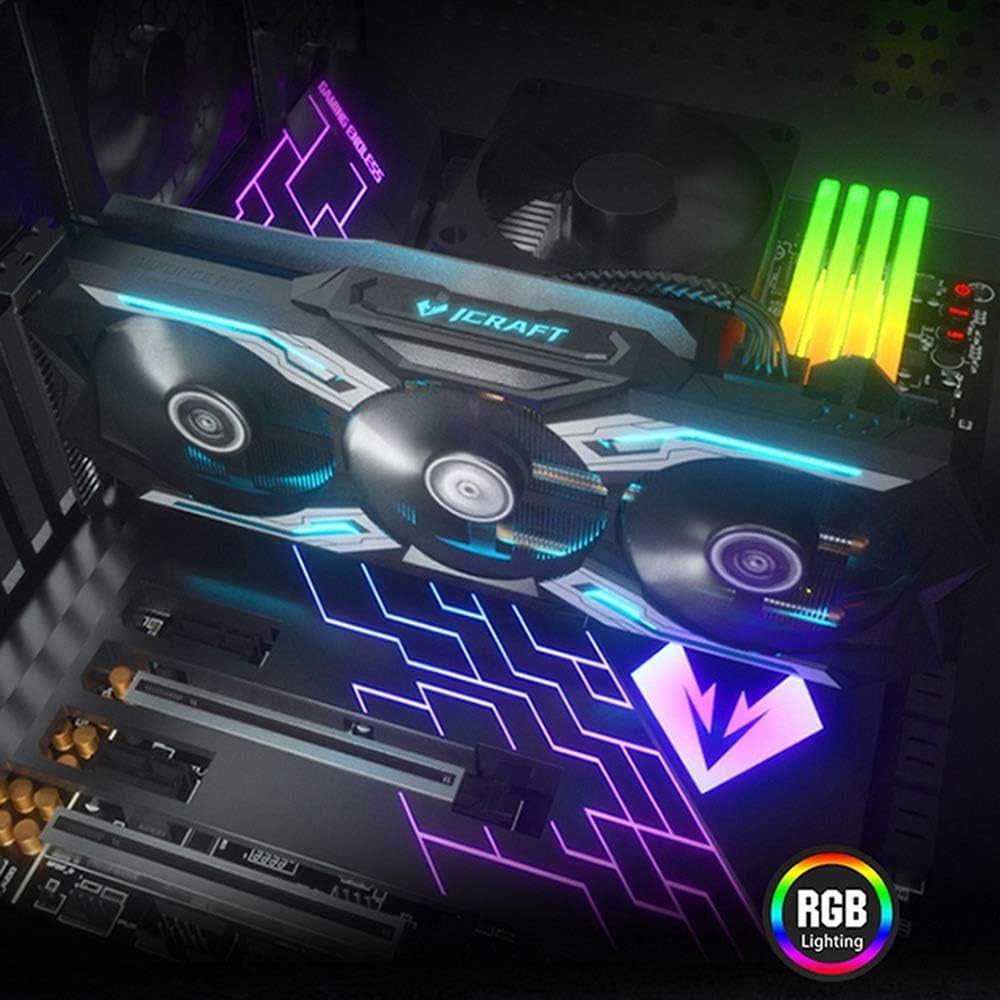
Figure 4.5: The graphics card installed in a PC case, demonstrating its integrated RGB lighting.
Caratteristiche principali:
- Turing GPU Architecture: Provides enhanced performance for real-time ray tracing and AI capabilities.
- iCraft Series RGB Lighting: Features auto RGB lighting for aesthetic customization within your PC build.
- Triple Fan Cooling: Equipped with 3 MAXSUN Blade II hydro-mechanics low noise fans for efficient heat dissipation.
- Alloy Backplate & Radiator: Includes an alloy backplate and a high-end fin technology radiator with 5 heat pipes for improved thermal performance.
- Prestazione: Boost Clock up to 1680 MHz, 6GB GDDR6 memory, 192-bit memory interface.
5. Configurazione e installazione
5.1 Preinstallazione
- Spegni: Spegnere il computer e scollegare il cavo di alimentazione dalla presa a muro.
- Caso aperto: Open your computer case to access the motherboard and PCIe slots.
- Protezione statica: Ground yourself by touching a metal part of the computer chassis or wearing an anti-static wrist strap to prevent ESD.
- Rimuovi la vecchia carta (se applicabile): If replacing an existing graphics card, carefully remove it by unscrewing its bracket and releasing the PCIe retention clip.
5.2 Installazione fisica
- Individuare lo slot PCIe: Identify an available PCIe x16 slot on your motherboard. This is typically the topmost long slot.
- Inserisci la scheda grafica: Align the graphics card with the PCIe slot and press down firmly until it is securely seated. The PCIe retention clip should click into place.
- Carta sicura: Fissare la scheda grafica al case del computer con le viti.
- Connetti alimentazione: Connect the required PCIe power cables from your power supply to the graphics card. This model typically requires one 8-pin PCIe power connector. Ensure all connections are firm.
- Chiudi caso: Chiudere il case del computer e ricollegare il cavo di alimentazione.
5.3 Installazione del driver
- Accensione: Connect your monitor to one of the graphics card's output ports (HDMI, DisplayPort, or DVI) and power on your computer.
- Scarica i driver: Vai al sito ufficiale NVIDIA webposto (www.nvidia.com/drivers) to download the latest drivers for the GeForce RTX 2060.
- Installa i driver: Run the downloaded driver installer and follow the on-screen instructions. A restart may be required after installation.
Video 5.1: An official video demonstrating the MAXSUN Nvidia Geforce RTX 2060 iCraft 6GB graphics card, showcasinil suo design e le sue caratteristiche. Questo video fornisce una panoramica visivaview del prodotto.
6. Istruzioni per l'uso
6.1 Collegamento dei display
Connect your monitor(s) to the available display output ports on the graphics card (HDMI, DisplayPort, DVI). The card supports multiple displays simultaneously. Ensure your display cables are securely connected.
6.2 Illuminazione RGB
The MAXSUN iCraft series graphics card features automatic RGB lighting. The lighting effects are pre-programmed and activate upon system power-on. Please note that dedicated software for controlling the RGB lighting is not typically provided for this model, and it may not be compatible with third-party motherboard RGB software.
7. Manutenzione
7.1 Pulizia
- Frequenza: Clean your graphics card periodically, especially if you notice dust accumulation on the fans or heatsink.
- Procedura: Disconnect power from your PC. Use compressed air to gently blow dust out of the heatsink fins and fan blades. Hold the fan blades in place while blowing to prevent over-spinning and potential damage.
- Evitare: Do not use liquid cleaners or abrasive materials on the graphics card.
7.2 Manutenzione della ventola
The Blade II hydro-mechanics fans are designed for durability. If you notice unusual fan noise or reduced cooling performance, ensure there are no obstructions to the fan blades. Do not attempt to lubricate or disassemble the fans.
8. Risoluzione Dei Problemi
8.1 Nessuna uscita di visualizzazione
- Assicurarsi che il cavo del monitor sia collegato saldamente sia alla scheda grafica sia al monitor.
- Verify that the graphics card is fully seated in the PCIe slot and that all power connectors are properly attached.
- Controlla che il monitor sia impostato sulla sorgente di input corretta.
- Se possibile, provare un cavo di visualizzazione o un monitor diverso.
8.2 Performance Issues or Crashes
- Assicurati di aver installato i driver NVIDIA più recenti.
- Monitor your GPU temperatures using third-party software. High temperatures can lead to throttling or instability. Ensure proper case airflow.
- Verificare che l'unità di alimentazione (PSU) soddisfi i requisiti minimi di watttage requirements for your system, including the graphics card.
- Check for any conflicting software or background applications that might be consuming system resources.
8.3 Rumore della ventola
- Assicurarsi che nessun cavo o ostacolo interferisca con le pale della ventola.
- Clean any dust accumulation from the fans and heatsink.
- Fan speed will increase under load to maintain optimal temperatures. This is normal operation.
9. Specifiche
| Caratteristica | Specificazione |
|---|---|
| Coprocessore grafico | Scheda grafica NVIDIA GeForce RTX 2060 |
| Marca | maxsun |
| Dimensione RAM grafica | 6 GB GDDR6 |
| Interfaccia di uscita video | DVI, DisplayPort, HDMI |
| Produttore di processori grafici | NVIDIA |
| Dimensioni del prodotto | 12.05 x 4.92 x 1.61 pollici |
| Peso dell'articolo | 3.19 libbre |
| Numero di modello | NVIDIA Geforce RTX 2060 iCraft 6G |
10. Garanzia e supporto
For warranty information and technical support, please refer to the documentation provided with your purchase or visit the official MAXSUN websito. Conservare la prova d'acquisto per eventuali reclami in garanzia.