
1. Introduzione
This manual provides instructions for the safe and efficient operation of your Lepro PR210002-US LED Table Lamp. Questo versatile lamp offers a range of lighting options, including tunable white light, RGB color changing, dimming capabilities, and an auto-off timer. Please read this manual thoroughly before use and retain it for future reference.

Figure 1: Lepro PR210002-US LED Table Lamp.
2. Contenuto della confezione
Prima di procedere con la configurazione, assicurarsi che tutti i componenti siano presenti:
- 1 x Lepro PR210002-US LED Table Lamp
- Adattatore di alimentazione 1 x US
- 1 x Cavo USB di tipo C
- 1 x Manuale utente (questo documento)
3. Impostazione
Follow these steps to set up your LED Table Lamp:
- Disimballare: Rimuovere con attenzione tutti i componenti dalla confezione.
- Connetti alimentazione: Insert the Type C USB cable into the lamp's charging port. Connect the other end of the USB cable to the provided US power adapter, then plug the adapter into a standard wall outlet.

Figure 2: Connecting the lamp to power. The lamp measures 3.9 inches in diameter and 7.1 inches in height, with a 4.9 ft cable.
4. Istruzioni per l'uso
The Lepro LED Table Lamp features intuitive touch controls located on the top surface and the base.

Figura 3: Controllo touch suview.
4.1. Accensione/spegnimento
- Pressione breve: Lightly tap the top touch area (power symbol) to turn the lamp acceso o spento.
4.2. Adjusting White Light (Tunable White Mode)
Il lamp offers three white light temperatures: 2700K (Warm White), 4000K (Neutral White), and 5700K (Cool White).
- Cambia la temperatura: Press the 'M' button on the lamp's base to cycle through the white light temperatures (2700K → 4000K → 5700K).
- Regola luminosità: While in any white light mode, Pressione lunga the top touch area to continuously adjust the brightness from 5% to 100%. Release when desired brightness is reached.

Figure 4: Tunable White Light Options (2700K, 4000K, 5700K).
4.3. RGB Color Changing Modes
Il lamp features 7 static RGB colors and an auto-color changing mode.
- Access RGB Modes: Press the 'M' button repeatedly until the lamp enters RGB mode.
- Select Static Color: While in RGB mode, Pressione lunga the top touch area to cycle through the 7 available colors. Release when your desired color is displayed.
- Auto Color Changing: Continue pressing the 'M' button after the static RGB colors to activate the auto-color changing mode.
- Adjust Speed (Auto Mode): While in auto-color changing mode, Pressione lunga the top touch area to adjust the speed of the color transitions (3-level speed).

Figure 5: RGB Color Changing Mood Light.
4.4. Auto-Off Timer
Il lamp includes a convenient auto-off timer function for 30 or 60 minutes.
- Attiva timer: Press the timer button (clock symbol) on the lampla base.
- Timer di 30 minuti: One press activates the 30-minute timer (indicated by one green LED on the base).
- Timer di 60 minuti: A second press activates the 60-minute timer (indicated by two green LEDs on the base).
- Disattiva timer: A third press will turn off the timer function (no green LEDs).
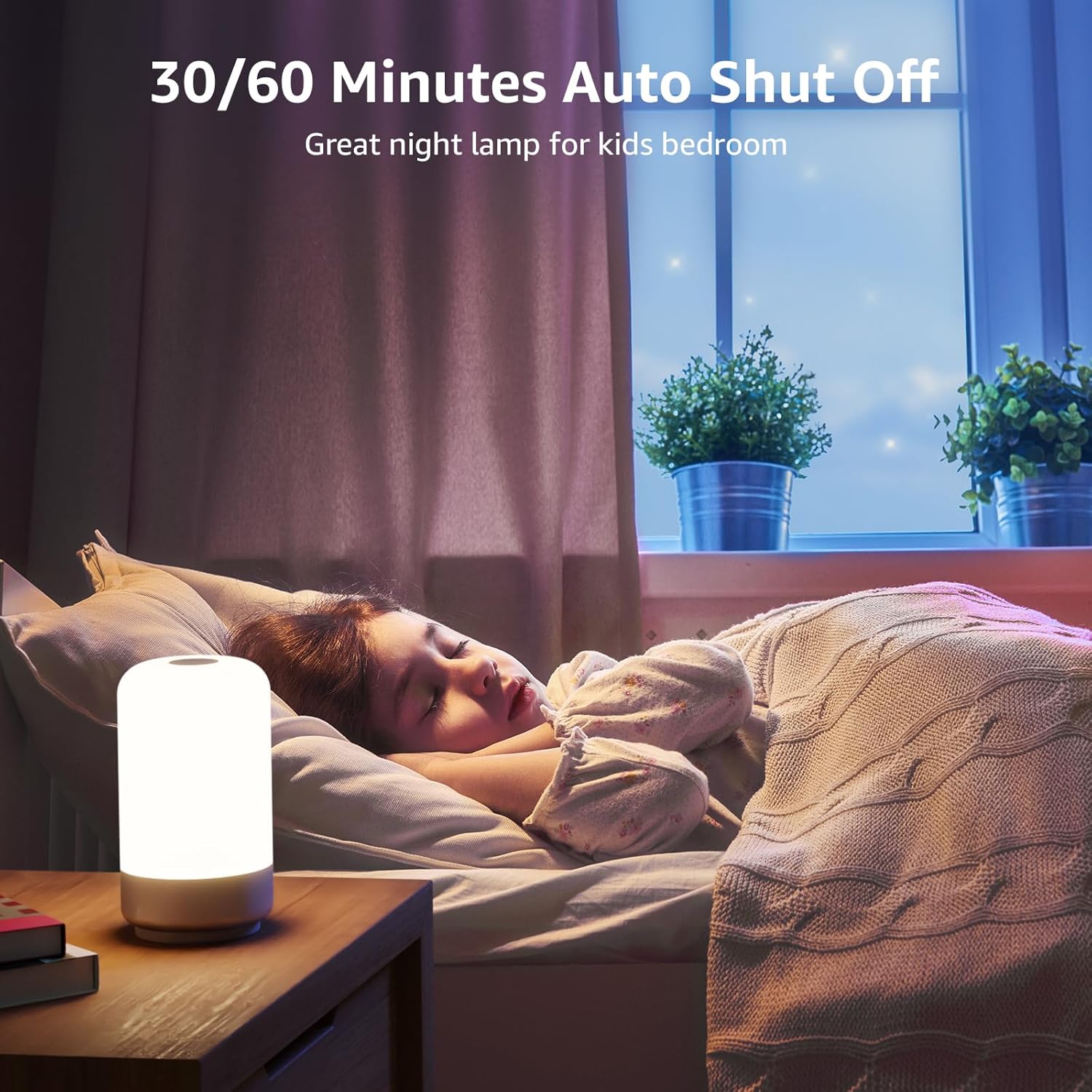
Figure 6: Auto-Off Timer Function.
4.5. Funzione di memoria
Il lamp retains the last used brightness and color setting when turned off and on again, ensuring a consistent experience.
5. Manutenzione
Per garantire la longevità e le prestazioni ottimali del tuo lamp, seguire queste linee guida di manutenzione:
- Pulizia: Scollegare lamp dall'alimentazione prima di pulirlo. Utilizzare un panno morbido e asciutto per pulire lampsuperficie. Non utilizzare detergenti abrasivi, solventi o prodotti chimici aggressivi, poiché potrebbero danneggiare la finitura.
- Gestione: Gestisci il lamp con cura. Evitare di farlo cadere o di sottoporlo a forti urti.
- Magazzinaggio: Se si conserva il lamp per un periodo prolungato, assicurarsi che sia pulito e asciutto. Conservarlo in un luogo fresco e asciutto, lontano dalla luce solare diretta.
6. Risoluzione Dei Problemi
If you encounter issues with your Lepro LED Table Lamp, fare riferimento ai seguenti problemi comuni e alle relative soluzioni:
| Problema | Possibile causa | Soluzione |
|---|---|---|
| Lamp non si accende. | Nessuna connessione di alimentazione. | Ensure the power adapter is securely plugged into a working outlet and the USB-C cable is firmly connected to the lamp. |
| Brightness adjustment is not smooth or lamp turns off when dimming. | Incorrect operation of touch control. | Assicurati di eseguire un Pressione lunga on the top touch area to adjust brightness. A short press will turn the lamp off. Release your finger when the desired brightness is achieved. |
| Colors are not changing or cycling. | Not in RGB mode or incorrect operation. | Press the 'M' button to cycle through modes until RGB mode is active. For static colors, Pressione lunga the top touch area. For auto-changing, ensure auto-color changing mode is selected via the 'M' button, then Pressione lunga the top touch area to adjust speed. |
| La funzione timer non funziona. | Timer not activated or incorrectly set. | Press the timer button on the base. One green LED indicates 30-minute timer, two green LEDs indicate 60-minute timer. Ensure the correct timer setting is active. |
7. Specifiche
| Caratteristica | Dettaglio |
|---|---|
| Numero di modello | PR210002-USA |
| Marca | Lebbroso |
| Dimensioni del prodotto | 3.9"P x 3.9"L x 7.1"A |
| Peso dell'articolo | 0.85 libbre (13.6 once) |
| Materiale | Plastica |
| Tipo di sorgente luminosa | GUIDATO |
| Luminosità | 350 lumen |
| Cosatage | 7 watt |
| Voltage | 120 Volt (CA) |
| Opzioni di colore chiaro | 7 Colors + 3 White Light Temperatures (2700K-4000K-5700K) |
| Metodo di controllo | Tocco |
| Fonte di alimentazione | Elettrico con cavo |
| Lunghezza del cavo | 4 piedi |
| Uso interno/esterno | Solo per uso interno |
| Livello di resistenza all'acqua | Non resistente all'acqua |
8. Garanzia e supporto
For warranty information or technical support, please contact Lepro customer service through their official website or the retailer where the product was purchased. Please have your model number (PR210002-US) and purchase details ready when contacting support.