1. Prodotto finitoview
The SSA 10.1-inch WiFi Digital Picture Frame allows you to display photos and videos shared via a dedicated application or email. It features a high-resolution IPS touchscreen and supports various multimedia functions.
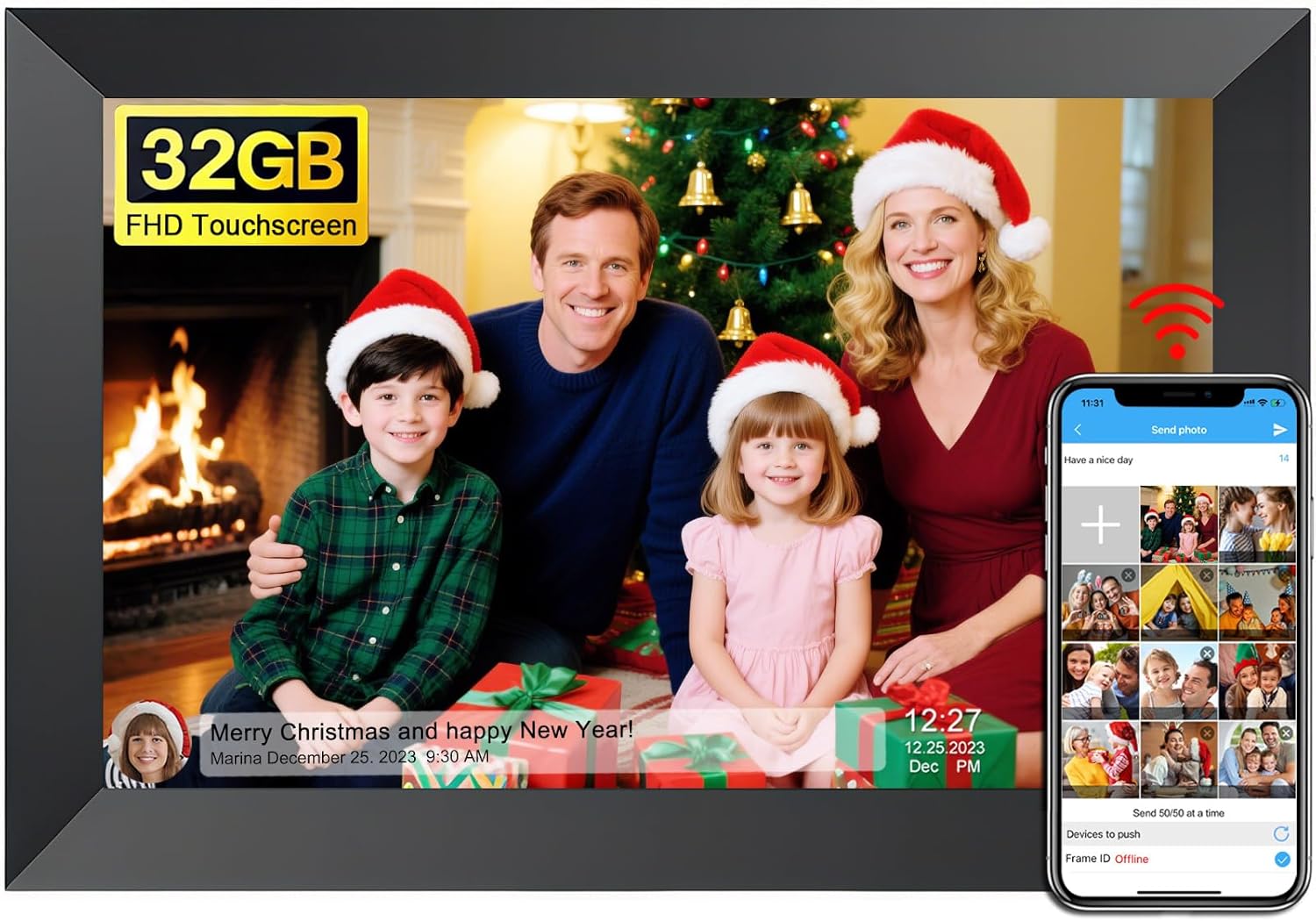
Figure 1: SSA 10.1-inch WiFi Digital Picture Frame.
2. Istruzioni per l'installazione
2.1 Disimballaggio e accensione iniziale
- Estrarre con cautela la cornice digitale e tutti gli accessori dalla confezione.
- Collega l'adattatore di alimentazione al telaio e inseriscilo in una presa di corrente. Il telaio si accenderà automaticamente.
2.2 Physical Placement and Orientation
The frame includes a detachable stand for tabletop use. It also supports wall mounting for flexible placement.
- Uso da tavolo: Attach the detachable stand to the back of the frame. The frame can be positioned in either portrait or landscape mode.
- Montaggio a parete: Utilize the back mounting holes to hang the frame on a wall. The auto-rotate function will adjust the photo orientation accordingly.

Figure 2: Flexible placement options for the digital picture frame.
2.3 Network Connection (2.4 GHz WiFi)
The frame requires a 2.4 GHz WiFi connection for photo and video sharing. Follow the on-screen prompts to connect to your home network during initial setup.
2.4 Download e associazione dell'app
To share photos and videos, download the companion application on your smartphone.
- Cercare the SSA WiFi Frame app on the Google Play Store (for Android) or Apple App Store (for iOS).
- Installa l'applicazione sul tuo dispositivo.
- Open the app and follow the instructions to pair it with your digital picture frame using the unique frame code displayed on the frame's screen.
- You can invite up to 20 friends or family members to share photos and videos by providing them with your frame code.


Figure 3: App download and frame connection process.
3. Istruzioni per l'uso
3.1 Navigazione touchscreen
The frame features an IPS touchscreen for intuitive operation. Tap and swipe to navigate through menus and settings.

Figure 4: Interacting with the IPS touchscreen.
3.2 Photo and Video Display
- Slideshow Play: The frame automatically plays a slideshow of uploaded photos and videos.
- Rotazione automatica: Photos and videos automatically adjust their orientation (portrait or landscape) based on the frame's position.
- Impostazioni personalizzate: Adjust slideshow transition speed, effects, repeat mode, image zooming, and brightness through the settings menu.
- Display Captions: Add captions to your photos via the app for display on the frame.
3.3 Funzionalità multimediali
The frame supports various functions beyond photo display:
- Riproduzione musicale: Import music from a computer or memory card, or insert a USB drive or SD card to play audio files.
- Calendario: View the current date and a small slideshow window.
- Tempo atmosferico: Displays daily and three-day weather reports based on your location.
- Allarme: Imposta più allarmi come promemoria.
- Orologio: Choose from several clock display styles.

Figura 5: Oltreview of frame features.
3.4 Condivisione di foto e video
Content can be shared to the frame using the dedicated app or email.
- Tramite App: Use the SSA WiFi Frame app to select and send photos and videos. The app allows sending up to 50 pictures at once and videos up to 200MB.
- Via e-mail: Send photos and videos directly to the frame's unique email address.
- Archiviazione esterna: Photos and videos can also be imported from a TF card or Type-C USB drive.

Figure 6: Methods for uploading content to the frame.
4. Manutenzione
4.1 Gestione dell'archiviazione
The frame has 32GB of built-in memory. Storage can be expanded using a TF card or Type-C USB drive.
- Memoria interna: Manage existing photos and videos directly on the device.
- Archiviazione esterna: Insert a TF card or Type-C USB drive to import or export media files.

Figure 7: Storage options for the digital picture frame.
4.2 Modalità di sospensione
Activating sleep mode helps conserve energy and extends the lifespan of the device. This can be configured in the settings.

Figure 8: Sleep mode for power conservation.
4.3 Resetting the Frame
Important: Before performing a factory reset, ensure all external devices (TF card, USB drive) are removed from the frame.
5. Risoluzione Dei Problemi
- Problemi di connettività: Ensure the frame is connected to a 2.4 GHz WiFi network. 5 GHz networks are not supported.
- Frame Code Errors: If you encounter issues with the frame code, try restarting the frame and the companion app. If the problem persists, contact customer support.
- Problemi di alimentazione: If the frame does not power on or continuously reboots, verify the power adapter is correctly connected and functioning.
- Content Upload Problems: Check your internet connection and ensure the app is updated. For large video files, confirm they are under the 200MB limit.
- Malfunzionamenti del display: If the screen exhibits unusual behavior, try restarting the device.
Video 1: Demonstration of the SSA WiFi Digital Picture Frame's features, including app connectivity, menu navigation, and various display modes.
Video 2: A short video demonstrating the Frameo boot-up sequence, which may indicate a power or software issue if it loops continuously.
6. Specifiche
| Caratteristica | Specificazione |
|---|---|
| Dimensioni dello schermo | 10.1 pollici |
| Risoluzione | 1280x800 |
| Proporzioni | 16:10 |
| Tipo di visualizzazione | Schermo tattile IPS |
| Memoria interna | 32 GB |
| Supporto per archiviazione esterna | TF Card, Type-C Drive |
| Connettività | WiFi a 2.4 GHz |
| Dimensioni del prodotto | 8 x 6 x 0.99 pollici |
| Peso dell'articolo | 1.48 libbre |
| Numero di modello | ZN-DP1002 |
| Produttore | SSA |

Figura 9: Ampio viewing angle of the IPS display.
7. Garanzia e supporto
For warranty information or technical assistance, please contact SSA customer support. The manufacturer maintains a team of knowledgeable engineering staff to address product inquiries.
- Informazioni sui contatti: Refer to the product packaging or the official SSA websito per i dettagli di contatto dell'assistenza più aggiornati.
- Risorse online: Check the SSA websito per FAQ, manuali aggiornati e download di software.