
1. Prodotto finitoview
The Logitech MK295 Silent Wireless Keyboard & Mouse Combo is designed for comfort, precision, and quiet operation. It features Logitech's SilentTouch technology, significantly reducing typing and clicking noises. This combo connects wirelessly via a tiny USB Nano receiver, offering a reliable connection and extended battery life for both the keyboard and mouse.
Caratteristiche principali
- Innovative SilentTouch technology for same typing and clicking feel with 90% less noise.
- Full-size keyboard with 8 convenient shortcuts and a full numpad for efficient data entry and easier navigation.
- Contoured and portable mouse with smooth, precise clicking and pointing on most surfaces.
- Strong, reliable 2.4 GHz wireless connection with a 10-meter range and a tiny USB receiver.
- Compatible with Windows or Chrome OS for plug-and-play simplicity.
- Spill-proof keyboard design, durable keys, and sturdy tilt legs with adjustable height.
- Extended battery life: up to 36 months for the keyboard and 18 months for the mouse, with on/off switches.
- One-touch access to media controls (play/pause, volume, mute) and internet.
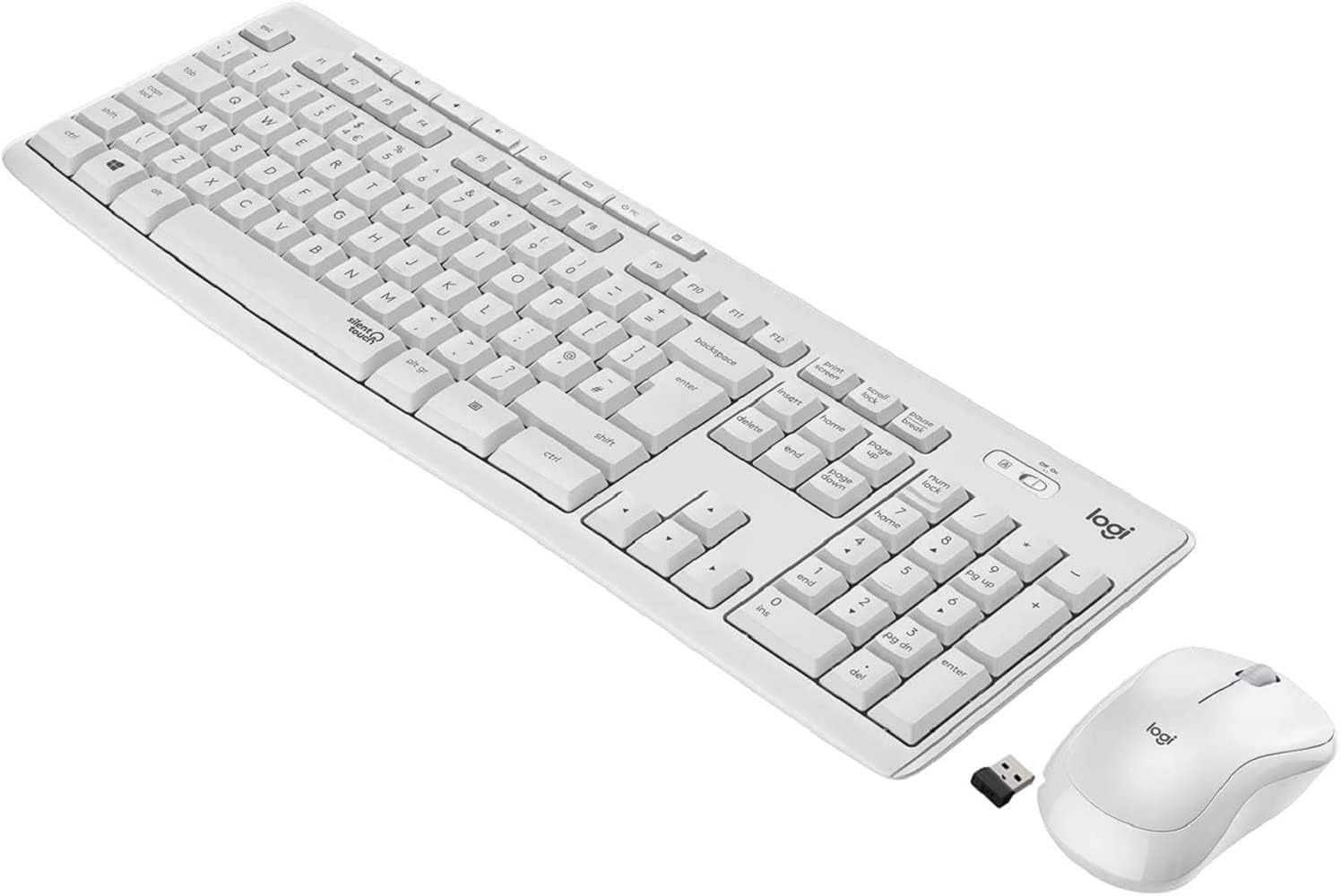
Figure 1.1: The Logitech MK295 Wireless Keyboard and Mouse Combo, including the USB receiver.
2. Guida all'installazione
2.1 Contenuto della confezione
- Tastiera wireless Logitech MK295
- Mouse wireless Logitech MK295
- Ricevitore nano USB
- 2 batterie AAA (preinstallate nella tastiera)
- 1 batteria AA (preinstallata nel mouse)
- Documentazione utente (questo manuale)
2.2 Installazione della batteria
The keyboard requires two AAA batteries, and the mouse requires one AA battery. Batteries are typically pre-installed. If replacement is needed:
- Individuare il vano batteria nella parte inferiore della tastiera e del mouse.
- Far scorrere per aprire il coperchio del vano batterie.
- Insert the batteries, ensuring correct polarity (+ and - ends).
- Chiudere saldamente il coperchio del vano batterie.
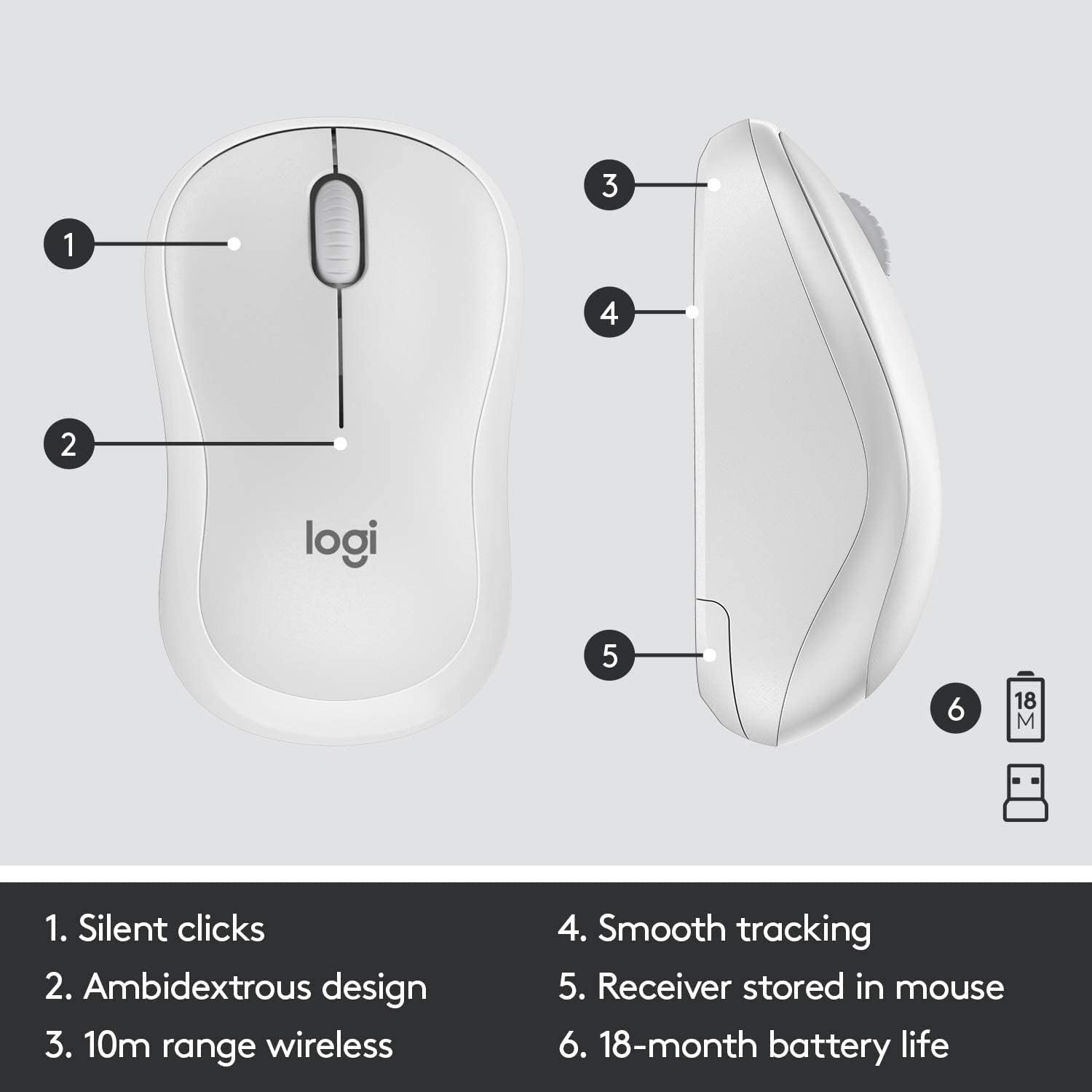
Figure 2.1: The underside of the mouse, showing the battery compartment and the storage slot for the USB receiver.
2.3 Collegamento dei dispositivi
The keyboard and mouse connect to your computer using a single USB Nano receiver.
- Remove the USB Nano receiver from its storage slot in the mouse (if stored there).
- Plug the USB Nano receiver into an available USB port on your computer.
- Turn on the keyboard and mouse using their respective On/Off switches. The switches are located on the top right of the keyboard and the underside of the mouse.
- Il computer dovrebbe rilevare e installare automaticamente i driver necessari. Una volta rilevati, i dispositivi saranno pronti all'uso.

Figure 2.2: The keyboard's On/Off switch, located above the numpad, and an indicator for its 10m (33ft) wireless range.
3. Utilizzo del tuo MK295 Combo
3.1 Funzioni della tastiera
The MK295 keyboard features a full-size layout for comfortable typing, including a dedicated numeric keypad for efficient data entry. It also includes several convenient shortcut keys:
- Controlli multimediali: Play/Pause, Volume Up, Volume Down, Mute.
- Scorciatoie dell'applicazione: Home, Mail, Calculator, PC Sleep.
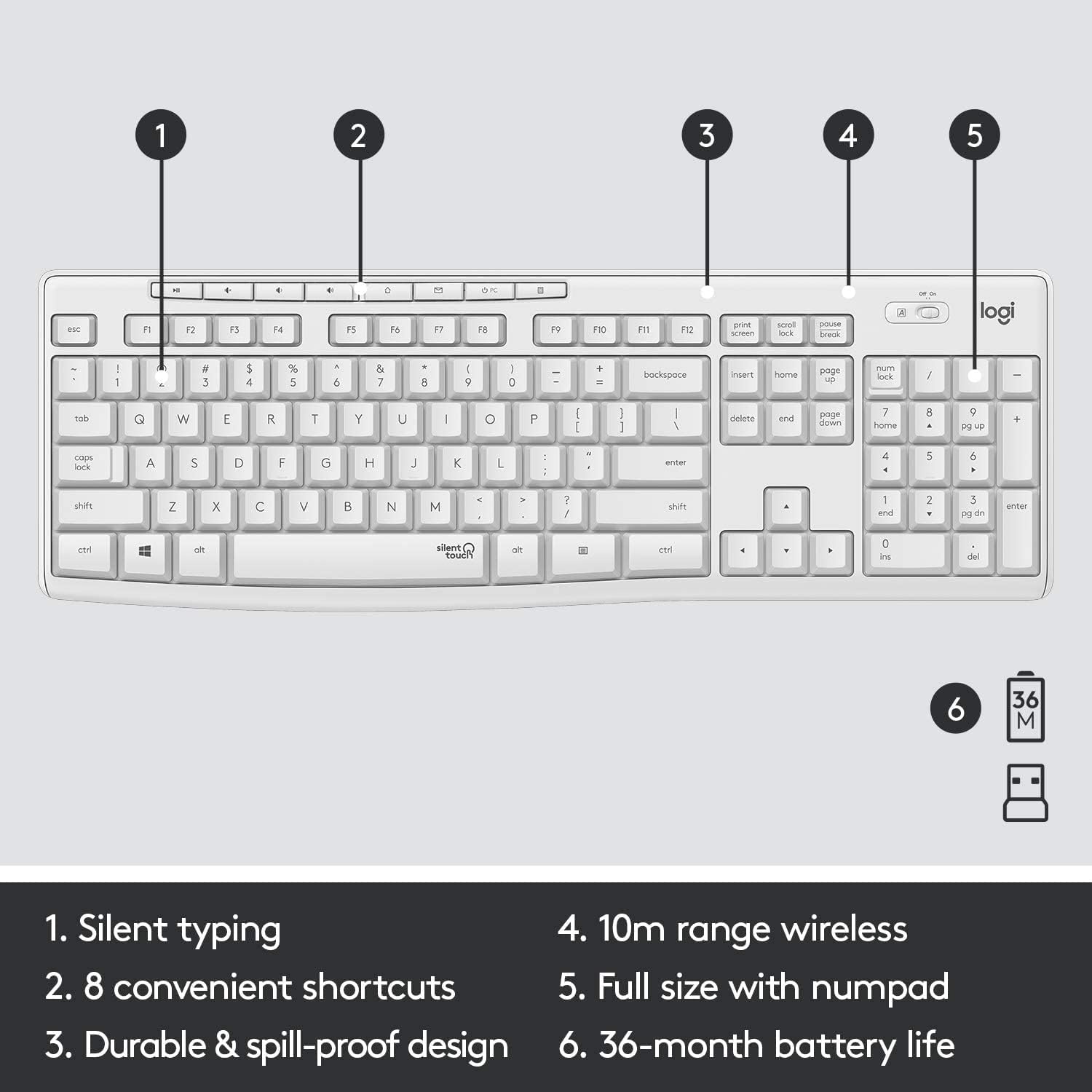
Figure 3.1: Key features of the MK295 keyboard, including its full-size layout with numpad and shortcut keys.
3.2 Funzioni del mouse
The MK295 mouse is designed with a comfortable, contoured shape that fits well in either hand (ambidextrous design). It provides smooth and precise tracking on most surfaces, making navigation effortless.

Figure 3.2: The comfortable and compact design of the MK295 mouse in use.
3.3 Tecnologia SilentTouch
Logitech's SilentTouch technology significantly reduces the noise from keyboard typing and mouse clicks by over 90% compared to traditional Logitech keyboards and mice. This allows for a quieter work environment without compromising the familiar typing and clicking feel.

Figure 3.3: SilentTouch technology provides a quiet user experience with 90% less noise from typing and clicking.
4. Cura e manutenzione
- Pulizia: Utilizzare un morbido, damp panno per pulire le superfici della tastiera e del mouse. Evitare prodotti chimici aggressivi o materiali abrasivi.
- Resistenza alle fuoriuscite: The keyboard features a spill-resistant design. In case of accidental spills, quickly wipe off the liquid. Do not immerse the keyboard in water.
- Conservazione della batteria: Utilize the On/Off switches on both the keyboard and mouse when not in use for extended periods to conserve battery life.
- Magazzinaggio: When transporting or storing the combo, you can store the USB Nano receiver inside the mouse's battery compartment to prevent loss.
5. Risoluzione dei problemi comuni
- Nessuna connessione/ritardo:
- Assicurati che il ricevitore USB Nano sia collegato saldamente a una porta USB funzionante del tuo computer.
- Verify that both the keyboard and mouse are turned On.
- Controllare i livelli della batteria e sostituirla se necessario.
- Avvicinare la tastiera e il mouse al ricevitore USB per assicurarsi che siano entro il raggio di azione wireless di 10 metri.
- Evitare di posizionare il ricevitore vicino ad altri dispositivi elettronici che potrebbero causare interferenze (ad esempio, router Wi-Fi, telefoni cordless).
- Keys Not Responding/Mouse Not Tracking:
- Sostituire le batterie del dispositivo interessato.
- Prova a collegare il ricevitore USB a una porta USB diversa del computer.
- Riavvia il computer.
- Comportamento inaspettato:
- If the keyboard or mouse behaves erratically, try turning it Off and On again.
- Ensure your operating system (Windows or Chrome OS) is up to date.
6. Specifiche tecniche
| Caratteristica | Specificazione |
|---|---|
| Dimensioni del prodotto | 20.08 x 6.22 x 1.81 pollici |
| Peso dell'articolo | 2.05 libbre |
| Produttore | Logitech |
| ASIN | B08V5LPFLZ |
| Data prima disponibilità | 27 gennaio 2021 |
| Colore | Bianco |
| Tecnologia di connettività | USB (2.4 GHz wireless via Nano receiver) |
| Caratteristica speciale | Portable, SilentTouch Technology, Spill-resistant keyboard |
| Dispositivi compatibili | Personal Computer (Windows, Chrome OS) |
| Durata della batteria della tastiera | Fino a 36 mesi (2 batterie AAA) |
| Durata della batteria del mouse | Fino a 18 mesi (1 batteria AA) |
| wireless Range | 10 metri (33 piedi) |
7. Informazioni sulla garanzia
Logitech products typically come with a limited hardware warranty. For specific warranty terms and conditions applicable to your MK295 combo, please refer to the warranty card included with your product or visit the official Logitech websito. Conservare la prova d'acquisto per eventuali reclami in garanzia.
8. Assistenza clienti
For further assistance, technical support, or to download the latest software and drivers for your Logitech MK295 Wireless Keyboard and Mouse Combo, please visit the official Logitech support websito:
You may also find helpful FAQs and community forums on the support site.


