
CME WIDI Jack
CME WIDI Jack - Bluetooth MIDI Interface
Manuale di istruzioni
Prodotto finitoview
The CME WIDI Jack is an advanced Bluetooth MIDI interface designed to eliminate cable clutter and provide ultra-low latency wireless MIDI connectivity for your musical instruments and devices. It supports various MIDI devices, including synthesizers, EWIs, keytars, pedalboards, and digital pianos, offering seamless integration with iOS, macOS, Windows, and Android systems.
Le caratteristiche principali includono:
- Ultra-low 3ms latency for responsive performance.
- Automatic pairing between WIDI devices and Bluetooth MIDI controllers.
- Support for all MIDI messages, including SysEx and MPE.
- Flexible power options: via MIDI Out or external USB-C.
- Adaptive Frequency Hopping for minimized interference.
- Extended range up to 65 feet (20 meters) in plain sight.
- Optimization and group creation via the WIDI App (iOS/Android).
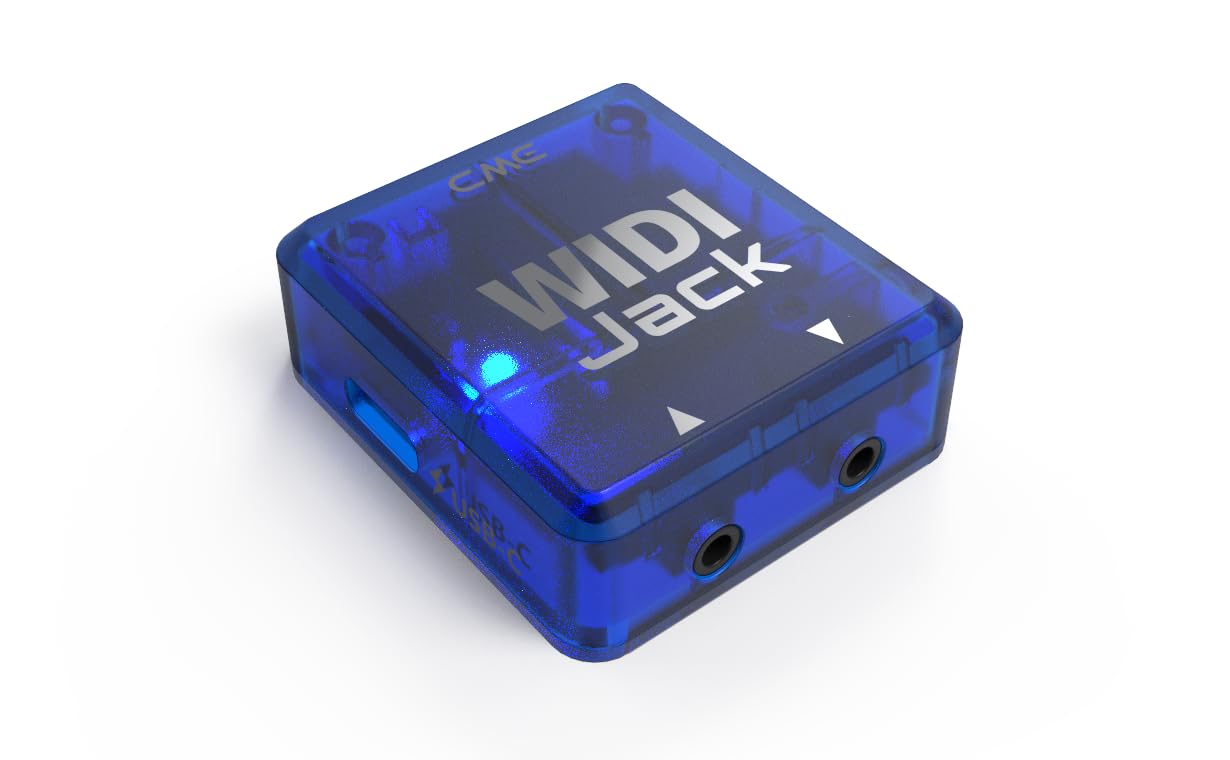
Image: The CME WIDI Jack, a compact blue translucent device with two 2.5mm TRS jacks and a USB-C port.
Guida all'installazione
Follow these steps to set up your WIDI Jack for wireless MIDI connectivity.
1. Powering the WIDI Jack
The WIDI Jack can be powered in two ways:
- Via MIDI Out: Connect the WIDI Jack to the MIDI OUT port of your MIDI device using an appropriate TRS/DIN MIDI cable (sold separately). The WIDI Jack draws power directly from the MIDI OUT port.
- External USB-C Power: If your MIDI device does not provide power via its MIDI OUT port, or if you prefer external power, connect a USB-C cable to the WIDI Jack's USB-C port and plug it into a USB power bank or power adapter.

Image: Diagram illustrating the two power options for the WIDI Jack: via MIDI Out from a MIDI device or externally via a USB-C power source.
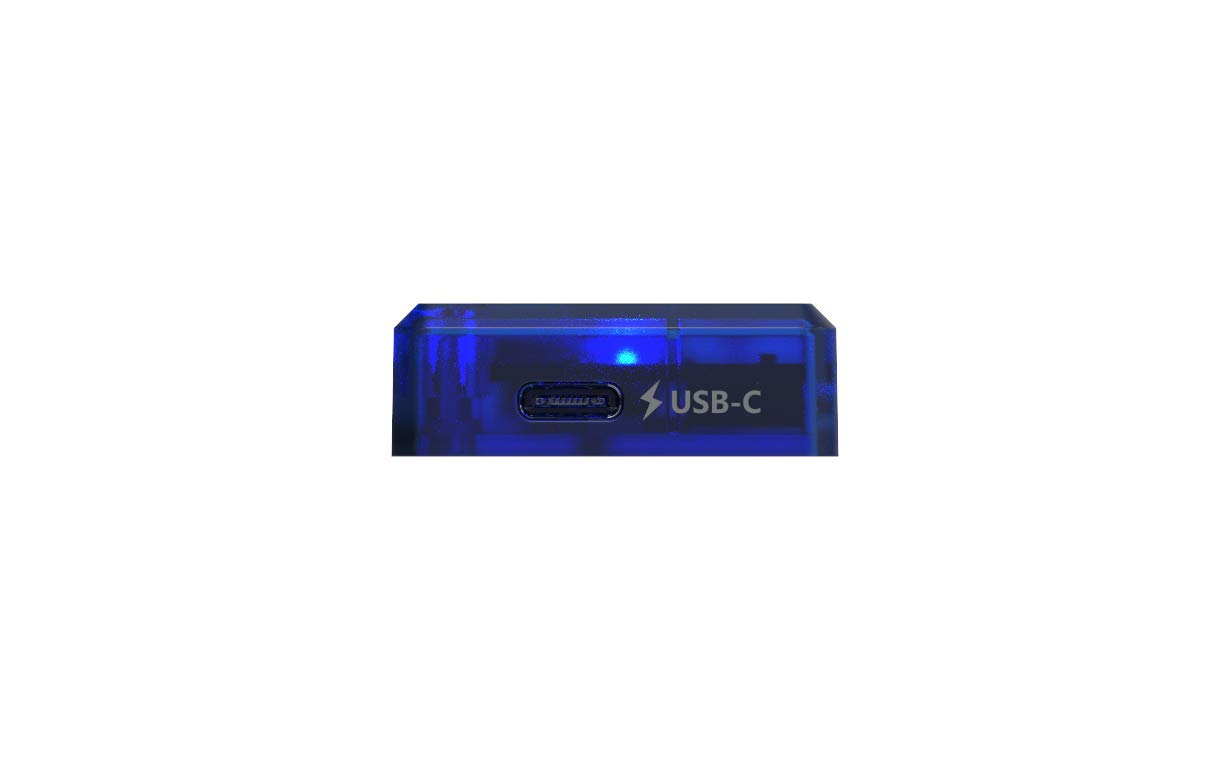
Immagine: un primo piano view of the USB-C port on the WIDI Jack, labeled "USB-C" with a lightning bolt icon.
2. Connessione ai dispositivi MIDI
The WIDI Jack features 2.5mm TRS jacks for MIDI IN/OUT. Ensure you use the correct TRS/DIN MIDI cables for your specific device. Optional cables for various TRS/DIN MIDI types are sold separately.
3. Initial Pairing and WIDI App
For optimal performance and to access advanced features, it is highly recommended to download and install the WIDI App on your iOS or Android device. The app facilitates firmware updates and provides step-by-step pairing instructions.
Important: General Bluetooth pairing from your device's system settings will not work for Bluetooth MIDI. Always use the WIDI App or follow specific pairing instructions provided by CME for proper connection.

Image: A visual representation showing the WIDI Jack connected to a Korg keyboard, with icons indicating compatibility with Android, iOS, macOS, and Windows operating systems.
Istruzioni per l'uso
Associazione automatica
Once powered, WIDI devices are designed to automatically pair with each other and with compatible Bluetooth MIDI controllers. This "Plug, Pair & Play" functionality simplifies your setup.
MIDI Message Transmission
The WIDI Jack supports the transmission of all standard MIDI messages, including System Exclusive (SysEx) and MIDI Polyphonic Expression (MPE) data, ensuring full compatibility with your MIDI workflow.
Ottimizzazione delle prestazioni
The WIDI Jack utilizes Smart Connectivity Algorithms (SCA) to optimize performance. This includes:
- Latenza ultra bassa: Achieves a latency of only 3ms between two WIDI devices.
- Salto di frequenza adattivo: Minimizes interference for a stable connection.
- Gamma estesa: Provides a reliable connection up to 65 feet (20 meters) in plain sight.

Image: A diagram showing various MIDI devices (pedalboards, controllers) wirelessly connected via WIDI Jacks, highlighting ultra-low latency, 20m/65ft range, and automatic pairing.
WIDI App Functionality
The WIDI App allows you to:
- Perform lifetime firmware updates for your WIDI Jack.
- Optimize performance settings for latency or jitter.
- Create groups of up to five (5) standard Bluetooth MIDI controllers and WIDI devices for complex setups.

Image: A side-by-side comparison showing a cluttered MIDI setup with many cables ("Before") and a clean, wireless setup using WIDI devices ("After").
Manutenzione
To ensure the longevity and optimal performance of your CME WIDI Jack, please observe the following maintenance guidelines:
- Aggiornamenti del firmware: Regularly check for and install firmware updates via the WIDI App. Updates often include performance improvements and bug fixes.
- Pulizia: Utilizzare un panno morbido e asciutto per pulire l'esterno del dispositivo. Evitare l'uso di detergenti liquidi o solventi.
- Magazzinaggio: Store the WIDI Jack in a cool, dry place away from direct sunlight and extreme temperatures when not in use.
- Gestione: Maneggiare il dispositivo con cura. Evitare di farlo cadere o di sottoporlo a forti urti.
- Disposizione: Do not dispose of the product in heat or fire. Follow local regulations for electronic waste disposal.
Risoluzione dei problemi
If you encounter issues with your WIDI Jack, consider the following common solutions:
- Problemi di connessione:
- Ensure the WIDI Jack is properly powered, either via MIDI Out or external USB-C.
- Remember that general Bluetooth pairing from your device's system settings will not work for Bluetooth MIDI. Always use the WIDI App for pairing or follow the exact pairing instructions provided by CME.
- If connection is intermittent, try moving the devices closer to each other to reduce interference.
- Performance Problems (Latency/Jitter):
- Update the WIDI Jack firmware via the WIDI App to ensure you have the latest optimizations.
- Use the WIDI App to adjust performance settings for latency or jitter if available.
- Minimize other wireless activity in the vicinity that might cause interference.
- WIDI App Not Recognizing Device:
- Assicurati che il Bluetooth del tuo dispositivo mobile sia abilitato.
- Restart the WIDI Jack and your mobile device.
- Check if the WIDI App has necessary Bluetooth permissions on your device.
For further assistance, please refer to the official CME support resources mentioned in the Support section.
Specifiche
| Caratteristica | Dettaglio |
|---|---|
| Dimensioni del prodotto | 1.93 x 0.83 x 0.83 pollici; 1.76 once |
| Numero modello articolo | WIDI Jack |
| Produttore | ECM |
| Tipo di connettore | TRS 2.5 (MIDI), USB Type C (Power) |
| Tipo di cavo | USB |
| Dispositivi compatibili | MIDI devices with DIN-6 MINI ports, TRS Type A/B 5-pin DIN unpowered, iOS devices, macOS, Android, Windows 10/11, Korg BLE drivers |
| Caratteristica speciale | Smart Connectivity Algorithms (SCA): Dual Role Automation, Automatic Pairing Mode, Smart Hub Functionality, Latency Reduction Optimization, Range Performance Optimization |
Informazioni sulla garanzia
The CME WIDI Jack comes with a Garanzia di 1 anno from the date of purchase. Please retain your proof of purchase for warranty claims. For detailed warranty terms and conditions, refer to the official CME websito o contattare l'assistenza clienti.

Image: The back of the WIDI Jack packaging, displaying product specifications, regulatory marks, and a "1 year warranty" label.
Supporto
For comprehensive support, including frequently asked questions, detailed user guides, and contact information, please visit the official CME Bluetooth MIDI websito:
You can also find 24/7 support and resources through the WIDI App.
Ask a question about this manual
Ask about setup, troubleshooting, compatibility, parts, safety, or missing instructions. Manuals+ will review the question and use this page’s manual context to help answer it.