
Introduzione
This manual provides detailed instructions for the Califone 3066-USB Deluxe Multimedia Stereo Headset. Designed for clear audio communication and listening, this headset features a USB plug for easy connectivity, an omni-directional microphone, and noise-reducing earcups. Please read this manual thoroughly to ensure proper setup, operation, and maintenance of your device.
Contenuto della confezione
Verifica che tutti gli articoli siano presenti nel tuo pacco:
- Califone 3066-USB Deluxe Multimedia Stereo Headset (Pack of 2)
- Integrated USB Cable (7-ft)
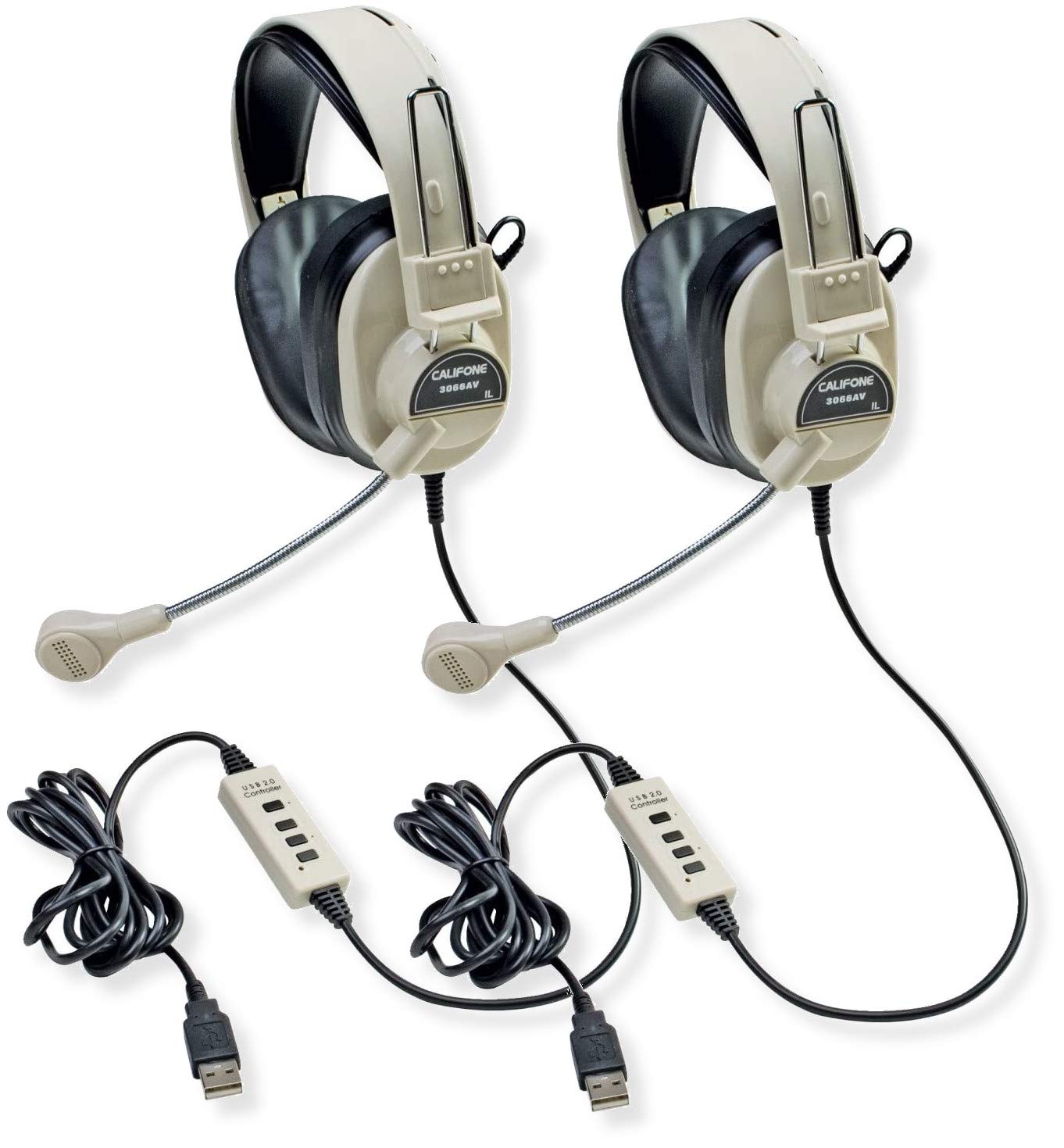
Image: Two Califone 3066-USB Deluxe Multimedia Stereo Headsets. Each headset features large, over-ear earcups, a flexible gooseneck microphone extending from the left earcup, and an integrated USB cable. The headsets are black and appear durable.
Impostare
- Collegare l'auricolare: Locate an available USB port on your computer or laptop. Insert the USB plug of the Califone 3066-USB headset into the USB port. The headset is designed for Plug and Play functionality, meaning your operating system should automatically detect and install the necessary drivers.
- Regolare l'auricolare: The headstrap is fully adjustable to fit various head sizes. Gently extend or retract the headstrap until the earcups sit comfortably over your ears.
- Posiziona il microfono: The microphone features a flexible gooseneck design. Position the microphone approximately 1-2 inches from your mouth for optimal voice capture.
- Verifica le impostazioni audio: After connecting, check your computer's audio settings to ensure the Califone 3066-USB is selected as the default playback and recording device. This is typically found in your operating system's Sound or Audio settings.
Istruzioni per l'uso
The Califone 3066-USB headset features an in-line control unit on its 7-ft cord for convenient audio management.
- Controllo del volume: Use the in-line volume control wheel to adjust the listening volume of the headphones. Rotate the wheel up to increase volume and down to decrease volume.
- Microfono disattivato: The in-line control includes a switch for microphone on/off (mute). Flip the switch to the 'off' position to mute the microphone, preventing your voice from being transmitted. Flip it to the 'on' position to enable the microphone.
- Riduzione del rumore: The earcups are designed to reduce ambient noise, providing a clearer listening experience. The omni-directional microphone includes a built-in windscreen to minimize the recording of unintended background sounds.
Manutenzione
Una corretta manutenzione garantisce la longevità e le prestazioni ottimali delle cuffie.
- Pulizia: Use a soft, dry cloth to wipe down the earcups and headstrap. For stubborn dirt, a slightly damp cloth with mild soap can be used, but ensure no moisture enters the speaker or microphone components.
- Cuscinetti auricolari: The leatherette ear cushions are replaceable. If they become worn or damaged, contact Califone support for replacement options.
- Cura del cavo: Avoid sharp bends or excessive pulling on the 7-ft cord. The reinforced connection is designed to resist accidental pull-out, but proper handling will prevent damage.
- Magazzinaggio: Quando non vengono utilizzate, conservare le cuffie in un luogo pulito e asciutto, lontano da temperature estreme e dalla luce solare diretta.
Risoluzione dei problemi
If you encounter issues with your Califone 3066-USB headset, refer to the following common solutions:
- Nessun suono/Microfono non funzionante:
- Ensure the USB plug is fully inserted into a working USB port. Try a different USB port.
- Check the in-line volume control and microphone mute switch. Ensure volume is up and mic is not muted.
- Verify that the Califone 3066-USB is selected as the default audio input and output device in your computer's sound settings.
- Riavvia il computer.
- Scarsa qualità audio:
- Adjust the volume using the in-line control and your computer's system volume.
- Ensure the microphone is positioned correctly (1-2 inches from mouth) and not obstructed.
- Verificare eventuali collegamenti allentati.
- Auricolare non riconosciuto dal computer:
- Try connecting the headset to a different USB port or another computer to rule out a port issue.
- Check your computer's Device Manager (Windows) or System Information (macOS) to see if the device is listed.
- Assicurati che il tuo sistema operativo sia aggiornato.
Specifiche
| Caratteristica | Dettaglio |
|---|---|
| Modello | 3066-USB |
| Connettività | Wired USB (Backwards compatible USB 2.0) |
| Headphone Speaker Size | Mylar da 40 mm |
| Risposta in frequenza delle cuffie | Frequenza |
| Sensibilità delle cuffie | 110dB SPL ± 3dB at 1kHz |
| Tipo di microfono | Condensatore a elettrete |
| Direttività per microfono | Omnidirezionale |
| Risposta in frequenza del microfono | Frequenza |
| Sensibilità del microfono | -41dB (standard -38dB, max -35dB) |
| Lunghezza del cavo | 7-ft (2.1 meters) |
| Controlli | In-line volume control, mic on/off switch |
| Padiglioni auricolari | Noise-reducing ABS plastic with replaceable leatherette cushions |
| Peso (ciascuno) | 0.75 libbre (12 once) |
Garanzia e supporto
For warranty information, technical support, or to inquire about replacement parts (such as ear cushions), please contact Califone customer service directly. Refer to the official Califone websito per i dettagli di contatto e le politiche di garanzia più aggiornati.
You can visit the Califone store on Amazon for more product information: Califone Store