
1. Prodotto finitoview
The Tzumi Aura LED Cosmic Speaker is a portable wireless speaker designed to deliver HD sound with a unique visual experience. It features a shimmering, multifaceted LED display with customizable colors and patterns, making it suitable for various environments. This speaker connects wirelessly via Bluetooth 5.0 and is powered by a rechargeable lithium battery.
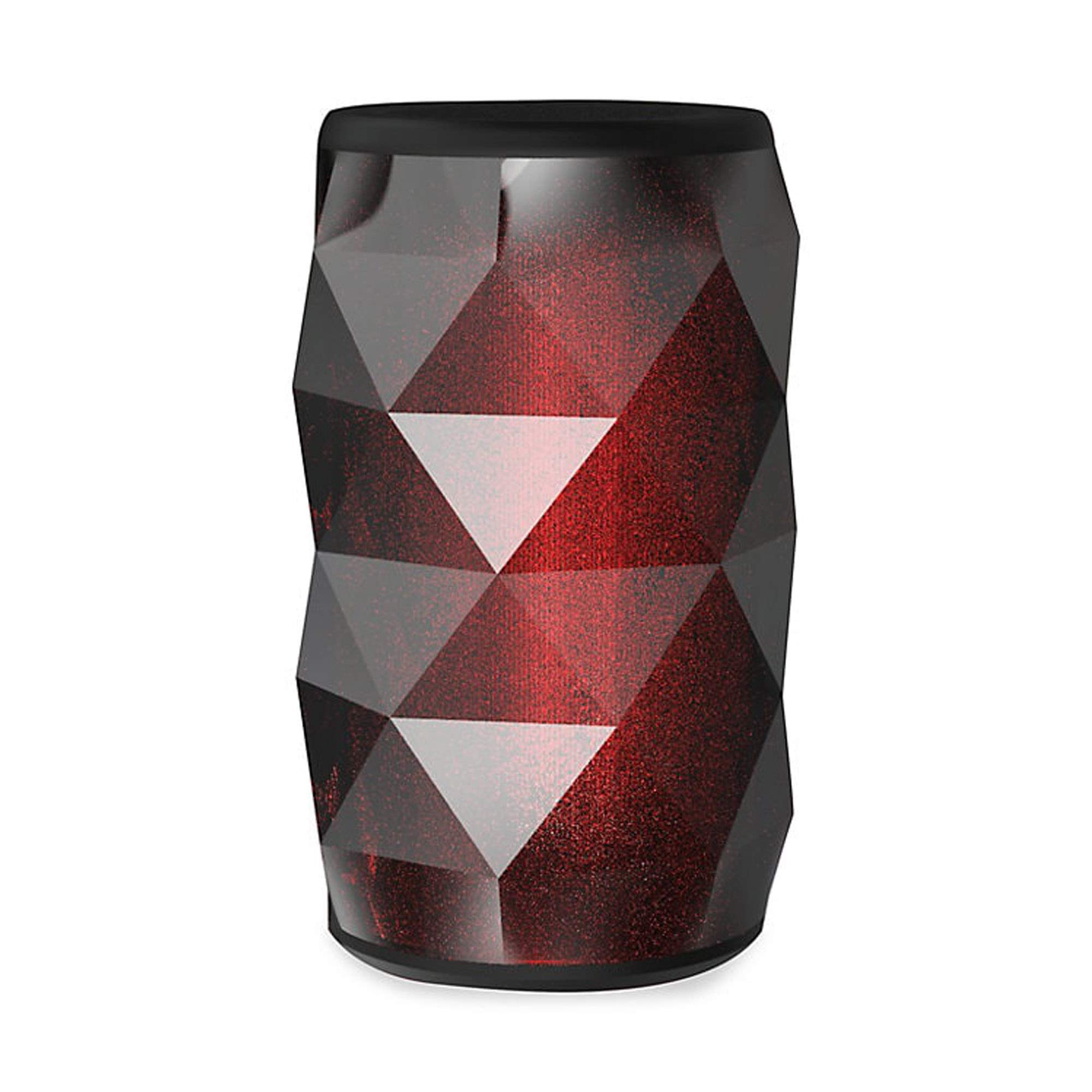
Image 1.1: The Tzumi Aura LED Cosmic Speaker shown alongside its retail packaging, highlighting its design and key features.
Caratteristiche principali:
- Connettività Bluetooth 5.0: Garantisce una connessione wireless stabile ed efficiente con i dispositivi compatibili.
- 360° Powerful HD Sound: Delivers clear and robust audio from all directions.
- Luci LED personalizzabili: Choose from 6 distinct colors and 4 dynamic glowing patterns to match your mood or environment.
- Design portatile: Compatto e leggero per un facile trasporto.
- Batteria ricaricabile: Provides up to 3 hours of play time on a single charge.
- Uscita audio: 3 Watt.
2. Impostazione
2.1 Disimballaggio e ispezione iniziale
Carefully remove the speaker and all accessories from the packaging. Verify that all components are present: the Aura LED Cosmic Speaker and a USB charging cable. Inspect the speaker for any signs of damage.
2.2 Ricarica dell'altoparlante
Before first use, fully charge the speaker. Locate the charging port, typically a micro-USB port, on the device. Connect the provided USB charging cable to the speaker and plug the other end into a standard USB power adapter (not included) or a computer's USB port. The LED indicator will typically show charging status (e.g., red for charging, off or blue for fully charged). A full charge provides approximately 3 hours of play time.
2.3 Accensione/Spegnimento
- Per accendere: Press and hold the Power button (usually marked with a power symbol) for a few seconds until you hear an audible prompt or see the LED lights activate.
- Per spegnere: Premere e tenere premuto nuovamente il pulsante di accensione per alcuni secondi, finché l'altoparlante non si spegne.
2.4 Associazione Bluetooth
Once powered on, the speaker will automatically enter Bluetooth pairing mode, indicated by a flashing LED light. Follow these steps to connect:
- Assicurati che il Bluetooth sia abilitato sul tuo smartphone, tablet o altro dispositivo audio.
- Vai alle impostazioni Bluetooth del tuo dispositivo e cerca i dispositivi disponibili.
- Select "Aura LED Cosmic Speaker" (or similar name) from the list.
- Once connected, the speaker will provide an audible confirmation, and the LED light will typically stop flashing and remain solid or display a pattern.
The speaker will attempt to reconnect to the last paired device automatically when powered on, if that device is within range and has Bluetooth enabled.
3. Funzionamento dell'altoparlante
3.1 Riproduzione audio
After successful Bluetooth pairing, you can play audio from your connected device. Use your device's media player controls to play, pause, skip tracks, and adjust volume. The speaker may also have dedicated buttons for these functions.
3.2 Controllo del volume
Volume can be adjusted directly from your connected Bluetooth device. Some speakers may also feature volume up (+) and volume down (-) buttons on the unit itself. Press these buttons to increase or decrease the speaker's output volume.
3.3 Controllo della luce a LED
The Aura LED Cosmic Speaker features customizable LED lights. Look for a dedicated 'Light Mode' or 'LED' button on the speaker. Pressing this button will cycle through the available 6 colors and 4 glowing patterns. Continue pressing until you find your desired light effect.

Immagine 3.1: Un primo piano view of the Tzumi Aura LED Cosmic Speaker, showcasing its dynamic LED lighting effects in blue and green hues.
4. Manutenzione
4.1 Pulizia
To clean the speaker, use a soft, dry, lint-free cloth. Do not use abrasive cleaners, solvents, or strong chemicals, as these can damage the surface or internal components. Avoid getting moisture into any openings.
4.2 Conservazione
When not in use for extended periods, store the speaker in a cool, dry place away from direct sunlight and extreme temperatures. It is recommended to charge the battery periodically (e.g., every 3-6 months) to maintain battery health.
4.3 Cura della batteria
To prolong the life of the rechargeable lithium battery:
- Evitare di scaricare completamente la batteria frequentemente.
- Non esporre l'altoparlante a temperature estreme, come calore o freddo.
- Utilizzare solo il cavo di ricarica USB fornito o certificato.
5. Risoluzione Dei Problemi
L'altoparlante 5.1 non si accende
- Assicurarsi che la batteria sia carica. Collegare l'altoparlante a una fonte di alimentazione e lasciarlo caricare per almeno 30 minuti prima di riprovare ad accenderlo.
- Premere e tenere premuto il pulsante di accensione per alcuni secondi.
5.2 Impossibile associare il dispositivo Bluetooth
- Ensure the speaker is in pairing mode (flashing LED). If not, power it off and on again.
- Assicurati che il Bluetooth sia abilitato sul tuo dispositivo e che si trovi entro 10 metri (30 piedi) dall'altoparlante.
- Dimentica o rimuovi l'altoparlante dall'elenco Bluetooth del tuo dispositivo e riprova ad associarlo.
- Riavviare sia l'altoparlante che il dispositivo Bluetooth.
5.3 Nessun suono
- Controlla i livelli del volume sia sull'altoparlante che sul dispositivo collegato.
- Assicurati che l'altoparlante sia correttamente associato e connesso al tuo dispositivo.
- Prova a riprodurre l'audio da un'applicazione o una sorgente diversa sul tuo dispositivo.
5.4 LED Lights Not Working Correctly
- Assicurarsi che l'altoparlante sia acceso.
- Press the 'Light Mode' or 'LED' button to cycle through patterns and colors.
- If the issue persists, power cycle the speaker (turn off and on).
6. Specifiche
| Caratteristica | Specificazione |
|---|---|
| Numero di modello | 5939-9 |
| Tecnologia di connettività | Bluetooth 5.0 |
| Uscita audio | 3 Watt |
| Tempo di gioco | Fino a 3 ore |
| Fonte di alimentazione | Alimentato a batteria (litio ricaricabile) |
| Temi LED | 6 Colors, 4 Glowing Patterns |
| Dimensioni (confezione) | 7.05 x 4.29 x 4.09 pollici |
| Peso dell'articolo | 13.7 once |
| Produttore | Tsumi |
7. Garanzia e supporto
Per informazioni sulla garanzia o supporto tecnico, fare riferimento alla documentazione inclusa con l'acquisto o visitare il sito ufficiale Tzumi websito. Conservare la prova d'acquisto per eventuali reclami in garanzia.