
1. Introduzione
The CYCPLUS C3 is a versatile speed and cadence sensor designed to provide accurate data for your cycling activities. It supports both ANT+ and Bluetooth 5.0 connectivity, making it compatible with a wide range of cycling computers and smartphone applications. This manual will guide you through the installation, operation, and maintenance of your C3 sensor.

Image 1.1: The CYCPLUS C3 Speed and Cadence Sensor.
2. Cosa c'è nella scatola
Upon opening your CYCPLUS C3 package, please ensure all the following items are present:
- CYCPLUS C3 Sensor Unit
- Curved Rubber Mat (for cadence installation)
- Flat Rubber Mat (for speed installation)
- Elastici (per il montaggio)
- Batteria CR2032 (preinstallata o inclusa)
- Manuale dell'utente (questo documento)
3. Caratteristiche del prodotto
- Funzionalità Dual Mode: Easily switch between speed and cadence modes by rotating the sensor.
- Compatibilità universale: Supports both Bluetooth 5.0 and ANT+ protocols for seamless connection with various devices.
- Design impermeabile: IP67 rated, providing protection against water splashes and rain.
- Batteria a lunga durata: Optimized power consumption for extended usage.
- Compatto e leggero: Small form factor for discreet installation.

Image 3.1: The CYCPLUS C3 sensor is IP67 waterproof, suitable for various weather conditions.
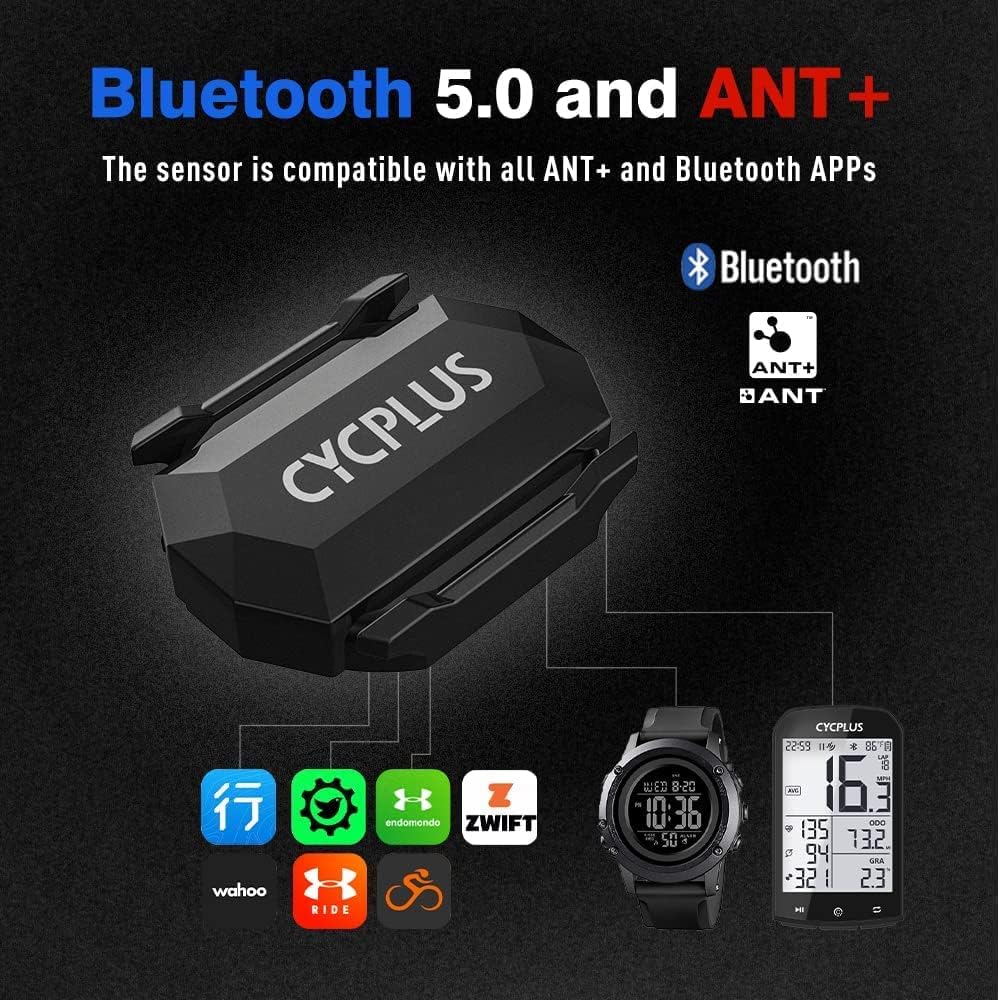
Image 3.2: The CYCPLUS C3 supports both Bluetooth 5.0 and ANT+ for broad compatibility.
4. Installazione e configurazione
4.1. Selezione della modalità
The CYCPLUS C3 sensor can operate in two modes: Speed or Cadence. To switch between modes, simply rotate the battery cover 90 degrees. The indicator light will show the current mode:
- Luce verde: Modalità cadenza
- Luce blu: Modalità velocità
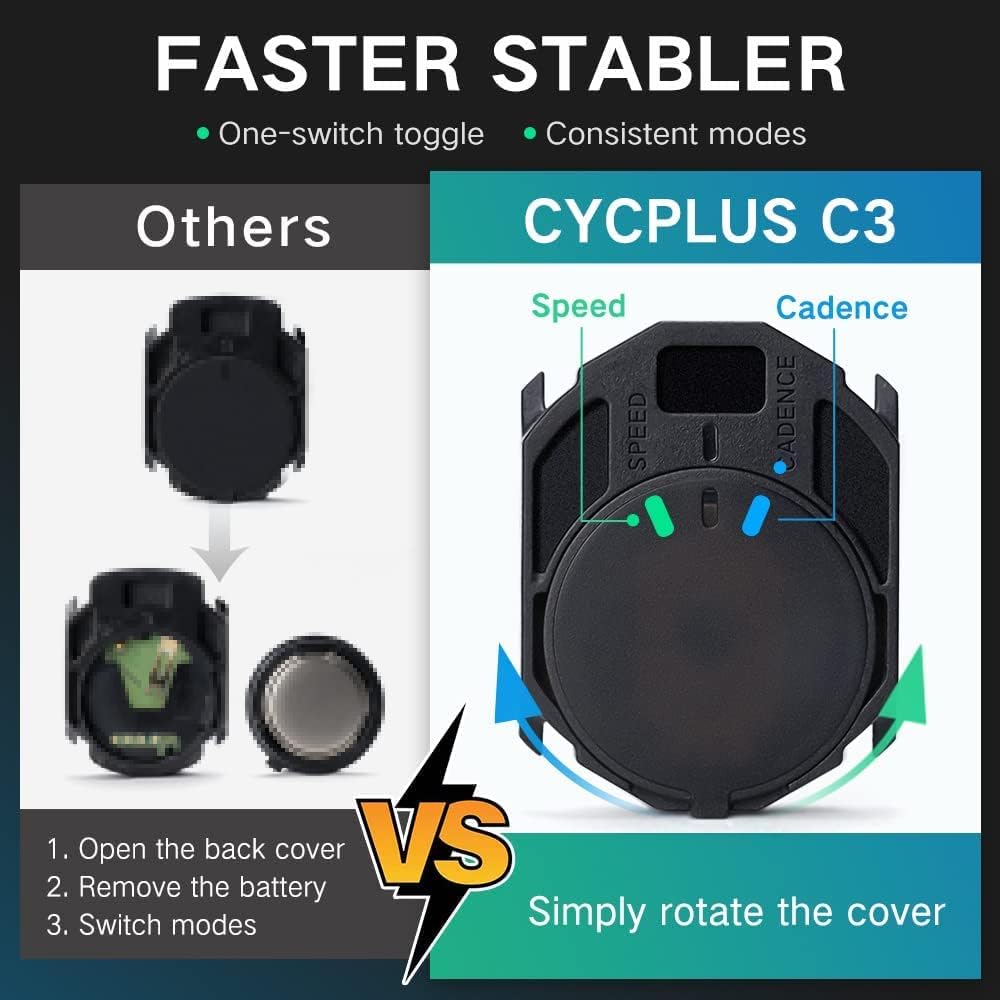
Image 4.1: Rotate the sensor cover to switch between Speed (blue light) and Cadence (green light) modes.
4.2. Installazione del sensore di cadenza
To use the C3 as a cadence sensor:
- Ensure the sensor is in Cadence Mode (green light).
- Attach the curved rubber mat to the back of the sensor.
- Securely mount the sensor to the inside of your bicycle's crank arm using the provided rubber bands. Ensure it is firm and does not interfere with pedaling.
4.3. Installazione del sensore di velocità
To use the C3 as a speed sensor:
- Ensure the sensor is in Speed Mode (blue light).
- Attach the flat rubber mat to the back of the sensor.
- Securely mount the sensor to the hub of your bicycle's front or rear wheel using the provided rubber bands. Ensure it is firm and does not interfere with wheel rotation.

Image 4.2: Detailed installation steps for both Cadence and Speed modes.
5. Istruzioni per l'uso
5.1. Pairing with a Cycling Computer (ANT+)
To pair your C3 sensor with an ANT+ compatible cycling computer:
- Ensure the C3 sensor is in the desired mode (Speed or Cadence).
- Activate the sensor by spinning the wheel (for speed) or crank arm (for cadence) a few times. The indicator light will flash.
- Sul tuo ciclocomputer, vai al menu di associazione dei sensori.
- Selezionare per aggiungere un nuovo sensore di velocità o cadenza.
- The computer should detect the C3 sensor. Select it to pair.
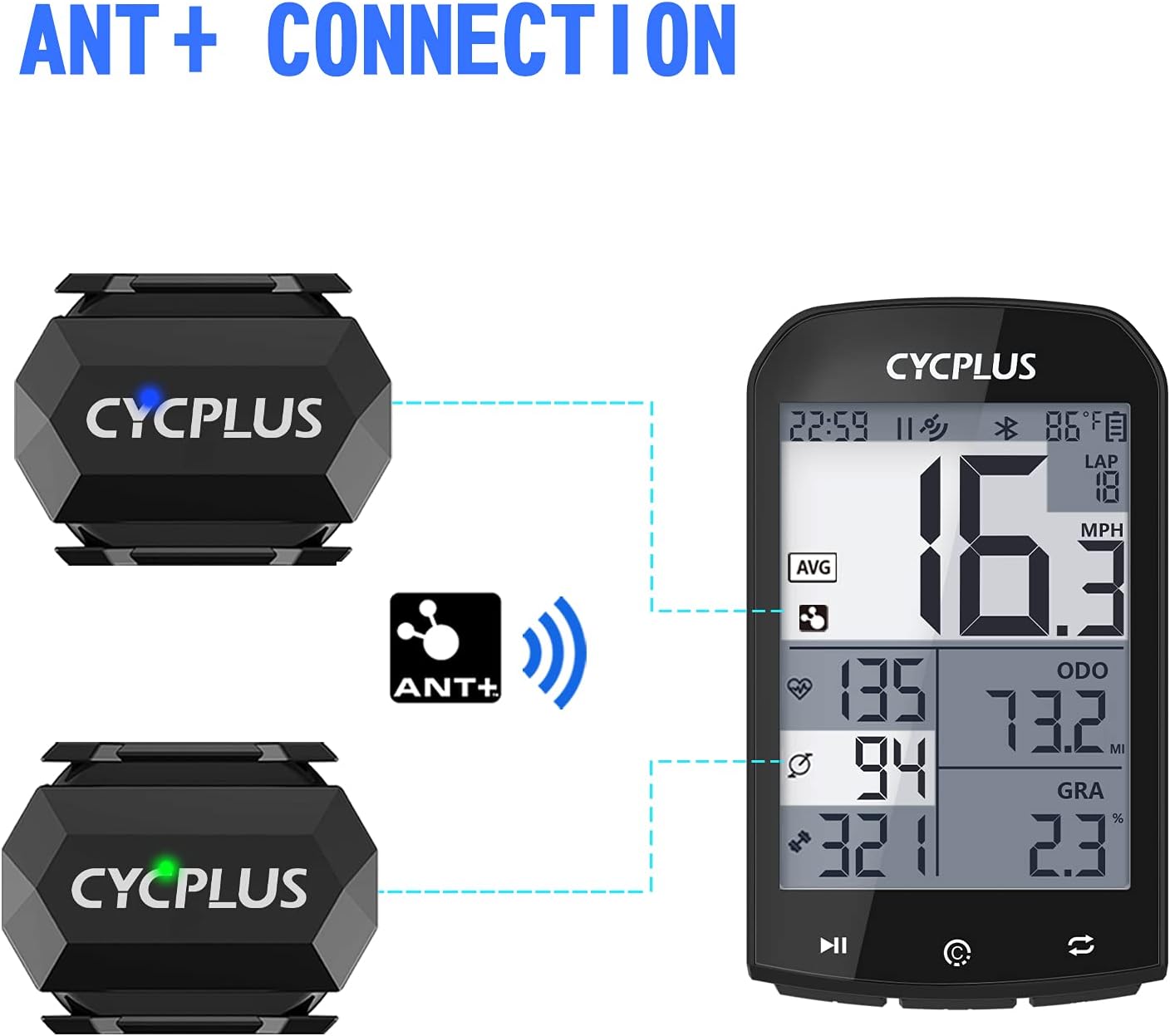
Image 5.1: Connecting the CYCPLUS C3 sensor to a cycling computer via ANT+.
5.2. Pairing with a Smartphone App (Bluetooth)
To pair your C3 sensor with a Bluetooth-enabled smartphone app (e.g., Zwift, Wahoo Fitness, Endomondo):
- Assicurati che il Bluetooth sia abilitato sul tuo smartphone.
- Ensure the C3 sensor is in the desired mode (Speed or Cadence).
- Activate the sensor by spinning the wheel or crank arm a few times. The indicator light will flash.
- Open your preferred cycling app and navigate to the sensor pairing section.
- The app should detect the C3 sensor. Select it to pair.
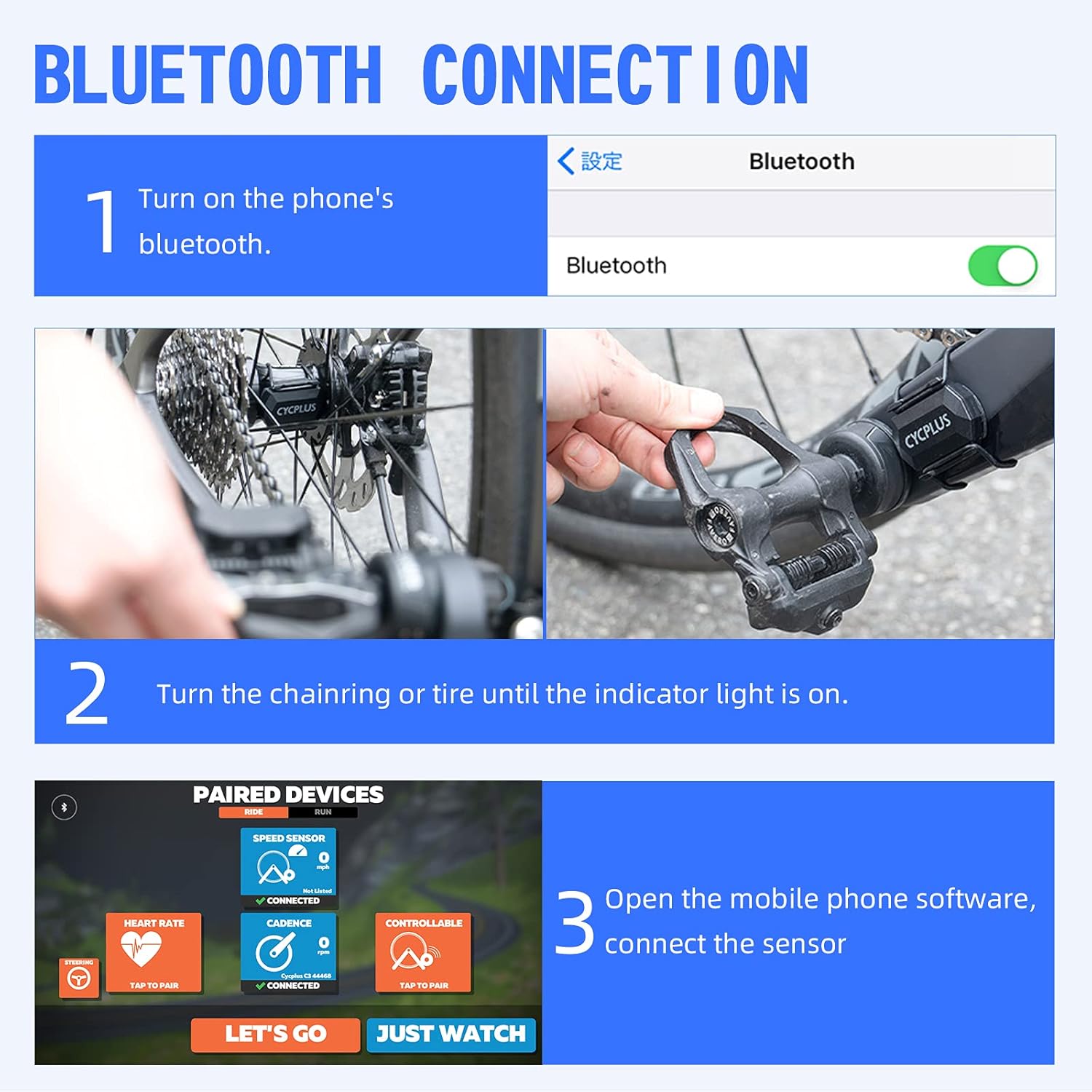
Image 5.2: Steps for connecting the CYCPLUS C3 sensor to a smartphone app via Bluetooth.
6. Specifiche
| Caratteristica | Specificazione |
|---|---|
| Numero di modello | C3 |
| Dimensioni | 38L x 29W x 9H mm (approx. 3.78 x 2.95 x 0.94 cm) |
| Peso | 9.07 grammi |
| Connettività | Bluetooth 5.0, ANT+ |
| Grado di impermeabilità | Grado di protezione IP67 |
| Tipo di batteria | 1 x CR2032 (incluso) |
| Battery Life (Cadence Mode) | Circa 600 ore |
| Battery Life (Speed Mode) | Circa 400 ore |
| Tempo di standby | Circa 300 giorni |
| Materiale | Plastica |

Image 6.1: Battery life and type for the CYCPLUS C3 sensor.
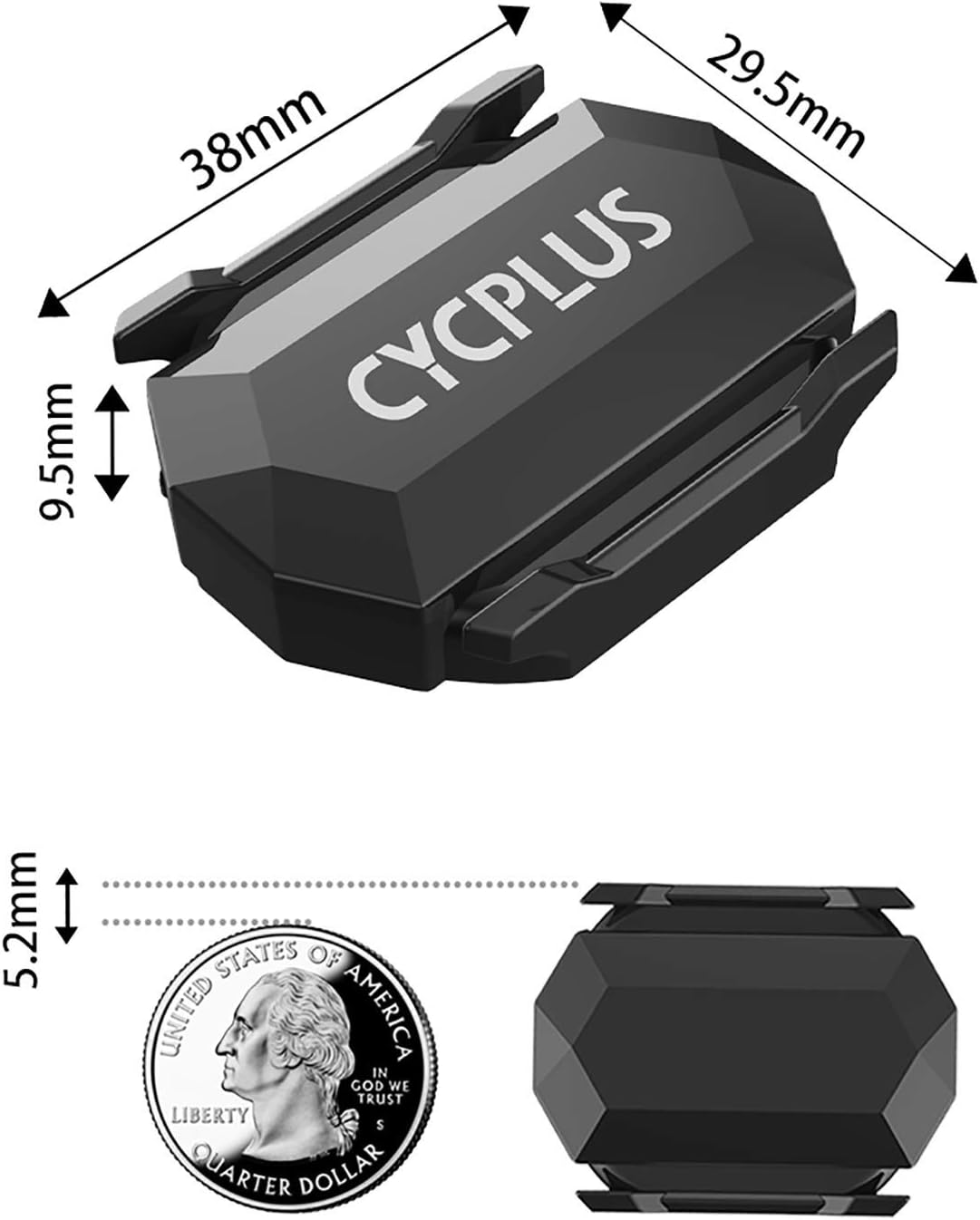
Image 6.2: Physical dimensions of the CYCPLUS C3 sensor.
7. Manutenzione
To ensure the longevity and optimal performance of your CYCPLUS C3 sensor, follow these maintenance guidelines:
- Pulizia: Pulisci il sensore con un panno morbido eamp cloth after use, especially if it has been exposed to dirt, sweat, or rain. Avoid using harsh chemicals or abrasive materials.
- Sostituzione della batteria: When the battery is low, the indicator light may not flash or the sensor may disconnect frequently. To replace the CR2032 battery, carefully open the battery cover, remove the old battery, and insert a new one with the positive (+) side facing up. Ensure the cover is securely closed to maintain waterproofing.
- Magazzinaggio: Conservare il sensore in un luogo fresco e asciutto quando non lo si utilizza. Se lo si conserva per un periodo prolungato, si consiglia di rimuovere la batteria per evitare perdite.
8. Risoluzione Dei Problemi
If you encounter issues with your CYCPLUS C3 sensor, refer to the following common problems and solutions:
- Sensore non rilevato:
- Ensure the sensor is active by spinning the wheel or crank arm.
- Controllare il livello della batteria; sostituirla se necessario.
- Verifica che il Bluetooth o ANT+ sia abilitato sul dispositivo ricevente.
- Ensure the sensor is in the correct mode (Speed or Cadence) for the data you are trying to receive.
- Durante l'associazione, avvicinare il sensore al dispositivo ricevente.
- Letture imprecise:
- Confirm the sensor is securely mounted and not shifting during use.
- For speed mode, ensure your wheel circumference setting in your cycling computer or app is correct.
- Check for any physical obstructions or interference near the sensor.
- Disconnessioni frequenti:
- Sostituire la batteria.
- Assicurarsi che non vi siano forti fonti di interferenza elettromagnetica nelle vicinanze.
- Keep the sensor within close proximity to the receiving device.
9. Garanzia e supporto
The CYCPLUS C3 Speed and Cadence Sensor comes with a standard manufacturer's warranty. For specific warranty details, return policies, or technical support, please refer to the documentation provided with your purchase or visit the official CYCPLUS websito. Puoi anche contattare direttamente il venditore per assistenza.