
1. Introduzione
The COMPUTHERM T-32 room thermostat is designed for controlling most boilers and air conditioners available in the EU. It can be easily connected to any gas boiler with a two-wire thermostatic connection point, and to all air conditioning systems or electrical appliances, whether they have a 24V or 230V control circuit.
This digital thermostat allows for more precise temperature measurement and adjustment compared to traditional thermostats. It helps reduce energy costs while maintaining comfort by regulating the connected appliance (e.g., a gas boiler or pump) based on the measured and set temperatures.
Caratteristiche principali:
- Controllo preciso della temperatura: Easily set desired temperature between 5°C and 30°C in 0.5°C increments.
- Constant Indoor Temperature: Switching sensitivity of ±0.2°C or 0.1°C ensures a uniform and stable room temperature.
- Compatibilità versatile: Suitable for boilers with a two-wire connection and various HVAC systems (24V or 230V).
- Modalità di riscaldamento e raffreddamento: Supports both heating and cooling functions.
- Display digitale: Provides clear and accurate temperature readings.
2. Configurazione e installazione
Importante: Il dispositivo deve essere installato da una persona competente.
2.1 Contenuto della confezione
Verificare che tutti i componenti siano presenti:
- 1x COMPUTHERM T-32 Digital Room Thermostat
- 2 batterie AAA
- Materiale di montaggio (viti e tasselli)

Figure 1: Package contents including the thermostat, batteries, and mounting hardware.
2.2 Installazione della batteria
- Carefully remove the back cover of the thermostat.
- Inserire le due batterie AAA nel vano batterie, assicurandosi della corretta polarità (+/-).
- Riposiziona la cover posteriore.
2.3 Montaggio e cablaggio
The thermostat is designed for wall mounting in a room. Choose a location away from direct sunlight, drafts, or heat sources that could affect temperature readings.
- Separate the front panel from the back plate.
- Segnare sulla parete la posizione di montaggio desiderata.
- Praticare i fori e inserire i tasselli.
- Fissare la piastra posteriore alla parete utilizzando le viti fornite.
- Connect the two-wire control circuit from your boiler or HVAC system to the terminals on the back plate. Refer to the wiring diagram on the back of the thermostat for correct connections.
- Carefully reattach the front panel to the back plate.

Figura 2: Posteriore view of the thermostat with wiring terminals and battery compartment details.
3. Funzionamento
3.1 Fine displayview
The digital display shows the current room temperature and the set desired temperature. The thermostat features three control buttons below the display.

Figura 3: Fronte view of the COMPUTHERM T-32 thermostat with its digital display and three control buttons.
3.2 Impostazione della temperatura desiderata
Use the temperature control buttons (typically marked with up and down arrows or similar symbols) to adjust the desired temperature. Each press changes the temperature by 0.5°C within a range of 5°C to 30°C.
- Premere il tasto Freccia su pulsante per aumentare la temperatura desiderata.
- Premere il tasto Freccia giù pulsante per diminuire la temperatura desiderata.
The thermostat will automatically regulate the connected heating or cooling appliance to maintain the set temperature within its switching sensitivity of ±0.2°C.
3.3 Heating Mode Operation
In heating mode, if the measured room temperature falls below the set temperature minus the switching sensitivity (e.g., 22°C - 0.2°C = 21.8°C), the thermostat will activate the heating appliance. It will deactivate the heating when the room temperature rises above the set temperature plus the switching sensitivity (e.g., 22°C + 0.2°C = 22.2°C).
3.4 Cooling Mode Operation
In cooling mode, the operation is reversed. If the measured room temperature rises above the set temperature plus the switching sensitivity, the thermostat will activate the cooling appliance. It will deactivate cooling when the room temperature falls below the set temperature minus the switching sensitivity.
Note: After a temperature change using the thermostat's adjustment buttons, the switching sensitivity is temporarily not considered, allowing the thermostat to react to a difference of ±0.1°C for immediate response.
4. Manutenzione
- Pulizia: Pulire il termostato con un panno morbido e asciutto. Non utilizzare detergenti abrasivi o solventi.
- Sostituzione della batteria: Replace batteries when the low battery indicator appears on the display. Always use new AAA alkaline batteries.
- Evitare ostacoli: Ensure no objects block the thermostat's ventilation slots or sensor, as this can affect temperature accuracy.
5. Risoluzione Dei Problemi
| Problema | Possibile causa | Soluzione |
|---|---|---|
| Il display del termostato è vuoto. | Batterie scariche o installate in modo errato. | Sostituire le batterie assicurandosi che la polarità sia corretta. |
| Il sistema di riscaldamento/raffreddamento non risponde. | Cablaggio errato; sistema spento; termostato in modalità errata. | Check wiring connections (consult a professional); ensure system power is on; verify thermostat is set to appropriate mode (heating/cooling). |
| Lettura della temperatura imprecisa. | Thermostat located near heat source/draft; sensor obstructed. | Relocate thermostat if possible; ensure no obstructions around the sensor. |
| Temperature fluctuates too much. | High switching sensitivity setting (not applicable for T-32 as it's fixed). | The T-32 has a fixed sensitivity of ±0.2°C. Ensure proper placement and insulation of the room. |
6. Specifiche
- Modello: T32
- Fonte di energia: 2x AAA 1.5V Alkaline Batteries (included)
- Volume di controllotage: 24 V CA o 230 V CA.
- Capacità di carico: 8 Amperi
- Gamma di misurazione della temperatura: da 5°C a 30°C
- Intervallo di impostazione della temperatura: da 5°C a 30°C
- Incremento impostazione temperatura: 0.5°C
- Sensibilità di commutazione: ±0.2°C (or ±0.1°C after manual adjustment)
- Dimensioni (L x P x A): Dimensioni: 8.5 x 8.5 x 2.8 cm
- Peso: 160 grammi
- Connettività: Cablato
- Colore: Bianco


Figure 4: Dimensions of the COMPUTHERM T-32 thermostat.
7. Garanzia
The COMPUTHERM T-32 Digital Room Thermostat comes with a Garanzia del produttore di 5 anniSi prega di conservare la prova d'acquisto per eventuali reclami in garanzia. La garanzia copre difetti di materiali e fabbricazione in normali condizioni d'uso.
8. Supporto
For further assistance or if you encounter issues not covered in this manual, please refer to the official COMPUTHERM website or contact your retailer. Always ensure that any electrical work is performed by a qualified professional.
Per maggiori informazioni, potete visitare il sito del produttore websito: www.calorsol.de
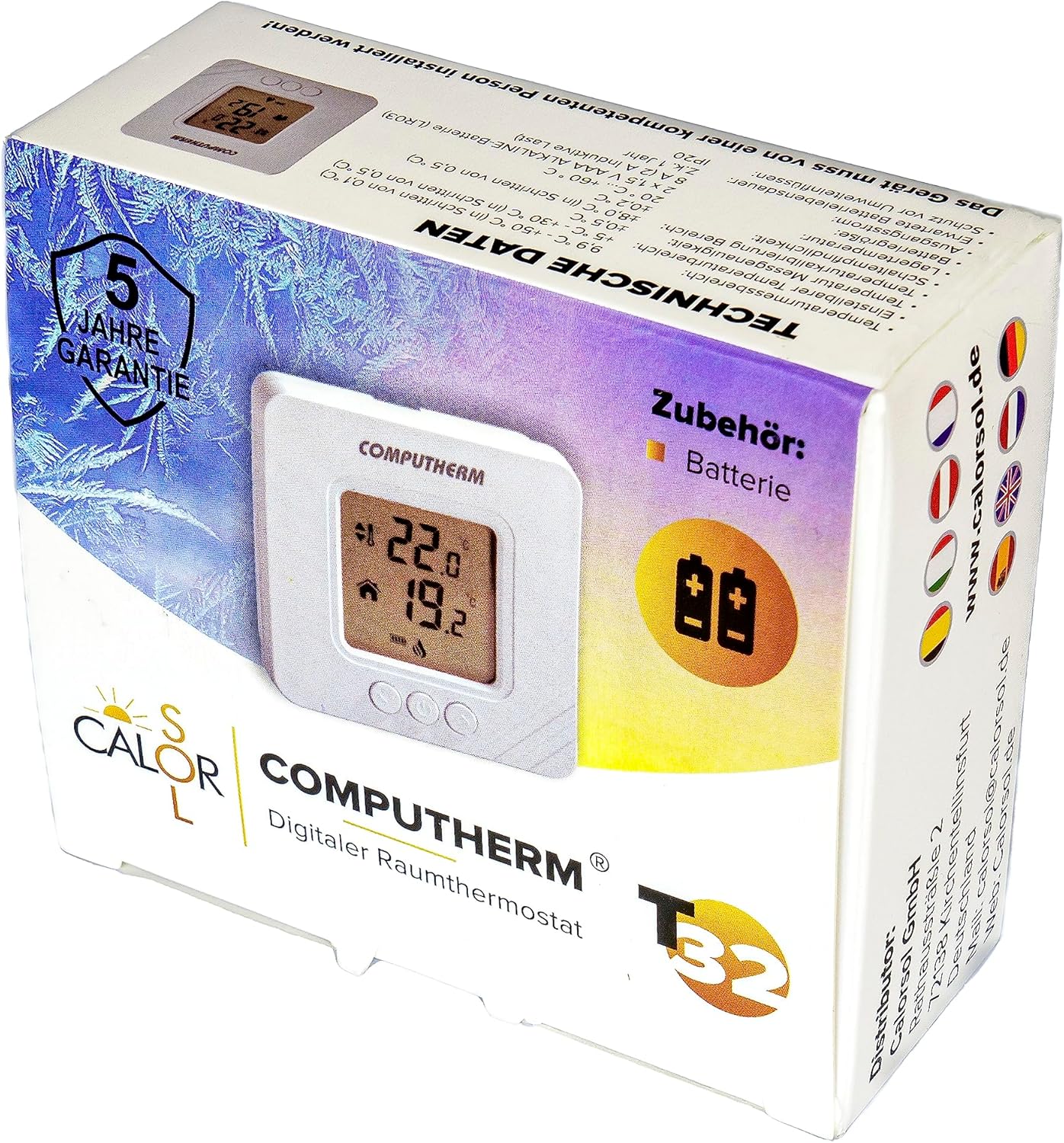
Figure 5: Product packaging displaying warranty information and technical data.