
LIECTROUX C30B
LIECTROUX C30B Hybrid Robot Vacuum and Mop User Manual
Modello: C30B
1. Introduzione
Thank you for choosing the LIECTROUX C30B Hybrid Robot Vacuum and Mop. This intelligent cleaning device is designed to simplify your home maintenance with its advanced features, including dynamic navigation, powerful 4KPA suction, and versatile 2-in-1 vacuuming and mopping capabilities. It integrates seamlessly with smart home systems like Amazon Alexa and Google Assistant for convenient control. Please read this manual thoroughly before operating the device to ensure proper use and maintenance.

Figure 1.1: LIECTROUX C30B Robot Vacuum and Mop with its accompanying mobile application interface and the interchangeable dustbin/water tank.
2. Importanti istruzioni di sicurezza
To reduce the risk of injury or damage, read these safety instructions carefully and keep them handy for future reference. This appliance is for household use only.
- Non utilizzare il robot in ambienti con fiamme libere o oggetti fragili.
- Ensure all power cords, small objects, and loose items are cleared from the floor before operation to prevent entanglement.
- Do not allow children or pets to play with the robot. Supervise children when the robot is in use.
- Use only the original charging dock and power adapter provided by the manufacturer.
- Non utilizzare il robot per raccogliere detriti di grandi dimensioni, liquidi o materiali in fiamme/fumo.
- Pulire regolarmente le spazzole e i sensori per mantenere prestazioni ottimali.
- Non immergere il robot o i suoi componenti elettronici in acqua.
- If the robot is not used for a long period, fully charge it and store it in a cool, dry place.
3. Contenuto della confezione
Verificare che tutti i componenti siano presenti e in buone condizioni al momento del disimballaggio.
- Robot Host (Main Unit)
- Stazione di ricarica
- Telecomando (batterie non incluse)
- Adattatore di alimentazione
- Serbatoio dell'acqua
- Pattumiera
- Strumento di pulizia
- Filtri HEPA (2x)
- Spazzole laterali (4x)
- Mopping Pads (2x)
- Manuale di istruzioni
- Guida all'installazione dell'app
4. Prodotto finitoview
Familiarize yourself with the main components of your LIECTROUX C30B robot vacuum.
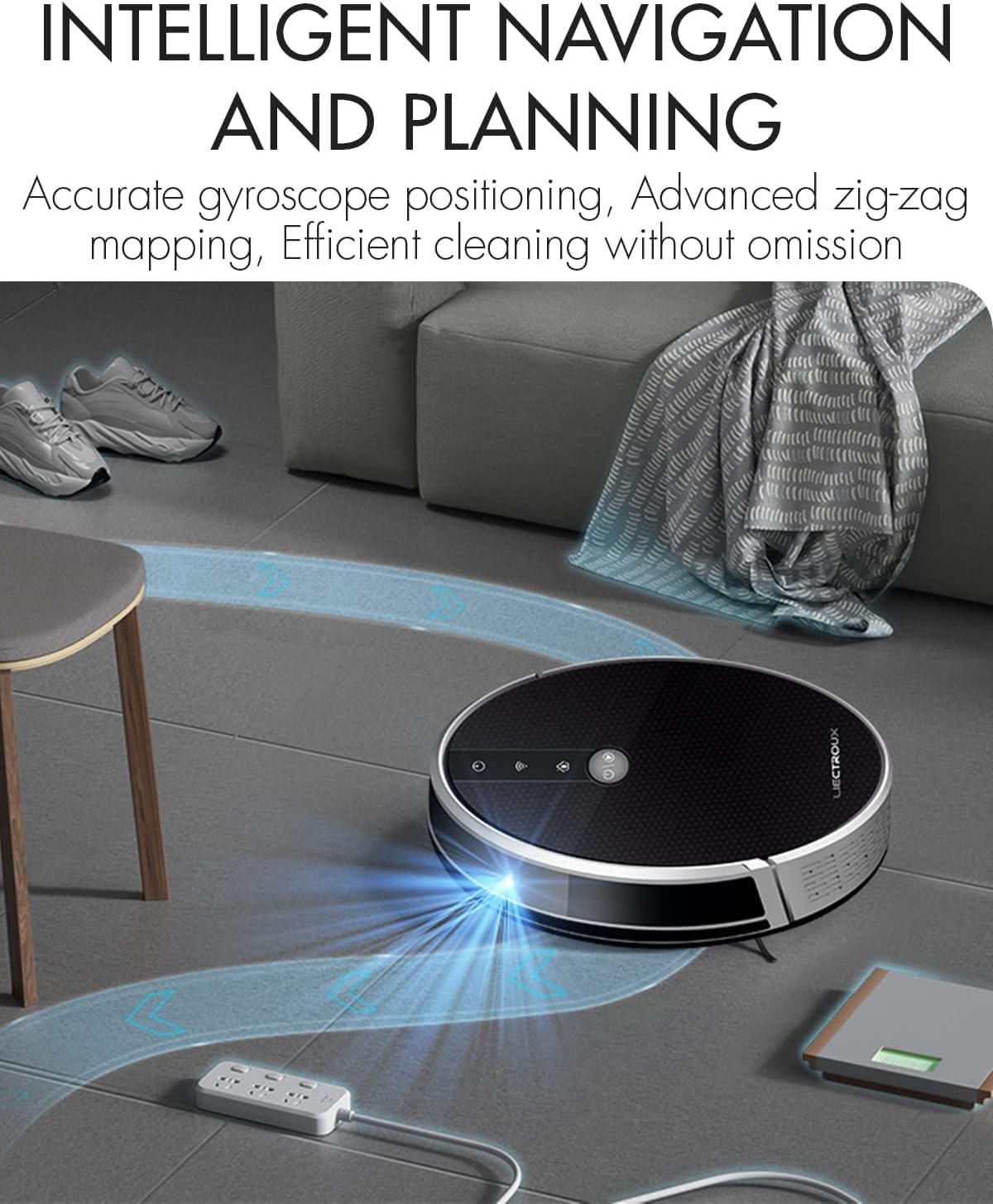
Figure 4.1: The robot vacuum utilizing its intelligent navigation system to plan and execute efficient cleaning paths, ensuring thorough coverage of your home.
4.1. Caratteristiche principali
- Gyroscope Smart Navigation: Detects the entire house and builds a real-time cleaning roadmap for efficient, room-to-room cleaning.
- Super Suction & 2-in-1 Functionality: Equipped with a NIDEC brushless motor and V-shaped floating central brush for deep cleaning. Interchangeable 600ml dustbin and water tank allow for simultaneous vacuuming and mopping.
- Design sottile: At 7.4 cm (2.9 inches) thin, it can easily clean under furniture and hard-to-reach areas.
- Sensori anticaduta: Integrated infrared sensors detect obstacles and prevent falls from stairs or ledges.
- Funzionamento silenzioso: Designed to operate at a low noise level (45 dB), minimizing disturbance.
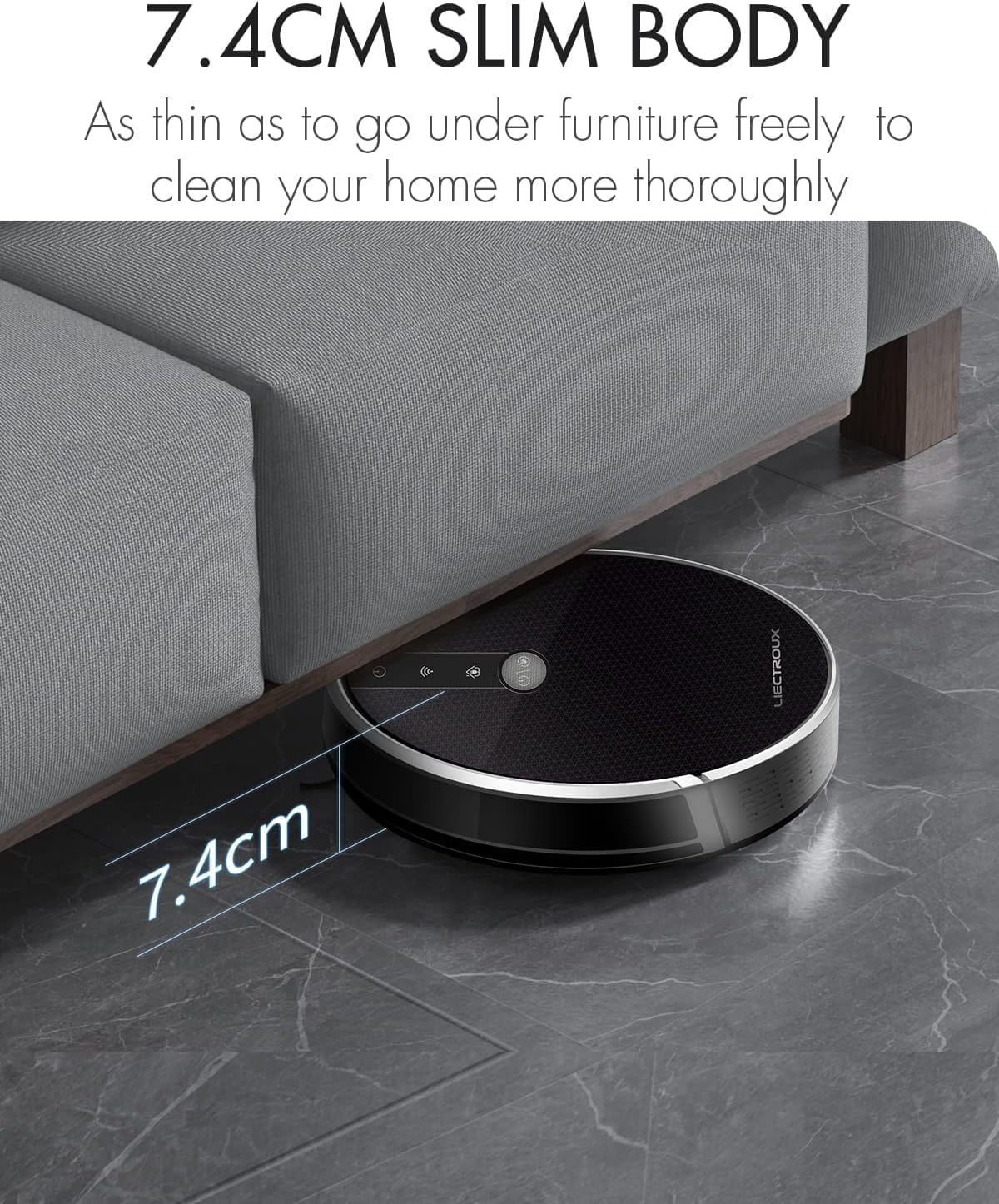
Figure 4.2: The robot's ultra-slim 7.4 cm body allows it to effortlessly clean under low-lying furniture, ensuring no dust or debris is left behind.
5. Impostazione
5.1. Ricarica del robot
- Place the charging station against a wall in an open, uncluttered area. Ensure there is at least 1 meter (3.3 feet) of clear space on both sides and 2 meters (6.6 feet) in front of the station.
- Connect the power adapter to the charging station and plug the other end into a wall outlet.
- Place the robot onto the charging station, ensuring the charging contacts align. The robot will automatically begin charging. A full charge takes approximately 4-5 hours.
- For initial use, it is recommended to fully charge the robot before its first cleaning cycle.
5.2. Installazione delle spazzole laterali
Attach the side brushes by pressing them onto the square posts at the bottom of the robot until they click into place. Ensure the left (L) and right (R) brushes are installed on the correct sides.
5.3. Installazione del bidone della spazzatura o del serbatoio dell'acqua
The LIECTROUX C30B comes with an interchangeable dustbin and water tank. Choose the appropriate container for your cleaning needs.
- Per l'aspirazione: Insert the dustbin into the designated slot at the rear of the robot until it locks securely.
- Per lavare i pavimenti: Fill the water tank with clean water (do not use detergents or harsh chemicals). Attach a mopping pad to the bottom of the water tank. Insert the water tank into the designated slot at the rear of the robot until it locks securely.
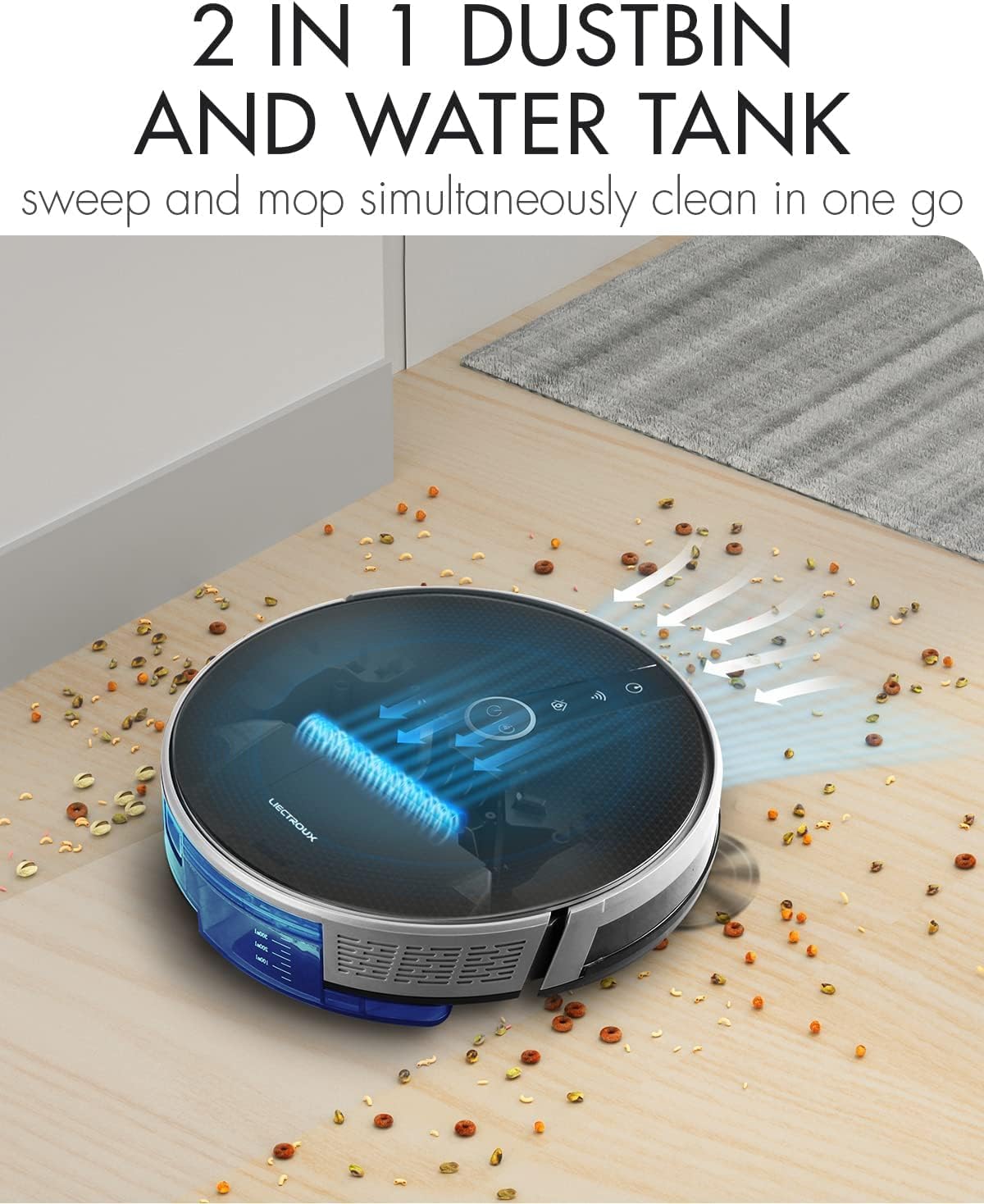
Figure 5.1: The robot's innovative 2-in-1 design allows for easy switching between the dustbin for vacuuming and the water tank for mopping, enabling simultaneous sweep and mop functions.
5.4. Installazione e connessione dell'app
The LIECTROUX C30B can be controlled via the Tuya Smart app. It also supports voice control through Amazon Alexa and Google Assistant.
- Scarica l'app "Tuya Smart" dall'App Store (iOS) o dal Google Play Store (Android).
- Registra un account e accedi.
- Assicurati che il tuo robot sia carico e acceso.
- In the app, tap "+" to add a device. Select "Small Home Appliance" > "Robot Vacuum".
- Follow the on-screen instructions to connect the robot to your home Wi-Fi network (2.4GHz only).
- Una volta connesso, puoi controllare il robot, programmare le pulizie e monitorarne lo stato dal tuo smartphone.

Figure 5.2: The mobile application provides comprehensive remote control, allowing users to manage cleaning modes, schedules, and monitor the robot's status from anywhere.
6. Istruzioni per l'uso
6.1. Modalità di pulizia
The LIECTROUX C30B offers 6 cleaning modes to suit various needs:
- Pulizia automatica: The robot intelligently plans its route to clean the entire area.
- Modalità di lavaggio: When the water tank is installed, the robot will perform wet mopping.
- Pulizia camera singola: Cleans a specific room. Close the door to confine the robot to that area.
- Pulizia dei bordi: Il robot pulisce lungo le pareti e i bordi dei mobili.
- Pulizia spot: Concentrates cleaning on a specific dirty area in a spiral pattern.
- Pulizia programmata: Imposta orari specifici in cui il robot deve iniziare a pulire automaticamente tramite l'app.
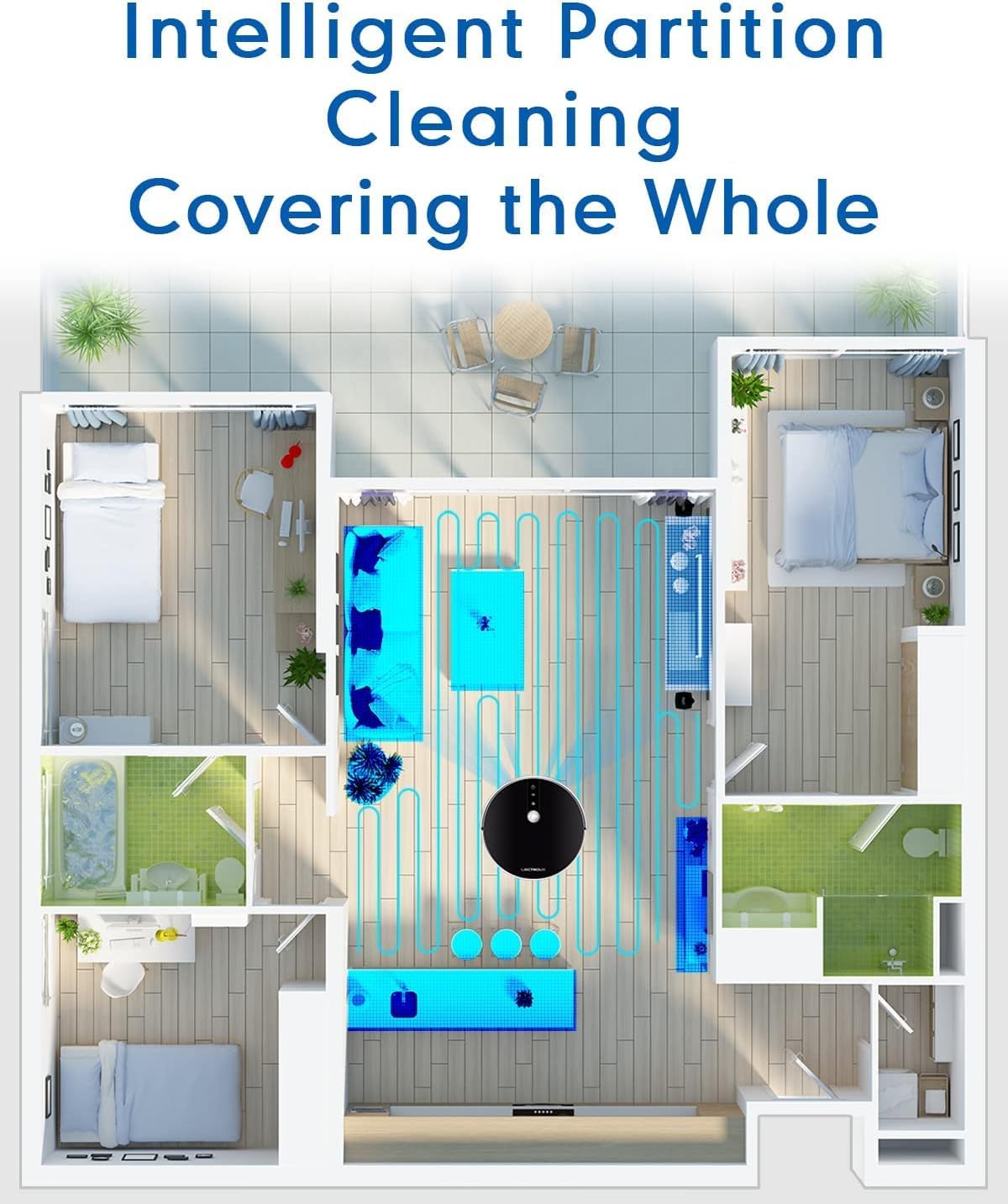
Figure 6.1: The robot's intelligent partition cleaning capability allows it to map and clean different areas of your home systematically, ensuring comprehensive coverage.
6.2. Avvio/Pausa della pulizia
- Sul robot: Premere il pulsante di accensione sul pannello superiore del robot per avviare o mettere in pausa la pulizia.
- Utilizzo del telecomando: Use the "Auto Clean" button on the remote control.
- Tramite App: Use the "Start" or "Pause" buttons within the Tuya Smart app.
6.3. Controllo vocale (Alexa/Assistente Google)
Once connected to the Tuya Smart app, you can link your robot to Amazon Alexa or Google Assistant for voice commands.
- Enable the "Tuya Smart" skill in your Alexa or Google Home app.
- Collega il tuo account Tuya Smart.
- Scopri i dispositivi.
- Ora puoi usare comandi come:
- "Alexa, start cleaning the robot vacuum."
- "Hey Google, tell the robot vacuum to go back to charging."
- "Alexa, stop the robot vacuum."

Figure 6.2: The robot vacuum seamlessly integrates with smart home assistants like Amazon Alexa and Google Assistant, allowing for convenient voice-activated control of cleaning tasks.
7. Manutenzione
Una manutenzione regolare è fondamentale per garantire prestazioni ottimali e una lunga durata del tuo robot aspirapolvere.
7.1. Svuotamento del cestino
Empty the dustbin after each use or when the "Dustbin Full" indicator appears on the app.
- Premere il pulsante di sgancio del contenitore della polvere ed estrarlo.
- Aprire il coperchio del cestino e svuotarne il contenuto nel cestino della spazzatura.
- Clean the dustbin with the provided cleaning tool or a soft cloth. It can also be rinsed with water, but ensure it is completely dry before re-installing.
7.2. Pulizia dei filtri
Clean the HEPA filter and sponge filter weekly. Replace HEPA filters every 3-6 months, depending on usage.
- Rimuovere la pattumiera.
- Take out the HEPA filter and sponge filter.
- Picchiettare delicatamente i filtri per rimuovere la polvere. Non lavare i filtri HEPA con acqua.
- Rinse the sponge filter with water if necessary, and ensure it is completely dry before re-installing.
7.3. Pulizia della spazzola principale e delle spazzole laterali
Clean the main brush and side brushes weekly to remove tangled hair and debris.
- Spazzola principale: Flip the robot over. Press the release tabs on the brush guard to remove it. Lift out the main brush. Use the cleaning tool to cut and remove any tangled hair. Reinstall the brush and guard.
- Spazzole laterali: Gently pull the side brushes off their posts. Remove any hair or debris. If brushes are worn, replace them.
7.4. Cleaning Water Tank and Mopping Pads
Dopo ogni sessione di lavaggio:
- Svuotare l'acqua rimanente dal serbatoio.
- Remove the mopping pad and rinse it thoroughly with water. Allow it to air dry completely.
- Clean the water tank interior if necessary.
7.5. Pulizia dei sensori e dei contatti di ricarica
Wipe the sensors and charging contacts regularly with a clean, dry cloth to ensure proper function.
- Sensori anticaduta: Situato nella parte inferiore del robot.
- Wall Sensors: Located on the front bumper.
- Contatti di ricarica: On the bottom of the robot and on the charging station.

Figure 7.1: The robot is equipped with anti-drop sensors that detect changes in elevation, such as stairs, preventing it from falling and ensuring safe operation.
8. Risoluzione Dei Problemi
Se riscontri problemi con il tuo robot aspirapolvere, consulta la tabella seguente per i problemi più comuni e le relative soluzioni.
| Problema | Possibile causa | Soluzione |
|---|---|---|
| Il robot non si accende. | Batteria scarica o non carica. | Posizionare il robot sulla stazione di ricarica e assicurarsi che sia completamente carico. |
| Il robot si blocca spesso. | Ostacoli, spazzole aggrovigliate o sensori sporchi. | Clear obstacles from the cleaning path. Clean main brush, side brushes, and all sensors. |
| Scarsa efficienza di pulizia. | Contenitore della polvere pieno, filtro intasato o spazzole usurate. | Svuotare il contenitore della polvere. Pulire/sostituire i filtri. Pulire/sostituire le spazzole. |
| Il robot non torna alla stazione di ricarica. | Charging station obstructed or out of range. Dirty charging contacts. | Ensure charging station is in an open area. Clean charging contacts on both robot and station. |
| Problemi di connessione all'app. | Incorrect Wi-Fi password, 5GHz network, or robot too far from router. | Assicurati di utilizzare una rete Wi-Fi a 2.4 GHz. Reinserisci la password Wi-Fi. Avvicina il robot al router. Riavvia il robot e il router. |
Se il problema persiste dopo aver provato queste soluzioni, contattare l'assistenza clienti.
9. Specifiche tecniche
| Caratteristica | Specificazione |
|---|---|
| Numero di modello | C30B |
| Marca | LIETTROUX |
| Dimensioni (L x P x A) | 33 x 33 x 7.4 cm (13 x 13 x 2.9 pollici) |
| Peso | 2.7 kg (5.95 libbre) |
| Energia | 28 Watt |
| Voltage | 14.4 Volt |
| Tipo di batteria | Ioni di litio (2500 mAh) |
| Livello di rumore | 45 dB |
| Capacità del bidone della spazzatura | 0.6 litri |
| Tipo di filtro | Filtro HEPA |
| Raccomandazione di superficie | Pavimenti duri, tappeti |
| Tipo di controllo | App Control, Voice Control (Alexa, Google Assistant), Remote Control |
| Durata | 100-120 minutes (approx. 170-220 sq meters) |
10. Garanzia e supporto
The LIECTROUX C30B Hybrid Robot Vacuum and Mop comes with a 24-month professional warranty dalla data di acquisto. La presente garanzia copre difetti di fabbricazione e malfunzionamenti in condizioni di normale utilizzo.
10.1. Esclusioni dalla garanzia
La garanzia non copre:
- Danni causati da uso improprio, negligenza o incidente.
- Normal wear and tear of consumable parts (e.g., brushes, filters, mopping pads).
- Danni causati da riparazioni o modifiche non autorizzate.
- Damage caused by external factors such as power surges or natural disasters.
10.2. Assistenza clienti
For technical assistance, warranty claims, or general inquiries, please contact LIECTROUX customer support through the retailer where you purchased the product or visit the official LIECTROUX websito per le informazioni di contatto.
Please have your model number (C30B) and proof of purchase ready when contacting support.
Ask a question about this manual
Ask about setup, troubleshooting, compatibility, parts, safety, or missing instructions. Manuals+ will review the question and use this page’s manual context to help answer it.