
Forever ForeVigo 2 SW-330
Forever Smartwatch ForeVigo 2 SW-330 User Manual
Model: ForeVigo 2 SW-330
1. Introduzione
Welcome to your new Forever Smartwatch ForeVigo 2 SW-330. This manual provides essential information for setting up, operating, and maintaining your device. Please read it carefully to ensure proper use and to maximize the features of your smartwatch.
The ForeVigo 2 SW-330 is designed to be your daily companion, offering a range of features including sports tracking, health monitoring, and smart notifications. Its durable design and long-lasting battery make it suitable for various activities.
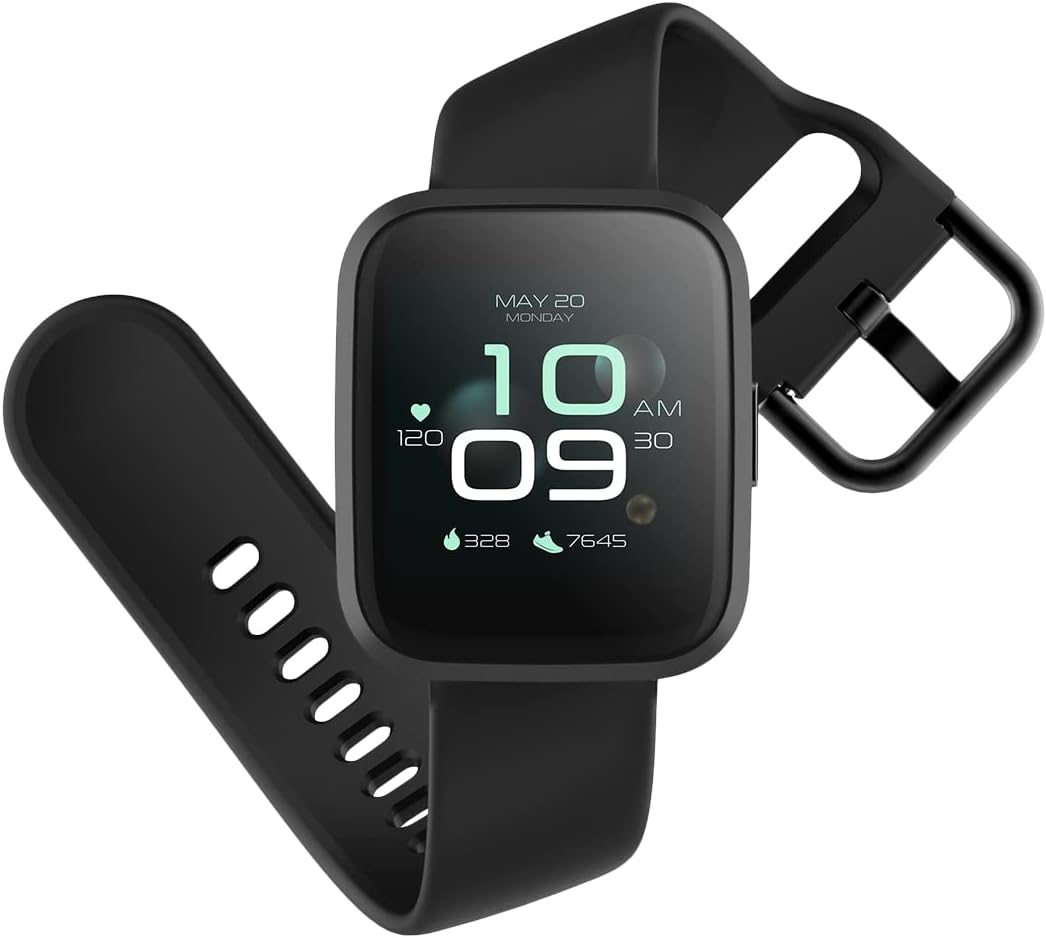
Image: The ForeVigo 2 SW-330 smartwatch with its main display showing the time, heart rate, and step count.
2. Impostazione
2.1. Ricarica dello smartwatch
Before first use, fully charge your smartwatch. The device features a 180 mAh battery, providing up to 12 days of usage on a single charge. A quick charge function is available.
- Collegare il cavo di ricarica alla porta di ricarica sul retro dello smartwatch.
- Collegare l'estremità USB del cavo a un adattatore di alimentazione USB standard (non incluso) o alla porta USB di un computer.
- The screen will display a charging indicator.
- Per una carica completa sono necessarie circa 2 ore.

Image: The smartwatch screen showing a battery icon with a lightning bolt, indicating it is charging.
2.2. Accensione/Spegnimento
- Per accendere: Tieni premuto il pulsante laterale finché lo schermo non si illumina.
- Per spegnere: Navigate to the 'Settings' menu on the smartwatch, then select 'Power Off' or press and hold the side button and confirm power off.
2.3. Installazione e associazione dell'app
To unlock the full potential of your smartwatch, download the companion application on your smartphone. The ForeVigo 2 SW-330 is compatible with both Android and iOS devices.
- Cercare the official 'Forever Smart' or 'ForeVigo' app in your smartphone's app store (Google Play Store for Android, Apple App Store for iOS).
- Installa l'applicazione.
- Apri l'app e segui le istruzioni sullo schermo per creare un account o accedere.
- Abilita il Bluetooth sul tuo smartphone.
- In the app, select 'Add Device' or 'Pair Smartwatch' and choose 'ForeVigo 2 SW-330' from the list of available devices.
- Conferma la richiesta di associazione sia sullo smartphone che sullo smartwatch.
3. Utilizzo dello smartwatch
3.1. Navigazione
The ForeVigo 2 SW-330 features a 1.4-inch high-quality touchscreen for intuitive navigation. Swipe left, right, up, or down to access different functions and menus. Press the side button to return to the home screen or wake the device.

Image: The smartwatch screen showing a grid of application icons, including Goals, Heart rate, Sleep, and Messages.
3.2. Sports Functions
The smartwatch supports various sports modes to track your physical activity:
- Nuoto: Track your performance during water activities.
- A piedi: Monitora i passi, la distanza e le calorie bruciate.
- Corsa: Record your runs with detailed metrics.
- Escursionismo: Track outdoor adventures.
- Ciclismo: Monitor your bike rides.
Access these modes through the 'Sports' menu on your smartwatch. The device includes a calorie counter, distance tracker, stopwatch, and pedometer.

Image: The smartwatch screen displaying a list of application icons, including Goals, Heart rate, Messages, and Sports.
3.3. Monitoraggio della salute
- Monitoraggio del sonno: The smartwatch monitors your sleep patterns, including light and deep sleep stages. View report dettagliati nell'app complementare.
- Cardiofrequenzimetro: The integrated heart rate sensor continuously tracks your heart rate. Access real-time data on the watch or historical data in the app.

Image: The smartwatch screen showing sleep tracking data, including light sleep, deep sleep, and total sleep time.
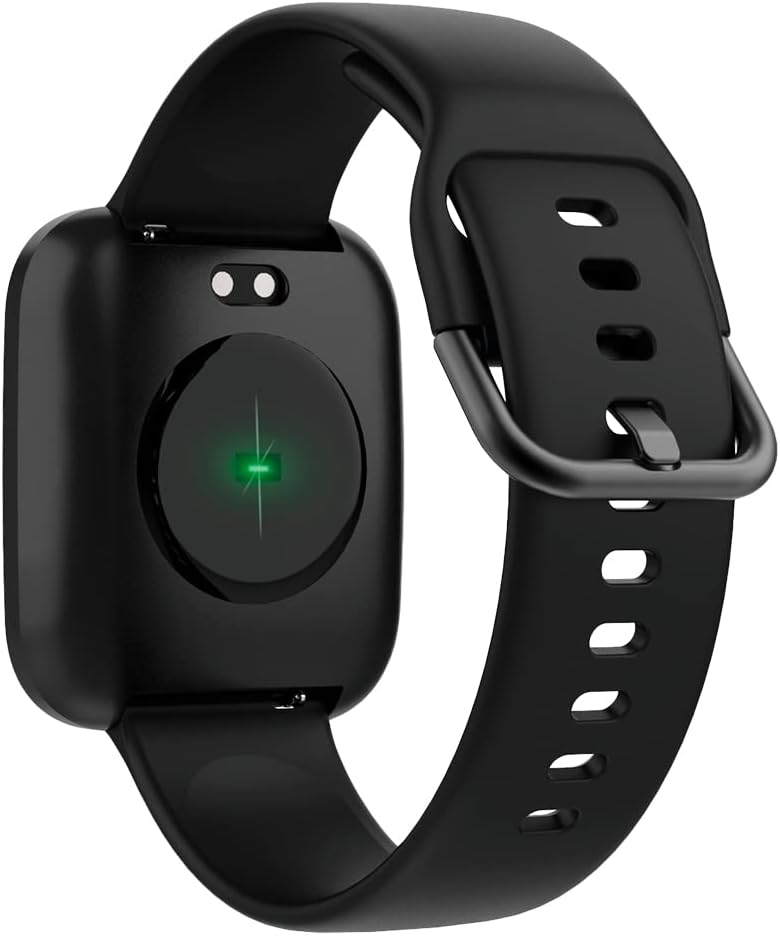
Image: The back of the smartwatch, highlighting the green light of the optical heart rate sensor.
3.4. Funzionalità intelligenti
- Notifiche del telefono: Receive alerts for calls, messages, and app notifications directly on your wrist. Configure notification settings in the companion app.
- Controllo della musica: Control music playback on your smartphone (play, pause, skip tracks) directly from your smartwatch.
- Telecamera remota: Utilizza il tuo smartwatch come otturatore remoto per la fotocamera del tuo smartphone.
- Daily Goals & Activity Reminders: Set daily activity goals and receive reminders to stay active throughout the day.
- Device Locator: Use the app to locate your smartwatch if it's within Bluetooth range.
4. Manutenzione
4.1. Resistenza all'acqua
The ForeVigo 2 SW-330 is waterproof according to the IP68 standard, meaning it can withstand total immersion in water. This allows for tracking swimming activities. However, it is not recommended for hot water activities (e.g., hot showers, saunas) as steam can damage the seals.
4.2. Pulizia e cura
- Pulisci regolarmente lo smartwatch e il cinturino con un panno morbido eamp stoffa.
- Evitare l'uso di prodotti chimici aggressivi o materiali abrasivi.
- Prima di procedere alla ricarica, assicurarsi che i contatti di ricarica siano puliti e asciutti.
4.3. Interchangeable Straps
The smartwatch features elegant and interchangeable straps made of silicone and metal. To change the strap, locate the quick-release pins on the underside of the strap and gently slide them to detach. Attach new straps by aligning the pins and sliding them into place.
5. Risoluzione Dei Problemi
If you encounter issues with your ForeVigo 2 SW-330, try the following solutions:
- Lo smartwatch non si accende: Assicurarsi che il dispositivo sia completamente carico. Collegarlo al caricabatterie per almeno 30 minuti.
- Impossibile associare lo smartphone:
- Assicurati che il Bluetooth sia abilitato sul tuo smartphone.
- Assicurati che lo smartwatch sia nel raggio d'azione del tuo smartphone.
- Riavvia sia lo smartwatch che il tuo smartphone.
- Controlla se l'app complementare è aggiornata all'ultima versione.
- Dati sanitari inesatti: Ensure the smartwatch is worn snugly on your wrist, but not too tight. Clean the heart rate sensor regularly.
- Notifiche non visualizzate: Check notification settings in the companion app and your smartphone's system settings to ensure the app has necessary permissions.
- Schermo non reattivo: Prova a riavviare lo smartwatch. Se il problema persiste, assicurati che lo schermo sia pulito e asciutto.
Per ulteriore assistenza, consulta la sezione di supporto dell'app complementare o contatta l'assistenza clienti.
6. Specifiche
| Caratteristica | Dettaglio |
|---|---|
| Marca | PER SEMPRE |
| Numero di modello | SW-310 |
| Colore | Nero |
| Compatibilità del sistema operativo | Androide, iOS |
| Dimensioni dello schermo | 1.4 pollici |
| Caratteristiche speciali | Lightweight, Stopwatch |
| Dispositivi compatibili | Smartphone |
| Capacità della batteria | 180 mAh |
| Durata della batteria | Fino a 12 giorni |
| Comunicazione senza fili | Bluetooth |
| GPS | GPS integrato |
| Resistenza all'acqua | Grado di protezione IP68 |
| Peso | 34 grammi |
| Dimensioni | Dimensioni: 36 x 42 x 11 mm |
7. Garanzia e supporto
Your Forever Smartwatch ForeVigo 2 SW-330 comes with a manufacturer's warranty. Please refer to the warranty card included in your product packaging for specific terms and conditions. For technical support, product inquiries, or warranty claims, please contact your retailer or the official Forever customer service through their website or the companion application.
Conservare la prova d'acquisto per motivi di garanzia.
Documenti correlati - ForeVigo 2 SW-330
 |
Manuale utente dello smartwatch FOREVER ForeVigo 2 SW-310 - Caratteristiche e funzionamento Manuale utente completo per lo smartwatch FOREVER ForeVigo 2 SW-310. Scopri come configurare, connettere e utilizzare funzioni come il monitoraggio della frequenza cardiaca, il monitoraggio del sonno, le modalità multi-sport e altro ancora. |
 |
Manuale utente dello smartwatch Forever SW-700 Grand Manuale utente completo per lo smartwatch Forever SW-700 Grand, che comprende configurazione, caratteristiche, funzioni, connessione alle app, linee guida di sicurezza e informazioni sullo smaltimento. |
 |
Manuale utente dello smartwatch Forever ForeVigo SW-320 Manuale utente completo per lo smartwatch Forever ForeVigo SW-320, che descrive in dettaglio la configurazione, la ricarica, la connessione all'app, le funzionalità e le linee guida per un corretto smaltimento. |
 |
Manuale utente Forever Fitband SB-50 Manuale utente per il fitness tracker smartband Forever Fitband SB-50, contenente informazioni generali, specifiche, descrizione del prodotto, ricarica, installazione dell'app, funzionamento del dispositivo, funzioni, sicurezza e smaltimento. |
 |
Manuale utente dello smartwatch Forever SW-700 Grand Manuale utente per lo smartwatch Forever SW-700 Grand, che illustra la configurazione, le funzionalità e l'uso sicuro. |
 |
Manuale utente del fitness tracker Forever SB-50 Fitband Smartband Manuale utente completo per il fitness tracker smartband Forever SB-50 Fitband, che comprende informazioni generali, descrizione del prodotto, ricarica, installazione dell'app, funzionamento del dispositivo, funzioni e precauzioni di sicurezza. |
Ask a question about this manual
Ask about setup, troubleshooting, compatibility, parts, safety, or missing instructions. Manuals+ will review the question and use this page’s manual context to help answer it.