
Introduzione
The Fitbit Luxe is a sophisticated fitness and wellness tracker designed to help you monitor your health and activity. This manual provides essential information for setting up, operating, maintaining, and troubleshooting your device, ensuring you get the most out of its features.

Image: Fitbit Luxe tracker in Lunar White/Soft Gold Stainless Steel, showcasinil suo design elegante.
Impostare
1. Ricarica del dispositivo
Before initial use, fully charge your Fitbit Luxe. Connect the charging cable to the device and a USB power source. A full charge typically takes approximately 2 hours.
2. Installazione dell'app Fitbit
Download the Fitbit app from your smartphone's app store. The app is compatible with Apple iOS 15 or higher and Android OS 9 or higher. A Google account is required for full functionality.
3. Associazione con lo smartphone
Open the Fitbit app and follow the on-screen instructions to create an account or log in. The app will guide you through the process of pairing your Fitbit Luxe with your smartphone via Bluetooth.
Video: An unboxing and comparison video that demonstrates the initial setup and appearance of the Fitbit Luxe.
Operating Your Fitbit Luxe
The Fitbit Luxe offers a range of features to help you monitor your health and fitness. Navigate the device by swiping and tapping the screen.
Caratteristiche principali:
- Monitoraggio della frequenza cardiaca 24 ore su 24, 7 giorni su 7: Continuously monitors your heart rate to help you understand resting heart rate trends and estimate calorie burn.
- Minuti in zona attiva: Receive a buzz when you reach your target heart rate zones during exercise.
- Monitoraggio del sonno e punteggio del sonno: Monitora il tuo sonnotages and provides a personalized Sleep Score in the Fitbit app to help you improve sleep quality.
- Gestione dello stress: Utilize tools and insights to manage stress levels, available through the Fitbit app.
- Health Metrics Dashboard: Track important health metrics such as breathing rate, heart rate variability, and more within the app.
- GPS connesso: Connects to your phone's GPS to see real-time pace and distance on your wrist during outdoor activities.
- Notifiche: Ricevi notifiche di chiamate, messaggi e app per smartphone direttamente sul tuo polso.
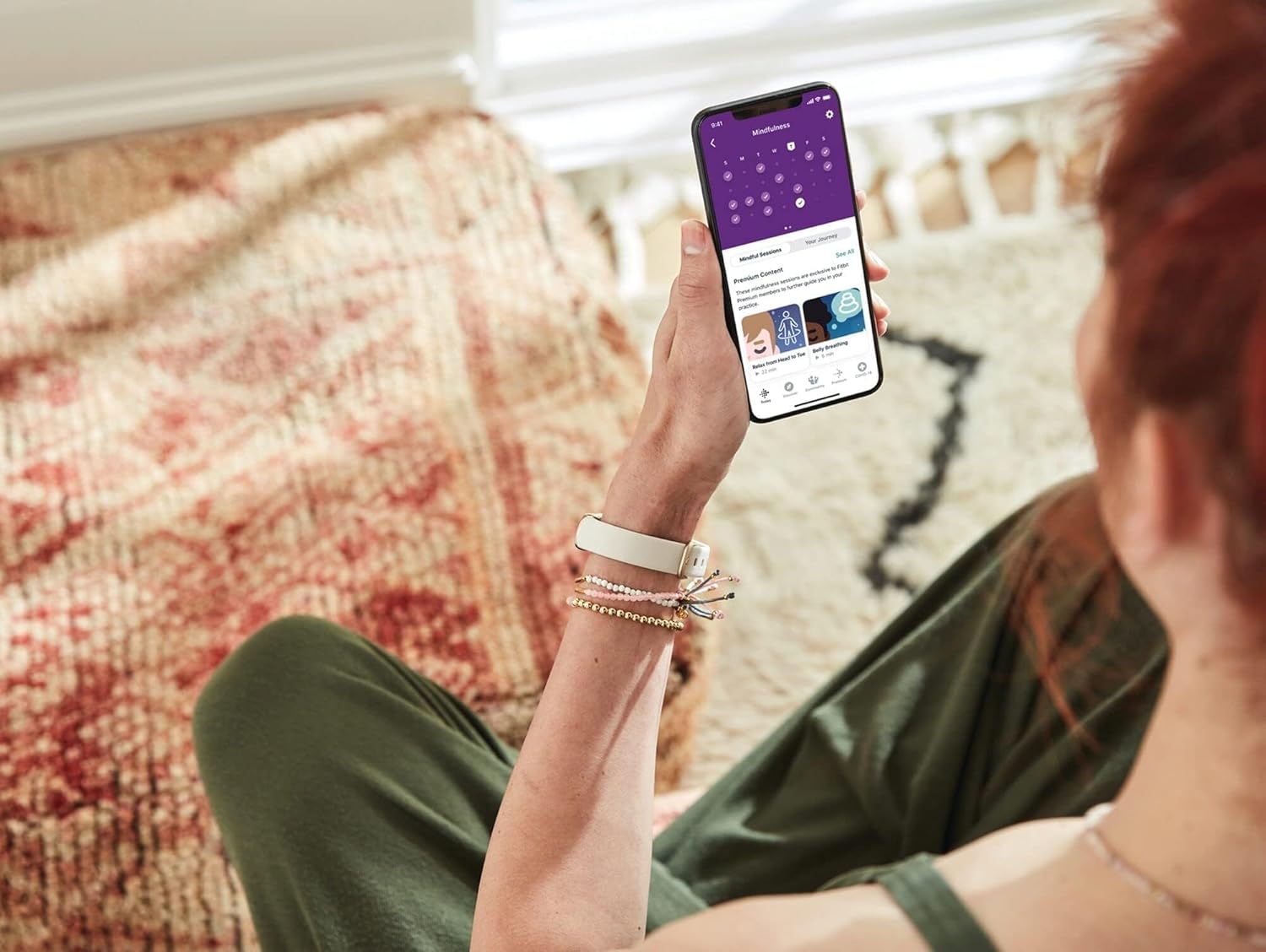
Immagine: una persona viewing the Fitbit app on their smartphone, displaying wellness insights and activity data, with the Fitbit Luxe visible on their wrist.

Image: The Fitbit Luxe display showing a message in Spanish, indicating the user is in their 'Cardio Zone', with an icon of a person running up stairs.

Image: A person wearing the Fitbit Luxe, with text in Spanish overlayed on the image, translating to 'Reduce your stress level', highlighting the stress management feature.

Image: The Fitbit Luxe display showing menstrual health tracking information, accompanied by a smartphone displaying the corresponding section in the Fitbit app.
Video: Un review discussing the accuracy and features of the Fitbit Luxe, providing insights into its operational capabilities.
Video: A comparison video highlighting key features of the Fitbit Luxe against another device, useful for understanding its capabilities.
Manutenzione
Pulizia del dispositivo
Regularly clean your Fitbit Luxe, especially after workouts or exposure to water. Use a soft, lint-free cloth. For the band, a mild soap and water solution can be used, ensuring it is thoroughly rinsed and dried afterward. Avoid harsh chemicals or abrasive materials.
Resistenza all'acqua
The Fitbit Luxe is water-resistant up to 50 meters. It is safe for swimming and showering. After exposure to water, especially chlorinated or salt water, rinse the device with fresh water and dry it thoroughly to prevent skin irritation and maintain device longevity.
Protezione dello schermo
Consider applying a screen protector to prevent scratches and dings, as the screen can be susceptible to damage from impacts.
Risoluzione dei problemi
Dispositivo non risponde
If your Fitbit Luxe is unresponsive, try restarting it by connecting it to the charger. If the issue persists, ensure the Fitbit app is updated to the latest version and attempt to re-pair the device.
Problemi di connettività
Ensure Bluetooth is enabled on your smartphone and the Fitbit app is running in the background. If connection problems persist, try restarting both your phone and the Fitbit Luxe.
Tracciamento impreciso
For accurate heart rate and activity tracking, ensure the device is worn snugly but comfortably on your wrist. If you suspect inaccuracies, check the Fitbit app for calibration options or contact support.
Band Issues
Some users have reported issues with certain bands detaching. Ensure your band is securely attached to the tracker. If you experience persistent issues, consider trying a different band type or contacting Fitbit support.
Specifiche
| Numero di modello | FB422GLWT |
| Dimensioni | 1.43 x 0.69 x 0.4 pollici |
| Peso | 0.92 once (26.17 g) |
| Tipo di batteria | Polimero di litio |
| Durata della batteria (media) | Fino a 5 giorni |
| Tempo di carica della batteria | 2 ore |
| Compatibilità del sistema operativo | iOS 15+, Android 9+ |
| Connettività | Bluetooth, GPS (connected via phone) |
| Resistenza all'acqua | Up to 50 meters (IP68) |
| Dimensioni dello schermo | 0.76 pollici |
| Tipo di visualizzazione | Digitale |
| Metriche misurate | Heart Rate, Sleep Duration, Blood Oxygen |
| Materiale della cassa | Acciaio inossidabile |
| Materiale della fascia | Silicone |
Informazioni sulla garanzia
The Fitbit Luxe comes with a limited warranty. For detailed information regarding warranty coverage, terms, and conditions, please refer to the official Fitbit websito o la documentazione inclusa nel prodotto.
Supporto
For further assistance, troubleshooting, or to access additional resources, please visit the official Fitbit support websito: aiuto.fitbit.com.