
1. Introduzione
The Amazon Echo Show 8 (2nd Gen, 2021 Release) is an HD smart display with Alexa built-in, featuring an 8-inch touchscreen and a 13 MP camera. This manual provides instructions for setting up, operating, maintaining, and troubleshooting your device.
2. Cosa c'è nella scatola
Upon unboxing, verify that the following items are included:
- Dispositivo Echo Show 8
- Glacier White power adapter (30W) and cable (4.9 ft.)
- Guida rapida
3. Impostazione
Segui questi passaggi per configurare il tuo Echo Show 8:
- Accensione: Connect the included power adapter to your Echo Show 8 and plug it into a wall outlet. The device will automatically power on.
- On-Screen Instructions: Follow the on-screen prompts to select your language and connect to your Wi-Fi network. The Echo Show 8 supports dual-band Wi-Fi (802.11a/b/g/n/ac).
- Account Amazon: Accedi con le credenziali del tuo account Amazon. Se non hai un account, ti verrà chiesto di crearne uno.
- Applicazione Alexa: Per funzionalità complete e impostazioni avanzate, scarica l'app Alexa sul tuo dispositivo Fire OS, Android o iOS. L'app è accessibile anche tramite un web browser.
Amazon WiFi simple setup can automatically connect your device to your Wi-Fi network if you have compatible devices and have previously enabled this feature.
4. Utilizzo di Echo Show 8
Interazione di base
Interact with your Echo Show 8 using voice commands (by saying "Alexa") or by touching the 8.0-inch HD display.
Divertimento
The Echo Show 8 provides access to various entertainment options:
- Video streaming: Watch TV shows and movies in HD from services like Prime Video and Netflix.
- Streaming di musica: Stream music from Amazon Music, Apple Music, or Spotify.

Image: The Echo Show 8 screen showing various music streaming services, indicating its capability to play audio from different platforms.

Image: The Echo Show 8 displaying a movie from Prime Video, demonstrating its video playback capabilities.
Comunicazione
Utilize the 13 MP camera for video calls. The camera features auto-framing to keep you centered during calls. Simply ask Alexa to call your contacts.
Daily Assistance
Alexa can assist with daily tasks:
- View calendars and reminders.
- Get daily recipe ideas with step-by-step instructions.
- Set timers and update lists.
- Receive news and traffic updates.
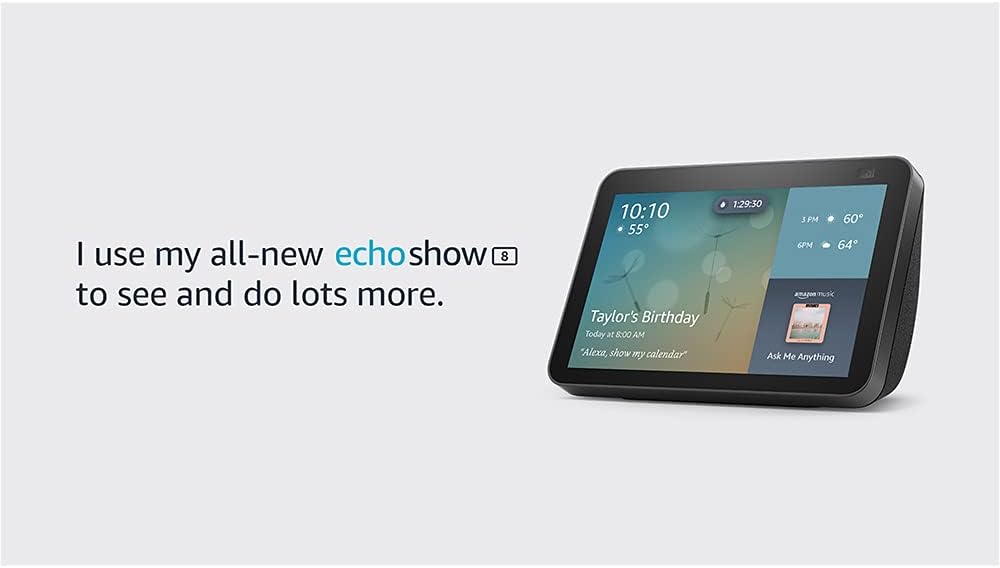
Image: The Echo Show 8 screen showing the current time, weather, and a calendar event, illustrating its utility as a personal assistant.
Visualizzazione di foto
Use Amazon Photos to turn your home screen into a digital photo frame. Adaptive color technology ensures your photos look good in any lighting condition.
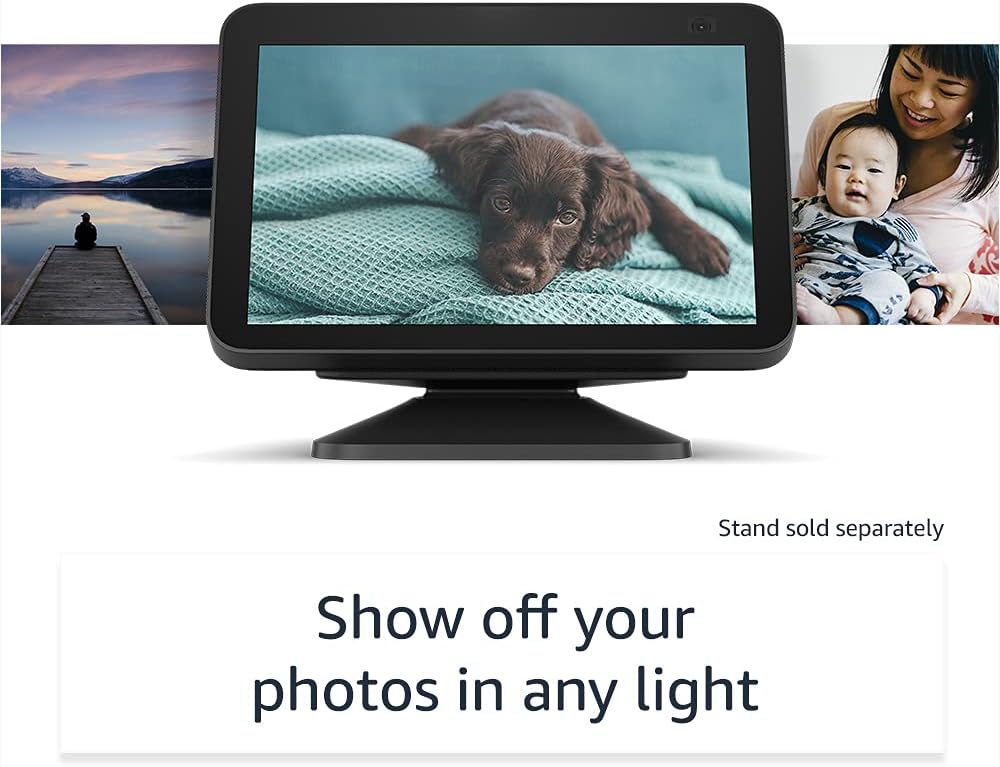
Image: The Echo Show 8 displaying a personal photo, highlighting its digital photo frame feature.
5. Integrazione della casa intelligente
The Echo Show 8 can manage compatible smart home devices using its interactive display, your voice, or motion. It supports Wi-Fi, Bluetooth Low Energy Mesh, and Matter for device compatibility.
- Monitoraggio remoto: Use the built-in camera to look in on your home when you are away.
- Controllo del dispositivo: Control compatible devices such as cameras, lights, and thermostats.

Image: The Echo Show 8 screen showing live feeds from four different cameras, demonstrating its smart home monitoring capabilities.
Marciapiede dell'Amazzonia
Amazon Sidewalk is a shared network that helps compatible devices work better. It uses a small portion of your internet bandwidth to provide benefits to you and your neighbors via Sidewalk Bridges (participating Echo and Ring devices). Sidewalk is turned on by default but can be disabled at any time through the Alexa app.
6. Funzionalità sulla privacy
Echo Show 8 è progettato con più livelli di controllo della privacy:
- Pulsante di spegnimento microfono/fotocamera: A physical button to electronically disconnect the microphones and camera.
- Otturatore della fotocamera integrato: Uno slider fisico per coprire l'obiettivo della fotocamera.
- Tecnologia Wake Word: Alexa devices only begin recording and sending audio to the cloud after detecting the wake word.
- Indicatori di streaming: Visual indicators show when your device is streaming to the cloud.
- Gestione delle registrazioni vocali: Capacità di view ed elimina le tue registrazioni vocali.
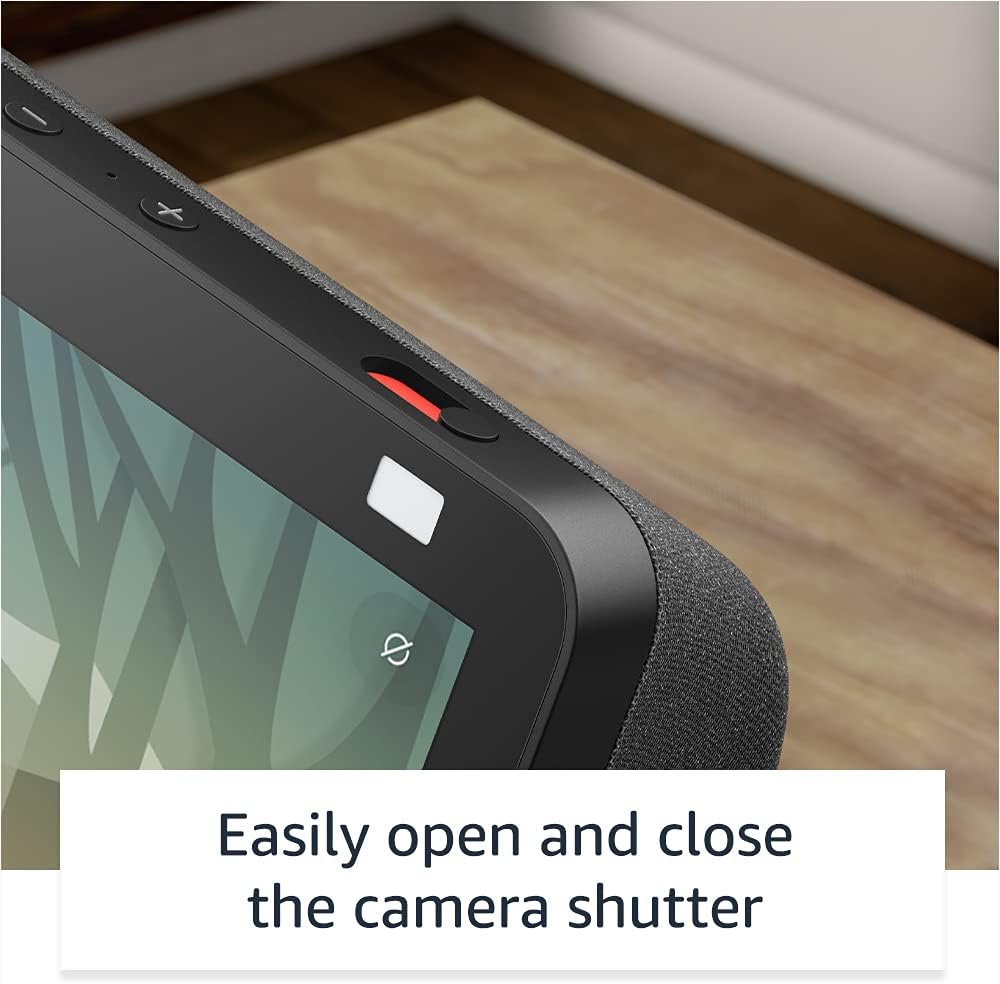
Immagine: un primo piano view of the Echo Show 8's physical camera shutter and microphone/camera off button, highlighting its privacy controls.
Per maggiori informazioni, visita l'Alexa Privacy Hub.
7. Funzionalità di accessibilità
Echo Show 8 include diverse funzioni di accessibilità. Accedi a queste impostazioni tramite Impostazioni → Accessibilità sul tuo dispositivo:
- Tocca per attivare Alexa: Interagisci con Alexa tramite tocco, utilizzando i riquadri sullo schermo o una tastiera.
- Ascolto adattivo: Offre più tempo per finire di parlare prima che Alexa risponda.
- Tariffa preferita per parlare: Controlla la velocità di conversazione di Alexa.
- Sottotitoli: Sottotitoli Alexa, sottotitoli per le chiamate e sottotitoli per i contenuti supportati.
- Mostra e racconta: Helps identify products for blind or visually impaired users by saying "Alexa, what am I holding."
- VoceView Lettore schermo: Provides audio feedback for blind or visually impaired users.
- Lente d'ingrandimento: Ingrandisci/riduci e spostati sullo schermo.
- Avvisa quando sei nelle vicinanze: Riproduce suoni di notifica quando viene rilevato vicino al dispositivo.
- Lettura ad alta voce tramite Kindle: Alexa può leggere ad alta voce i tuoi libri Kindle.
- Testo in tempo reale: Digita testo in tempo reale durante una videochiamata.
- Le impostazioni aggiuntive includono Inversione colore, Correzione colore e Richiedi suono.
8. Manutenzione
Per garantire prestazioni ottimali e longevità del tuo Echo Show 8:
- Pulizia: Pulisci delicatamente lo schermo e la superficie esterna del dispositivo con un panno morbido e privo di lanugine. Evita detergenti o spray abrasivi.
- Aggiornamenti software: The device receives automatic software security updates. Ensure your device is connected to Wi-Fi to receive these updates.
- Posizionamento: Posizionare il dispositivo su una superficie stabile e piana, lontano dalla luce solare diretta, da fonti di calore e dall'umidità.
9. Risoluzione Dei Problemi
If you encounter issues with your Echo Show 8, consider the following:
- Nessun potere: Assicurarsi che l'adattatore di alimentazione sia collegato saldamente sia al dispositivo sia a una presa di corrente funzionante.
- Problemi di connettività Wi-Fi:
- Controlla se il tuo router Wi-Fi è acceso e funzionante.
- Riavvia il router e l'Echo Show 8.
- Verify that the device is within range of your Wi-Fi network.
- Ensure you are connecting to a supported Wi-Fi network (802.11a/b/g/n/ac). Ad-hoc networks are not supported.
- Alexa non risponde:
- Assicurarsi che il microfono non sia disattivato (controllare il pulsante di spegnimento del microfono/della telecamera).
- Parlare in modo chiaro e a volume normale.
- Avvicinati al dispositivo.
- Schermo non reattivo: Restart the device by unplugging it for a few seconds and then plugging it back in.
- Video Call Issues: Check your internet connection speed. Ensure the camera shutter is open.
For persistent issues, consult the Alexa app or Amazon's online support resources.
10. Specifiche
| Caratteristica | Dettaglio |
|---|---|
| Misurare | 7.9" x 5.4" x 3.9" (200 mm x 135 mm x 99 mm) |
| Peso | 36.6 once (1037 grammi) |
| Display | Schermo tattile da 8.0" |
| Telecamera | Fotocamera da 13 MP con otturatore integrato |
| Connettività WiFi | Wi-Fi a doppia banda (802.11a/b/g/n/ac) |
| Connettività Bluetooth | A2DP support for audio streaming, AVRCP for voice control of connected mobile devices |
| Audio | Altoparlanti al neodimio da 2.0" (52 mm) con radiatore passivo dei bassi |
| Processore | MediaTek MT 8183 |
| Requisiti di sistema | WiFi connection, Alexa app (Fire OS, Android, iOS, web navigatore) |
| Compatibilità con la casa intelligente | WiFi, Bluetooth Low Energy Mesh, Matter |
| Lingua | Alexa parla inglese e spagnolo |
| Generazione | Echo Show 8 (2a generazione) - versione 2021 |
11. Garanzia e assistenza
Your Echo Show 8 includes a 1-year limited warranty and service. Optional extended warranty plans (1-year, 2-year, and 3-year) are available for purchase separately for U.S. customers. Use of the Echo Show 8 is subject to these terms.
12. Supporto
For further assistance, refer to the following resources:
- Applicazione Alexa: The Alexa app provides comprehensive settings, help topics, and troubleshooting guides.
- Supporto Amazon Websito: Visit the official Amazon support website for your Echo Show 8 model for FAQs, community forums, and contact options.