
1. Introduzione
Thank you for choosing Monster Persona Noise Cancelling Wireless Headphones. These headphones are designed to provide a superior audio experience with advanced noise cancellation, Hi-Fi stereo sound, and deep bass. This manual will guide you through the setup, operation, and maintenance of your new headphones to ensure optimal performance and longevity.

Image: Monster Persona Noise Cancelling Wireless Headphones, showcasing their sleek gray design.
2. Cosa c'è nella scatola
Upon unboxing your Monster Persona headphones, please ensure all the following components are present:
- Monster Persona Wireless Headphones
- Cavo AUX da 3.5 mm
- Cavo USB-C
- Adattatore di volo
- Borsa portaoggetti
Video: A detailed unboxing of the Monster Persona headphones, showing all included accessories and the headphones themselves.
3. Prodotto finitoview
3.1. Controlli e funzionalità
The Monster Persona headphones feature intuitive controls for easy management of audio and calls. Key features include:
- Cancellazione attiva del rumore (ANC): Riduce il rumore ambientale per un'esperienza di ascolto immersiva.
- Modalità suono ambientale: Ti consente di sentire l'ambiente circostante mentre ascolti l'audio.
- Controllo del volume: Adjust audio levels directly from the headphones.
- Pulsante multifunzione: Manages calls, music playback, and voice assistant activation.
- Porta di ricarica USB-C: Per una ricarica rapida e comoda.
- Jack audio da 3.5 mm: Per connessione cablata.

Image: A visual representation highlighting the adjustable headband, 90-degree rotatable earcups, and foldable design for portability.
Video: Un dettagliato sopraview of the Monster Persona headphones, showcasing their design and various features.
Video: Demonstrates the foldable design of the Monster Persona Over-Ear Wireless Headphones, highlighting their portability.
4. Impostazione
4.1. Carica delle cuffie
Before first use, fully charge your headphones. Connect the supplied USB-C cable to the charging port on the headphones and the other end to a USB power source. The LED indicator will show charging status.
- Una carica completa richiede circa 1 ora.
- Una ricarica rapida di 5 minuti garantisce fino a 2.5 ore di riproduzione.
- Fully charged, the headphones offer over 30 hours of playtime.
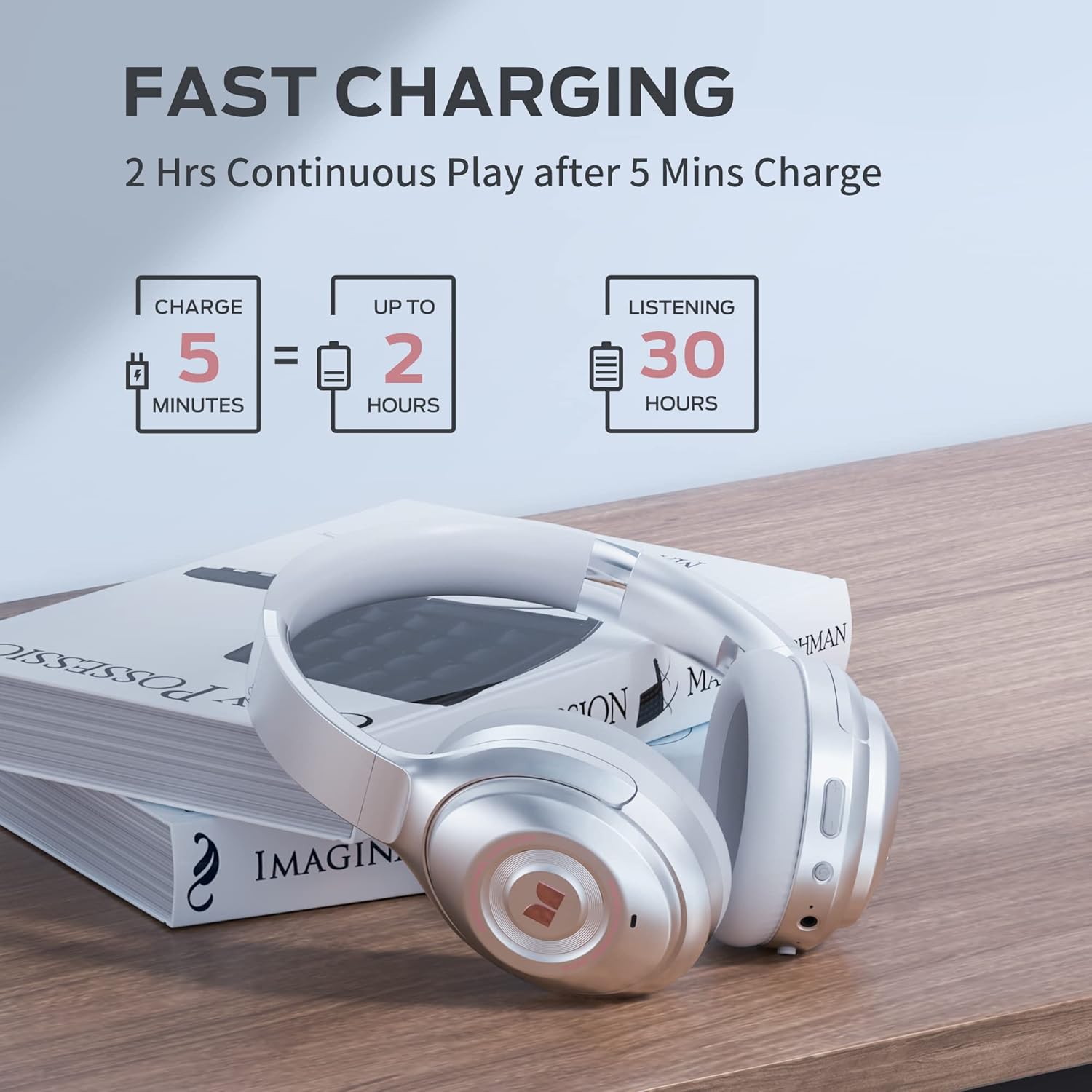
Image: Visual guide to the fast charging feature, showing charge times and playtime.
4.2. Accensione/spegnimento
- Per accendere: Tenere premuto il pulsante di accensione per 2 secondi. L'indicatore LED si illuminerà.
- Per spegnere: Tenere premuto il pulsante di accensione per 3 secondi. L'indicatore LED si spegnerà.
4.3. Accoppiamento Bluetooth
Per collegare le cuffie a un dispositivo abilitato Bluetooth:
- Assicurati che le cuffie siano spente.
- Tenere premuto il pulsante di accensione per 5 secondi finché l'indicatore LED non lampeggia in blu e rosso, indicando la modalità di associazione.
- On your device, go to Bluetooth settings and select "Monster Persona" from the list of available devices.
- Una volta connesso, l'indicatore LED diventerà blu fisso.

Image: A visual guide demonstrating how to easily pair your Monster Persona headphones via Bluetooth.
Video: A step-by-step tutorial on how to pair your Monster Persona headphones with a Bluetooth device.
5. Utilizzo delle cuffie
5.1. Cancellazione attiva del rumore (ANC)
The headphones feature advanced active noise cancellation to minimize external distractions.
- Per attivare ANC: Press the ANC button located on the earcup. You will hear an audible confirmation.
- To Deactivate ANC: Press the ANC button again.

Image: Illustration of the Active Noise Cancellation feature, demonstrating how external noise is reduced.
Video: Demonstrates the active noise cancelling feature of the Monster Persona Wireless Headphones.
5.2. Modalità suono ambientale
This mode allows you to hear important sounds around you without removing your headphones.
- To Activate Ambient Sound Mode: Press the Ambient Sound button (often the same as ANC button, or a dedicated button depending on model).
- To Deactivate Ambient Sound Mode: Premere di nuovo il pulsante.

Image: A visual explanation of the Ambient Sound feature, allowing users to remain aware of their surroundings.
5.3. Controllo della riproduzione musicale
- Riproduci/Pausa: Premi una volta il pulsante Multifunzione.
- Traccia successiva: Tieni premuto il pulsante Volume su.
- Traccia precedente: Premere e tenere premuto il pulsante Volume Giù.
5.4. Gestione delle chiamate
- Rispondi/Termina chiamata: Premi una volta il pulsante Multifunzione.
- Rifiuta chiamata: Tenere premuto il pulsante multifunzione per 2 secondi.
- Attiva l'assistente vocale: Premi due volte il pulsante Multifunzione.
6. Manutenzione
To ensure the longevity and optimal performance of your Monster Persona headphones, follow these maintenance guidelines:
- Pulizia: Utilizzare un panno morbido e asciutto per pulire i padiglioni auricolari e l'archetto. Non utilizzare detergenti abrasivi o solventi.
- Magazzinaggio: When not in use, store the headphones in the provided storage bag to protect them from dust and scratches. The foldable design makes them compact for storage.
- Evitare l'umidità: The headphones are not water resistant. Avoid exposure to water, rain, or excessive humidity.
- Temperatura: Non esporre le cuffie a temperature estreme (calde o fredde).
7. Risoluzione Dei Problemi
Se riscontri problemi con le cuffie, fai riferimento ai seguenti problemi comuni e alle relative soluzioni:
| Problema | Possibile causa | Soluzione |
|---|---|---|
| Le cuffie non si accendono | Batteria scarica | Caricare completamente le cuffie. |
| Impossibile effettuare l'associazione tramite Bluetooth | Cuffie non in modalità di associazione / Dispositivo Bluetooth disattivato | Ensure headphones are in pairing mode (flashing blue/red LED). Turn Bluetooth on your device. Forget previous pairings and try again. |
| Nessun suono | Volume too low / Not connected / Wired mode issue | Increase volume on headphones and device. Ensure successful Bluetooth connection. If using 3.5mm cable, ensure it's fully inserted. |
| L'ANC non funziona in modo efficace | ANC not activated / Improper fit | Premere il pulsante ANC per attivare. Regolare le cuffie in modo che aderiscano perfettamente alle orecchie. |
8. Specifiche
| Caratteristica | Dettaglio |
|---|---|
| Nome del modello | MH31902 |
| Tecnologia di connettività | Bluetooth 5.0 |
| Presa per cuffie | 3.5 mm Jack |
| Controllo del rumore | Cancellazione attiva del rumore |
| Durata della batteria | 30 ore |
| Tempo di ricarica | 1 ore |
| Tipo di driver audio | Driver dinamico |
| Dimensioni del driver audio | 40 millimetri |
| Gamma di frequenza | 10 Hz - 30,000 Hz |
| Forma dell'auricolare | Sopra l'orecchio |
| Peso dell'articolo | 291 grammi (10.3 once) |
| Dimensioni del prodotto | 7.87 x 6.3 x 3.15 pollici |
| Livello di resistenza all'acqua | Non resistente all'acqua |
| Produttore | JONTER |
| Codice UPC | 810079709892 |
9. Garanzia e supporto
Per informazioni sulla garanzia e sull'assistenza clienti, fare riferimento alla documentazione inclusa con l'acquisto o visitare il sito ufficiale Monster websito. Puoi anche contattare il tuo punto vendita per assistenza.
For further inquiries or technical support, please reach out to Monster customer service through their official channels.


