
Introduzione
Thank you for choosing the Symcode MJ-9200DA-S 2D Wireless Barcode Scanner. This manual provides detailed instructions for setting up, operating, maintaining, and troubleshooting your device. Please read this manual thoroughly before use to ensure optimal performance and longevity of your scanner.

Descrizione dell'immagine: The main product image displays the Symcode MJ-9200DA-S 2D Wireless Barcode Scanner, its accompanying stand, a USB cable, and a wireless USB dongle. The scanner is black, ergonomically designed, and the stand provides a stable base for hands-free operation.
1. Configurazione e connessione
The Symcode MJ-9200DA-S scanner offers versatile 2-in-1 connectivity, supporting both 2.4 GHz wireless and USB wired connections. It is designed for plug-and-play operation, requiring no driver installation.
1.1 Contenuto della confezione
Prima di procedere, verifica che tutti gli articoli siano presenti nel pacco:

Descrizione dell'immagine: This image displays the individual components included with the Symcode MJ-9200DA-S scanner: the barcode scanner unit, a dedicated stand, a USB cable, a wireless USB dongle, and the user manual (brochure).
- Symcode MJ-9200DA-S Barcode Scanner
- Stand dello scanner
- Cavo USB
- Chiavetta USB wireless 2.4G
- Manuale d'uso
1.2 Modalità di connessione
The scanner supports two primary connection methods:

Descrizione dell'immagine: This image illustrates the two connection options for the scanner: Wireless Mode (2.4G Connection) using a USB dongle, and Wired Mode (USB Connection) using a USB cable, both connecting to a laptop.
- Modalità wireless a 2.4 GHz:
- Insert the 2.4G wireless USB dongle into an available USB port on your computer (PC, laptop, POS machine, etc.).
- The scanner will automatically pair with the dongle. A successful connection is indicated by a specific sound or LED indicator (refer to the scanner's LED status guide in the full manual).
- Modalità cablata USB:
- Collega lo scanner al computer utilizzando il cavo USB in dotazione.
- The scanner will function as a standard USB HID keyboard device.
The scanner is compatible with Windows, Mac, Android, and Linux operating systems. No additional drivers are required for basic functionality.
2. Istruzioni per l'uso
2.1 Modalità di scansione
The MJ-9200DA-S scanner supports multiple scanning modes to suit various operational needs:
- Trigger Scan: Premere il pulsante di attivazione per attivare il raggio di scansione e leggere un codice a barre.
- Auto-Sensing Scan: Lo scanner rileva automaticamente un codice a barre nel suo campo di view e lo scansiona senza dover premere il grilletto.
- Scansione continua: Il raggio di scansione rimane attivo, scansionando continuamente i codici a barre man mano che vengono presentati.
Refer to the full user manual or contact support for instructions on how to switch between these scanning modes.
2.2 Capacità di decodifica dei codici a barre
This 2D barcode scanner is capable of reading a wide range of 1D and 2D barcodes, whether printed on labels or displayed on screens. It can even decode damaged or blurred barcodes.

Descrizione dell'immagine: This image demonstrates the scanner's ability to decode various 1D and 2D barcodes, including QR Code, Data Matrix, PDF417, as well as damaged and blurred linear barcodes. It also highlights a scanning angle of up to 80 degrees.
Codici a barre 1D supportati:
- EAN, UPC, Code39, Code93, Code128, UCC/EAN 128, Codabar, Interleaved 2 of 5, ITF-6, BNF-14, ISS, ISSN, MSI-Plessey, GS1 Databar, GS1 Composite, Code 11, Industrial 25, Standard 25, Plessey, Matrix 2 of 5.
Codici a barre 2D supportati:
- QR Code, Data Matrix, PDF417, Aztec, Maxicode, HanxinCode.
2.3 Data Uploading Modes
The scanner offers two methods for uploading scanned data to your connected device:

Descrizione dell'immagine: This image illustrates the two data uploading modes: Instant Upload Mode, where data is sent immediately after scanning, and Storage Mode, where up to 50,000 barcodes can be stored internally before being uploaded to a device.
- Modalità di caricamento istantaneo: Barcode data is synchronously uploaded to your device immediately after scanning. This is suitable for real-time data entry.
- Modalità di archiviazione: The scanner can store up to 50,000 barcodes in its internal 16MB memory. This mode is ideal for situations where real-time connection is not available. Data can be uploaded to your device later when needed.
2.4 Caratteristiche programmabili
The Symcode scanner supports various programmable settings to customize its behavior:
- Uppercase/Lowercase settings
- Regolazione del volume
- Impostazione del terminatore
- Prefix or Suffix addition
- Character addition or masking
These settings are typically configured by scanning specific programming barcodes found in the comprehensive user manual.
3. Manutenzione
3.1 Informazioni sulla batteria
The scanner is equipped with a high-capacity Lithium-ion battery for extended operation.

Descrizione dell'immagine: This image highlights the scanner's internal battery, indicating a capacity of 1800mAh and the ability to perform approximately 50,000 scans on a full charge.
- Capacità della batteria: 1800 mAh
- Tempo di funzionamento continuo: Da 8 a 10 ore
- Tempo di standby: 15 giorni
- Tempo di ricarica: Da 3.5 a 4 ore
Per caricare lo scanner, collegarlo a una fonte di alimentazione USB utilizzando il cavo USB in dotazione.
3.2 Pulizia e durata
Per mantenere prestazioni ottimali, mantieni pulita la finestra di scansione dello scanner. Utilizza un panno morbido, asciutto e privo di lanugine per pulire delicatamente la superficie. Evita l'uso di detergenti abrasivi o solventi.
The scanner features a sturdy, anti-shock construction with anti-drop silicone, designed to withstand drops from up to 5 feet (approximately 1.5 meters) onto concrete.
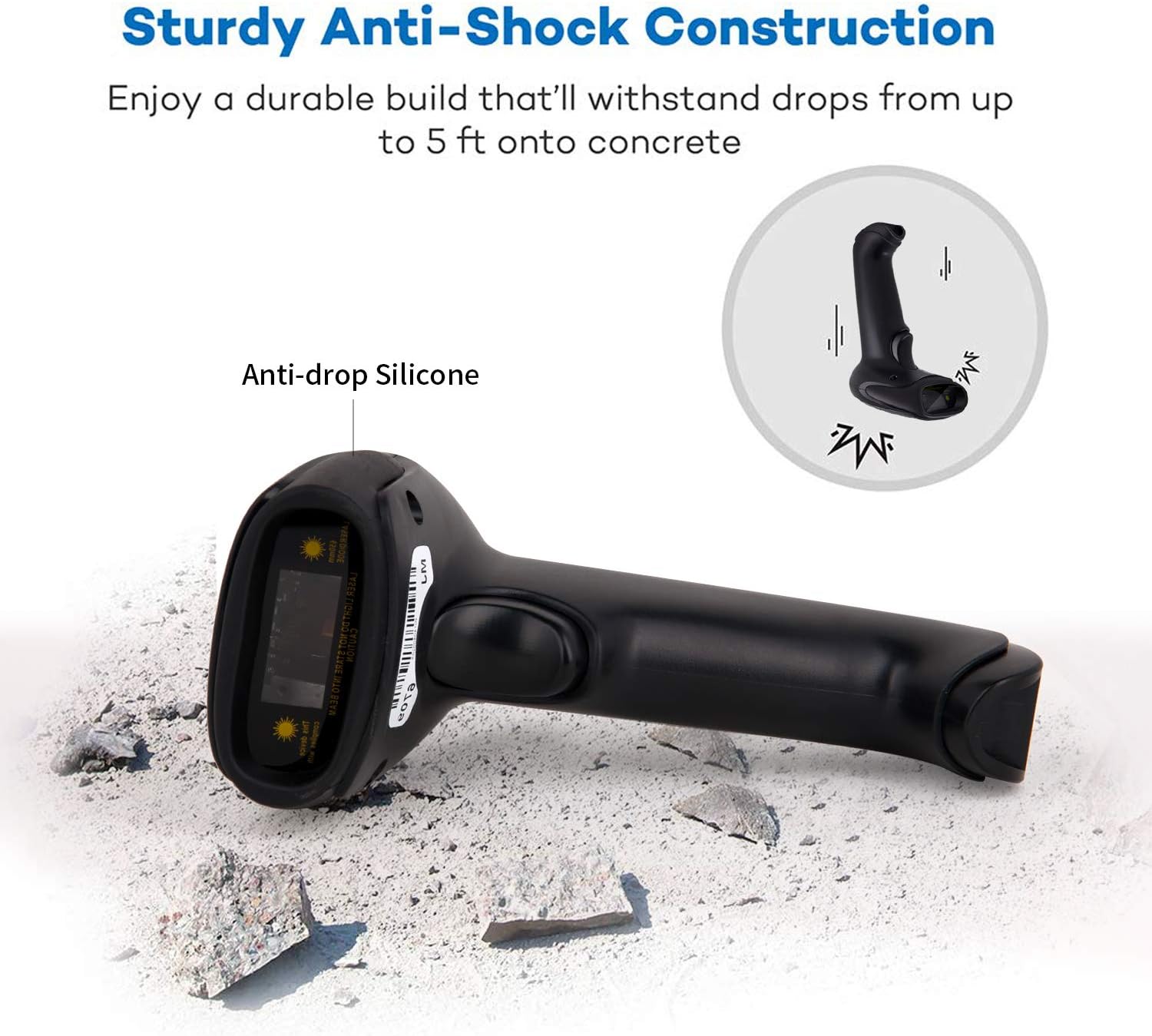
Descrizione dell'immagine: This image illustrates the robust design of the scanner, highlighting its anti-drop silicone casing and its ability to withstand impacts from a height of up to 5 feet onto concrete.
4. Risoluzione Dei Problemi
If you encounter issues with your Symcode MJ-9200DA-S scanner, please refer to the following common problems and solutions:
- Lo scanner non si connette:
- Ensure the USB dongle is securely inserted or the USB cable is properly connected.
- Verify that the scanner is powered on and has sufficient battery charge.
- Prova a connetterti a un'altra porta USB del tuo computer.
- For wireless mode, ensure the scanner is within range of the dongle.
- Lo scanner non legge i codici a barre:
- Ensure the barcode is clean, undamaged, and within the scanner's optimal reading distance and angle.
- Check if the correct scanning mode (trigger, auto-sensing, continuous) is selected.
- Clean the scanner's reading window with a soft, dry cloth.
- Verificare che il tipo di codice a barre sia supportato dallo scanner (fare riferimento alla Sezione 2.2).
- If experiencing issues with specific 2D codes like Data Matrix, ensure the code is clear and well-printed. If problems persist, contact support.
- Nessun dato in uscita sul computer:
- Confirm the scanner is successfully connected to your device (indicated by LED or sound).
- Assicurarsi che l'applicazione di destinazione (ad esempio Blocco note, Word, software POS) sia attiva e pronta a ricevere input.
- Check if the scanner is in "Storage Mode" and needs to be switched to "Instant Upload Mode" or have its stored data uploaded.
- La batteria non si carica:
- Ensure the USB cable is properly connected to both the scanner and a working USB power source.
- Prova un cavo USB o un alimentatore diverso.
Per ulteriore assistenza, consultare la sezione "Supporto e garanzia".
5. Specifiche
| Caratteristica | Dettaglio |
|---|---|
| Marca | codice simbolico |
| Numero di modello | MJ-9200DA-S |
| Tecnologia di connettività | 2.4G Wireless (via USB dongle), USB Wired |
| Compatibilità del sistema operativo | Windows, Mac, Android, Linux |
| Tipi di codice a barre (1D) | EAN, UPC, Code39, Code93, Code128, UCC/EAN 128, Codabar, Interleaved 2 of 5, ITF-6, BNF-14, ISS, ISSN, MSI-Plessey, GS1 Databar, GS1 Composite, Code 11, Industrial 25, Standard 25, Plessey, Matrix 2 of 5 |
| Tipi di codice a barre (2D) | QR Code, Data Matrix, PDF417, Aztec, Maxicode, HanxinCode |
| Tipo di batteria | Agli ioni di litio |
| Capacità della batteria | 1800 mAh |
| Tempo di funzionamento continuo | 8-10 ore |
| Tempo di standby | 15 giorni |
| Tempo di ricarica | 3.5-4 ore |
| Resistenza alla caduta | Up to 5 feet (approx. 1.5 meters) onto concrete |
| Memoria interna | 16 MB (fino a 50,000 codici a barre) |
| Codice UPC | 719986641137 |
| Certificazioni | CE |
6. Supporto e garanzia
6.1 Informazioni sulla garanzia
The Symcode MJ-9200DA-S barcode scanner comes with a Garanzia di 180 giorni from the date of purchase. During this period, if the scanner is damaged due to manufacturing defects, we guarantee an exchange for a new replacement unit or a full refund. This warranty does not cover damage caused by misuse, accidents, or unauthorized modifications.
6.2 Assistenza clienti
For any questions, technical assistance, or warranty claims, please contact Symcode customer support. When contacting support, please have your model number (MJ-9200DA-S) and purchase details ready.
If you are unsure how to change scanning modes or configure specific settings, our support team can provide guidance.
Informazioni sui contatti: Please refer to the contact details provided in your product packaging or on the official Symcode websito.


