
Introduzione
Thank you for choosing the LENRUE Bluetooth Speaker. This portable wireless speaker delivers loud stereo sound with rich bass and offers up to 12 hours of playtime. Featuring advanced Bluetooth 5.0 technology and a built-in microphone, it is designed for a superior audio experience and convenient hands-free communication. This manual provides essential information for setting up, operating, and maintaining your speaker.
Contenuto della confezione
Si prega di selezionare la casella per i seguenti elementi:
- LENRUE Bluetooth Speaker (Model: yun-dong-199)
- Cavo di ricarica USB
- Cavo audio ausiliario
- Manuale d'uso
Prodotto finitoview
The LENRUE Bluetooth Speaker is designed for portability and high-quality audio. It features:
- Qualità del suono superiore: Dual high-performance drivers and enhanced bass for clear, powerful audio.
- Tempo di riproduzione esteso: Fino a 12 ore di riproduzione musicale continua con una singola carica.
- Connettività avanzata: Bluetooth 5.0 for stable, fast wireless connections. Supports USB, Micro SD card (up to 32GB), and AUX input.
- Microfono incorporato: Enables hands-free calling with clear stereo sound.
- Design portatile: Lightweight (0.66 lb) and compact, making it ideal for travel and outdoor use.

Image: The LENRUE Bluetooth Speaker, showcasing its compact and sleek design in blue.
Impostare
1. Ricarica dell'altoparlante
Before first use, fully charge the speaker. Connect the provided USB charging cable to the speaker's charging port and to a USB power source (e.g., computer, wall adapter). The charging indicator light will show the charging status (refer to LED indicator section for details). A full charge typically takes 2-3 hours.

Immagine: Posteriore view of the speaker highlighting the USB, TF card, DC 9V charging, Reset pinhole, and AUX input ports.
2. Accensione/Spegnimento
- To Power On: Press and hold the Power/Mode button (often marked 'M' or with a power icon) until you hear an audible prompt or see the LED indicator light up.
- To Power Off: Press and hold the Power/Mode button again until you hear an audible prompt or the LED indicator turns off.
3. Accoppiamento Bluetooth
- Ensure the speaker is powered on and in Bluetooth pairing mode (the LED indicator will usually flash blue).
- Sul tuo dispositivo (smartphone, tablet, ecc.), attiva il Bluetooth e cerca i dispositivi disponibili.
- Select "LENRUE Speaker" (or similar name) from the list.
- Once paired, the speaker will emit an audible confirmation, and the LED indicator will turn solid blue.

Image: The LENRUE speaker positioned on a desk, wirelessly connected to a laptop, tablet, and smartphone, illustrating its versatile Bluetooth 5.0 connectivity.
4. Connecting via AUX, USB, or Micro SD Card
- Ingresso AUX: Connect one end of the provided auxiliary audio cable to the speaker's AUX port and the other end to your audio device's headphone jack. The speaker will automatically switch to AUX mode.
- Riproduzione USB: Inserisci un'unità USB contenente audio filenella porta USB. L'altoparlante rileverà e riprodurrà automaticamente la musica dall'unità.
- Riproduzione scheda micro SD: Inserisci una scheda Micro SD (fino a 32 GB) con audio filenello slot per schede TF. L'altoparlante rileverà e riprodurrà automaticamente la musica dalla scheda.
Istruzioni per l'uso
Funzioni dei pulsanti
L'altoparlante è dotato di comandi intuitivi sul pannello superiore:

Immagine: in alto view of the LENRUE speaker, displaying the control buttons for power, mode, volume, and track navigation.
- Pulsante di accensione/modalità (M):
- Tenere premuto per accendere/spegnere.
- Short press to switch between input modes (Bluetooth, AUX, USB, Micro SD).
- Pulsante Play/Pausa:
- Premere brevemente per riprodurre o mettere in pausa la musica.
- Short press to answer/end a phone call.
- Tenere premuto per rifiutare una chiamata in arrivo.
- Pulsante Volume giù / Traccia precedente (-):
- Premere brevemente per diminuire il volume.
- Tenere premuto per passare al brano precedente.
- Pulsante Volume su / Traccia successiva (+):
- Premere brevemente per aumentare il volume.
- Tenere premuto per passare al brano successivo.
Connessione True Wireless Stereo (TWS)
For an enhanced stereo experience, you can connect two LENRUE Bluetooth Speakers together:
- Assicurarsi che entrambi gli altoparlanti siano spenti.
- Accendere entrambi gli altoparlanti. Entreranno automaticamente in modalità di associazione Bluetooth.
- On one speaker, double-press the Power/Mode button. It will search for another speaker to pair with.
- Once connected, you will hear an audible confirmation, and both speakers will play in stereo.
- Now, connect your device to one of the speakers via Bluetooth as described in the "Bluetooth Pairing" section.
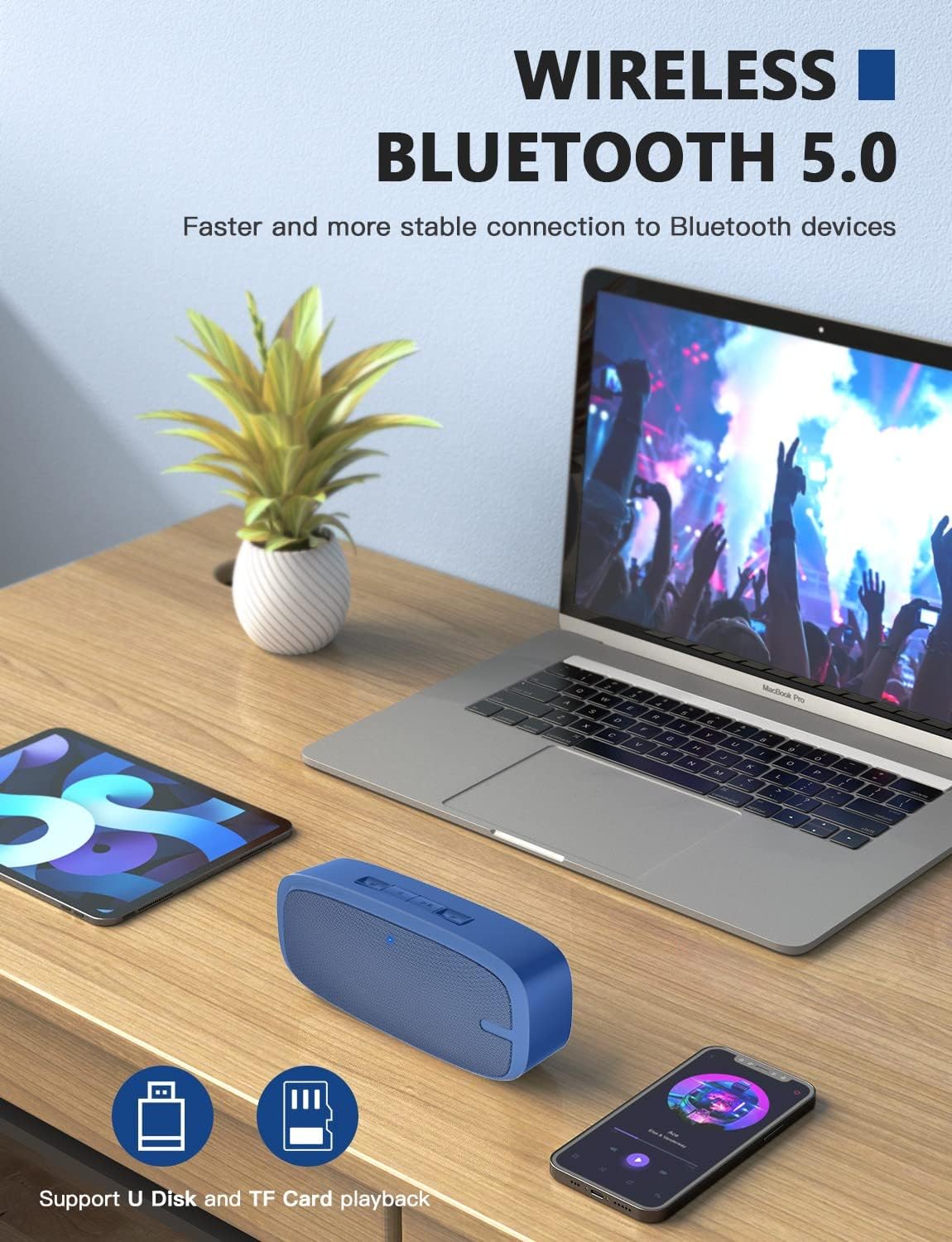
Image: Two LENRUE Bluetooth Speakers shown side-by-side, illustrating the True Wireless Stereo (TWS) connection capability for a wider soundstage.
Manutenzione
- Pulizia: Utilizzare un panno morbido e asciutto per pulire la superficie dell'altoparlante. Non utilizzare prodotti chimici aggressivi o detergenti abrasivi.
- Magazzinaggio: Conservare l'altoparlante in un luogo fresco e asciutto, lontano dalla luce solare diretta e da temperature estreme.
- Cura della batteria: Per prolungare la durata della batteria, evitare di scaricare completamente l'altoparlante frequentemente. Ricaricarlo regolarmente, anche se non lo si utilizza per lunghi periodi.
- Resistenza all'acqua: Questo altoparlante NON è impermeabile. Evitare l'esposizione all'acqua o a umidità eccessiva.
Risoluzione dei problemi
| Problema | Possibile causa | Soluzione |
|---|---|---|
| L'altoparlante non si accende. | Batteria scarica. | Caricare completamente l'altoparlante utilizzando il cavo USB in dotazione. |
| Impossibile effettuare l'associazione tramite Bluetooth. | Altoparlante non in modalità di associazione; Bluetooth del dispositivo disattivato; troppo lontano dal dispositivo. | Ensure speaker is in pairing mode (flashing blue LED). Turn Bluetooth on your device. Move speaker closer to device (within 10 meters). Forget previous pairings on your device and try again. |
| Nessun suono. | Volume troppo basso; modalità di input errata; dispositivo non riproduce. | Increase speaker and device volume. Check if the correct input mode (Bluetooth, AUX, USB, TF) is selected. Ensure your device is playing audio. |
| Qualità del suono scadente. | Batteria scarica; interferenza; dispositivo troppo lontano. | Charge the speaker. Move away from other wireless devices. Move speaker closer to your device. |
| Micro SD card or USB drive not recognized. | Non corretto file format; card/drive not inserted correctly; unsupported capacity. | Garantire l'audio files are in a supported format (e.g., MP3). Reinsert the card/drive. Ensure Micro SD card is 32GB or less. |
Specifiche
| Caratteristica | Dettaglio |
|---|---|
| Marca | LENRUE |
| Numero di modello | yun-dong-199 |
| Tecnologia di connettività | Bluetooth 5.0, ausiliario, USB |
| Modalità di uscita audio | Stereo |
| Potenza massima in uscita dell'altoparlante | 3 Watt |
| Durata media della batteria | 12 ore |
| Portata Bluetooth | 10 metri (33 piedi) |
| Peso dell'articolo | 0.47 chilogrammi (0.66 libbre) |
| Microfono | Built-in (1 microphone) |
| Supporti multimediali | USB, Micro SD Card (up to 32GB), AUX |
| Metodo di controllo | Pulsanti touch |
| È impermeabile | FALSO |
Garanzia e supporto
The LENRUE Bluetooth Speaker comes with a limited warranty. For detailed warranty information, please refer to the product packaging or contact LENRUE customer support.
If you encounter any issues or have questions about your speaker, please contact our customer support team:
- Supporto online: Visit the official LENRUE websito per FAQ e risorse di supporto.
- E-mail: Refer to your product packaging for customer service email address.