
SpeedTalk Mobile AT&T Network
SpeedTalk Mobile Jolt Prepaid SIM Card User Manual
For GPS Trackers and Smartwatches (AT&T Network)
1. Introduzione
This manual provides comprehensive instructions for the SpeedTalk Mobile Jolt Prepaid SIM Card, designed for use with GPS trackers, smartwatches, and other compatible IoT devices on the AT&T 5G/4G LTE network. The SIM card offers a flexible, no-contract solution for connecting your devices.
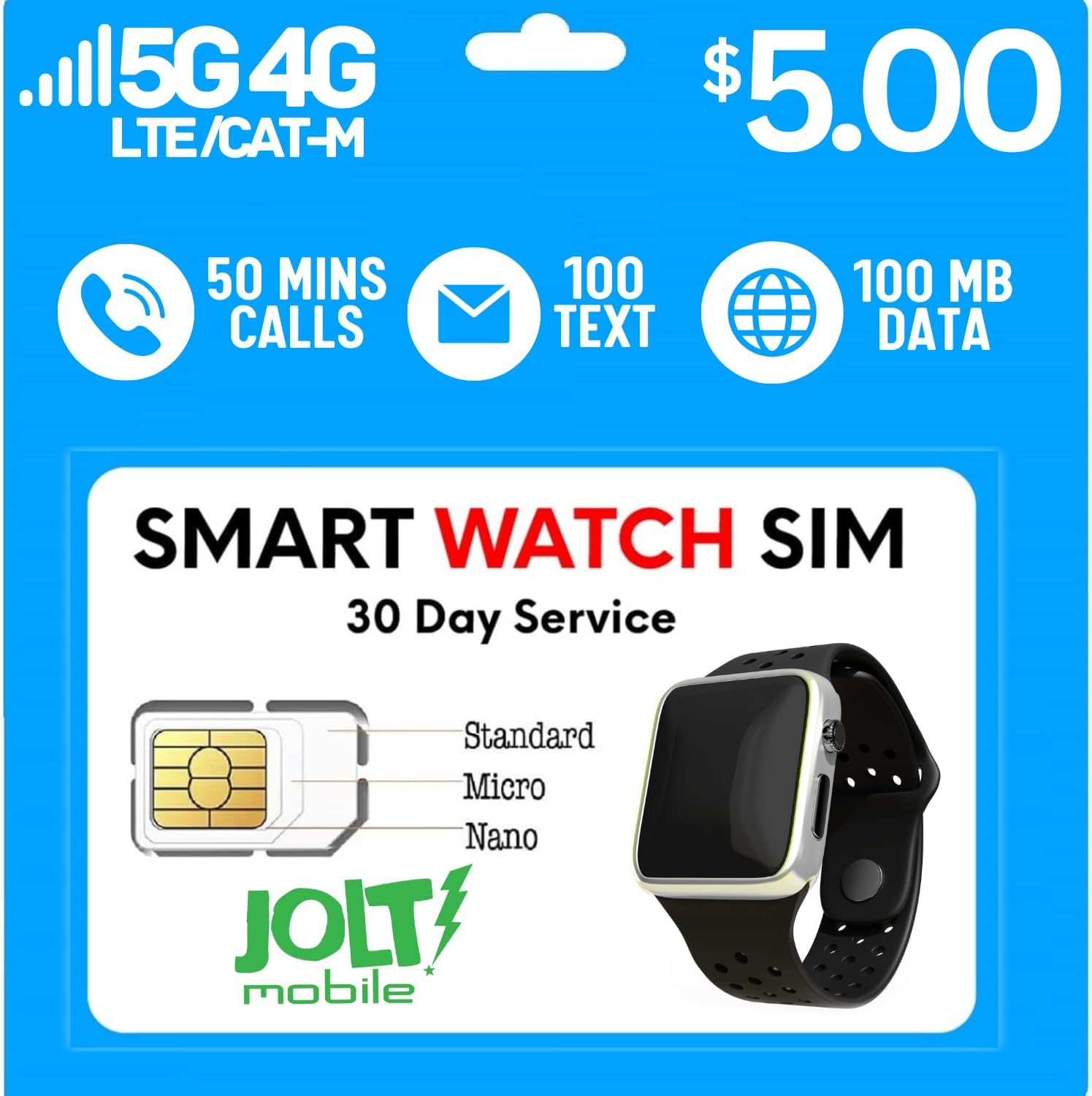
The Jolt Mobile SIM card is a triple-cut design, allowing it to be used as a Standard, Micro, or Nano SIM, ensuring compatibility with a wide range of devices. Each plan includes a specific allocation of minutes, texts, and data for a 30-day period.

Le caratteristiche principali includono:
- No Contract: Freedom to cancel service at any time.
- Triple-Cut SIM: Standard, Micro, and Nano sizes for broad device compatibility.
- AT&T Network: Utilizes AT&T's 5G/4G LTE network for reliable coverage.
- Prepaid Plan: Includes 50 minutes, 100 SMS texts, and 100MB of data for 30 days.

2. Configurazione e attivazione
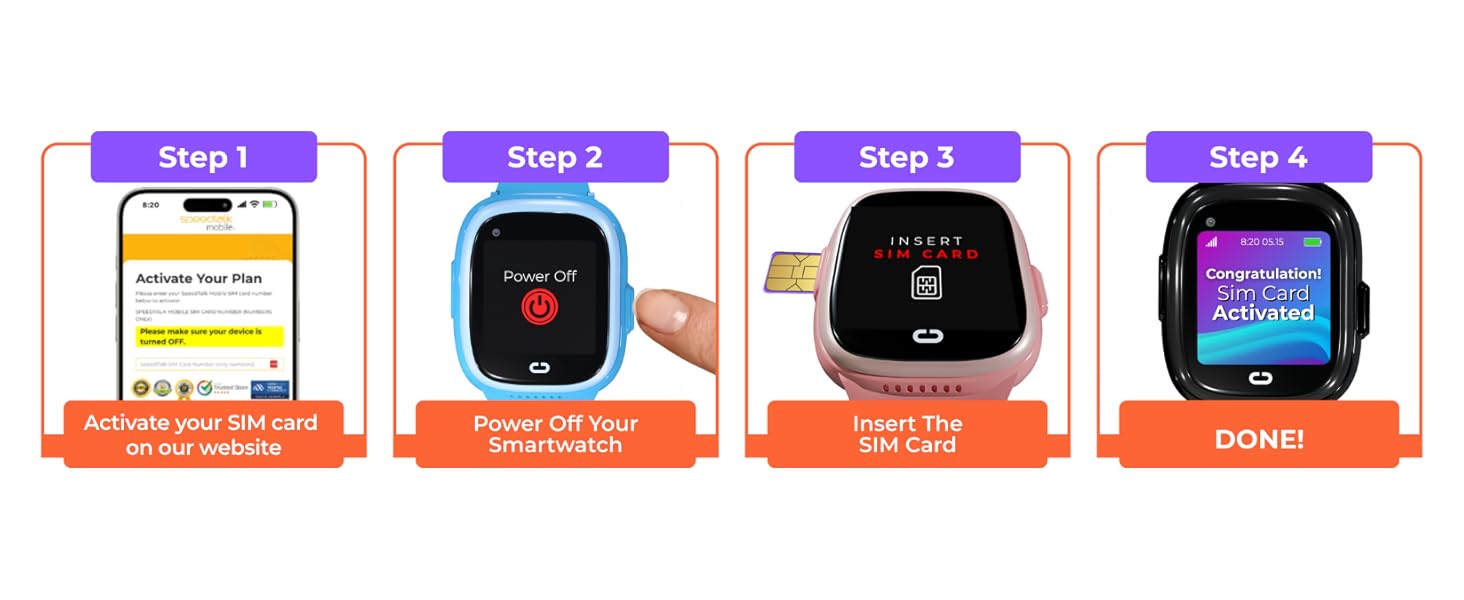
Follow these steps to set up and activate your Jolt Mobile SIM Card:
- Prepare the SIM Card: The Jolt Mobile SIM card is a 3-in-1 design. Carefully punch out the correct size (Standard, Micro, or Nano) required for your device.
- Dispositivo di spegnimento: Ensure your GPS tracker, smartwatch, or other compatible device is powered off before inserting the SIM card.
- Inserire la carta SIM: Locate the SIM card slot on your device and insert the Jolt Mobile SIM card. Refer to your device's manual for specific instructions on SIM card insertion.
- Activate Online: Visit the Jolt Mobile activation website to activate your SIM card. A valid credit card is required for activation to set up your subscription plan.
- Configurare le impostazioni APN: After activation, you may need to manually configure the Access Point Name (APN) settings on your device. This is crucial for connecting to the Jolt Mobile network.
- Accendere il dispositivo: Once the SIM is inserted and activated, power on your device.
2.1 Impostazioni APN
For devices including routers, portable Wi-Fi, and hotspot devices, ensure the network band frequency matches LTE Bands 2/4/5/12/14/29/30/66. Devices will not connect unless the APN is properly set.
| Collocamento | Valore |
|---|---|
| Numero di riferimento | 19004.mcs |
| Nome utente APN | (nessuno) |
| Password APN | (nessuno) |


3. Operating Your SIM Card
Once activated and configured, your Jolt Mobile SIM card will enable communication features on your compatible device. A U.S. phone number is automatically generated upon service activation.
3.1 Copertura di rete
Jolt Mobile service operates within the United States, utilizing the AT&T network. For up-to-date coverage information, please refer to the official Jolt Mobile coverage map.

3.2 Compatibilità del dispositivo
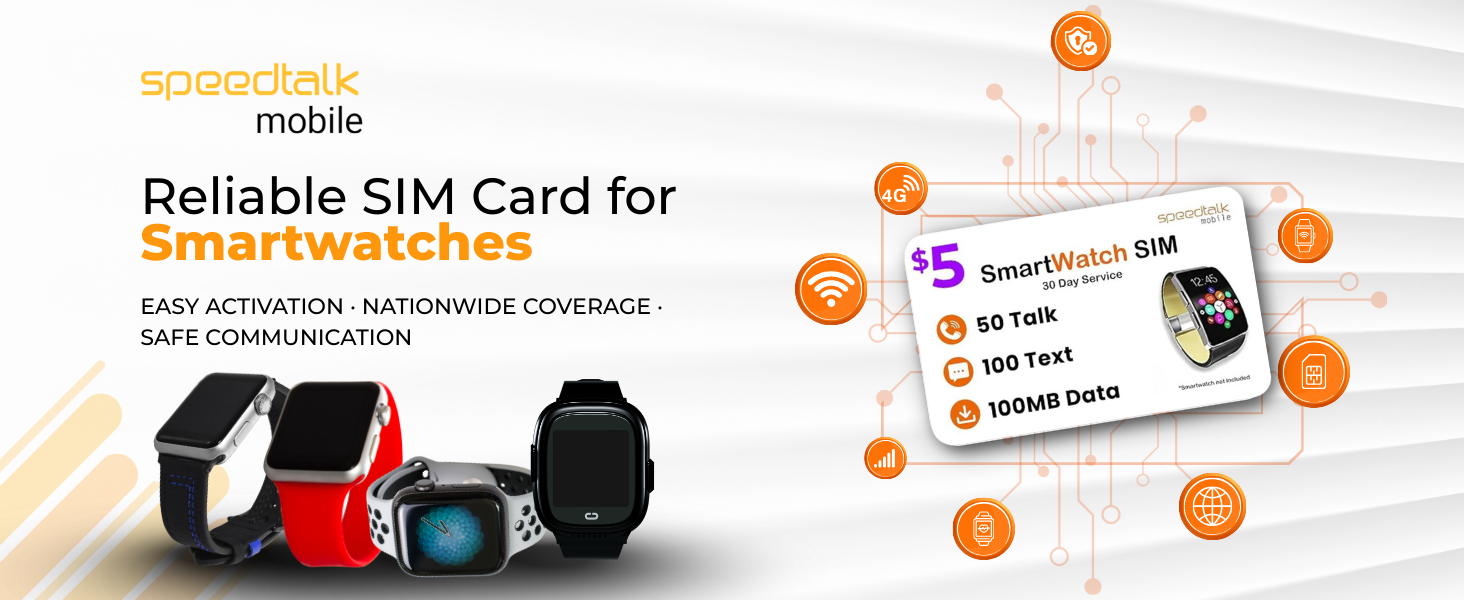
The SIM card is compatible with a majority of 5G 4G LTE GSM smartwatches and wearables, as well as GPS trackers, alarm systems, and other IoT devices. Ensure your device is unlocked and supports the specified LTE bands.

4. Manutenzione
The Jolt Mobile SIM card requires minimal maintenance. To ensure optimal performance and longevity:
- Maneggiare con cura: Avoid bending or scratching the metallic contact area of the SIM card.
- Mantenere pulito: If necessary, gently wipe the metallic contacts with a soft, dry, lint-free cloth. Do not use liquids or abrasive materials.
- Conservazione corretta: When not in use, store the SIM card in its original packaging or a protective holder to prevent damage.
5. Risoluzione Dei Problemi
If you encounter issues with your Jolt Mobile SIM card, consider the following troubleshooting steps:
- No Service/Network Connection:
- Verify that the SIM card is correctly inserted into your device.
- Check the APN settings on your device against the values provided in Section 2.1. Incorrect APN settings are a common cause of connectivity issues.
- Ensure your device is compatible with AT&T's 5G/4G LTE network bands (2/4/5/12/14/29/30/66).
- Confirm that your service plan is active and has not expired.
- Riavvia il dispositivo.
- Problemi di attivazione:
- Double-check the SIM card number entered during activation.
- Ensure your credit card information is correct and up-to-date for subscription payments.
- If activation fails, contact Jolt Mobile customer support for assistance.
- Calls/Texts/Data Not Working:
- Check your remaining plan balance for minutes, texts, and data.
- Confirm you are within the Jolt Mobile service area (United States).
- Ensure your device's cellular settings are enabled.
For persistent issues, please contact Jolt Mobile customer support.
6. Specifiche
| Caratteristica | Dettaglio |
|---|---|
| Marca | SpeedTalk Mobile (Jolt Mobile) |
| Numero di modello | AT&T Network |
| Tecnologia cellulare | 4G, LTE, CAT-M, NB IoT |
| Tipo di SIM | Triple-Cut (Standard, Micro, Nano) |
| Provider di rete | AT&T Network |
| Dimensioni del prodotto | 3.35 x 2.2 x 0.1 pollici |
| Peso dell'articolo | 0.317 once |
| Codice UPC | 850016079817 |
| Included Plan | 50 Minutes Call, 100 SMS Text, 100MB Data (30 days) |
7. Informazioni sulla garanzia
Specific warranty details for the Jolt Mobile SIM card are not provided in this manual. For information regarding product warranty or service guarantees, please refer to the terms and conditions available on the official SpeedTalk Mobile or Jolt Mobile website, or contact customer support directly.
8. Assistenza clienti
Jolt Mobile offers live customer support to assist you with any questions or issues regarding your SIM card and service. Support representatives are available 7 days a week.
- Supporto telefonico: Call our toll-free number for live assistance.
- Supporto via e-mail: Send your inquiries via email.
- Chat dal vivo: Access live chat support through the Jolt Mobile websito.
Contact details can be found on the official SpeedTalk Mobile or Jolt Mobile websito.

Ask a question about this manual
Ask about setup, troubleshooting, compatibility, parts, safety, or missing instructions. Manuals+ will review the question and use this page’s manual context to help answer it.