
1. Prodotto finitoview
Il LaView LV-PYN11B-G32-2PK is a 1080P HD wireless security camera designed for outdoor use. It features a 9600mAh rechargeable battery, providing up to 180 days of battery life under typical usage conditions. The camera includes AI motion detection, night vision capabilities, two-way audio, and supports cloud storage as well as local storage via an included 32GB SD card. Its IP65 weatherproof rating ensures durability in various environmental conditions.

Image: Two LaView outdoor security cameras with their respective wall mounts, showcasing la progettazione del prodotto.
Caratteristiche principali:
- Video Full HD 1080P: Fornisce video chiari e dettagliatitage.
- Durata della batteria di 180 giorni: Powered by a 9600mAh rechargeable battery for extended operation.
- Installazione 100% senza fili: Easy setup without the need for power cables.
- IP65 resistente alle intemperie: Designed to withstand rain, dust, and extreme temperatures.
- AI Motion Detection & Real-time Alerts: Intelligent detection with instant notifications to your mobile device.
- Audio bidirezionale: Microfono e altoparlante integrati per la comunicazione.
- Visione notturna: Infrared night vision up to 33 ft for clear monitoring in low-light conditions.
- Grandangolo 140° View: Captures a broad area for comprehensive surveillance.
- Archiviazione su cloud e scheda SD: Supports secure US-based cloud storage and includes a 32GB microSD card for local storage.
- Condivisione multiutente: Consente fino a 20 utenti di view l'alimentazione della telecamera simultaneamente.
2. Cosa c'è nella scatola
Upon unboxing your LaView Security Camera system, you should find the following components:
- 2 x LaView Telecamere di sicurezza
- 2 x 32GB SD Cards (pre-installed or included separately)
- 2 x Wall Mounts (with mounting screws)
- 1 x Manuale utente (questo documento)
- 1 cavo di ricarica USB
3. Guida all'installazione
3.1 Caricamento della fotocamera
Before initial use, fully charge the camera's built-in 9600mAh battery. Connect the camera to a standard USB power adapter (not included) using the provided USB charging cable. The charging indicator light will typically show red while charging and turn blue or off when fully charged. A full charge can take several hours.
3.2 Installing the SD Card (if not pre-installed)
Locate the microSD card slot on the camera. Gently insert the provided 32GB microSD card into the slot until it clicks into place. Ensure the card is inserted in the correct orientation as indicated by the camera's design.
3.3 Download dell'app e registrazione dell'account
- Scarica LaView app dall'app store del tuo smartphone (iOS App Store o Google Play Store).
- Open the app and register for a new account using your email address or phone number.
- Follow the on-screen instructions to complete the registration process and set up your password.
3.4 Collegamento della fotocamera al Wi-Fi
Il LaView camera connects to a 2.4GHz Wi-Fi network. It is not compatible with 5.0GHz Wi-Fi networks.
- Nella LaView app, tap the '+' icon to add a new device.
- Seleziona il modello della tua fotocamera dall'elenco dei dispositivi.
- Power on the camera. The camera will enter pairing mode, usually indicated by a flashing LED light.
- Follow the app's instructions to connect the camera to your 2.4GHz Wi-Fi network. This typically involves scanning a QR code displayed on your phone with the camera lens.
- Once connected, the camera's LED indicator will change to a solid color (e.g., blue) to confirm successful pairing.
3.5 Montaggio della telecamera
The camera can be mounted using the included wall mounts. Consider the desired field of view (140 degrees) and Wi-Fi signal strength when choosing a location.

Image: A diagram illustrating the magnetic attachment of the camera to its wall mount, simplifying installation.
- Scegliere una posizione di montaggio adatta che fornisca una visione chiara view and good Wi-Fi reception.
- Use the provided screws to securely attach the wall mount to the desired surface.
- Attach the camera to the mount. The camera often uses a magnetic base or a screw-in mechanism for easy adjustment.
- Regolare l'angolazione della telecamera per coprire l'area di sorveglianza desiderata.
4. Istruzioni per l'uso
4.1 Vivere View e Registrazione
Once the camera is connected, you can access the live feed through the LaView app anytime, anywhere.
- Apri la LaView app e seleziona la tua fotocamera dall'elenco dei dispositivi.
- The live video stream will appear. You can manually record video or take screenshots from this interface.
4.2 Rilevamento del movimento e avvisi AI
The camera features advanced AI human detection to minimize false alarms and send relevant real-time alerts.

Image: An illustration of AI human detection, highlighting a person in a monitored area and a smartphone displaying a motion detection alert from the LaView applicazione.
- Enable motion detection and push notifications in the app settings for your camera.
- When motion is detected, you will receive a real-time alert on your smartphone.
- Recorded events triggered by motion detection are stored in the cloud or on the SD card.
4.3 Audio bidirezionale
Comunica con i visitatori o scoraggia gli intrusi utilizzando il microfono e l'altoparlante integrati nella telecamera.

Image: A scenario demonstrating two-way audio, where a delivery person speaks to the camera and a user responds via their smartphone app.
- Dal vivo view screen in the app, tap the microphone icon to speak through the camera.
- Tocca l'icona dell'altoparlante per ascoltare l'audio proveniente dalle vicinanze della telecamera.
4.4 Visione notturna
La telecamera passa automaticamente alla visione notturna a infrarossi in condizioni di scarsa illuminazione, fornendo immagini nitide in bianco e nerotage fino a 33 piedi.

Image: A split image comparing a clear daytime view with a detailed night vision view, both captured by the camera.
4.5 Cloud Storage and Multi-User Sharing
Your video data is securely stored on US-based cloud servers, ensuring privacy and accessibility. You can also share camera access with family members.

Image: An illustration emphasizing privacy protection through a USA cloud server and the benefit of an included 32GB SD card for local storage.
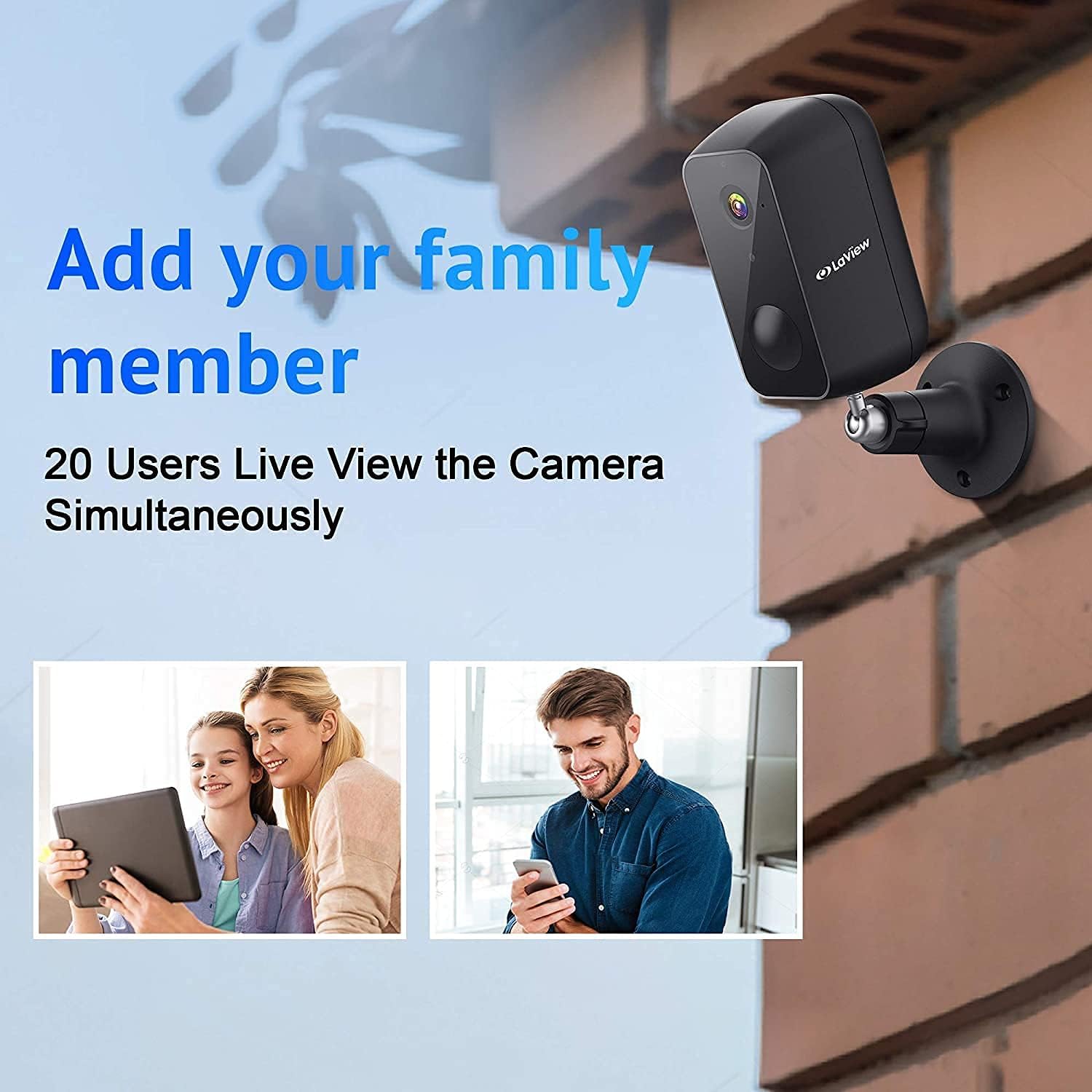
Image: A diagram illustrating how the camera feed can be shared and viewed by up to 20 different users simultaneously on various devices.
- Accedi a foo registratotage from the cloud via the LaView applicazione.
- To share access, navigate to the camera settings in the app and follow the instructions for adding family members or other users. Up to 20 users can view the feed concurrently.
4.6 Amazon Alexa Compatibility
The camera is compatible with Amazon Alexa, allowing for voice control and integration into your smart home ecosystem. Refer to the Alexa app for specific setup instructions.
5. Manutenzione
5.1 Gestione della batteria
The camera's 9600mAh battery provides up to 180 days of operation (based on 10 triggers per day). Battery life can vary based on usage frequency, recording duration, and environmental factors.

Immagine: Un esploso view of the camera revealing its internal 9600mAh battery, illustrating its large capacity and the claim of 180-day battery life.
- Monitor the battery level through the LaView applicazione.
- Recharge the camera promptly when the battery level is low to ensure continuous operation.
- Per la ricarica utilizzare il cavo USB in dotazione.
5.2 Resistenza alle intemperie
The camera has an IP65 weatherproof rating, meaning it is protected against dust ingress and low-pressure water jets from any direction. This makes it suitable for outdoor installation in most weather conditions.

Image: The camera mounted outdoors, with rain falling on it, visually confirming its IP65 waterproof and weatherproof design.
- Pulire periodicamente l'obiettivo della fotocamera con un panno morbido e asciutto per garantire una qualità dell'immagine nitida.
- Evitare l'uso di prodotti chimici aggressivi o materiali abrasivi che potrebbero danneggiare la lente o laasing.
6. Risoluzione Dei Problemi
This section addresses common issues you might encounter with your LaView security camera. For more detailed troubleshooting, please refer to the full user manual PDF or contact customer support.
6.1 La fotocamera non si connette al Wi-Fi
- Controlla la banda Wi-Fi: Ensure your router is broadcasting a 2.4GHz Wi-Fi signal. The camera does not support 5.0GHz networks.
- Potenza del segnale: Verify the camera is within range of your Wi-Fi router. Move the camera closer to the router or consider a Wi-Fi extender if necessary.
- Password: Controlla attentamente di aver inserito la password Wi-Fi corretta.
- Reimposta fotocamera: If issues persist, try resetting the camera to factory settings (refer to the full manual for reset button location and procedure) and attempt the setup process again.
6.2 Scarsa qualità dell'immagine
- Lente pulita: Assicurarsi che l'obiettivo della fotocamera sia pulito e privo di polvere, sporco o macchie.
- Velocità di rete: A slow Wi-Fi connection can affect streaming quality. Check your internet speed.
- Illuminazione: Ensure adequate lighting during the day. For night vision, confirm the infrared LEDs are not obstructed.
6.3 Durata breve della batteria
- Frequent Triggers: High traffic areas or frequent motion detections will consume battery faster. Adjust motion detection sensitivity or detection zones in the app.
- Vivere View Utilizzo: Accesso frequente alla diretta view streams will drain the battery more quickly.
- Temperatura: Extreme cold can reduce battery performance.
6.4 Avvisi di falsi movimenti
- Regola la sensibilità: Lower the motion detection sensitivity in the app settings.
- Zone di rilevamento: Set specific detection zones to ignore areas with irrelevant motion (e.g., busy roads, swaying trees).
- Rilevamento umano AI: Assicurarsi che il rilevamento umano tramite intelligenza artificiale sia abilitato per filtrare i movimenti non umani.
7. Specifiche
| Caratteristica | Specificazione |
|---|---|
| Nome del modello | LV-PYN11B-G32-2PK |
| Risoluzione di acquisizione video | 1080p Full HD |
| Campo di View | 140 gradi |
| Gamma di visione notturna | Fino a 33 piedi |
| Capacità della batteria | 9600mAh agli ioni di litio |
| Durata della batteria | Up to 180 Days (10 triggers/day) |
| Tecnologia di connettività | Senza fili (Wi-Fi) |
| Frequenza Wi-Fi | 2.4 GHz (non compatibile con 5.0 GHz) |
| Magazzinaggio | Cloud Storage, MicroSD Card (up to 32GB included) |
| Uso interno/esterno | All'aperto |
| Valutazione internazionale di protezione | Grado di protezione IP65 |
| Tipo di controllore | Amazon Alexa |
| Tipo di montaggio | Montaggio a parete |
| Dimensioni del prodotto | 8 x 7 x 6 pollici |
| Peso dell'articolo | 2.7 libbre |
| Codice UPC | 192728012103 |
8. Garanzia e supporto
8.1 Informazioni sulla garanzia
Specific warranty details for your LaView product may vary. Please refer to the warranty card included with your purchase or visit the official LaView websito per la politica di garanzia più aggiornata.
8.2 Assistenza clienti
For technical assistance, troubleshooting, or any product-related inquiries, please contact LaView customer support. Customer support is known to be responsive and helpful.
- Supporto online: Visit the official LaView websito per FAQ, articoli di supporto e moduli di contatto.
- Supporto via e-mail: Check the LaView website or your product packaging for a support email address.
Puoi trovare anche il Manuale Utente ufficiale in formato PDF Qui.


