
1. Informazioni importanti sulla sicurezza
Please read this manual carefully before operating the appliance and keep it for future reference. Failure to follow these instructions may result in electric shock, fire, or injury.
- Assicurarsi che l'alimentazione corrisponda al voltage specificato sulla targhetta dei dati tecnici.
- Non utilizzare l'unità con un cavo o una spina danneggiati.
- Tenere l'apparecchio lontano da fonti di calore e luce solare diretta.
- Non ostruire le prese d'aria o le uscite.
- This appliance contains R290 refrigerant. Handle with care and ensure proper ventilation during installation and maintenance.
- Scollegare sempre l'unità prima di pulirla o sottoporla a manutenzione.
- Non utilizzare solventi chimici per la pulizia.
- Questo apparecchio non è destinato all'uso da parte di persone (bambini compresi) con ridotte capacità fisiche, sensoriali o mentali, o prive di esperienza e conoscenza, a meno che non siano supervisionate o abbiano ricevuto istruzioni riguardanti l'uso dell'apparecchio da una persona responsabile della loro sicurezza.
2. Contenuto della confezione
Verificare che tutti gli articoli siano presenti e integri al momento del disimballaggio.
- 1 x Klarstein Kraftwerk Smart Portable Air Conditioner
- 1 x telecomando
- 1 x Window Sealing Kit (for tilt windows)
- 1 x Exhaust Hose with Connectors
- 1 x Water Drainage Hose
- 1 x Manuale utente (inglese)

Image: Contents of the delivery, including the air conditioner unit, remote control, window sealing kit, exhaust hose, and drainage hose.
3. Configurazione e installazione
3.1 Posizionamento dell'unità
Place the air conditioner on a flat, stable surface. Ensure there is at least 30 cm (12 inches) of space around the unit for proper airflow. The integrated castors allow for easy movement between rooms.

Image: The portable air conditioner with integrated wheels for easy transport.
3.2 Installazione del tubo di scarico
- Collegare il tubo di scarico all'uscita dell'aria sul retro dell'unità.
- Estendere il tubo fino alla finestra o all'apertura più vicina.
- Use the provided window sealing kit to secure the exhaust hose in the window opening, preventing hot air from re-entering the room.

Image: Quick installation with the window kit, showing the exhaust hose and window seal.
3.3 Drainage Hose (Dehumidifier Mode)
For continuous dehumidification, connect the drainage hose to the designated outlet and route it to a suitable drain or container. In cooling mode, water typically evaporates, but manual drainage may be required if the internal tank fills.
4. Istruzioni per l'uso
4.1 Pannello di controllo e telecomando
The unit can be controlled via the touch control panel on top of the unit or the included remote control. The remote control requires 2x AAA batteries (not included).
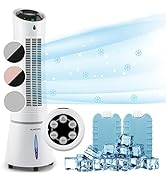
Image: Digital display and remote control for the air conditioner.
Modalità operative 4.2
- Modalità di raffreddamento: Riduce la temperatura ambiente. Imposta la temperatura e la velocità della ventola desiderate.
- Modalità deumidificatore: Rimuove l'umidità in eccesso dall'aria.
- Modalità ventola: Fa circolare l'aria senza raffreddare. Seleziona la velocità della ventola desiderata.
- Modalità risparmio: Operates quietly with reduced fan speed and gradually increases temperature for comfortable sleep.
4.3 Smart Control (App & Alexa)
The Klarstein Kraftwerk Smart can be controlled via the Klarstein app on your smartphone and is compatible with Amazon Alexa and Google Home. Follow the app's instructions for pairing the device.

Image: Simple and practical use with the Klarstein app, compatible with Amazon Alexa and Google Home.
4.4 Funzione timer
Use the timer function to set the unit to turn on or off automatically after a specified period.
5. Manutenzione
Una manutenzione regolare garantisce prestazioni ottimali e prolunga la durata del condizionatore. Scollegare sempre l'unità prima di eseguire qualsiasi intervento di manutenzione.
5.1 Pulizia del filtro dell'aria
The air filter should be cleaned every two weeks or more frequently depending on usage. A dirty filter reduces efficiency.
- Spegnere e scollegare l'unità.
- Individuare e rimuovere il filtro dell'aria dal retro o dal lato dell'unità.
- Pulire il filtro con un aspirapolvere oppure lavarlo con acqua tiepida e un detergente delicato.
- Lasciare asciugare completamente il filtro prima di reinserirlo.
5.2 Pulizia dell'esterno dell'unità
Pulire l'esterno dell'unità con un panno morbido, damp panno. Non utilizzare prodotti chimici aggressivi, abrasivi o solventi.
5.3 Conservazione stagionale
Se si conserva l'unità per un periodo prolungato:
- Scaricare l'acqua accumulata dall'unità.
- Pulire il filtro dell'aria.
- Coprire l'unità per proteggerla dalla polvere.
- Conservare in un luogo fresco e asciutto.
6. Risoluzione Dei Problemi
Prima di contattare l'assistenza clienti, consultare la seguente tabella per problemi comuni e relative soluzioni.
| Problema | Possibile causa | Soluzione |
|---|---|---|
| L'unità non si accende. | No power, power cord unplugged, fuse blown. | Check power connection, wall outlet, and circuit breaker. |
| Raffreddamento insufficiente. | Dirty air filter, blocked air intake/outlet, room too large, windows/doors open, exhaust hose not properly installed. | Clean filter, clear obstructions, ensure proper room size for unit capacity, close windows/doors, check exhaust hose installation. |
| L'unità è rumorosa. | Unità non posizionata su una superficie piana, componenti interni vibranti. | Ensure unit is on a level surface. Some operational noise is normal for portable AC units. |
| Perdita d'acqua. | Drainage plug not properly sealed, drainage hose blocked or improperly connected. | Check drainage plug and hose connections. Clear any blockages in the drainage hose. |
| Problemi di connessione Wi-Fi. | Incorrect Wi-Fi settings, 5GHz network used, temporary glitch. | Ensure you are connecting to a 2.4GHz Wi-Fi network. Try unplugging the unit for 10 seconds, then reconnecting. Refer to the app's pairing instructions. |
7. Specifiche
| Caratteristica | Dettaglio |
|---|---|
| Marca | CHIAROSTATO |
| Nome del modello | Kraftwerk Smart |
| Capacità di raffreddamento | 10,000 BTU (2.9 kW) |
| Capacità di deumidificazione | 23 litri |
| Volume del flusso d'aria | 440 m³/ora |
| Dimensioni consigliate della stanza | 29-49 mq |
| Livello di rumore | 50 dB (Min) / 65 dB (Max) |
| Classe di efficienza energetica | A |
| Refrigerante | R-290 |
| Consumo energetico | 1150 Watt |
| Voltage | 220 Volt |
| Dimensioni (P x L x A) | 38P x 35.5l x 82.2H cm |
| Peso | 26 chilogrammi |
| Metodo di controllo | Controllo remoto, controllo app |
| Tipo di filtro | Carbone |

Image: Energy efficiency label for the product.
Image: Technical drawing with product dimensions.
8. Garanzia e assistenza clienti
8.1 Informazioni sulla garanzia
This product comes with a limited warranty. Please refer to the warranty card included in your package or contact customer support for detailed terms and conditions. The warranty covers manufacturing defects under normal use.
8.2 Assistenza clienti
For technical assistance, spare parts, or any questions regarding your Klarstein Kraftwerk Smart air conditioner, please contact Klarstein customer support. Contact details can typically be found on the official Klarstein websito o nella documentazione di acquisto.
Before contacting support, please have your model number (Kraftwerk Smart) and purchase date available.