
1. Introduzione
This manual provides instructions for the setup, operation, and maintenance of your Nixplay 10.1 inch Smart Digital Photo Frame (Model W10J). Please read this manual thoroughly before using your device to ensure proper functionality and longevity.
2. Prodotto finitoview
The Nixplay Smart Digital Photo Frame allows you to display photos and videos from your connected accounts or directly uploaded content. It features Wi-Fi connectivity for easy content management.
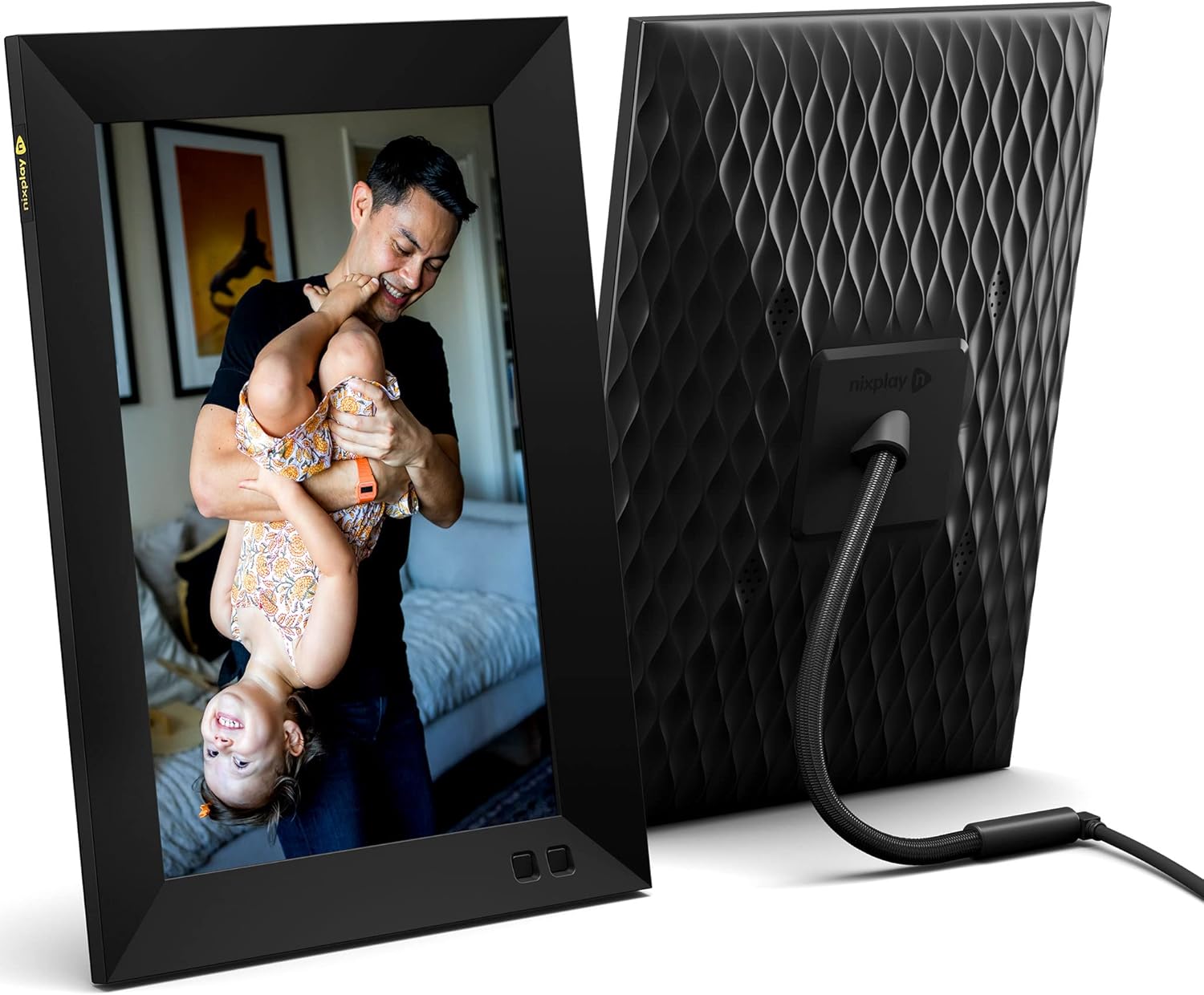
Figura 2.1: Anteriore e posteriore view of the Nixplay 10.1 inch Smart Digital Photo Frame. The front displays an image of a person holding a child, while the rear shows the textured back panel and power cable connection.
2.1 Contenuto della confezione

Figura 2.2: Contents of the Nixplay Smart Digital Photo Frame package. Includes the frame, power adapter, remote control, wall mounting guide, screws, and a brief guide.
Dopo aver disimballato, verificare che siano presenti tutti gli articoli:
- Nixplay 10.1 inch Smart Digital Photo Frame
- Adattatore di alimentazione
- Telecomando
- Wall Mounting Guide and Hardware
- Guida rapida
3. Impostazione
3.1 Accensione del telaio
- Collegare l'adattatore di alimentazione alla porta di alimentazione del telaio.
- Collegare l'adattatore di corrente a una presa a muro.
- The frame will automatically power on and display the Nixplay logo.
3.2 Initial Wi-Fi and Account Setup
Follow the on-screen prompts to connect your frame to a Wi-Fi network and create or log in to your Nixplay account. This process typically involves:
- Selecting your Wi-Fi network and entering the password.
- Downloading the Nixplay app on your smartphone or tablet.
- Pairing your frame with your Nixplay account using the app.

Figura 3.1: The Nixplay app displayed on a smartphone, illustrating how to share photos and videos instantly. The digital frame is shown displaying a family photo.
4. Istruzioni per l'uso
4.1 Managing Content with the Nixplay App
The Nixplay app is the primary tool for managing your frame's content. It allows you to upload photos and videos, create playlists, and invite others to share content.
- Caricamento di foto/video: Use the app to select media from your device or linked cloud services (e.g., Google Photos, Dropbox) and upload them to your Nixplay account.
- Creazione di playlist: Organize your uploaded media into playlists. You can assign specific playlists to your frame.
- Condivisione: Invite family and friends to contribute photos and videos to your frame via email or the Nixplay app.

Figura 4.1: The Nixplay app interface displaying various playlists, including "Google Photos family," "Christmas Playlist," and "Wedding." This demonstrates the app's content organization features.
4.2 Utilizzo del telecomando
The included remote control allows for basic navigation and settings adjustments directly on the frame. Functions typically include:
- Navigating through menus.
- Adjusting volume (for videos).
- Pausing/playing slideshows.
- Accessing frame settings.
4.3 Funzionalità del sensore di movimento
The frame features a motion sensor that can be configured to turn the display on when motion is detected and off after a period of inactivity, conserving energy.
5. Manutenzione
5.1 Pulizia del telaio
- Use a soft, dry, lint-free cloth to clean the screen and frame exterior.
- Avoid using abrasive cleaners, solvents, or aerosol sprays, as these can damage the surface.
- Per i segni ostinati sullo schermo, strofinare leggermenteampen the cloth with water, then wipe gently.
5.2 Aggiornamenti software
Ensure your frame's software is up to date for optimal performance and new features. The frame typically updates automatically when connected to Wi-Fi, or you may be prompted to install updates via the Nixplay app.
6. Risoluzione Dei Problemi
| Problema | Possibile soluzione |
|---|---|
| Il telaio non si accende. | Assicurati che l'adattatore di alimentazione sia collegato saldamente sia al telaio che a una presa di corrente funzionante. Prova una presa diversa. |
| Impossibile connettersi al Wi-Fi. | Verifica la password Wi-Fi. Assicurati che la cornice sia nel raggio d'azione del router. Riavvia il router e la cornice. |
| Photos are not appearing on the frame. | Check your Nixplay app to confirm photos are uploaded and assigned to the correct playlist for your frame. Ensure the frame is connected to Wi-Fi. |
| Il telecomando non funziona. | Assicurarsi che non vi siano ostacoli tra il telecomando e il telaio. Sostituire la batteria del telecomando se necessario. |
7. Specifiche
- Numero modello: W10J
- Dimensioni dello schermo: 10.1 pollici
- Risoluzione: 1280x800
- Colore: Nero
- Dimensioni del prodotto: 8.54 x 35 x 0.99 pollici
- Peso dell'articolo: 2.86 libbre
- Dispositivi compatibili: Smartphone, Tablet
- Batterie: 1 batteria al litio metallico (inclusa, per il telecomando)
- Produttore: Nixplay
- ASIN: B09364Y1QJ
8. Garanzia e supporto
For warranty information and technical support, please refer to the documentation included with your product or visit the official Nixplay support websito. Le informazioni di contatto per il servizio clienti possono essere trovate in genere sul sito del produttore websito.


