
1. Introduzione
This manual provides instructions for the safe and effective operation of your JYX Karaoke Machine, Model JYX-82. Please read this manual thoroughly before using the product and retain it for future reference.

Figure 1: JYX Karaoke Machine JYX-82
The JYX-82 is a portable PA system designed for karaoke, music playback, and public address. It features Bluetooth 5.0 connectivity, TWS (True Wireless Stereo) function, FM radio, recording capabilities, and supports various input methods including USB, TF card, and Aux-in. It comes with two UHF wireless microphones for enhanced vocal performance.
2. Prodotto finitoview
2.1 Cosa c'è nella scatola

Figura 2: Contenuto della confezione
- Macchina per karaoke JYX (JYX-82)
- 2 microfoni wireless UHF
- Adattatore di alimentazione/caricabatterie
- Tracolla
- Telecomando
- Manuale d'uso
2.2 Caratteristiche principali

Figura 3: Caratteristica Overview
- Funzione karaoke: Integrated system for vocal performance.
- Cambia Voce: Multiple voice effects for entertainment.
- FM Radio: Sintonizzatore integrato per le stazioni radio.
- Registrazione del suono: Registra l'audio direttamente su un'unità USB o una scheda TF.
- Bluetooth 5.0: Streaming audio wireless da dispositivi compatibili.
- TWS (vero stereo senza fili): Connect two JYX-82 units for stereo sound.
- Ingressi multipli: Supports USB, TF card, and Aux-in.
- Design portatile: Compact with a handle and shoulder strap for easy transport.
- Batteria a lunga durata: 5200mAh battery provides extended playback.
3. Impostazione
3.1 Ricarica del dispositivo
- Connect the provided power adapter to the DC 5V charging port on the karaoke machine.
- Collegare l'adattatore a una presa a muro standard.
- The charging indicator light will illuminate. The device is fully charged when the light changes color or turns off (refer to specific indicator behavior in your manual).
3.2 Accensione/Spegnimento
- To power on, press and hold the Power button on the control panel until the display illuminates.
- Per spegnere, tenere premuto nuovamente il pulsante di accensione finché il display non si spegne.
3.3 Configurazione del microfono
- Insert 2 AA batteries into each wireless microphone (batteries may be included).
- Turn on the microphone using its power switch. The microphone should automatically pair with the karaoke machine. If not, refer to the microphone pairing instructions in the full manual.
4. Istruzioni per l'uso
4.1 Selezione della modalità
Press the 'MODE' button on the control panel or remote control to switch between different input modes: Bluetooth, FM Radio, USB, TF Card, and AUX.
4.2 Connessione Bluetooth
- Turn on the JYX Karaoke Machine.
- Press the 'MODE' button until "BLUE" appears on the display, indicating Bluetooth mode.
- Sul tuo dispositivo mobile, attiva il Bluetooth e cerca i dispositivi disponibili.
- Select "JYX-82BT" from the list to pair. A confirmation tone will sound upon successful connection.
Video 1: Demonstrating Bluetooth connection and use of wireless microphone with the JYX Karaoke Machine.
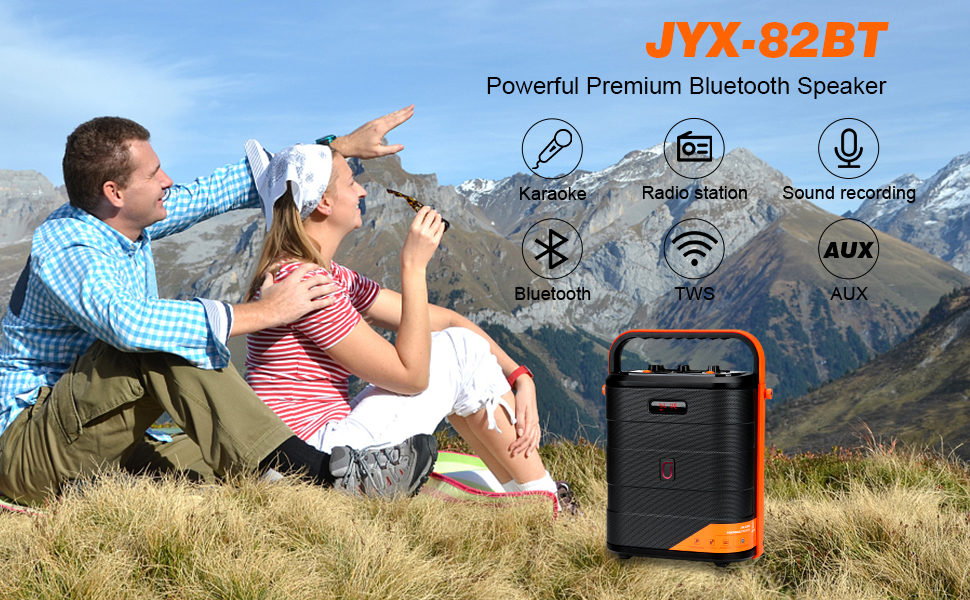
Figura 4: Connessione tramite Bluetooth
4.3 Riproduzione tramite scheda USB/TF
- Inserire una chiavetta USB o una scheda TF nello slot corrispondente.
- The machine will automatically switch to USB/TF card mode and begin playing audio files.
- Use the Play/Pause, Next, and Previous buttons on the control panel or remote to manage playback.
4.4 Modalità AUX-in
- Connect an external audio device (e.g., smartphone, tablet, MP3 player) to the AUX-in port using a 3.5mm audio cable.
- Press the 'MODE' button until "AUX" appears on the display.
- Audio will now play through the karaoke machine from your connected device.
4.5 Funzionamento della radio FM
- Premere il pulsante 'MODE' per selezionare la modalità radio FM.
- Premere il pulsante Riproduci/Pausa per eseguire automaticamente la scansione e salvare le stazioni FM disponibili.
- Use the Next and Previous buttons to navigate through saved stations.
4.6 Utilizzo del microfono wireless
- Assicurarsi che i microfoni siano accesi e associati.
- Adjust microphone volume using the dedicated knob on the control panel.
- The microphones feature UHF technology for stable signal transmission.
4.7 Funzione TWS (True Wireless Stereo)
To connect two JYX-82 units for a stereo experience:
- Ensure both JYX-82 machines are powered on and in Bluetooth mode, but not connected to any device.
- On one of the machines, press and hold the TWS button (refer to the control panel diagram in the full manual for exact location).
- The two machines will automatically pair with each other. A confirmation tone will sound.
- Once paired, connect your mobile device to one of the JYX-82 units via Bluetooth. Audio will now play in stereo through both speakers.
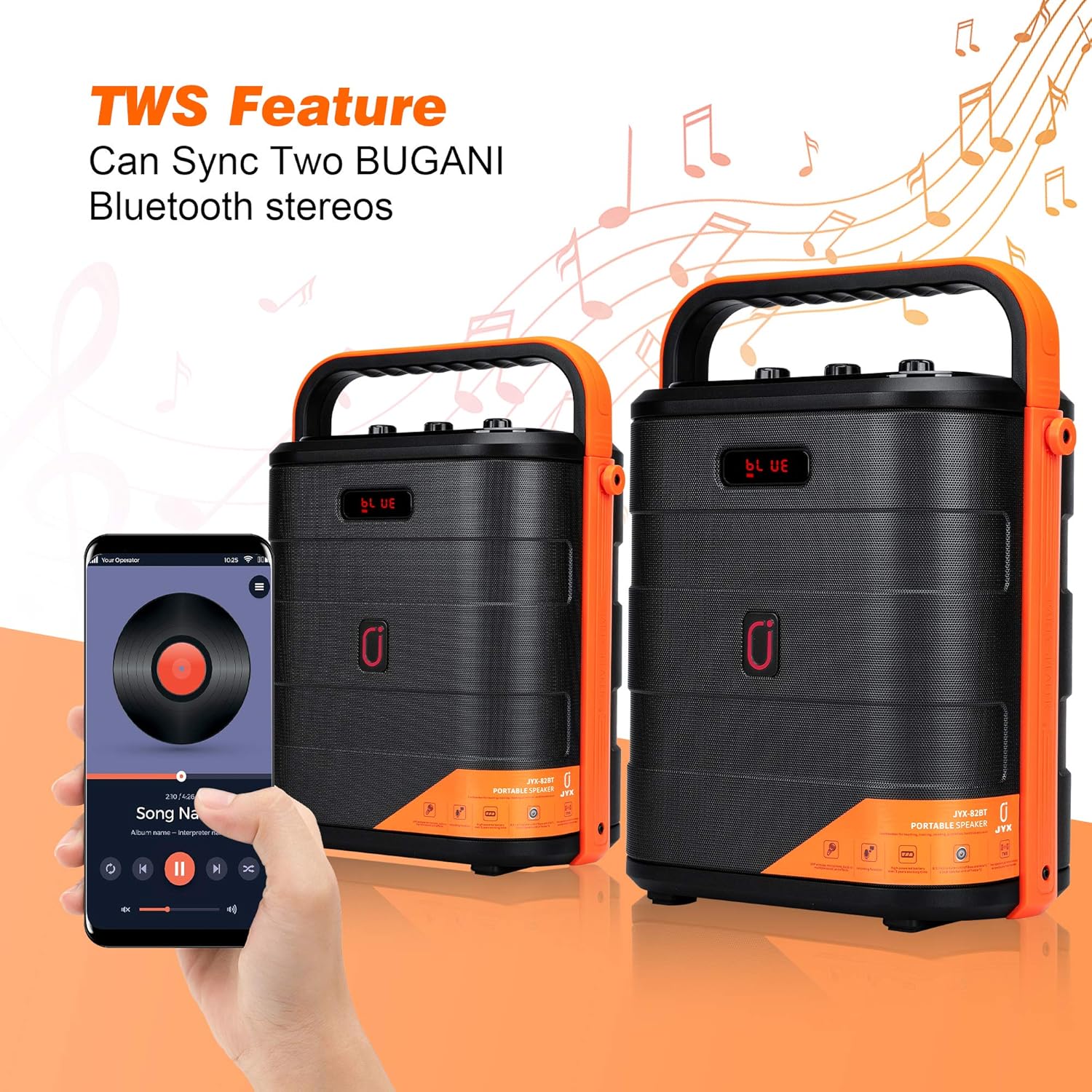
Figure 5: TWS Connection
4.8 Funzione di registrazione
- Inserire una chiavetta USB o una scheda TF nello slot corrispondente.
- Premere il pulsante 'REC' sul pannello di controllo o sul telecomando per avviare la registrazione.
- Press 'REC' again to stop recording. Recordings will be saved to the inserted storage device.
4.9 Voice Changer Effects
The JYX-82 includes multiple voice changing effects for entertainment. Use the remote control to select different voice modes.

Figure 6: Remote Control with Voice Changer Options
- Press the dedicated voice effect buttons on the remote control to cycle through options such as Male, Female, Child, and Monster voices.
5. Manutenzione
- Pulire il dispositivo con un panno morbido e asciutto. Non utilizzare detergenti abrasivi o solventi.
- Tenere il dispositivo lontano da acqua, umidità e luce solare diretta.
- Conservare in luogo fresco e asciutto quando non in uso.
- Garantire un'adeguata ventilazione durante il funzionamento per evitare il surriscaldamento.
6. Risoluzione Dei Problemi
| Problema | Possibile causa | Soluzione |
|---|---|---|
| Nessun potere | Batteria scarica; adattatore di alimentazione non collegato. | Charge the device; Ensure power adapter is securely connected. |
| Nessun suono | Volume troppo basso; Modalità di input errata; Dispositivo non associato (Bluetooth). | Aumentare il volume; Selezionare la modalità di input corretta; Riassociare il dispositivo Bluetooth. |
| Il microfono non funziona | Microphone off; Batteries depleted; Not paired. | Turn on microphone; Replace batteries; Refer to pairing instructions. |
| Connessione Bluetooth instabile | Dispositivo troppo lontano; interferenza. | Move device closer to speaker; Avoid obstacles or other wireless devices. |
7. Specifiche
- Marca: Il mio nome è JYX.
- Numero modello: JYX-82
- Dimensioni (L x P x A): 9.84 x 5.91 x 12.99 pollici
- Tecnologia di connettività: AUX, Bluetooth, USB
- Colore: Red (Note: Product color may vary)
- Dispositivi compatibili: Radio, Smartphone, Tablet
- Tipo di montaggio: Da tavolo
- Fonte di energia: Alimentato a batteria
- Tipo di connettore: Aux, USB
- Numero di canali: 2
- Uscita Wattage: 15 Watt
- Supporti integrati: Microphone, Remote
8. Garanzia e supporto
For warranty information and customer support, please refer to the documentation included with your product packaging or visit the official JYX webluogo. Conserva la ricevuta di acquisto per eventuali richieste di garanzia.