
1. Introduzione
This manual provides essential instructions for the safe and efficient operation, setup, and maintenance of your GBC AutoFeed+ 300M Micro-Cut Paper Shredder. Please read this manual thoroughly before using the shredder to ensure proper function and to prevent damage or injury. This shredder is designed for office use to securely dispose of confidential documents.

Immagine 1.1: anteriore view of the GBC AutoFeed+ 300M Micro-Cut Paper Shredder.
2. Istruzioni di sicurezza
Osservare le seguenti precauzioni di sicurezza per ridurre il rischio di incendi, scosse elettriche o lesioni:
- Tenere mani, capelli e indumenti larghi lontani dalla fessura di inserimento della carta.
- Non permettere ai bambini o agli animali domestici di avvicinarsi al distruggidocumenti.
- Scollegare il distruggidocumenti quando non lo si utilizza o prima di pulirlo.
- Do not shred wet or adhesive materials, as this can cause jams or damage.
- Do not spray aerosols or flammable products into or near the shredder.
- Assicurarsi che il distruggidocumenti sia posizionato su una superficie stabile e piana.
- Do not attempt to service the shredder yourself. Refer to qualified service personnel.
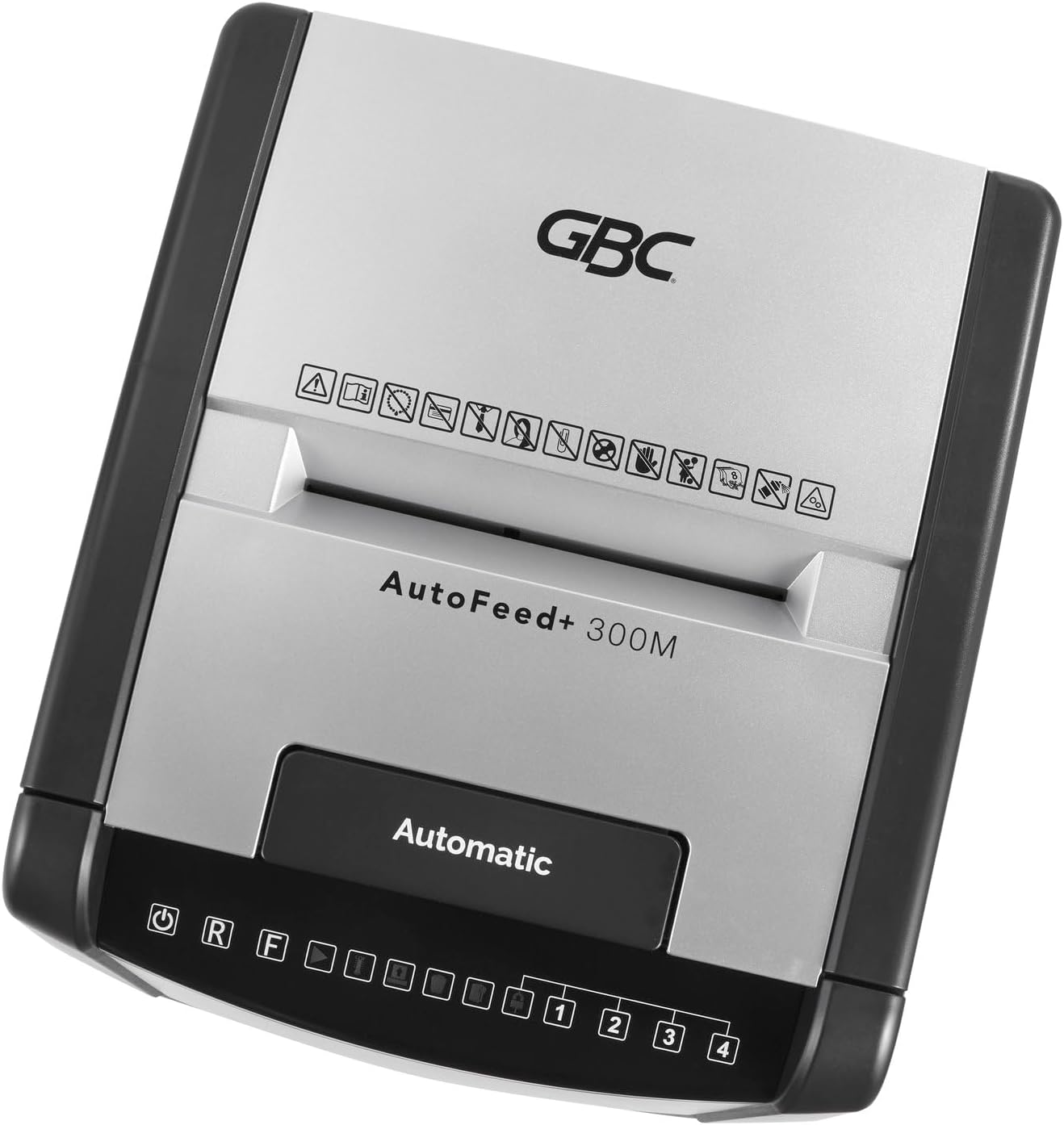
Immagine 2.1: In alto view of the shredder control panel, showing safety warning icons.
3. Contenuto della confezione
Verificare che tutti gli articoli siano presenti nel pacco:
- GBC AutoFeed+ 300M Shredder Unit
- Waste Bin (16 Gallon Capacity)
- Manuale di istruzioni (questo documento)
4. Impostazione
- Unpack the shredder and remove all packaging materials.
- Place the shredder on a flat, stable surface. Ensure adequate space around the unit for ventilation.
- Insert the waste bin securely into the shredder cabinet. The shredder will not operate if the bin is not correctly seated.
- Collegare il cavo di alimentazione a una presa elettrica con messa a terra.
- Accendere l'interruttore di alimentazione principale, solitamente situato sul retro o sul lato dell'unità.
5. Istruzioni per l'uso
5.1. Auto-Feed Operation
The auto-feed feature allows for hands-free shredding of multiple sheets.
- Aprire il coperchio del vassoio di alimentazione automatica.
- Stack up to 300 sheets of paper neatly into the auto-feed chamber. Ensure papers are free of folds or creases.
- Close the auto-feed tray cover. The shredder will automatically begin processing the documents.
- The shredder can process documents containing paper clips and staples in the auto-feed.

Image 5.1: Illustration of the auto-feed process: stacking papers, closing the lid, and the shredder operating.

Image 5.2: User placing a stack of documents into the auto-feed tray.
5.2. Manual Feed Operation
For smaller quantities of paper or credit cards, use the manual feed slot.
- Ensure the shredder is powered on.
- Insert up to 8 sheets of paper into the manual feed slot.
- For credit cards, insert one card at a time into the designated manual feed slot.
- The shredder will automatically detect the paper or card and begin shredding.

Image 5.3: Visual comparison of auto-feed (left) and manual feed (right) shredding options.
5.3. Security Level
This shredder produces micro-cut particles, offering P-5 level security. This ensures highly confidential information is securely destroyed.

Image 5.4: Illustration of micro-cut particle size (3/32" x 5/8") compared to a US quarter for P-5 security level.
6. Manutenzione
6.1. Svuotamento del cestino dei rifiuti
The shredder features a 16-gallon waste bin. Empty the bin regularly to prevent jams and ensure optimal performance. The shredder has a bin full sensor that will indicate when emptying is required.
- Spegnere e scollegare il distruggidocumenti.
- Pull out the waste bin from the front of the unit.
- Smaltire il materiale triturato.
- Reinserire saldamente il cestino finché non scatta in posizione.

Image 6.1: The shredder with its 16-gallon waste bin pulled out, illustrating its capacity and dimensions.
6.2. Oliatura del distruggidocumenti
Regular oiling of the shredder blades is crucial for maintaining performance and extending the life of the unit. Use GBC shredder oil or a compatible vegetable-based shredder oil.
- Applicare uno strato sottile di olio per distruggidocumenti sulla fessura di inserimento della carta.
- Run a few sheets of paper through the manual feed to distribute the oil.
- Perform this maintenance after every 30 minutes of continuous shredding or when emptying the waste bin.
7. Risoluzione Dei Problemi
| Problema | Possibile causa | Soluzione |
|---|---|---|
| Il distruggidocumenti non si avvia. | No power; waste bin not properly inserted; overheating. | Check power connection; ensure bin is fully inserted; allow shredder to cool down for 30-60 minutes. |
| Inceppamento della carta. | Too many sheets; paper folded or creased; non-shreddable material. | Use the reverse function (R button on control panel) to clear the jam. Reduce sheet count for future shredding. |
| Il trituratore si ferma durante il funzionamento. | Overheating; waste bin full. | Allow shredder to cool down; empty the waste bin. |
8. Specifiche
- Modello: Modello WSM1757609
- Tipo di brandello: Micro-taglio
- Livello di sicurezza: P-5
- Auto-Feed Capacity: Fino a 300 fogli
- Capacità di alimentazione manuale: Fino a 8 fogli
- Capacità del contenitore dei rifiuti: 16 galloni
- Tempo di esecuzione continuo: 60 minuti
- Brandelli: Paper, paper clips, staples, credit cards (manual feed only)
- Dimensioni (L x P x A): 19 x 17 x 29 pollici
- Peso dell'articolo: 55.9 libbre
- Produttore: Marchi ACCO
9. Garanzia e supporto
For warranty information and customer support, please refer to the official GBC websito o contattare il rivenditore. Conservare la ricevuta d'acquisto come prova d'acquisto per eventuali reclami in garanzia.
GBC Official Websito: www.gbc.com


