
Introduzione
This manual provides essential information for the proper use and maintenance of your Blitzwolf BW-AT2C Smartwatch. Please read these instructions carefully before using the device to ensure optimal performance and longevity. This smartwatch features Bluetooth calling, comprehensive health monitoring, various sports modes, and smart notifications.
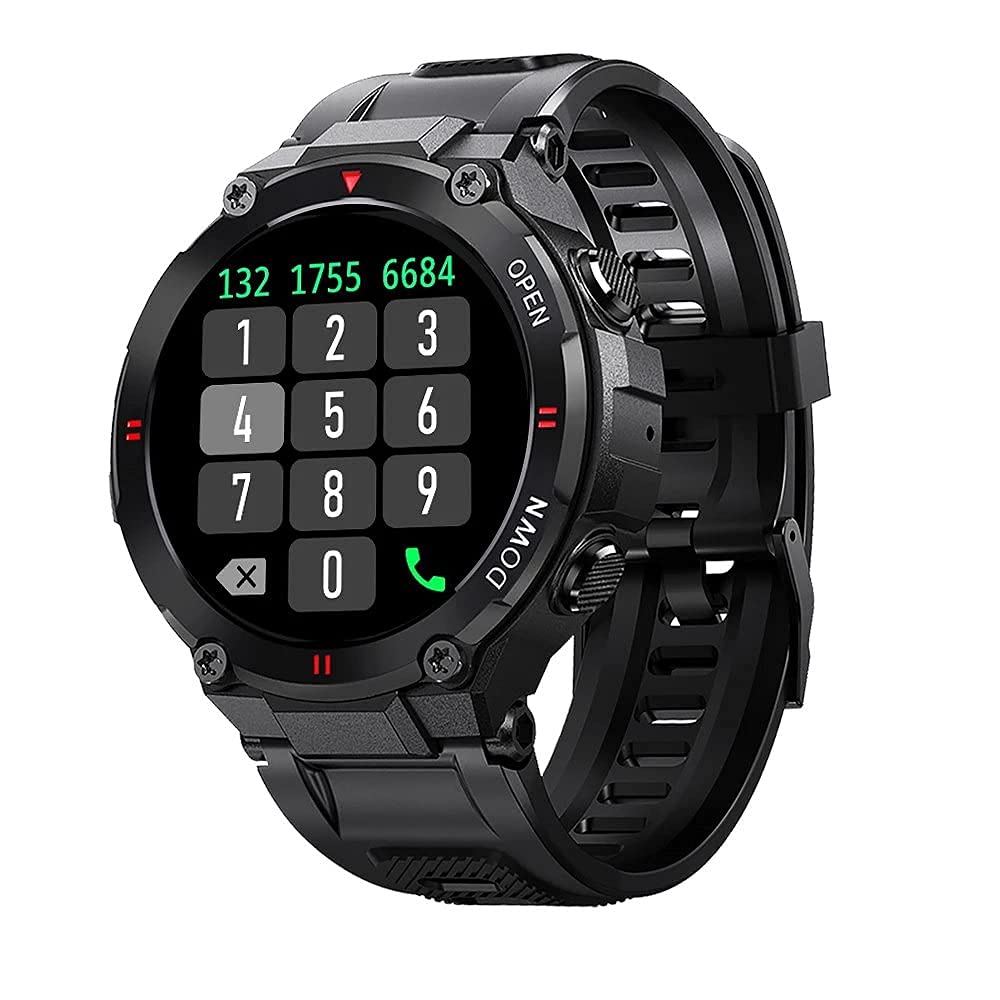
Immagine: Frontale view of the Blitzwolf BW-AT2C Smartwatch, displaying a digital watch face with time, date, battery, and step count.
Prodotto finitoview
The Blitzwolf BW-AT2C Smartwatch is designed for daily use, fitness tracking, and communication. It features a durable build and a clear display.
- Display: 1.3-inch IPS full touch screen.
- Controllare: Full touch screen and two side buttons.
- Sensori: Heart rate, blood pressure, blood oxygen, pedometer, sleep monitor.
- Connettività: Bluetooth 5.0 for calls and data synchronization.
- Durata: Resistenza all'acqua IP54.

Image: The smartwatch displaying weather information, highlighting its robust design and metal buttons.

Immagine: Posteriore view of the smartwatch, showing the optical heart rate sensor and magnetic charging contacts, along with the model number BW-AT2C.
Impostare
1. Carica del dispositivo
Before initial use, fully charge your smartwatch. Connect the magnetic charging cable to the charging contacts on the back of the watch and plug the USB end into a power adapter (not included) or a computer's USB port. The watch screen will indicate charging status. A full charge takes approximately 2 hours.
2. Installazione e associazione dell'app
- Scarica l'App: Cercare "Da Fit" nell'app store del tuo smartphone (Google Play Store per Android o Apple App Store per iOS) e installalo.
- Abilita Bluetooth: Assicurati che il Bluetooth sia abilitato sul tuo smartphone.
- Apri l'app Da Fit: Launch the "Da Fit" application on your smartphone.
- Aggiungi dispositivo: In the app, navigate to the "Device" section and select "Add Device". The app will search for available devices.
- Seleziona il tuo orologio: Choose "BW-AT2C" from the list of found devices to initiate pairing.
- Conferma associazione: Segui le istruzioni visualizzate sullo schermo sia del telefono che dell'orologio per confermare l'associazione.
- Abilita funzione di chiamata: For the Bluetooth call feature, you may need to pair the watch a second time through your phone's Bluetooth settings. Look for "BW-AT2C_CALL" or similar in your phone's Bluetooth device list and connect to it.
Nota: For full functionality, ensure the "Da Fit" app has all necessary permissions (e.g., location, notifications, contacts) enabled on your smartphone.
Istruzioni per l'uso
Navigazione di base
- Schermo tattile: Scorri verso sinistra/destra, su/giù per navigare tra i menu e le funzioni. Tocca per selezionare.
- Pulsanti laterali: The top button typically acts as a power/wake button and a back button. The bottom button may be a shortcut to sports modes or other functions, depending on customization.
- Schermata di riattivazione: Solleva il polso o premi un pulsante laterale per riattivare lo schermo.
- Regolazione della luminosità: Adjust screen brightness through the watch settings or the Da Fit app for better visibility in various lighting conditions.
- Quadranti personalizzati: Change watch faces directly on the watch or via the Da Fit app. You can also customize watch faces with your own photos.
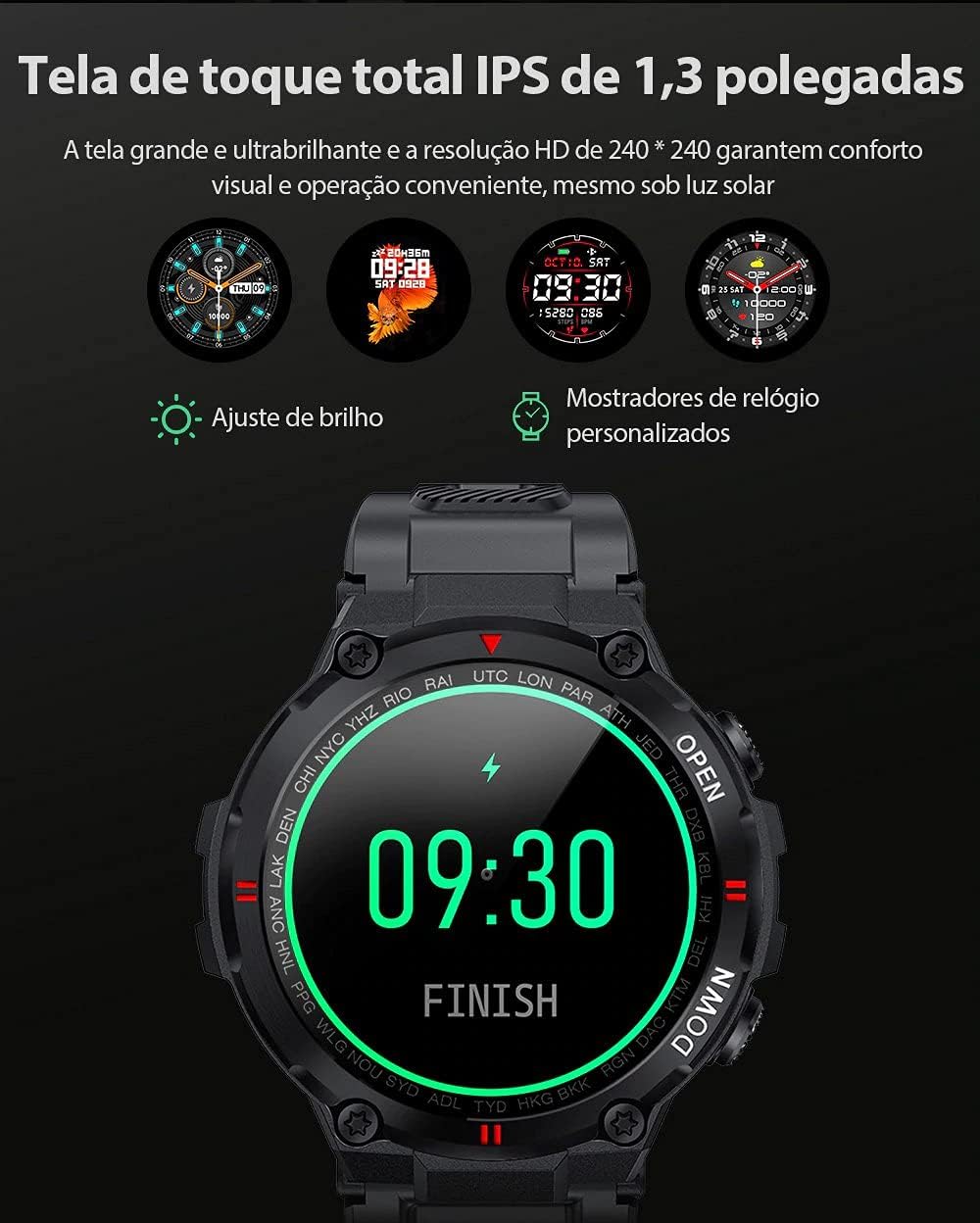
Image: The smartwatch displaying multiple customizable watch faces and options for brightness adjustment.
Effettuare e ricevere chiamate
The BW-AT2C allows you to make and receive calls directly from your wrist after successful Bluetooth pairing (including the call function pairing).
- Ricevere chiamate: Quando arriva una chiamata, l'orologio visualizza l'ID del chiamante. Puoi rispondere o rifiutare la chiamata direttamente dallo schermo dell'orologio.
- Effettuare le chiamate: Accedi al tastierino numerico o all'elenco dei contatti sull'orologio per avviare una chiamata.

Image: A comparison showing the BW-AT2C model with its Bluetooth call function (dial pad visible) next to the BW-AT2 model without this feature.
Controllo della musica
Control music playback on your smartphone directly from your watch. Functions include play, pause, skip forward, and skip backward.
Monitoraggio della salute
Lo smartwatch monitora costantemente vari parametri relativi alla salute.
- Frequenza cardiaca: Monitoraggio della frequenza cardiaca in tempo reale. View la tua frequenza cardiaca attuale e i dati storici nell'app.
- Pressione sanguigna: Measure your blood pressure on demand.
- Ossigeno nel sangue (SpO2): Monitora i livelli di saturazione dell'ossigeno nel sangue.
- Monitoraggio del sonno: Tiene traccia dei tuoi schemi di sonno, inclusi sonno profondo, sonno leggero e orari di veglia.
- Pedometro: Conta i passi giornalieri, la distanza e le calorie bruciate.

Image: The smartwatch screen showing a graph of heart rate data, indicating current BPM and historical trends.
Modalità Sportive
The watch supports multiple sports modes to track your workouts accurately. Available modes include Walking, Running, Cycling, Skipping Rope, Badminton, Basketball, and Football. Select your desired mode before starting an activity to record relevant data.
Notifiche
Receive notifications from your smartphone directly on your watch. This includes call reminders, message alerts, and app notifications from platforms like WhatsApp, Instagram, Facebook, and Twitter. Ensure notification permissions are granted in the Da Fit app and your phone's settings.

Image: The smartwatch on a user's wrist, showing an incoming call alert and SMS reminder, indicating its notification capabilities.
Altre caratteristiche
- Sveglia: Set up to three alarms via the app.
- Cronometro: Utilizzare il cronometro integrato per cronometrare le attività.
- Promemoria sedentario: The watch will alert you if you remain inactive for too long.
- Controllo remoto della telecamera: Utilizza il tuo orologio come otturatore remoto per la fotocamera del tuo telefono.
- Find Watch/Find Phone: Locate your watch or phone using the respective functions in the app or on the watch.
- Calendario: Access calendar information.
Manutenzione
- Pulizia: Pulire regolarmente l'orologio e il cinturino con un panno morbido e asciutto. Per lo sporco ostinato, utilizzare un panno leggermenteamp panno e asciugare accuratamente. Evitare prodotti chimici aggressivi.
- Resistenza all'acqua (IP54): The BW-AT2C is IP54 water-resistant, meaning it is protected against dust ingress and splashing water from any direction. It is suitable for daily use like hand washing or light rain. Do not submerge the watch in water, wear it while swimming, showering, or in saunas. L'esposizione prolungata all'acqua o a getti d'acqua ad alta pressione può causare danni.
- Contatti di ricarica: Keep the magnetic charging contacts clean and dry to ensure proper charging.
- Magazzinaggio: Quando non lo si utilizza, conservare l'orologio in un luogo fresco e asciutto.
Risoluzione dei problemi
| Problema | Soluzione |
|---|---|
| L'orologio non si accende. | Assicurati che l'orologio sia completamente carico. Collegalo al caricabatterie per almeno 30 minuti. |
| Impossibile effettuare l'associazione con lo smartphone. |
|
| Le notifiche non vengono ricevute. |
|
| La funzione di chiamata non funziona. | Ensure you have paired the "BW-AT2C_CALL" device in your phone's Bluetooth settings in addition to the main watch pairing. |
| Dati sanitari imprecisi. | Ensure the watch is worn snugly on your wrist, not too tight or too loose. Keep the sensor clean. Note that this device is not a medical device and data is for reference only. |
Specifiche

Image: Diagram illustrating the dimensions of the Blitzwolf BW-AT2C Smartwatch, including watch face diameter, strap width, and total length.
| Caratteristica | Dettaglio |
|---|---|
| Marca | Lupo Blitz |
| Modello | Modello BW-AT2C |
| Colore | Nero |
| Versione Bluetooth | 5.0 |
| Sistema operativo compatibile | Android 4.4+ / iOS 8.0+ |
| Modalità di funzionamento | Full Touch Screen + 2 Side Buttons |
| App complementare | Da Fit |
| Resistenza all'acqua | Grado di protezione IP54 |
| Monitoraggio della salute | Heart Rate, Blood Pressure, Blood Oxygen, Sleep, Pedometer |
| Modalità Sportive | Walking, Running, Cycling, Skipping Rope, Badminton, Basketball, Football |
| Dimensioni dello schermo | 1.3 pollici IPS |
| Risoluzione | 240 x 240 pixel |
| Capacità della batteria | 400mAh |
| Tempo di standby | Circa 30 giorni |
| Tempo di utilizzo | Approx. 4-7 days (varies by usage) |
| Tempo di ricarica | Circa 2 ore |
| Tipo di ricarica | Ricarica magnetica |
| Materiale del cinturino | Silicone |
| Larghezza della cinghia | 22mm (Removable) |
| Dimensioni del prodotto | 52 x 12 mm (Watch Face) |
| Peso del prodotto | 55 grammi |
Garanzia e supporto
For warranty information and technical support, please refer to the documentation provided with your purchase or visit the official Blitzwolf websito. Conservare la prova d'acquisto per eventuali reclami in garanzia.
Se riscontri problemi non trattati nella sezione relativa alla risoluzione dei problemi, contatta l'assistenza clienti per ricevere assistenza.