
Introduzione
Welcome to the VTech Secret Safe Diary Light Show user manual. This interactive diary is designed to provide a secure and engaging platform for children to express themselves, play educational games, and explore creative activities. It features a 2.4-inch color screen, face recognition, voice password protection, a virtual pet, and various learning activities.
Please read this manual thoroughly to ensure proper setup and operation of your device.

Davanti view of the VTech Secret Safe Diary Light Show, showcasing its vibrant purple color, floral patterns, and the heart-shaped display area.
Informazioni sulla sicurezza
For your child's safety, please observe the following:
- Tutti i materiali di imballaggio, come nastro adesivo, fogli di plastica, chiusure di imballaggio, rimovibili tags, cable ties, and packaging screws, are not part of this toy and should be discarded before use.
- Assicurarsi che le batterie siano inserite correttamente, rispettando la polarità indicata.
- Non mischiare batterie vecchie e nuove o tipi diversi di batterie.
- Rimuovere prontamente le batterie scariche.
- Non smaltire le batterie nel fuoco.
Impostare
Installazione della batteria
- Individuare il vano batterie sul retro del diario.
- Utilizzando un cacciavite, aprire il coperchio del vano batteria.
- Insert 4 x AA batteries, ensuring correct polarity (+/-). Batteries are included for demonstration purposes only; new batteries are recommended for regular use.
- Riposizionare il coperchio del vano batterie e serrare la vite.
Accensione iniziale
Press the Power button (usually located on the side or front) to turn on the diary. Follow the on-screen prompts for initial setup, including setting the date and time.
Istruzioni per l'uso
Unlocking the Diary
The Secret Safe Diary Light Show offers multiple security options:
- Riconoscimento facciale: Position your face in front of the camera when prompted. The diary will unlock if your registered face is recognized. Ensure good lighting for optimal performance.
- Voice Password: Record a unique voice password during setup. Speak your password clearly when prompted to unlock the diary.
- Number Password: Set a numerical password for additional security. Enter this password using the keyboard when prompted.

A child demonstrating the face recognition feature to unlock the diary, showing the interactive cover.
Diary Entries
Navigate to the 'Diary' section to write or record your thoughts. Use the QWERTY keyboard for typing entries or the microphone to record voice memos. You can also apply funny effects to your voice recordings.
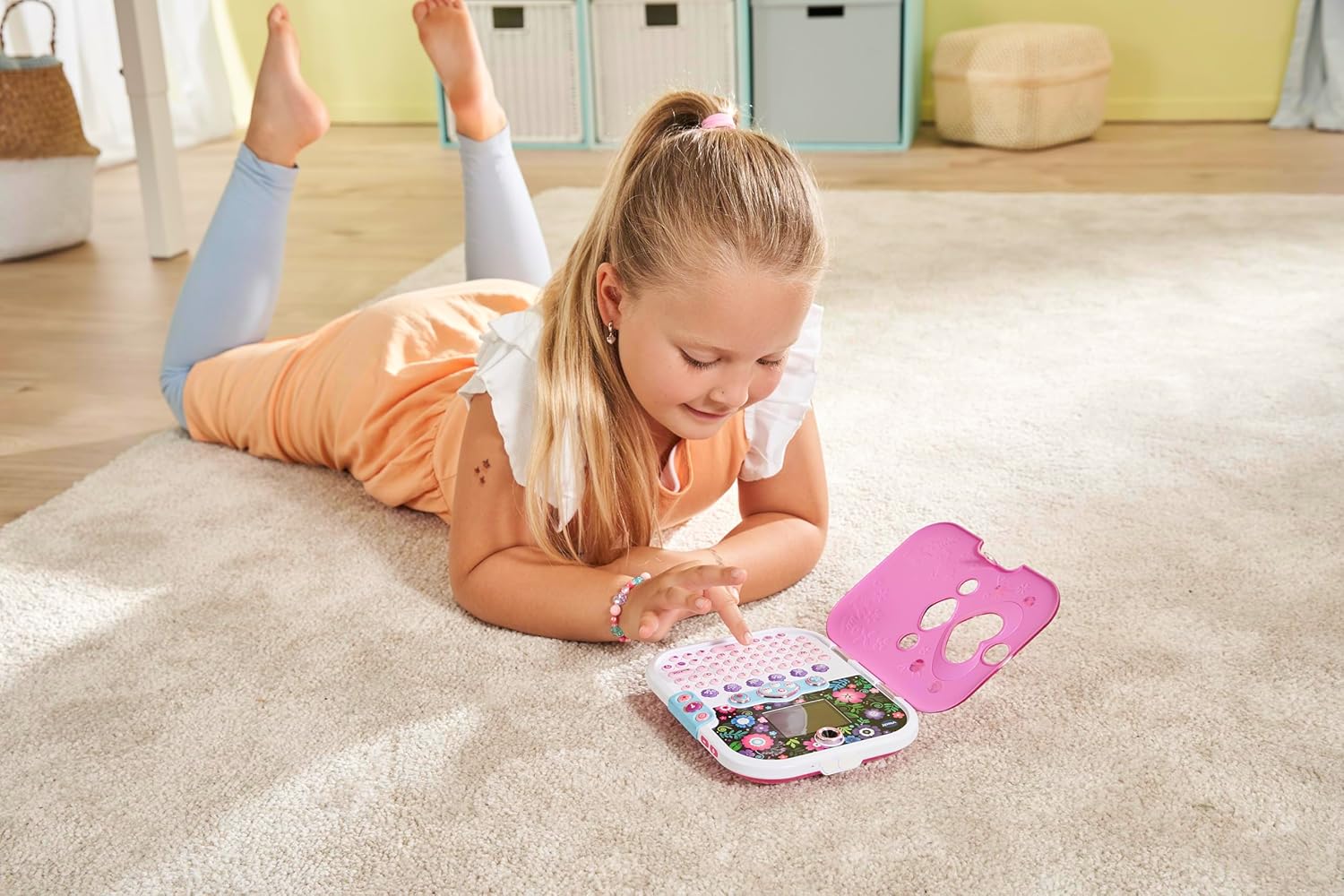
A child engaging with the diary's keyboard, illustrating the process of writing entries or playing games.
Giochi e attività
The diary includes various learning activities and games that cover spelling, typing, maths, and logic. Explore the 'Games' menu to discover and play these activities.
Virtual Pet Unicorn
Access the 'Virtual Pet' section to care for your very own unicorn. Feed it, play with it, and watch it grow.
Music Player and Light Show
The diary features a music player. The light effect cover synchronizes with the music, creating an engaging light show. You can add your own music or listen to built-in songs.
Funzionalità della fotocamera
Use the integrated cameras to take photos and videos. Navigate to the 'Camera' or 'Photos' section to capture moments and view i tuoi contenuti multimediali.

Un dettagliato view highlighting the 2.4-inch color screen and the two integrated cameras for photos and videos.
Alarm Clock and Secret Drawer
Set an alarm using the 'Alarm Clock' feature. The diary also includes a secret drawer for storing small treasures. Refer to the on-screen instructions for accessing and utilizing these features.

Un aperto view of the diary, revealing the full QWERTY keyboard and the interactive screen with colorful graphics.
Manutenzione
Pulizia
Wipe the diary with a slightly damp panno. Non utilizzare prodotti chimici aggressivi o detergenti abrasivi. Assicurarsi che il dispositivo sia asciutto prima dell'uso.
Magazzinaggio
Store the diary in a cool, dry place away from direct sunlight and extreme temperatures. If the device will not be used for an extended period, remove the batteries to prevent leakage.
Risoluzione dei problemi
- Il dispositivo non si accende: Controllare l'installazione delle batterie e assicurarsi che siano nuove.
- Il riconoscimento facciale non funziona: Ensure adequate lighting and that your face is positioned correctly in front of the camera. Try re-registering your face.
- Password dimenticata: A reset button is located in the battery compartment. Pressing this button will reset the password without erasing photos or data.
- Problemi dello schermo: If the screen is unresponsive or displaying incorrectly, try turning the device off and on again. If the problem persists, replace the batteries.
Specifiche
| Caratteristica | Dettaglio |
|---|---|
| Numero di modello | 541903 |
| Dimensioni del prodotto | 7.17"L x 5.79"W x 1.1"S |
| Dimensioni dello schermo | 2.4 pollici (schermo a colori) |
| Fonte di alimentazione | 4 x AA batteries (included for demo) |
| Caratteristiche speciali | Face Recognition, Voice Password, Number Lock, Dual Cameras, Virtual Pet, Games, Music Player, Alarm Clock, Secret Drawer |
| Età consigliata | 6-11 anni |
Garanzia e supporto
Per informazioni sulla garanzia o supporto tecnico, fare riferimento alla documentazione inclusa con l'acquisto o visitare il sito ufficiale VTech websito. Conserva la ricevuta d'acquisto come prova d'acquisto.
For further assistance, you may contact VTech customer service through their official channels.