
Introduzione
Thank you for choosing the Cellularline CORE True Wireless Bluetooth Earphones. These earphones are designed to provide a seamless audio experience with advanced features such as a charging case with an LED display, touch controls, and automatic pairing. This manual will guide you through the setup, operation, and maintenance of your new earphones.
Cosa c'è nella scatola
- Cellularline CORE True Wireless Bluetooth Earphones (Left and Right)
- Custodia di ricarica con display LED
- Cavo di ricarica USB-C
- Manuale d'uso
Prodotto finitoview
The Cellularline CORE earphones feature a compact design and a charging case with an integrated LED display to show the remaining battery percentage. They offer up to 16 hours of total play time with the charging case.

Image: Cellularline CORE True Wireless Bluetooth Earphones and Charging Case. The earphones are white and sit in an open white charging case.

Image: A close-up of the Cellularline CORE charging case with an LED display showing '100', indicating full battery. The earphones are inside the case.
The LED display on the charging case provides real-time battery status, ensuring you are always aware of the remaining charge.
Impostare
1. Ricarica degli auricolari e della custodia
- Inserire entrambi gli auricolari nella custodia di ricarica. Assicurarsi che siano correttamente inseriti nei rispettivi alloggiamenti.
- Connect the provided USB-C cable to the charging port on the case and plug the other end into a USB power adapter (not included) or a computer's USB port.
- Il display LED sulla custodia di ricarica mostrerà la percentuale attuale della batteriatage during charging. A full charge typically takes approximately 4 hours for the case and earphones.
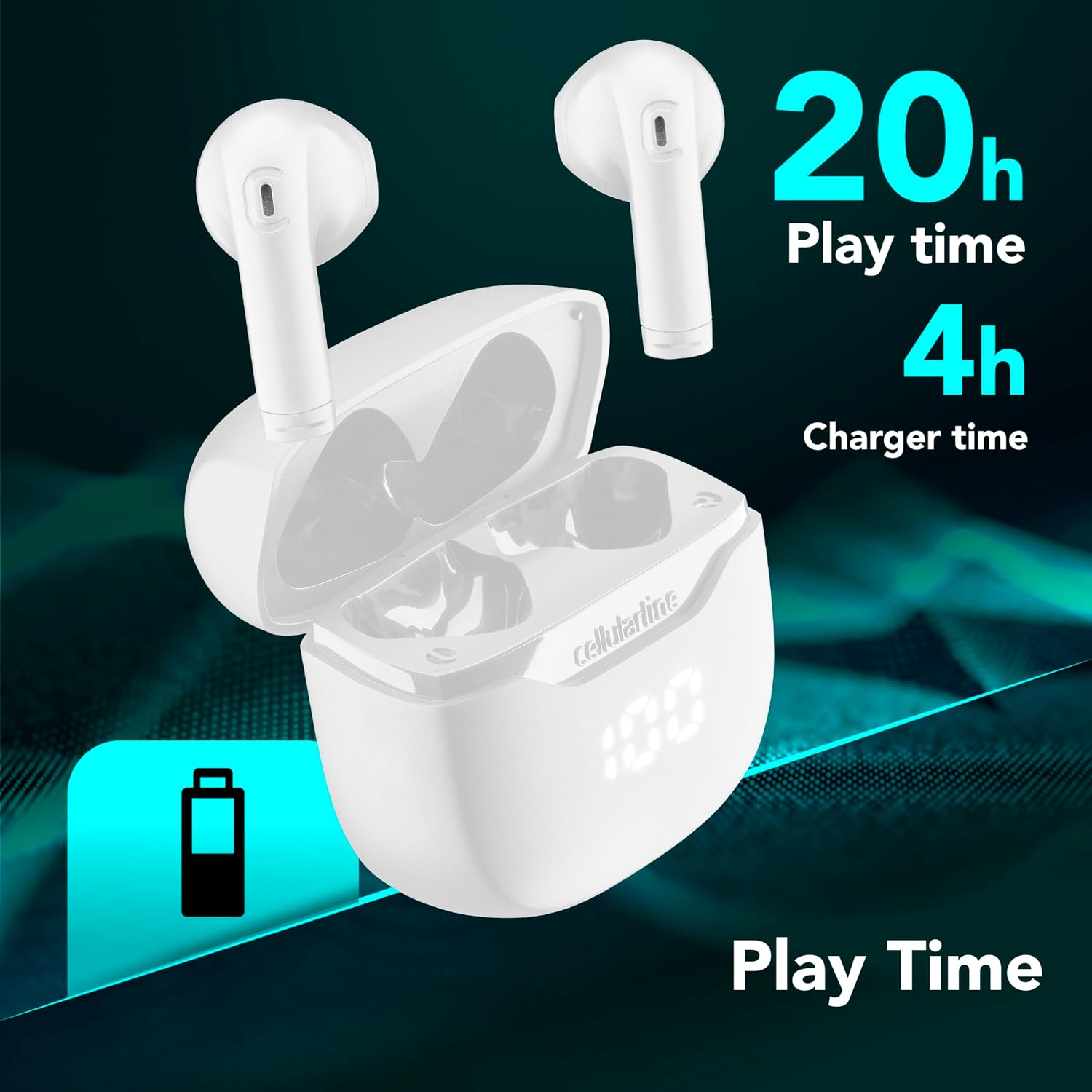
Image: The Cellularline CORE earphones and charging case, highlighting 20 hours of total play time and 4 hours of charging time for the case.
2. Initial Pairing (Autopairing)
- Assicurarsi che gli auricolari siano carichi.
- Aprire la custodia di ricarica. Gli auricolari si accenderanno automaticamente ed entreranno in modalità di associazione.
- Sul tuo smartphone o dispositivo abilitato Bluetooth, vai alle impostazioni Bluetooth.
- Cercare available devices and select "Cellularline CORE" from the list.
- Once connected, you will hear an audible confirmation, and the earphones are ready for use.

Image: Cellularline CORE earphones and charging case next to a smartphone displaying a music application, with a Bluetooth icon indicating successful pairing.
The Autopairing function ensures that once paired, the earphones will automatically connect to your last paired device when removed from the case.
Istruzioni per l'uso
Controlli touch
The Cellularline CORE earphones feature intuitive touch controls on each earbud for managing calls, music, and voice assistant functions.
| Funzione | Azione |
|---|---|
| Riproduci/Pausa musica | Tocca una volta su uno degli auricolari |
| Traccia successiva | Doppio tocco sull'auricolare destro |
| Traccia precedente | Doppio tocco sull'auricolare sinistro |
| Rispondi/Termina chiamata | Tocca una volta su uno degli auricolari |
| Rifiuta chiamata | Tieni premuto uno degli auricolari per 2 secondi |
| Attiva l'Assistente Vocale | Triplo tocco su uno degli auricolari |
| Alza il volume | Tieni premuto l'auricolare destro |
| Abbassa il volume | Tieni premuto l'auricolare sinistro |
Double Master Function
The Double Master function allows you to use either the left or right earbud independently for calls. Simply remove one earbud from the case, and it will automatically connect. You can answer calls by tapping the active earbud.
Manutenzione
Pulizia
- Pulisci regolarmente gli auricolari e la custodia di ricarica con un panno morbido, asciutto e privo di lanugine.
- Non utilizzare detergenti abrasivi, solventi o spray aerosol.
- Ensure charging contacts on both the earphones and the case are clean and free of debris to maintain proper charging.
Magazzinaggio
- Quando non li usi, riponi gli auricolari nella custodia di ricarica per proteggerli e mantenerli carichi.
- Conservare il dispositivo in un luogo fresco e asciutto, lontano da temperature estreme e dalla luce solare diretta.

Image: A hand placing the compact Cellularline CORE charging case into the pocket of a pair of jeans, demonstrating its portable size.
Risoluzione dei problemi
| Problema | Possibile soluzione |
|---|---|
| Gli auricolari non si accendono. | Ensure the earphones and charging case are fully charged. Place earphones in the case and close it, then open it again. |
| Gli auricolari non si associano al dispositivo. | Make sure Bluetooth is enabled on your device. Forget the device in your Bluetooth settings and try pairing again. Ensure earphones are in pairing mode (LED indicator blinking). |
| Funziona solo un auricolare. | Place both earphones back into the charging case, close the lid, wait a few seconds, then open it again. This should re-sync them. If the issue persists, try resetting the earphones (refer to manufacturer's websito per istruzioni specifiche sul reset se non presenti nel manuale). |
| Volume basso o scarsa qualità del suono. | Adjust the volume on both your device and the earphones. Ensure the earphones are clean and properly seated in your ears. Check for any obstructions in the earbud speakers. |
| Charging case LED display is not working. | Assicurati che il cavo di ricarica sia collegato saldamente e che la fonte di alimentazione sia attiva. Se il problema persiste, contatta l'assistenza clienti. |
Specifiche
- Nome modello: BTCORETWSW
- Marca: linea cellulare
- Colore: Bianco
- Posizionamento dell'orecchio: In-ear
- Fattore di forma: In-ear
- Tecnologia di connettività: Senza fili
- Tecnologia wireless: Bluetooth
- Versione Bluetooth: 5.0
- Impedenza: 16 Ohm
- Controllo del rumore: Isolamento acustico
- Risposta in frequenza: 20 Hz - 20,000 Hz
- Sensibilità: 100 dB
- Tipo di controllo: Tocco
- Tipo di conducente: Driver dinamico
- Materiale: Plastica
- Durata media della batteria: 16 ore (con custodia di ricarica)
- Livello di resistenza all'acqua: Waterproof (Note: Refer to product packaging for specific IP rating if available)
- Caratteristiche: True Wireless Technology, Automatic Pairing, Touch Controls, LED Display
- Dispositivi compatibili: Dispositivi abilitati Bluetooth
- Paese di origine: Cina
Informazioni sulla garanzia
The Cellularline CORE True Wireless Bluetooth Earphones come with a Garanzia del produttore di 2 anni dalla data di acquisto. La presente garanzia copre i difetti di materiali e di fabbricazione in condizioni di normale utilizzo. Non copre i danni causati da uso improprio, incidenti, modifiche non autorizzate o normale usura.
Please retain your proof of purchase for warranty claims. For detailed warranty terms and conditions, please visit the official Cellularline websito o contattare l'assistenza clienti.
Supporto
For further assistance, technical support, or warranty inquiries, please contact Cellularline customer service through their official websito:
Websito: www.cellularline.com
You may also find FAQs and additional support resources on their websito.


