Introduzione
The cellularline KEY PRO In-Ear Earphones are designed to provide clear audio and versatile connectivity. Featuring Environment Noise Cancelling (ENC) with 4 integrated microphones, these earphones ensure crisp call quality by reducing background noise. With Multipoint Technology, you can connect to two devices simultaneously, and the advanced LED display provides real-time battery status for both the charging case and individual earbuds. Enjoy up to 30 hours of total playtime and intuitive touch controls for managing calls, music, and volume.
1. Impostazione
1.1. Cosa c'è nella scatola
- cellularline KEY PRO In-Ear Earphones
- Custodia di ricarica wireless
- Manuale d'uso
1.2. Ricarica iniziale
Before first use, fully charge the earphones and the charging case. Place the earphones into the charging case. Connect the charging case to a power source using a compatible USB cable. The LED display on the case will indicate the charging status.
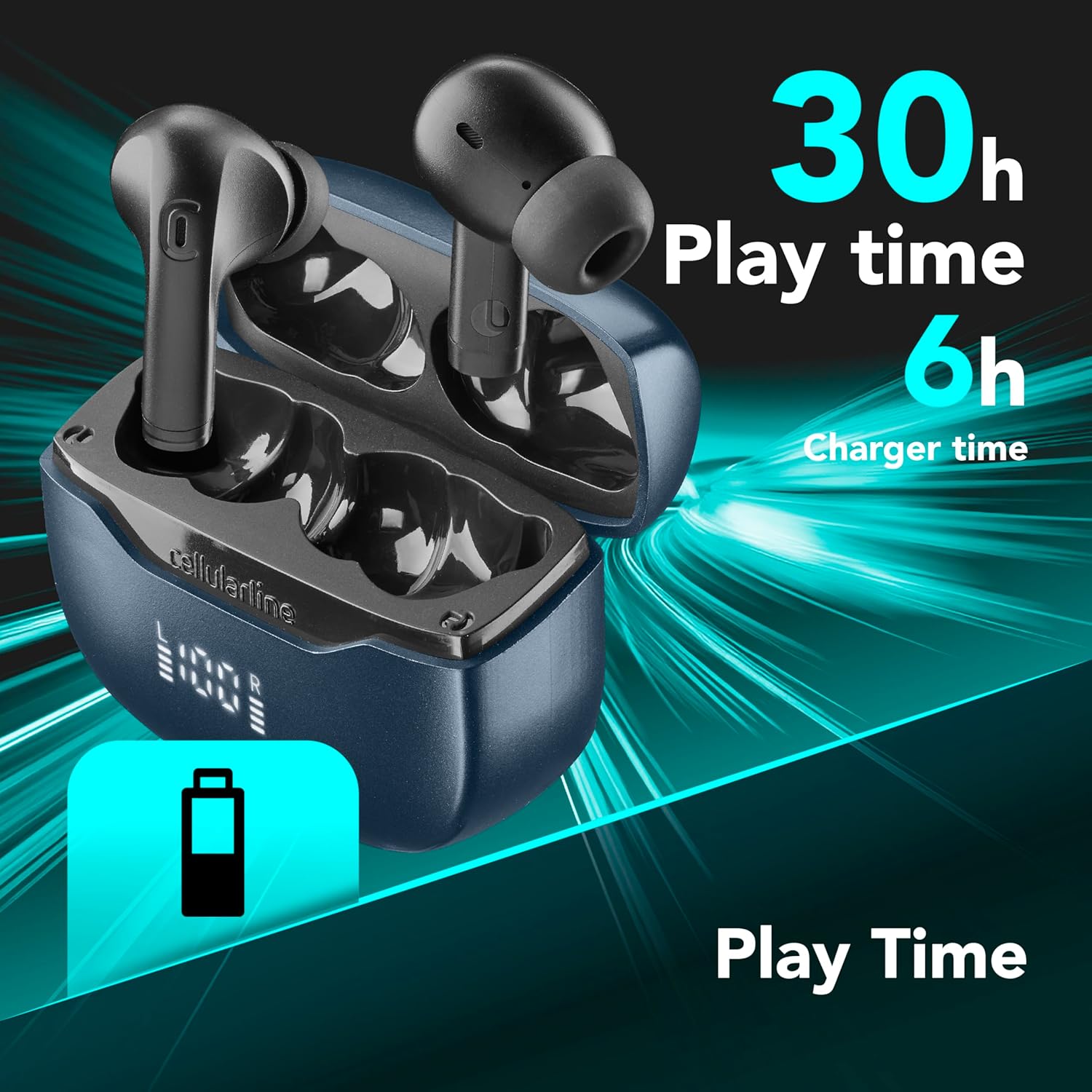
Immagine: The earphones and charging case. The image highlights a total playtime of 30 hours and a charger time of 6 hours, indicating battery life and charging duration.
A full charge provides approximately 30 hours of total playtime, with the charging case contributing to this extended battery life.
1.3. Associazione con un dispositivo
Autopairing: Once removed from the charging case, the earphones will automatically connect to each other and enter pairing mode. Look for "cellularline KEY PRO" in your device's Bluetooth settings.
Tecnologia multipunto: These earphones support simultaneous connection to two devices. To connect a second device, ensure the earphones are already connected to the first device. Then, put the earphones back into pairing mode (refer to your device's Bluetooth settings or the earphones' touch control guide for specific instructions, if available). Connect the second device. The earphones will intelligently switch between the two connected devices as needed.

Immagine: The cellularline KEY PRO earphones are shown alongside a smartphone and a laptop, demonstrating their ability to connect to multiple devices simultaneously via Multipoint Technology.
2. Istruzioni per l'uso
2.1. Toccare Controlli
The KEY PRO earphones feature intuitive touch controls for managing various functions. Specific gestures (single tap, double tap, long press) on either earphone will control playback, calls, and voice assistance.

Immagine: A visual representation of the touch control functions on the earphone, including icons for managing calls, playing/pausing music, adjusting volume, skipping tracks, and activating voice assistance.
- Gestione delle chiamate: Rispondi, termina o rifiuta le chiamate.
- Riproduzione musicale: Riproduci, metti in pausa, salta le tracce.
- Controllo del volume: Regola il volume dell'audio.
- Assistenza vocale: Attiva l'assistente vocale del tuo dispositivo.
Refer to the detailed control scheme in the included quick start guide for precise gesture commands.
2.2. Environment Noise Cancelling (ENC)
The KEY PRO earphones are equipped with ENC technology and 4 microphones (2 per earphone) to reduce ambient noise during calls. This ensures your voice is transmitted clearly to the recipient, even in noisy environments.

Immagine: Two earphones are depicted with sound wave patterns, symbolizing the active noise cancellation feature during calls, enabled by the four integrated microphones.
2.3. Display a LED
The charging case features an advanced LED display that shows the battery status of both the case and each individual earphone (Left 'L' and Right 'R') in real-time percentage. This allows for easy monitoring of remaining charge.

Immagine: Un dettagliato view of the charging case's LED display, showing the battery levels for the left (L) and right (R) earphones, providing an instant battery-life check.
3. Manutenzione
3.1. Pulizia
Regularly clean your earphones and charging case to ensure optimal performance and hygiene. Use a soft, dry, lint-free cloth to wipe the surfaces. For ear tips, gently remove them and clean with a mild soap solution if necessary, then rinse and dry thoroughly before reattaching. Avoid using harsh chemicals or abrasive materials.
3.2. Conservazione
When not in use, store the earphones in their charging case to protect them from dust, dirt, and physical damage. Store the case in a cool, dry place, away from direct sunlight and extreme temperatures.
3.3. Resistenza all'acqua
The cellularline KEY PRO earphones are designed to be waterproof. While they can withstand splashes and sweat, avoid submerging them in water for extended periods or exposing them to high-pressure water jets. Ensure the earphones are dry before placing them back in the charging case to prevent damage.
4. Risoluzione Dei Problemi
4.1. Gli auricolari non si accoppiano
- Assicurarsi che entrambi gli auricolari siano carichi.
- Place earphones back in the case, close the lid, then open it again to re-initiate autopairing.
- Disattiva e riattiva il Bluetooth del tuo dispositivo.
- Forget the earphones from your device's Bluetooth list and attempt to pair again.
4.2. Nessun suono o volume basso
- Controlla i livelli del volume sia sul dispositivo connesso sia sugli auricolari.
- Assicurati che gli auricolari siano posizionati correttamente nelle orecchie.
- Pulisci eventuali detriti dagli altoparlanti e dai gommini degli auricolari.
- Ricollega gli auricolari al dispositivo.
4.3. Problemi di ricarica
- Verificare che il cavo di ricarica e l'adattatore di alimentazione funzionino correttamente.
- Ensure the charging contacts on both the earphones and the case are clean and free of obstruction.
- Make sure the earphones are correctly seated in the charging case.
4.4. Problemi di qualità delle chiamate
- Assicurarsi che i microfoni non siano ostruiti.
- Se l'ENC presenta un rumore di fondo eccessivo, spostatelo in un ambiente più silenzioso.
- Controlla la connessione di rete del tuo dispositivo.
5. Specifiche
| Marca | linea cellulare |
| Nome del modello | BTKEYPROTWSK |
| Colore | Nero (nero) |
| Posizionamento dell'orecchio | In-ear |
| Fattore di forma | Vero wireless |
| Controllo del rumore | Cancellazione del rumore ambientale (ENC) |
| Tecnologia di connettività | Wireless (Bluetooth) |
| Versione Bluetooth | 5.3 |
| Metodo di controllo | Tocco |
| Durata media della batteria | 30 ore (tempo di gioco totale) |
| Gamma di frequenza | 20 Hz - 20,000 Hz |
| Tipo di driver audio | Driver con armatura bilanciata |
| Livello di resistenza all'acqua | Impermeabile |
| Dispositivi compatibili | Telefoni cellulari, computer portatili, tablet |
| Componenti inclusi | Earphones, Wireless Charging Case, User Manual |
| Produttore | Cellular Line S.p.A |
| Paese di origine | Cina |
6. Informazioni sulla garanzia
The cellularline KEY PRO In-Ear Earphones come with a Garanzia del produttore di 2 anni. This warranty covers defects in materials and workmanship under normal use. Please retain your proof of purchase for warranty claims. For detailed terms and conditions, refer to the warranty card included in the packaging or visit the official cellularline websito.
7. Assistenza clienti
If you encounter any issues or have questions regarding your cellularline KEY PRO earphones that are not addressed in this manual, please contact cellularline customer support. You can typically find contact information on the official cellularline websito o tramite il rivenditore presso cui hai acquistato il prodotto.
Per ulteriore assistenza, visitare: www.cellularline.com