
1. Introduzione
The THINKCAR ThinkScan SR2 is a professional diagnostic tool designed for automotive enthusiasts and mechanics. It provides comprehensive system diagnostics for Anti-lock Braking System (ABS) and Supplemental Restraint System (SRS), full OBD2/EOBD functions, and essential reset services such as Oil Reset and Electronic Parking Brake (EPB) Reset. This manual provides detailed instructions for setting up, operating, and maintaining your ThinkScan SR2 device.
2. Prodotto finitoview
The ThinkScan SR2 features a robust design and an intuitive interface for efficient vehicle diagnostics. Key features include:
- 5-inch color display for clear data visualization.
- Wired connection via standard 16-pin OBD2 port.
- Supports 10 full OBD2 functions for comprehensive engine diagnostics.
- Lifetime free software updates to ensure compatibility and access to the latest features.
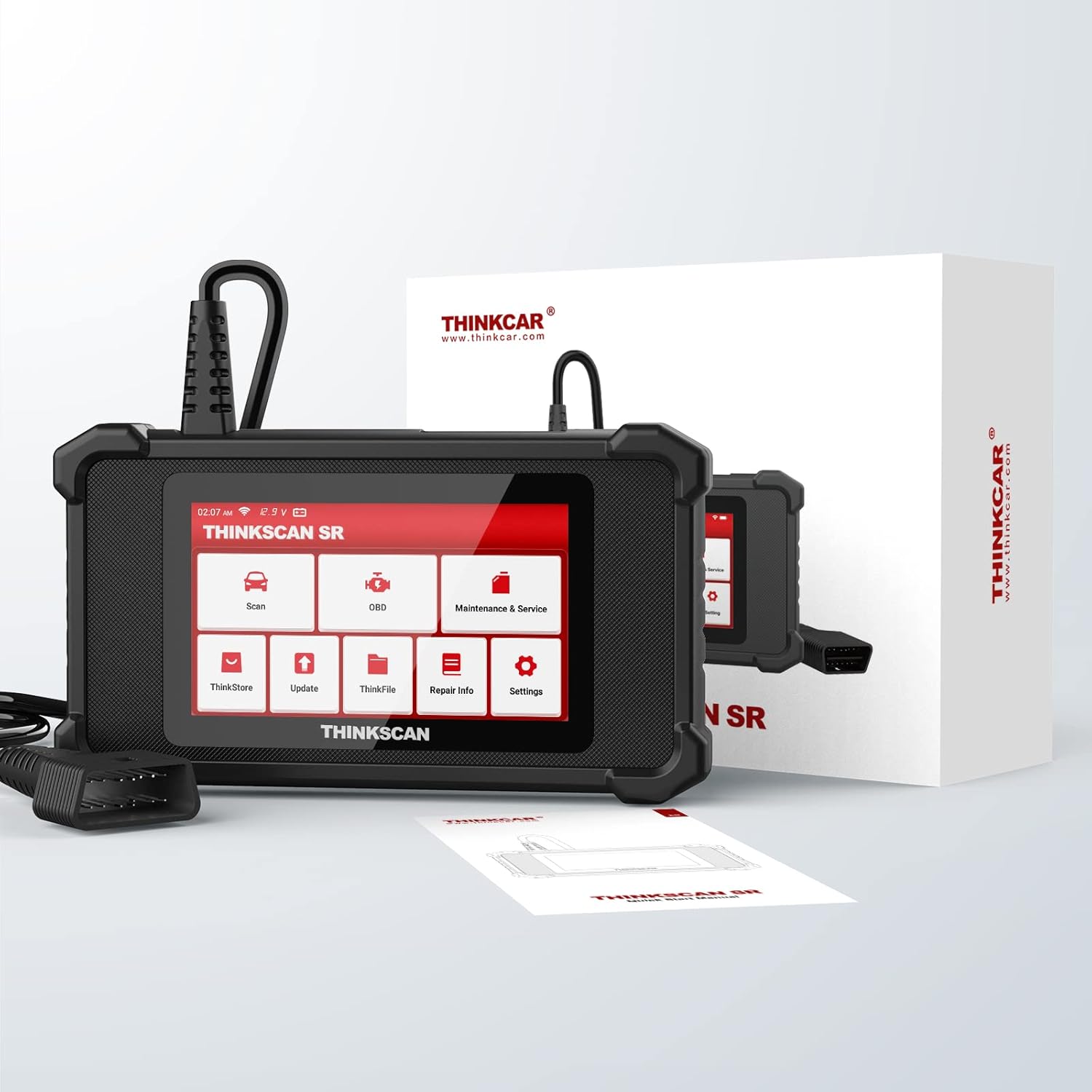
Image: The THINKCAR ThinkScan SR2 diagnostic tool shown with its packaging, highlighting its compact design.
3. Impostazione
3.1. Preparazione iniziale del dispositivo
- Disimballaggio: Carefully remove the ThinkScan SR2 device and its accessories from the packaging.
- Initial Update: Before first use, it is recommended to connect the device to a computer with internet access and update the software to the latest version. This ensures optimal performance and access to the newest features and vehicle data.
3.2. Collegamento al veicolo
- Individua la porta diagnostica OBD2 a 16 pin del tuo veicolo. Questa porta si trova in genere sotto il cruscotto, lato conducente.
- Plug the ThinkScan SR2's diagnostic cable securely into the vehicle's OBD2 port.
- Once connected, the device will power on automatically. Ensure the vehicle's ignition is in the 'ON' position (engine can be off).

Image: The ThinkScan SR2 device connected to a vehicle's OBD2 port, illustrating the 'Plug and Play' connection process.
4. Istruzioni per l'uso
4.1. Navigazione Generale
- Accensione: The device powers on automatically when connected to the vehicle's OBD2 port.
- Menu principale: The main menu displays various functions such as Scan, OBD, Maintenance & Service, ThinkStore, Update, ThinkFile, Repair Info, and Settings. Use the touch screen or navigation buttons to select desired options.
4.2. Funzioni diagnostiche
The ThinkScan SR2 offers a range of diagnostic capabilities:
- ABS & SRS Diagnostics: Select the 'Scan' option from the main menu and choose the ABS or SRS system for diagnosis. The device will read fault codes, display their definitions, and provide insights into potential causes and corrections.
- Full OBD2/EOBD Diagnostics: Select 'OBD' from the main menu to access comprehensive engine diagnostics. This includes functions like reading and clearing Diagnostic Trouble Codes (DTCs), viewing live data streams, freeze frame data, I/M readiness status, O2 sensor tests, EVAP system tests, on-board monitor tests, and vehicle information retrieval.

Image: The ThinkScan SR2 screen showing options for SRS and ABS system diagnostics, with illustrative diagrams of ABS function and airbag deployment.

Image: The ThinkScan SR2 screen illustrating various full OBD2/EOBD diagnostic functions, including Read Codes, Clear Codes, Freeze Frame, I/M Readiness, O2 Sensor Test, Vehicle Info, EVAP System Test, On Board Monitor, View Data Stream, and DTC Lookup.
4.3. Ripristinare i servizi
The device provides essential maintenance reset functions:
- Ripristino dell'olio: Select 'Maintenance & Service' and choose 'Oil Reset' to reset the oil service light after an oil change.
- Ripristino EPB: Select 'Maintenance & Service' and choose 'EPB Reset' to safely reset the electronic parking brake system during brake pad replacement.

Image: The ThinkScan SR2 screen showing the Oil Reset and Brake Reset functions, with visual representations of an oil change and brake caliper.
4.4. Data Management and Updates
- Gestione dei dati: Use the 'ThinkFile' option to manage saved diagnostic reports. Reports can be reviewed, shared, or downloaded for further analysis.
- Aggiornamenti software: Regularly check for and install software updates via the 'Update' function to ensure the device maintains optimal performance and vehicle compatibility.
5. Compatibilità del veicolo
The ThinkScan SR2 is designed for broad vehicle compatibility, supporting over 126 car brands across various markets. It is compatible with all standard OBDII protocols, including KWP2000, ISO9141, J1850 VPW, J1850 PWM, and CAN (Controller Area Network). A 16-pin OBDII interface is required for connection.

Image: A visual representation of the extensive vehicle coverage, listing numerous car brands from America, Europe, and Asia, along with supported languages.
6. Manutenzione
- Aggiornamenti software: Regularly update the device software to ensure access to the latest vehicle coverage, diagnostic functions, and bug fixes. Connect the device to a computer with internet access for updates.
- Pulizia: Clean the device with a soft, dry cloth. Avoid using abrasive cleaners, solvents, or excessive moisture, which can damage the screen or internal components.
- Magazzinaggio: When not in use, store the ThinkScan SR2 in a dry, cool environment, away from direct sunlight and extreme temperatures.
7. Risoluzione Dei Problemi
If you encounter issues with your ThinkScan SR2, refer to the following common problems and solutions:
- Il dispositivo non si accende: Ensure the device is securely connected to the vehicle's 16-pin OBD2 port. Verify that the vehicle's ignition is in the 'ON' position. Check the vehicle's battery status.
- Problemi di connessione: Confirm that the OBD2 cable is not damaged. Ensure the vehicle's ignition is on. Try connecting to a different compatible vehicle to rule out vehicle-specific issues.
- Problemi di aggiornamento: Check your internet connection. Ensure there is sufficient storage space on the device for the update files. Restart the update process if it fails.
- Diagnostic Trouble Codes (DTCs) Not Clearing: Some codes may require multiple drive cycles or specific repair actions to be completed before they can be cleared from the vehicle's system. Ensure the underlying issue has been resolved.
For persistent issues not covered here, please refer to the Warranty and Support section for assistance.
8. Specifiche
| Numero modello articolo | SR2 |
| Marca | pensaauto |
| Dimensioni dello schermo | 5 pollici |
| Sistema operativo | Windows 7 (for companion software/internal system) |
| Dimensioni del pacco | Dimensioni: 21.7 x 18 x 7.9 cm |
| Peso | 668 grammi |
| Codice UPC | 768297576881 |
| Codice GTIN | 768297576881 |
9. Garanzia e supporto
The THINKCAR ThinkScan SR2 is backed by a commitment to customer satisfaction and product longevity.
- Aggiornamenti gratuiti a vita: Enjoy continuous improvements and expanded vehicle coverage with lifetime free software updates.
- Servizio post-vendita: Professional after-sales service is available to assist with any quality issues, operational questions, or technical support needs.
For support, please contact THINKCAR customer service. When contacting support, it is helpful to provide your vehicle's model and manufacturing year, if applicable, to facilitate a quicker resolution.