
Introduzione
The Daewoo DIBT2626 is a compact and versatile wireless portable Bluetooth speaker designed for audio playback and hands-free communication. It features Bluetooth 5.0 connectivity, FM radio, an SD card slot for MP3 playback, a USB port, and an AUX input. The speaker is equipped with a 1200 mAh lithium-ion battery, providing up to 4 hours of playback on a 2-hour charge. Its robust design includes a metal speaker grille and protective rubber edges.
Informazioni sulla sicurezza
Per garantire un funzionamento sicuro e prolungare la durata del dispositivo, attenersi alle seguenti istruzioni:
- Non esporre l'altoparlante a temperature estreme, alla luce solare diretta o a elevata umidità.
- Evitare di far cadere o di sottoporre l'altoparlante a forti urti.
- Non tentare di smontare o modificare l'altoparlante. Ciò invaliderà la garanzia e potrebbe causare danni.
- Tenere l'altoparlante lontano dall'acqua e da altri liquidi.
- Utilizzare solo il cavo di ricarica USB fornito o un equivalente certificato.
- Pulire l'altoparlante con un panno morbido e asciutto. Non utilizzare detergenti abrasivi o solventi.
Contenuto della confezione
- Daewoo DIBT2626 Wireless Portable Bluetooth Speaker
- Cavo di ricarica USB
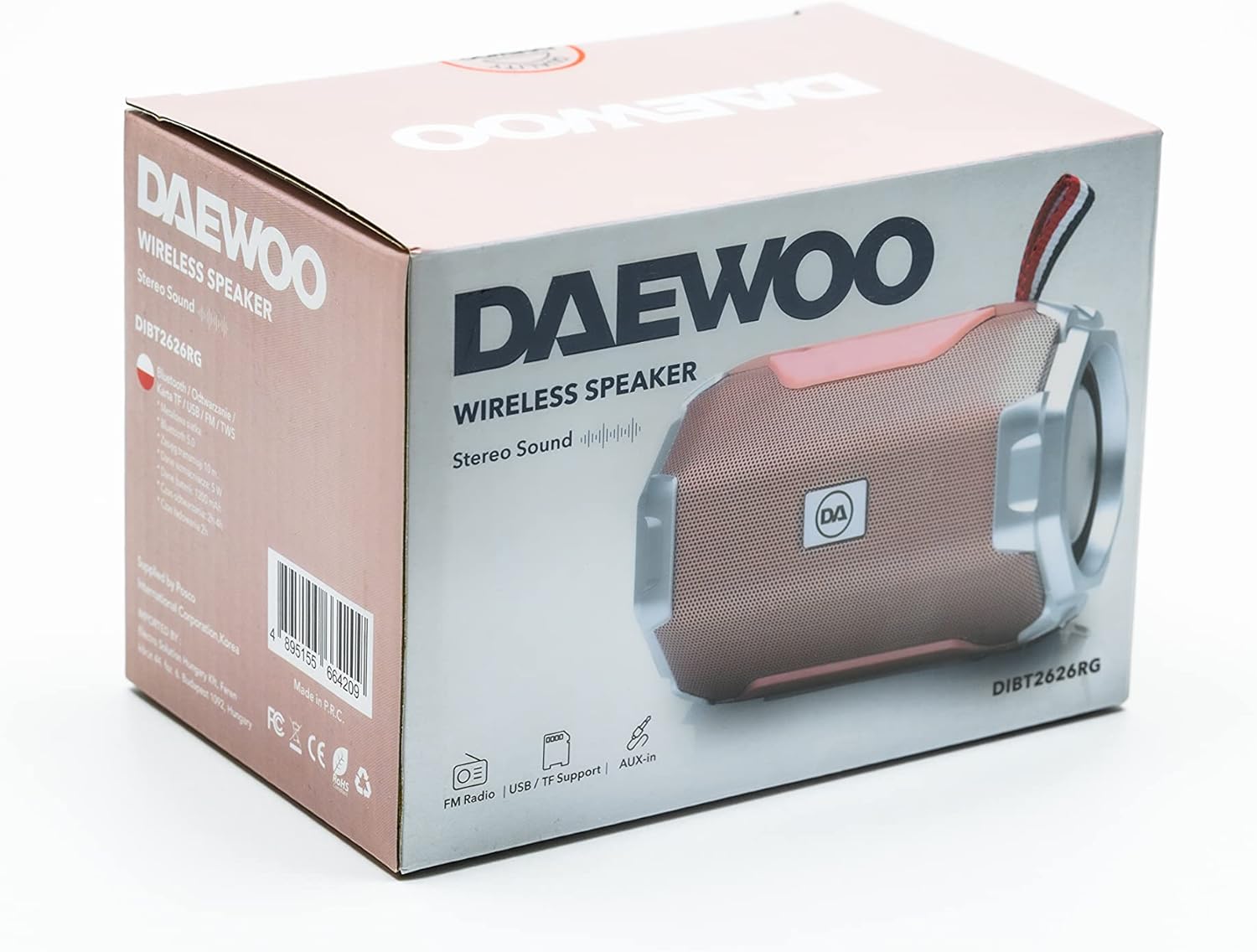
Image: The retail packaging box for the Daewoo DIBT2626 speaker, showing the product image and branding.
Prodotto finitoview
Familiarizzare con i comandi e le porte dell'altoparlante.
Pannello di controllo
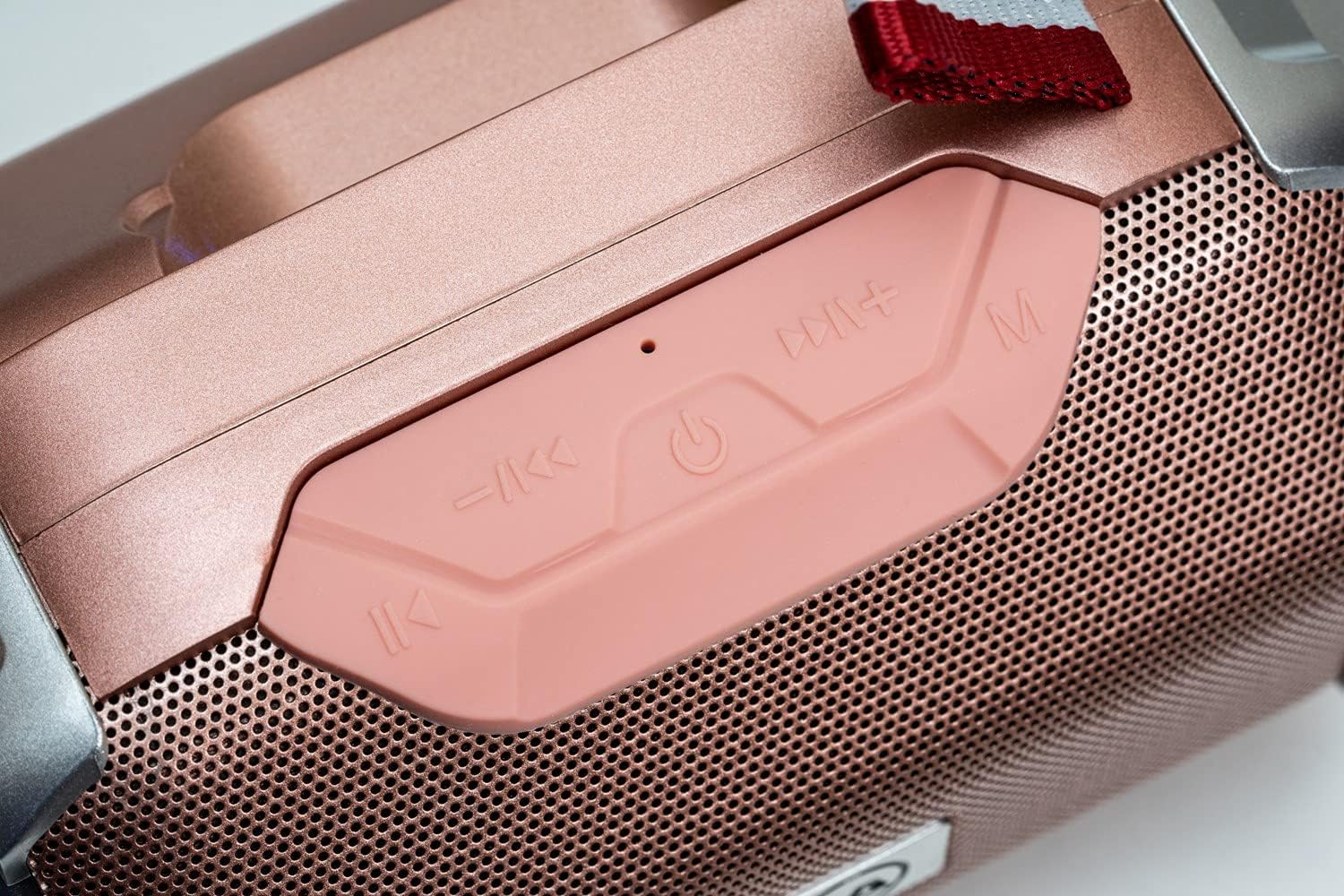
Immagine: un primo piano view of the speaker's control panel, featuring four buttons and an LED indicator.
- Traccia precedente / Volume giù: Short press for previous track, long press to decrease volume.
- Accensione/Riproduzione/Pausa: Long press to power on/off. Short press to play/pause music. In call mode, short press to answer/end call.
- Traccia successiva / Volume su: Short press for next track, long press to increase volume.
- Modalità (M): Short press to switch between Bluetooth, FM Radio, SD Card, USB, and AUX modes.
- Indicatore LED: Indicates power status, charging, and Bluetooth pairing.
Porte di connettività

Immagine: Un dettaglio view of the speaker's rear panel, showing the AUX, USB, TF (SD card), and DC 5V charging ports.
- Porta AUX: For connecting external audio devices via a 3.5mm audio cable.
- Porta USB: For playing music from a USB flash drive.
- TF Card Slot (SD Card): Per riprodurre MP3 files da una scheda microSD.
- Porta DC 5V: Micro USB port for charging the speaker.

Image: The Daewoo DIBT2626 speaker in rose gold, showcasing its front grille, control panel, and fabric hook.
Impostare
1. Ricarica dell'altoparlante
- Collegare il cavo di ricarica USB in dotazione alla porta CC 5V sull'altoparlante.
- Collegare l'altra estremità del cavo USB a un adattatore di alimentazione USB (non incluso) o alla porta USB di un computer.
- The LED indicator will illuminate during charging. A full charge takes approximately 2 hours.
- Una volta completata la carica, l'indicatore LED potrebbe cambiare colore o spegnersi, a seconda del modello. Scollegare il cavo di ricarica.
A fully charged speaker provides up to 4 hours of playback time.
2. Accensione/Spegnimento
- Per accendere: Premere a lungo il tasto Accensione/Riproduzione/Pausa button until you hear an audible prompt or the LED indicator lights up.
- Per spegnere: Premere a lungo il tasto Accensione/Riproduzione/Pausa button again until you hear an audible prompt or the LED indicator turns off.
Modalità operative
1. Modalità Bluetooth
- Assicurati che l'altoparlante sia acceso. Entrerà automaticamente in modalità di associazione Bluetooth, indicata da un LED lampeggiante.
- Sul tuo dispositivo mobile (smartphone, tablet, laptop), attiva il Bluetooth e cerca i dispositivi disponibili.
- Select "DIBT2626" from the list of devices.
- Una volta effettuato l'accoppiamento, l'indicatore LED smetterà di lampeggiare e verrà emesso un suono di conferma.
- Ora puoi riprodurre l'audio dal tuo dispositivo tramite l'altoparlante. Utilizza i pulsanti di controllo dell'altoparlante o del dispositivo per regolare il volume, riprodurre/mettere in pausa e saltare le tracce.
2. Modalità radio FM
- Accendi l'altoparlante.
- Premere il tasto Modalità (M) ripetutamente il pulsante fino a quando non si accede alla modalità Radio FM.
- To auto-scan and save available stations, short press the Accensione/Riproduzione/Pausa pulsante. L'altoparlante eseguirà la scansione e memorizzerà automaticamente le stazioni.
- Utilizzare il Traccia precedente / Volume giù E Traccia successiva / Volume su pulsanti per navigare tra le stazioni salvate.
3. SD Card / USB Mode
- Insert a microSD card (TF card) with MP3 files into the TF Card slot or a USB flash drive into the USB port.
- Power on the speaker. It should automatically detect the storage device and switch to SD Card or USB mode, beginning playback. If not, press the Modalità (M) pulsante per selezionare la modalità corretta.
- Use the speaker's control buttons to play/pause, skip tracks, and adjust volume.
4. Modalità AUX
- Collegare un'estremità di un cavo audio da 3.5 mm (non incluso) alla porta AUX dell'altoparlante.
- Connect the other end of the audio cable to the audio output jack of your external device.
- Power on the speaker. It should automatically switch to AUX mode. If not, press the Modalità (M) pulsante per selezionare la modalità AUX.
- Controlla la riproduzione e il volume dal tuo dispositivo esterno.
5. Chiamate in vivavoce
- Se connesso tramite Bluetooth allo smartphone, l'altoparlante può essere utilizzato per chiamate in vivavoce.
- When an incoming call is received, short press the Accensione/Riproduzione/Pausa pulsante per rispondere alla chiamata.
- To end a call, short press the Accensione/Riproduzione/Pausa di nuovo il pulsante.
Manutenzione
- Mantenere pulito l'altoparlante pulendolo con un panno morbido e asciutto.
- Evitare l'uso di prodotti chimici aggressivi, solventi per la pulizia o detergenti aggressivi.
- Quando non si utilizza l'altoparlante per lunghi periodi, conservarlo in un luogo fresco e asciutto.
- Charge the battery periodically if the speaker is stored for a long time to maintain battery health.
Risoluzione dei problemi
| Problema | Possibile causa | Soluzione |
|---|---|---|
| L'altoparlante non si accende. | La batteria è scarica. | Caricare l'altoparlante per almeno 2 ore. |
| Nessun suono. | Il volume è troppo basso o disattivato. È stata selezionata la modalità errata. | Increase volume on both the speaker and the connected device. Press the Modalità (M) button to ensure the correct input mode is selected. |
| Impossibile effettuare l'associazione tramite Bluetooth. | Speaker is not in pairing mode. Bluetooth is off on device. Device is too far. | Ensure speaker is powered on and LED is flashing. Enable Bluetooth on your device. Move device closer to the speaker (within 10 meters). |
| La ricezione della radio FM è scarsa. | Segnale debole. | Spostare l'altoparlante in un luogo con una ricezione migliore. |
Specifiche
| Numero di modello | DIBT2626 |
| Marca | Elettronica Daewoo |
| Dimensioni | Dimensioni: 14 x 9 x 9 cm |
| Peso | 350 grammi |
| Potenza di uscita dell'altoparlante | 5 L |
| Tipo di batteria | 1200 mAh agli ioni di litio |
| Tempo di ricarica | Circa 2 ore |
| Tempo di riproduzione | Fino a 4 ore |
| Versione Bluetooth | 5.0 |
| Opzioni di connettività | Bluetooth, USB, TF (SD Card), AUX (3.5mm) |
| Dispositivi compatibili | Smartphone, tablet, laptop |
| Caratteristiche speciali | FM Radio, Hands-free Calling |
Garanzia e supporto
For warranty information and technical support, please refer to the documentation provided with your purchase or visit the official Daewoo Electronics websito. Conservare la prova d'acquisto per eventuali reclami in garanzia.