
1. Introduzione
Thank you for choosing the Minoston Outdoor Smart Plug (MP22W). This device allows you to control your outdoor electrical appliances remotely via Wi-Fi, voice commands, or scheduled timers. Designed with IP65 weatherproof housing, it is suitable for various outdoor and indoor applications, providing convenience and energy efficiency for your smart home setup.
2. Prodotto finitoview
Caratteristiche principali:
- Controllo remoto e vocale: Control the smart plug from anywhere using the Smart Life App (iOS/Android) or voice commands with Amazon Alexa and Google Assistant. Requires a 2.4Ghz Wi-Fi network.
- Uso esterno e interno: IP65 weatherproof housing makes it ideal for gardens, patios, kitchens, bathrooms, porches, balconies, garages, basements, and for controlling outdoor lighting, sprinklers, and other electric appliances.
- Funzioni di programmazione e timer: Program the plug to turn on/off automatically. Supports dusk and sunset timers for energy saving.
- Fast & Easy Setup: No special bridges, gateways, or hubs required. Connects directly to your Wi-Fi network.
- Child Lock and Device Sharing: Activate a child lock to prevent accidental operation. Share control of the smart plug with family and friends.
- Association Controls and Scene Settings: Integrate with other smart devices for one-click control and create custom scenes.
Cosa c'è nella scatola:
- Minoston Outdoor Smart Plug (MP22W)
- Manuale d'uso
- Viti e ancoraggi di montaggio

Image: Minoston Outdoor Smart Plug (MP22W) and its packaging.
3. Informazioni sulla sicurezza
Si prega di leggere e seguire attentamente tutte le istruzioni di sicurezza per evitare lesioni o danni.
- Non immergere il dispositivo in acqua né esporlo a temperature estreme.
- Ensure the plug is securely connected to a grounded outdoor outlet.
- Non superare la capacità di carico massima di 15 Amps/1800 Watt.
- Tenere i bambini lontani dall'apparecchio durante il funzionamento.
- Scollegare l'alimentazione prima di effettuare la pulizia o la manutenzione.
- Utilizzare il dispositivo solo per lo scopo per cui è stato progettato.
4. Impostazione
Follow these steps to set up your Minoston Outdoor Smart Plug:
- Scarica l'app Smart Life: Cercare "Smart Life" in the App Store (iOS) or Google Play Store (Android) and download the app.
- Registrati/Accedi: Open the Smart Life App and register for a new account or log in if you already have one.
- Collega la presa intelligente: Connect the Minoston Outdoor Smart Plug to an outdoor electrical outlet. Ensure the outlet is protected from direct heavy rain or snow, even with the IP65 rating.

Image: The Minoston Smart Plug being connected to an outdoor power source.
- Aggiungi dispositivo nell'app: In the Smart Life App, tap the "+" icon in the top right corner to add a device. Select "Electrical Outlet" or "Socket (Wi-Fi)" from the device list.
- Connettiti al Wi-Fi: Follow the in-app instructions to connect the smart plug to your 2.4Ghz Wi-Fi network. Ensure your phone is also connected to the same 2.4Ghz network during setup.
- Rinomina dispositivo: Once connected, you can rename the smart plug (e.g., "Garden Lights," "Patio Fan") for easier identification and voice control.

Image: Visual guide for connecting the smart plug via the Smart Life App.
5. Istruzioni per l'uso
Controllo manuale:
Press the physical button on the smart plug once to manually turn the connected appliance ON or OFF.
Controllo app:
Open the Smart Life App, select your smart plug, and tap the ON/OFF button to control the power remotely.
Programmazione e timer:
Within the Smart Life App, navigate to the device settings to set up schedules or countdown timers. You can program the plug to turn on or off at specific times, including dusk and sunset, to automate your devices and save energy.

Immagine: Example of setting schedules and timers for the smart plug.
Controllo vocale:
Integrate your Minoston Smart Plug with Amazon Alexa or Google Assistant through the Smart Life App. Once linked, use voice commands such as:
- "Alexa, turn on Garden Lights."
- "Hey Google, turn off Patio Fan."
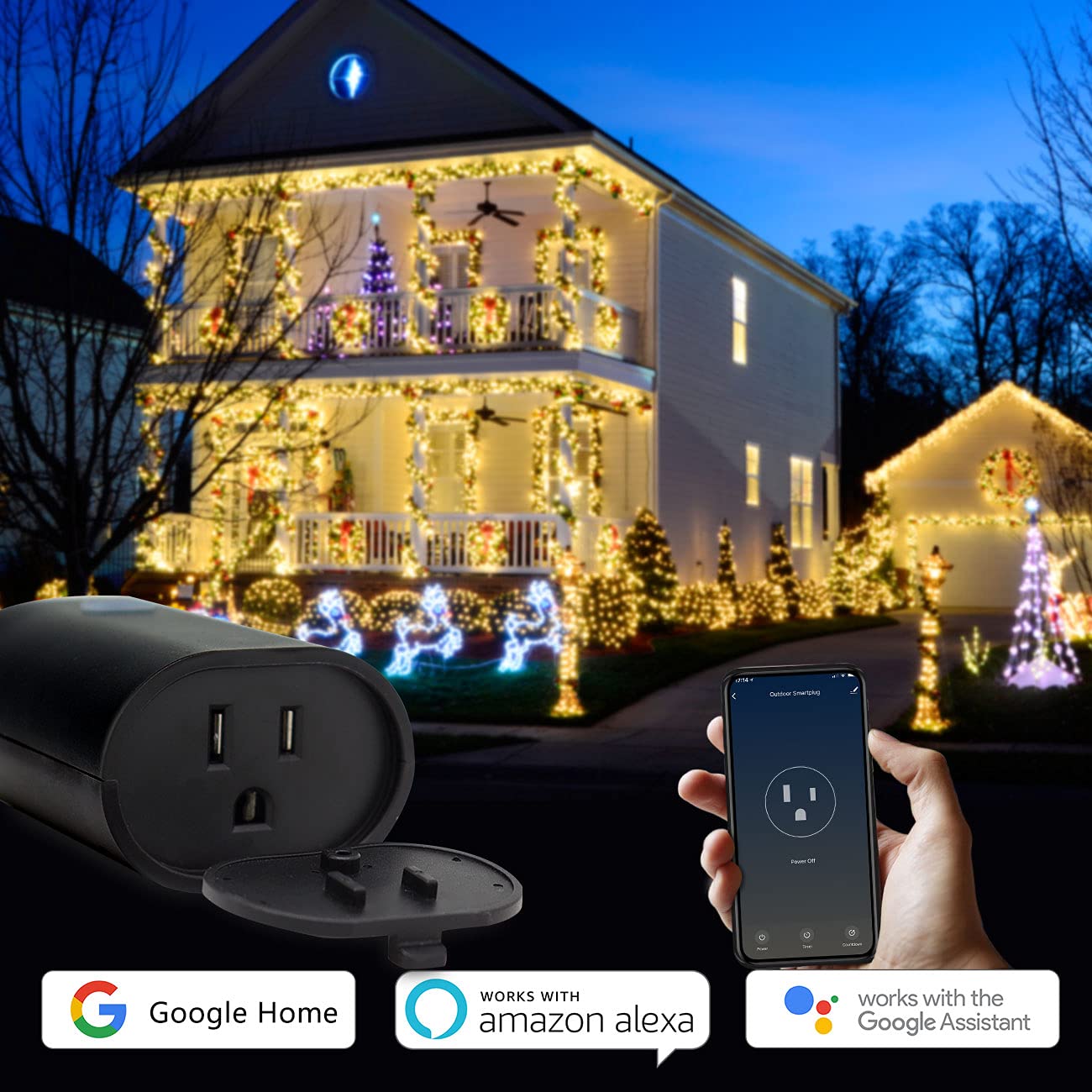
Image: Minoston Smart Plug showing compatibility with Google Home and Amazon Alexa.
6. Funzionalità avanzate
Blocco bambini:
To prevent accidental activation or deactivation, enable the Child Lock feature in the Smart Life App settings for your device. When activated, the physical button will require multiple presses (e.g., four times) to toggle the power, making it harder for children to operate.
Condivisione dispositivi:
Share control of your smart plug with family members. In the Smart Life App, go to the device settings and select "Share Device" to invite others to control it.
Association Controls and Scene Settings:
Create custom scenes and automations within the Smart Life App. For example, you can set a scene where multiple smart devices turn on or off simultaneously, or trigger the smart plug based on other smart home events.
7. Specifiche
| Specificazione | Valore |
|---|---|
| Numero di modello | MP22W |
| Marca | Minoston |
| Amprabbia | 15 Amps |
| Voltage | 120 Volt |
| Formato plug | Tipo B |
| Numero di fili | 3 |
| Numero di poli | 3 |
| Materiale | Policarbonato (PC) |
| Colore | Nero |
| Valutazione resistente alle intemperie | Grado di protezione IP65 |
| Compatibilità con la casa intelligente | Smart Home Compatible (Alexa, Google Assistant, Smart Life App) |
| Certificazioni | UL, FCC |
| Peso dell'articolo | 12.6 once |
| Dimensioni del pacco | 5.91 x 4.06 x 3.43 pollici |
8. Risoluzione Dei Problemi
If you encounter issues with your Minoston Outdoor Smart Plug, try the following:
- Nessun potere: Ensure the smart plug is securely plugged into a working outlet. Check the circuit breaker.
- Impossibile connettersi al Wi-Fi:
- Verify your Wi-Fi network is 2.4Ghz. The plug does not support 5Ghz networks.
- Assicurati che la password del tuo Wi-Fi sia corretta.
- Avvicina la presa intelligente al router Wi-Fi.
- Reset the smart plug by holding the power button for 5-10 seconds until the indicator light flashes rapidly, then try pairing again.
- Controllo vocale non funzionante: Ensure the Smart Life App is correctly linked to your Alexa or Google Assistant account. Check the device name for clarity and avoid special characters.
- Schedules Not Activating: Verify the time zone settings in the Smart Life App are correct. Ensure the smart plug has a stable Wi-Fi connection.
9. Garanzia e supporto
For warranty information, technical support, or further assistance, please visit the official Minoston websito o contattare il servizio clienti. Conservare la ricevuta d'acquisto per eventuali reclami in garanzia.
Minoston Websito: Visit Minoston Store on Amazon