
1. Introduzione
This manual provides essential information for the proper setup, operation, and maintenance of your Syinix 32E1A 32-inch LED Screen. Please read this manual thoroughly before using the product to ensure safe and efficient operation. Keep this manual for future reference.
2. Informazioni sulla sicurezza
Osservare sempre le seguenti precauzioni di sicurezza per evitare scosse elettriche, incendi o danni all'unità:
- Non esporre l'unità alla pioggia o all'umidità.
- Non aprire l'armadio. Affidare la manutenzione solo a personale qualificato.
- Assicurare una ventilazione adeguata. Non ostruire le aperture di ventilazione.
- Place the unit on a stable, level surface to prevent it from falling.
- Scollegare il cavo di alimentazione durante i temporali o quando non viene utilizzato per lunghi periodi.
- Keep the unit away from direct sunlight, heat sources, and extreme temperatures.
3. Contenuto della confezione
Verificare che tutti gli articoli siano presenti nel pacco:
- Syinix 32E1A 32-inch LED Screen
- Telecomando
- Cavo di alimentazione
- Manuale dell'utente (questo documento)
- TV Stand Components (base and screws)

Immagine 3.1: The product packaging for the Syinix 32E1A LED Screen, showing the brand logo, model number, and key features like HD resolution and various input ports.
4. Prodotto finitoview
4.1 Front View
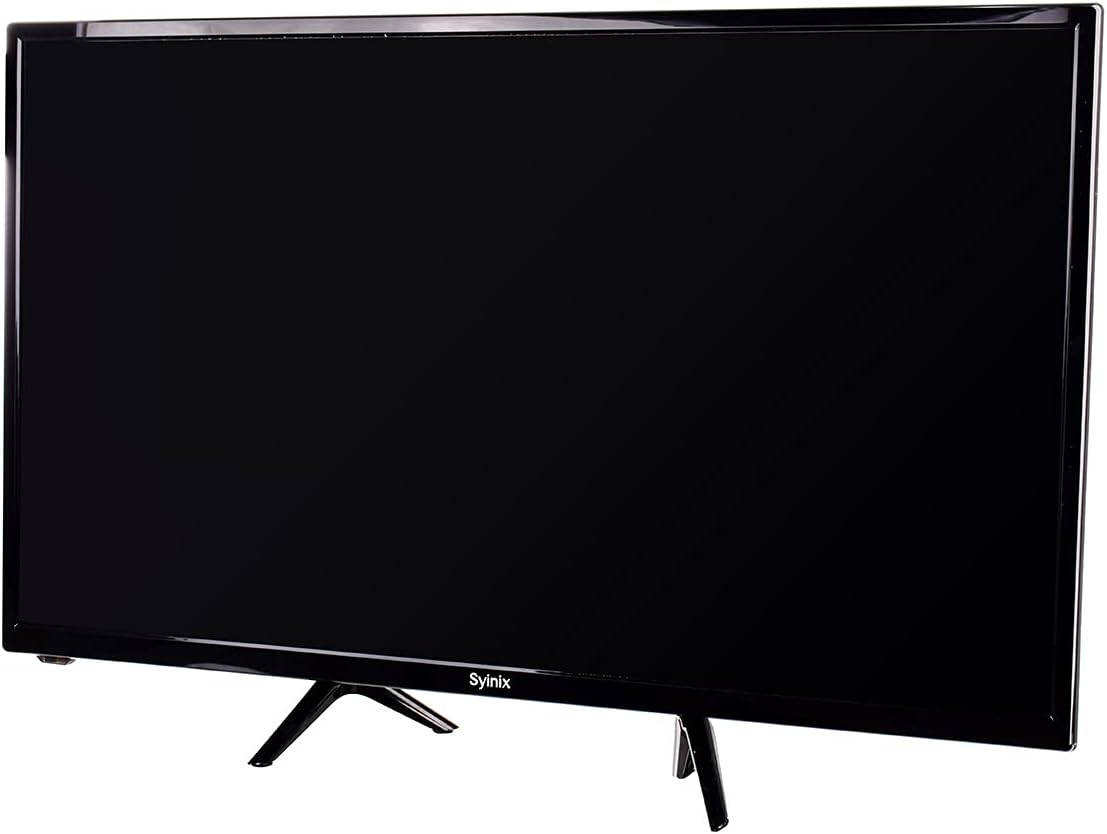
Immagine 4.1: Davanti view of the Syinix 32E1A 32-inch LED Screen, displaying its sleek black design and the Syinix logo at the bottom center of the bezel.
4.2 telecomando
The remote control allows you to operate the TV from a distance. Familiarize yourself with its buttons and functions.

Immagine 4.2: The remote control for the Syinix 32E1A LED Screen, featuring power, number buttons, navigation keys, volume, channel controls, and dedicated function buttons for various TV operations.
5. Impostazione
5.1 Disimballaggio
Carefully remove the TV and all accessories from the packaging. Retain the packaging materials for future transport or servicing.
5.2 Installazione dello stand
- Posizionare il televisore a faccia in giù su una superficie morbida e pulita per evitare di danneggiare lo schermo.
- Allineare i componenti del supporto con i fori di montaggio nella parte inferiore del televisore.
- Fissare il supporto utilizzando le viti in dotazione. Assicurarsi che il supporto sia saldamente fissato.
5.3 Collegamento dell'alimentazione
Plug the power cord into the TV's power input, then plug the other end into a suitable AC outlet. Ensure the voltage soddisfa i requisiti del televisore.
5.4 Collegamento di dispositivi esterni
The Syinix 32E1A supports various connectivity options:
- HDMI: Connect high-definition devices like Blu-ray players, game consoles, or set-top boxes.
- VGA: Collegare un computer da utilizzare come monitor.
- USB: Insert a USB drive to play multimedia content.
Prima di accendere il televisore, assicurarsi che tutti i collegamenti siano saldi.
6. Istruzioni per l'uso
6.1 Accensione/Spegnimento
Premere il tasto ENERGIA button on the remote control or on the TV to turn the unit on or off.
6.2 Selezione della sorgente di input
Premere il tasto FONTE button on the remote control to cycle through available input sources (HDMI1, HDMI2, VGA, USB, TV).
6.3 Navigazione nel menu
Utilizzare il MENU pulsante per accedere al menu principale. Utilizzare i tasti freccia (SU GIÙ SINISTRA DESTRA) per navigare e OK to confirm selections. Common menu options include:
- Immagine: Regola luminosità, contrasto, colore e modalità immagine.
- Suono: Regola volume, bassi, alti e modalità audio.
- Canale: Scan for channels (if using an antenna) and manage channel lists.
- Sistema: Set language, time, and other general settings.
6.4 Riproduzione multimediale USB
Insert a USB storage device into the USB port. Select the USB input source. The TV will display a media browser, allowing you to select and play supported video, audio, or image files.
7. Manutenzione
7.1 Pulizia dello schermo
Pulire delicatamente lo schermo con un panno morbido e privo di lanugine. Per macchie ostinate, strofinare leggermenteampPulire il panno con acqua o con un detergente specifico per schermi. Non spruzzare il liquido direttamente sullo schermo.
7.2 Cura generale
- Evitare di posizionare oggetti pesanti sul televisore.
- Non esporre il televisore a temperature o umidità estreme.
- Tenere il televisore lontano da forti campi magnetici.
8. Risoluzione Dei Problemi
If you encounter issues with your Syinix 32E1A LED Screen, refer to the following common problems and solutions:
- Nessun potere: Assicurarsi che il cavo di alimentazione sia collegato saldamente sia al televisore che alla presa a muro. Verificare che la presa sia funzionante.
- Nessuna immagine/suono: Verify that the correct input source is selected. Check all cable connections (HDMI, VGA). Try another device on the same input.
- Il telecomando non funziona: Controllare le batterie e sostituirle se necessario. Assicurarsi che non vi siano ostacoli tra il telecomando e il sensore IR del televisore.
- Scarsa qualità dell'immagine: Adjust picture settings in the menu (brightness, contrast, sharpness). Ensure the input source is providing a high-quality signal.
Se il problema persiste dopo aver provato queste soluzioni, contattare l'assistenza clienti.
9. Specifiche
| Caratteristica | Specificazione |
|---|---|
| Nome del marchio | Siinix |
| Nome del modello | 32E1A |
| Dimensioni dello schermo | 32 pollici |
| Risoluzione | 1080p (Full HD) |
| Tecnologia di visualizzazione | GUIDATO |
| Tipo di visualizzazione | LCD |
| Frequenza di aggiornamento | Frequenza 240 Hz |
| Tecnologia di connettività | HDMI, USB, VGA |
| Colore | Nero |
| Descrizione della superficie dello schermo | Lucido |
| Produttore | Siinix |
| Dimensioni del pacco | Dimensioni: 80 x 50 x 14 cm |
| Peso dell'articolo | 10 kg |
10. Garanzia e supporto
Your Syinix 32E1A LED Screen is covered by a manufacturer's warranty. Please refer to the warranty card included in your package for specific terms and conditions. For technical support, service, or warranty claims, please contact your local Syinix authorized service center or retailer.