
1. Introduzione
The HQST 20 Amp MPPT Solar Charge Controller is designed to efficiently manage power flow from your solar panels to your battery bank. Utilizing advanced Maximum Power Point Tracking (MPPT) technology, it ensures high tracking efficiency of up to 99% and a peak conversion efficiency of 98%, maximizing the energy harvested from your solar array. This controller automatically detects 12V or 24V DC system voltages and offers robust protection features to safeguard your system.

Figure 1.1: HQST 20 Amp MPPT Solar Charge Controller (Model M2420N).
2. Configurazione e installazione
2.1 Installazione fisica
The HQST MPPT Solar Charge Controller features a compact design with dimensions of approximately 7.1 inches (L) x 5.5 inches (W) x 2.8 inches (H) and weighs about 3.27 pounds. It is constructed from durable aluminum, ensuring longevity. For optimal performance and heat dissipation, mount the controller in a well-ventilated area, away from direct sunlight and moisture. The die-cast aluminum heat sink is designed for high heat dissipation efficiency.
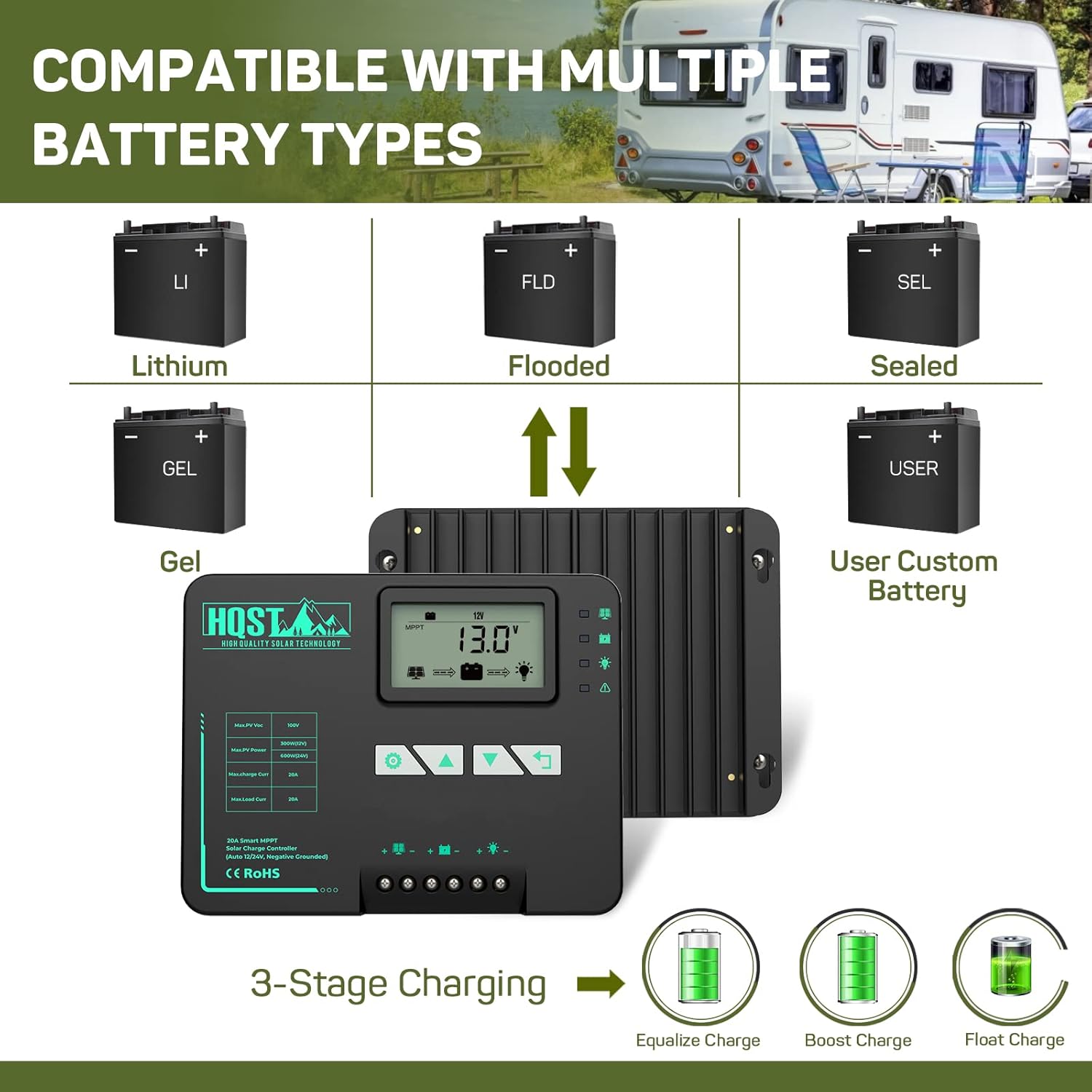
Figure 2.1: Controller dimensions and multiple protection features.

Figure 2.2: Internal gel filling for PCBA cooling and die-cast aluminum heat sink for efficient heat dissipation.
2.2 Cablaggio e collegamenti
Connect the solar panels, battery, and DC load to the controller's designated terminals. Ensure correct polarity to prevent damage. The controller is negatively grounded. A temperature sensor is included and should be connected for accurate battery temperature compensation during charging.

Figure 2.3: Connection points for solar panel, battery, DC load, and temperature sensor.
2.3 Parallel Charge Function
Two HQST MPPT controllers of the same series (M2420N/M2440N/M4860N) can be connected in parallel to charge the same battery bank, meeting higher power charging requirements. A parallel charge cable (not included) is required for this setup. Ensure both controllers are set to the same battery pack voltage.

Figure 2.4: Diagram showing two controllers connected in parallel to a single battery bank.
Video 2.1: This video demonstrates how to set the parameters for the parallel charge function on HQST MPPT controllers. It shows how to identify the main and sub-controllers and emphasizes that parameter changes should only be made on the main controller.
2.4 Configurazione del tipo di batteria
The controller is compatible with various battery types, including Flooded, AGM, Gel, and Lithium batteries. The user mode allows for custom charging parameter settings. The charging process involves a 3-stage charging cycle: boost, float, and equalization.

Figure 2.5: Supported battery types: Lithium, Flooded, Sealed, Gel, and User Custom Battery, along with the 3-stage charging process (Equalize, Boost, Float).
3. Funzionamento del controller
3.1 Visualizzazione sullo schermo LCD
The controller is equipped with an LCD screen and LED fault indicators, providing real-time operating data and allowing modification of controller parameters. The display cycles through various parameters such as Charging PV Voltage, Volume batteriatage, Battery Capacity, Charging Amperage, Charging Watt-hour, Controller Temperature, Load Watt-hour, Load Amperage, Load Mode, and Error Code.
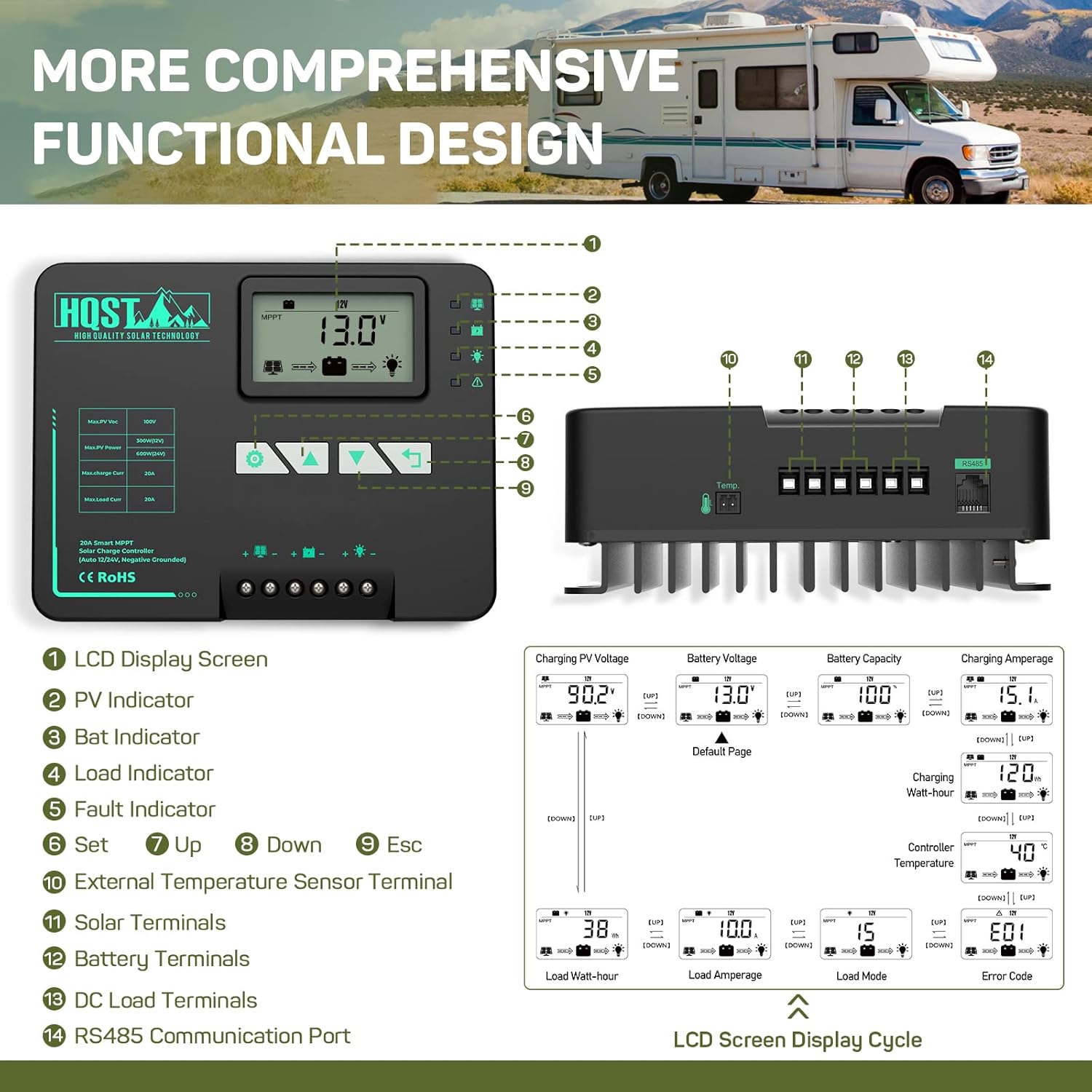
Figura 3.1: dettagliata view of the LCD display screen and its various indicators and buttons, along with the display cycle of different parameters.
3.2 Remote Monitoring with Bluetooth App
A built-in Bluetooth module allows for remote monitoring via the 'ChargePro 2.0' (new version) or 'PVChargePro' (old version) app. The app keeps up to 300 days of historical data. For Android devices, location and Bluetooth must be enabled to connect. For iOS, tap the BT icon in the app and select PVChargePro.
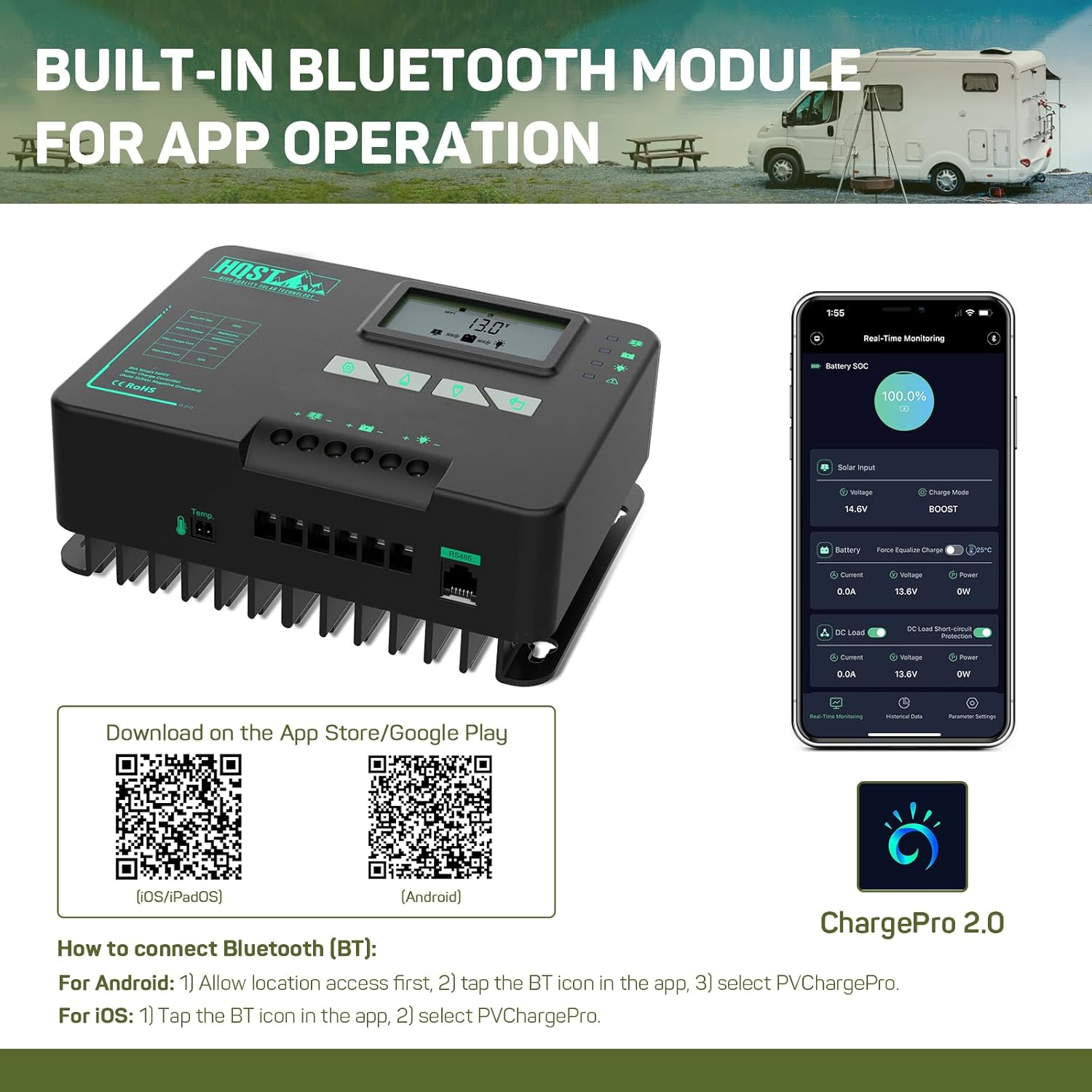
Figure 3.2: Built-in Bluetooth module for app operation, showing the ChargePro 2.0 app interface and QR codes for download.
Scarica l'app: Applicazione Android | Applicazione iOS
4. Manutenzione
The controller is designed for durability and efficient operation. Its die-cast aluminum heat sink minimizes power loss from heat, and the internal gel filling protects the PCBA from water and other damages, extending the service life. Regularly inspect connections for tightness and cleanliness. Keep the controller free from dust and debris to ensure proper ventilation.
5. Risoluzione Dei Problemi
The HQST MPPT Solar Charge Controller incorporates multiple protection mechanisms to prevent damage from system faults or installation errors. These include overcharging, over-discharging, overload, overheat, short circuit, and reverse protection. If an issue occurs, check the LCD display for error codes (E01, etc.) which can help diagnose the problem. Refer to the LCD screen display cycle (Figure 3.1) for understanding error codes.
If the max load output current of 20A (240 watts) is exceeded, the overvoltage protection will turn off the output. Ensure your load does not exceed this limit.
6. Specifiche
| Caratteristica | Specificazione |
|---|---|
| Tipo di visualizzazione | LCD |
| Codice UPC | 810009719601 |
| Produttore | HQST HIGH QUALITY SOLAR TECHNOLOGY |
| Dimensioni del prodotto | 8.27 x 7.68 x 4.52 inches (Packaging), 7.1"L x 5.5"W x 2.8"H (Product) |
| Peso dell'articolo | 3.27 libbre |
| ASIN | B0989NV7M1 |
| Numero modello articolo | Modello M2420N |
| Batterie richieste | NO |
| Colore | Nero |
| Marca | HQST |
| Voltage | 12 Volts (Auto-detects 12V/24V DC system voltagè) |
| Materiale | Alluminio |
7. Garanzia e supporto
HQST provides a 1-year warranty for this product. Additionally, lifetime technical support is available. For any questions or issues encountered during usage, please feel free to contact HQST through Amazon email.