
Introduzione
This manual provides detailed instructions for the setup, operation, and maintenance of your DOBE TP4-889 Dual Controller Charging Dock for PlayStation 4. Please read this manual thoroughly before use to ensure proper functionality and to extend the lifespan of your device.
Informazioni sulla sicurezza
- Non esporre il dispositivo all'acqua o a umidità eccessiva.
- Evitare di far cadere o sottoporre il dispositivo a forti impatti.
- Non tentare di smontare o modificare il dispositivo. Ciò invaliderà la garanzia e potrebbe causare danni.
- Tenere fuori dalla portata dei bambini.
- Use only with compatible PlayStation 4 controllers.
- Ensure proper ventilation around the charging dock during use.
Contenuto della confezione
Verifica che tutti gli articoli siano presenti nel tuo pacco:
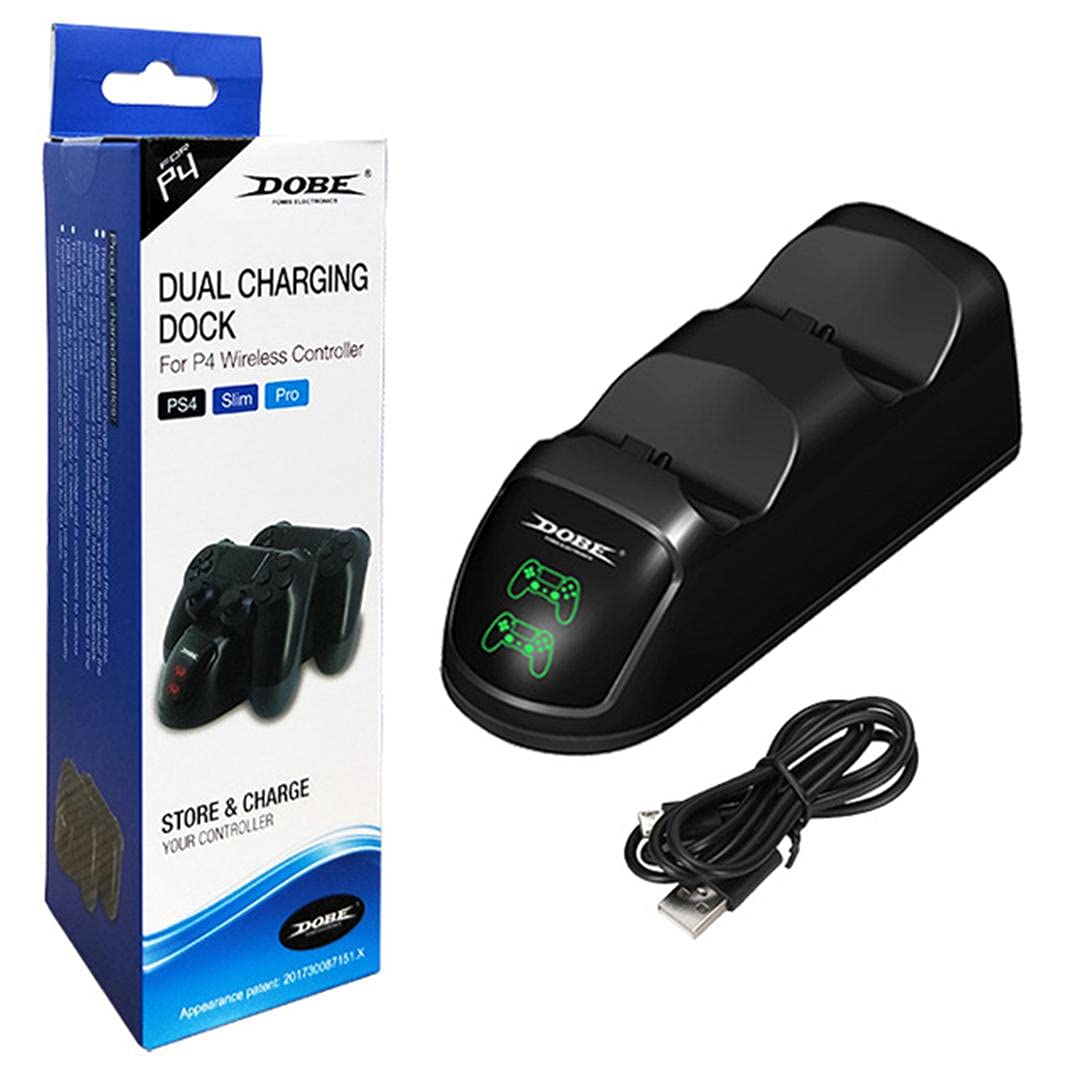
- 1 x DOBE TP4-889 Dual Controller Charging Dock
- 1 cavo di ricarica USB
Prodotto finitoview
Familiarize yourself with the components of your charging dock:
- Controller Charging Slots: Two dedicated slots for PlayStation 4 controllers.
- Indicatori LED: Individual indicators for each charging slot. These lights illuminate red when a controller is charging and turn green when charging is complete.
- Porta micro USB: Located at the rear of the dock for power input.


Istruzioni di installazione
- Connect the small end of the included USB charging cable to the Micro USB port on the rear of the DOBE TP4-889 charging dock.
- Connect the larger USB-A end of the cable to a compatible USB power source, such as a PlayStation 4 console, a USB wall adapter (not included), or a computer USB port.
- Ensure the power source is active. The dock is now ready for use.

Istruzioni per l'uso
Controller di carica
- With the charging dock powered on, gently align a PlayStation 4 controller with one of the charging slots.
- Carefully insert the controller into the slot, ensuring the charging port on the controller connects securely with the dock's connector.
- The corresponding LED indicator on the dock will illuminate rosso, indicating that the controller is charging.
- To charge a second controller, repeat steps 1-3 for the other charging slot.
- Once a controller is fully charged, its LED indicator will turn verde.
- Remove the controller from the dock once charging is complete.

Manutenzione
- Pulizia: Disconnect the power before cleaning. Use a soft, dry cloth to wipe the surface of the charging dock. Do not use liquid cleaners or abrasive materials.
- Magazzinaggio: Quando non viene utilizzato per lunghi periodi, conservare la base di ricarica in un luogo fresco e asciutto, lontano dalla luce solare diretta e da temperature estreme.
Risoluzione dei problemi
| Problema | Possibile causa | Soluzione |
|---|---|---|
| Controller not charging / LED not lighting up. |
|
|
| La ricarica è lenta. |
|
|
Specifiche
- Modello: TP4-889
- Compatibilità: PlayStation 4 (PS4) DualShock 4 Controllers
- Ingresso: Micro USB
- Dimensioni (circa): 22.6 x 7.8 x 6.2 cm (8.9 x 3.1 x 2.4 pollici)
- Peso (circa): 216 grammi (0.48 libbre)
- Indicatori LED: Rosso (in carica), Verde (completamente carico)
Garanzia e supporto
Per informazioni sulla garanzia o supporto tecnico, fare riferimento alla documentazione fornita con l'acquisto o contattare direttamente il produttore tramite il suo sito ufficiale. websito o tramite i canali di assistenza clienti. Conservare la prova d'acquisto per eventuali reclami in garanzia.