
1. Introduzione
The EASYLONGER 100W Laptop Power Bank EL268 PRO is a high-capacity portable charging solution designed to keep your devices powered on the go. Featuring advanced Power Delivery (PD 3.0) technology and a massive 26800mAh battery, it offers fast and efficient charging for laptops, tablets, smartphones, and other USB-C compatible devices. Its compact design and robust safety features make it an ideal companion for travel, work, and outdoor activities.

2. Contenuto della confezione
Si prega di controllare il contenuto della confezione una volta disimballata per assicurarsi che siano presenti tutti gli articoli:
- 1 x EASYLONGER PD 100W Power Bank
- 1 x USB C-C Cable (100W Output)
- 1 x Manuale utente
3. Caratteristiche del prodotto
3.1 High Capacity and Power Output
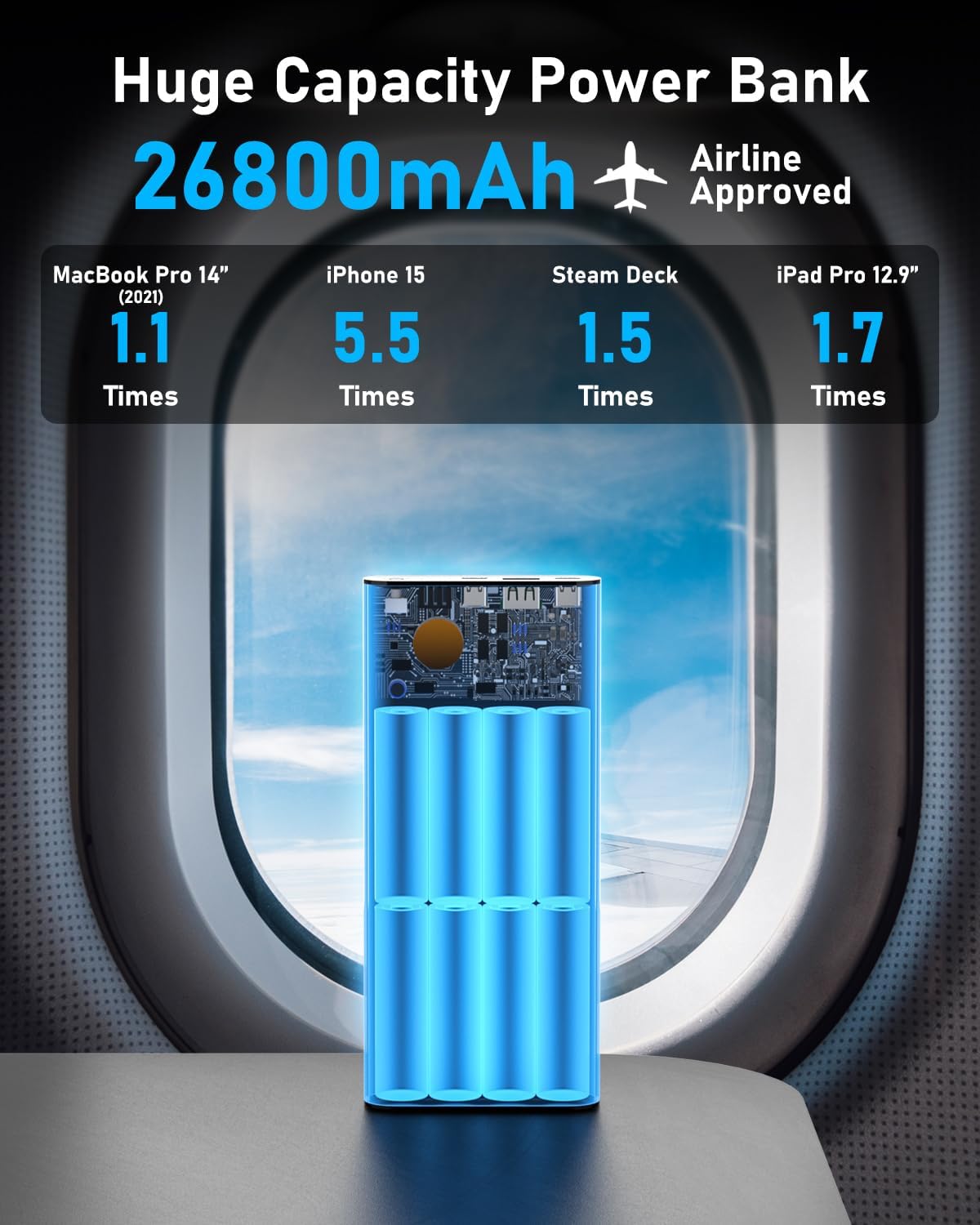
The EL268 PRO features a substantial 26800mAh battery capacity, capable of extending the battery life of various devices. It is equipped with multiple output ports to cater to diverse charging needs:
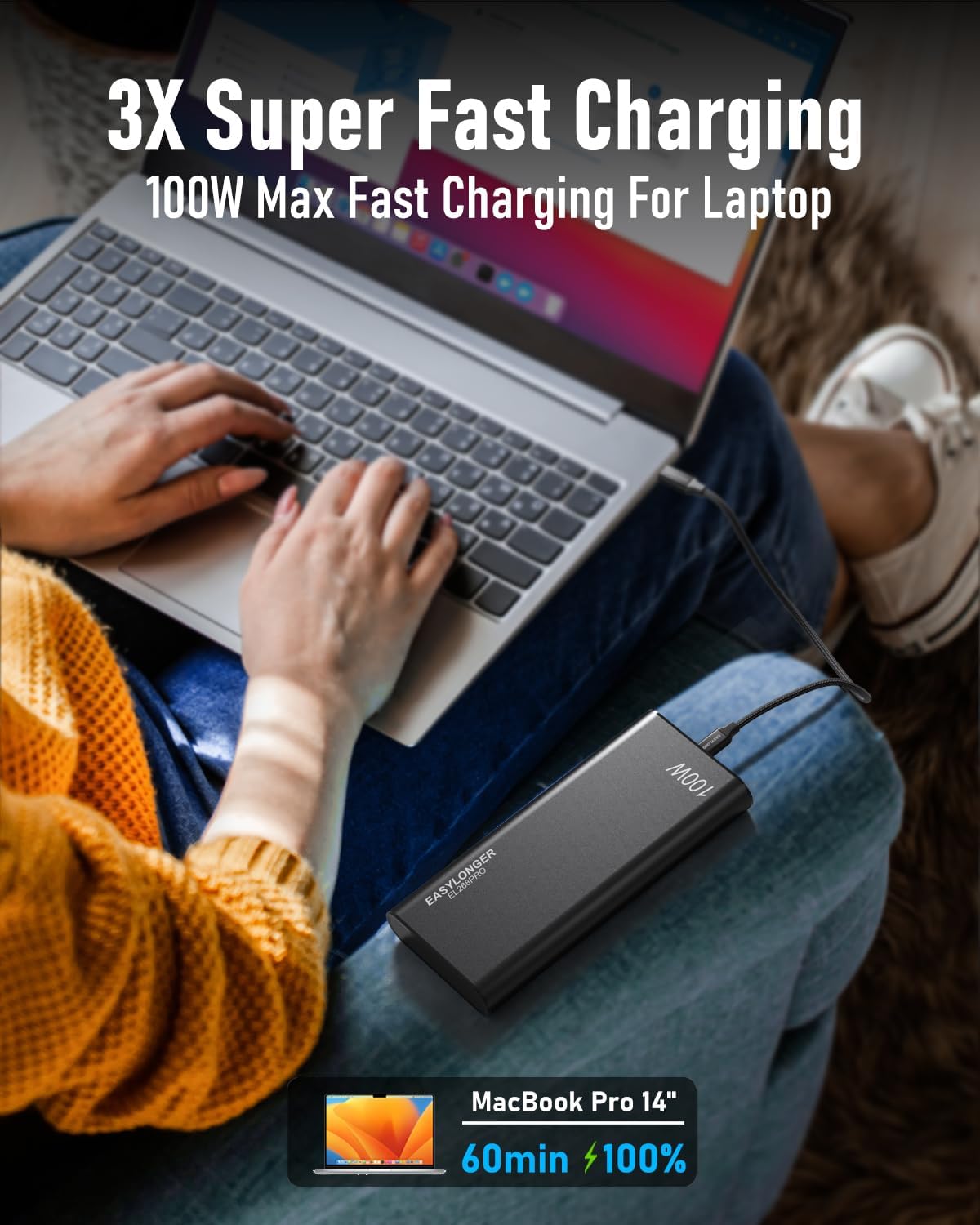
- USB-C1 (PD 3.0): Up to 100W output, ideal for fast-charging laptops like MacBook Pro, Dell, and HP.
- USB-C2 (PPS 3.0): Up to 27W output, suitable for smartphones and smaller devices, supporting Samsung Super-Fast Charging.
- USB-A: Up to 22.5W output, for general USB-A compatible devices.
The power bank can intelligently detect connected devices to deliver the optimal charging speed.
3.2 Funzionalità di sicurezza avanzate
The EL268 PRO incorporates a built-in Battery Management System (BMS) with 5 layers of protection to ensure safe and reliable operation:
- Protezione da cortocircuito
- Protezione da sovracorrente
- Protezione da scarica eccessiva
- Protezione della temperatura
- Protezione da sovraccarico

3.3 Costruzione durevole
The power bank is constructed with an aluminum alloy shell, which provides superior heat dissipation compared to hard plastic, contributing to better battery efficiency and longevity.

4. Impostazione
4.1 Ricarica del Power Bank
To fully recharge the 26800mAh power bank, use a 65W PD wall charger (not included). It can be fully recharged in approximately 2.5 hours. Connect the provided USB C-C cable to the 'IN/OUT' USB-C port on the power bank and to your 65W PD wall charger.
4.2 Indicatore di alimentazione
The power bank features LED indicators to show the remaining battery level. Refer to the lights next to the power button to check the charge status.
5. Istruzioni per l'uso
5.1 Ricarica dei dispositivi
Connect your device to the appropriate output port on the power bank using a compatible charging cable. The power bank will automatically begin charging your device.
5.2 Ricarica di più dispositivi contemporaneamente
The power bank can charge up to three devices concurrently using its two USB-C ports and one USB-A port. The intelligent power management system will distribute power efficiently among the connected devices.

6. Compatibilità
The EASYLONGER EL268 PRO is designed for wide compatibility with various devices that support USB-C Power Delivery (PD) and other fast-charging protocols. This includes, but is not limited to:
- Computer portatili: MacBook Pro/Air, Dell, HP, Samsung, and other USB-C powered laptops.
- Compresse: iPad Pro, Android tablets.
- Smartphone: iPhone (via USB-C to Lightning cable), Android phones (supporting PPS for Samsung Super-Fast Charging).
- Console di gioco: Steam Deck, Nintendo Switch.
- Altri dispositivi: USB fans, AirPods, Bluetooth speakers, cameras, drones, etc.
For optimal performance, ensure your device supports PD charging for the 100W output. The included E-Marker USB C-C cable supports up to 100W (20V/5A) fast charging.


7. Manutenzione
To ensure the longevity and optimal performance of your EASYLONGER power bank, follow these maintenance guidelines:
- Conservare il power bank in un luogo fresco e asciutto, lontano dalla luce solare diretta e da temperature estreme.
- Evitare di far cadere o sottoporre il dispositivo a forti impatti.
- Non esporre il power bank all'acqua o a umidità eccessiva.
- Pulire l'esterno con un panno morbido e asciutto. Non utilizzare prodotti chimici aggressivi o materiali abrasivi.
- If storing for an extended period, charge the power bank to about 50-75% capacity every 3-6 months to preserve battery health.
8. Risoluzione Dei Problemi
If you encounter issues with your EASYLONGER power bank, please refer to the following common troubleshooting steps:
- Dispositivo non in carica: Ensure the power bank has sufficient charge. Check that the charging cable is securely connected to both the power bank and your device. Verify that your device is compatible with the power bank's output ports and power delivery specifications.
- Ricarica lenta: Confirm that you are using a high-quality, compatible cable. Some devices may require specific cables or adapters for optimal fast charging. Ensure the power bank is not simultaneously charging multiple high-power devices that exceed its total output capacity.
- Il power bank non si ricarica: Use a 65W PD wall charger and the provided USB C-C cable. Ensure the wall charger is functioning correctly and the cable is properly connected to the 'IN/OUT' port.
- Power bank automatically turns off: This may occur if the connected device draws very low current, or if the power bank detects an issue (e.g., short circuit, overheating). Disconnect all devices, restart the power bank, and try again.
- Input/Output Port Confusion: The 'IN/OUT' USB-C port is designed to intelligently detect whether it should charge the power bank or charge a connected device. Ensure the device you are trying to charge is not attempting to supply power to the power bank. If issues persist, try a different cable or port.
Se il problema persiste dopo aver provato questi passaggi, contattare il servizio clienti per ulteriore assistenza.
9. Specifiche
| Caratteristica | Specificazione |
|---|---|
| Marca | PIÙ FACILE |
| Numero di modello | YN-046P |
| Capacità della batteria | 26800mAh (3.7V) / 99.16Wh |
| USB-C1 Output (IN/OUT) | DC5V/3A, 9V/3A, 12V/3A, 15V/3A, 20V/5A (Max 100W) |
| USB-C2 Output (OUT ONLY) | DC5V/3A, 9V/3A, 12V/2.25A, PPS:3.3-11V/3A (Max 27W) |
| USB-A Output (OUT) | DC4.5V/5A, 5V/4.5A, 9V/2A, 12V/1.5A (Max 22.5W) |
| Uscita massima totale | 133 W (condiviso) |
| Tempo di ricarica | Circa 2.5 ore (con caricabatterie PD da 65 W) |
| Dimensioni | 70.08 x 31.5 x 0.87 pollici |
| Peso | 1.2 libbre |
| Materiale | Shell in lega di alluminio |
| Caratteristiche di sicurezza | Short-circuit, Overcurrent, Over-discharge, Temperature, Overcharge Protection |
10. Garanzia e supporto
EASYLONGER offers a Politica di reso e rimborso di 90 giorni for this product. For any inquiries, technical assistance, or warranty claims, please contact our customer service team. We provide Servizio clienti 24 ore su XNUMX per rispondere tempestivamente alle tue preoccupazioni.
Informazioni sui contatti: Please refer to the contact details provided on the product packaging or the official EASYLONGER websito per i canali di supporto più aggiornati.