
1. Introduzione e oltreview
The XFX Speedster QICK308 Radeon RX 6600 XT is a high-performance gaming graphics card designed to deliver an exceptional visual experience. Featuring AMD's RDNA 2 architecture, 8GB of GDDR6 memory, and a robust triple-fan cooling system, this card is engineered for smooth gameplay and efficient operation. Its aerodynamic design prioritizes airflow to maintain optimal temperatures and performance during intensive use.

Figura 1: Angolato view of the XFX Speedster QICK308 Radeon RX 6600 XT Graphics Card.
2. Configurazione e installazione
2.1 Contenuto della confezione
- XFX Speedster QICK308 Radeon RX 6600 XT Graphics Card
- Driver CD (Note: Latest drivers are recommended from the AMD websito)
2.2 Lista di controllo pre-installazione
- Alimentazione elettrica: Assicurati che l'unità di alimentazione (PSU) soddisfi i requisiti minimi di watttage requirement for the RX 6600 XT (typically 500W or higher, consult your PSU manual).
- Scheda madre: Verifica che la scheda madre abbia uno slot PCI Express x16 disponibile.
- Liquidazione dei casi: Check your PC case for adequate space to accommodate the card's dimensions (approximately 10.79 x 4.49 x 1.97 inches).
- Existing Drivers: Uninstall any previous graphics card drivers before installing the new hardware.
2.3 Passaggi di installazione fisica
- Spegni: Shut down your computer and unplug it from the power outlet.
- Caso aperto: Rimuovere il pannello laterale del case del computer.
- Individuare lo slot PCIe: Identify an available PCI Express x16 slot on your motherboard. Remove any expansion slot covers from the back of the case that correspond to the card's position.
- Inserisci la scheda grafica: Allineare con cura la scheda grafica allo slot PCIe e premere con decisione fino a quando non è saldamente in posizione. Si dovrebbe sentire un clic dalla clip di fissaggio dello slot.
- Carta sicura: Use screws or the case's locking mechanism to secure the graphics card to the case's expansion slot bracket.
- Connetti alimentazione: Connect the required PCIe power connectors from your PSU to the graphics card. The RX 6600 XT typically requires one 8-pin PCIe power connector.
- Chiudi caso: Sostituisci il pannello laterale del case del tuo computer.
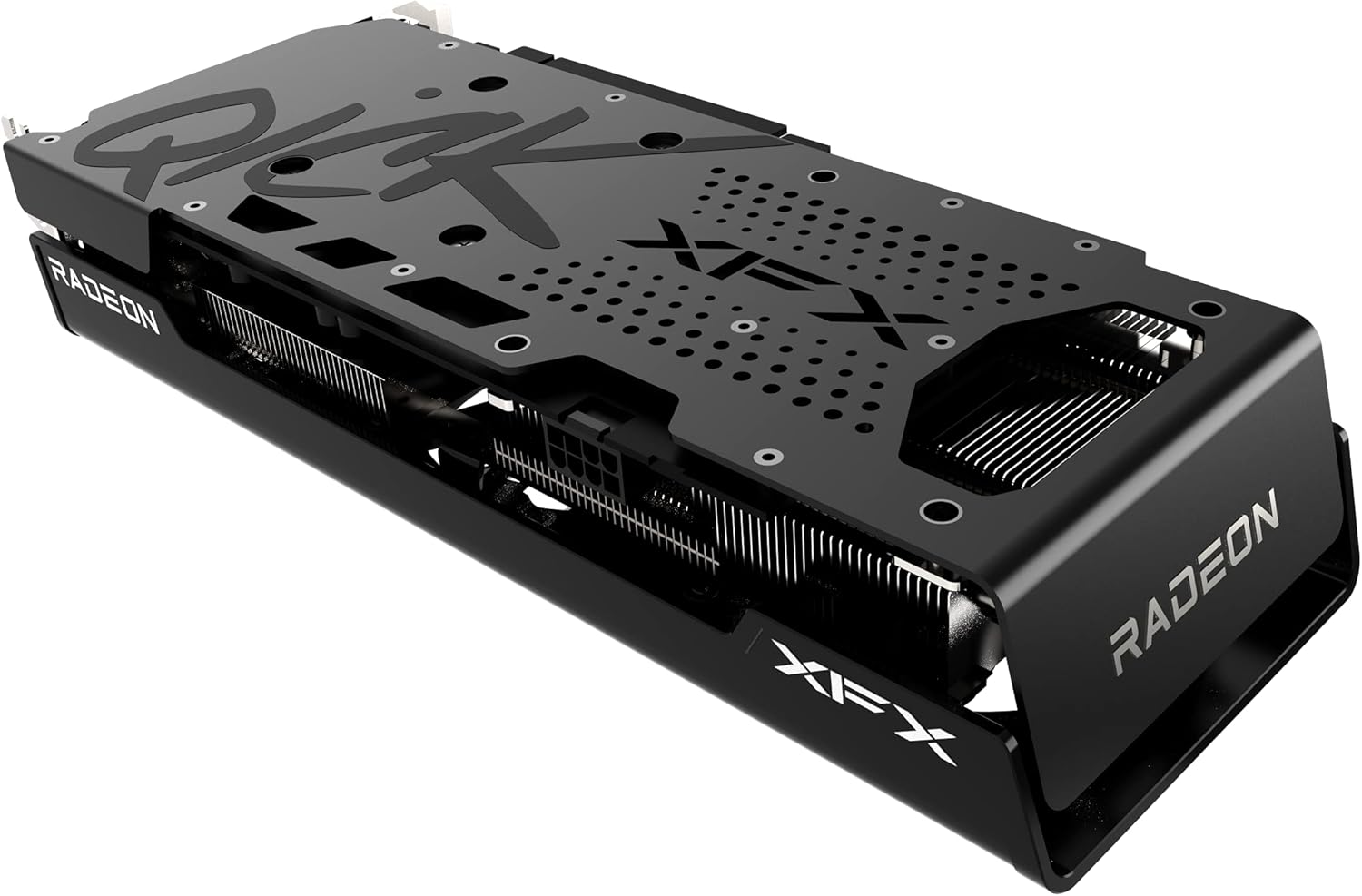
Figura 2: lato view illustrating the power connector and display output ports.
2.4 Installazione del driver
- Connetti il monitor: Collega il monitor a una delle uscite video della scheda grafica (HDMI o DisplayPort).
- Accensione: Collega il computer e accendilo.
- Installa i driver: Insert the provided Driver CD or, for the latest version, download the AMD Radeon Software from the official AMD websito. Seguire le istruzioni visualizzate sullo schermo per completare l'installazione del driver.
- Ricomincia: Riavviare il computer una volta completata l'installazione del driver.
3. Funzionamento della scheda grafica
3.1 Funzionamento di base
Once drivers are installed, your operating system should automatically detect and utilize the XFX Speedster QICK308 Radeon RX 6600 XT. You can access the AMD Radeon Software through your desktop to manage display settings, gaming profilese altre caratteristiche.
3.2 Caratteristiche principali
- AMD RDNA 2 Architecture: Provides enhanced performance and power efficiency for gaming and content creation.
- Memoria GDDR6 da 8 GB: Memoria ad alta velocità per giochi e applicazioni impegnativi.
- Boost Clock: Up to 2607MHz for increased performance during peak loads.
- XFX Speedster QICK308 Triple Fan Cooling: Optimized cooling solution with three fans to maintain low temperatures and quiet operation.
- Uscite di visualizzazione: Includes HDMI and DisplayPort connections for versatile monitor compatibility.
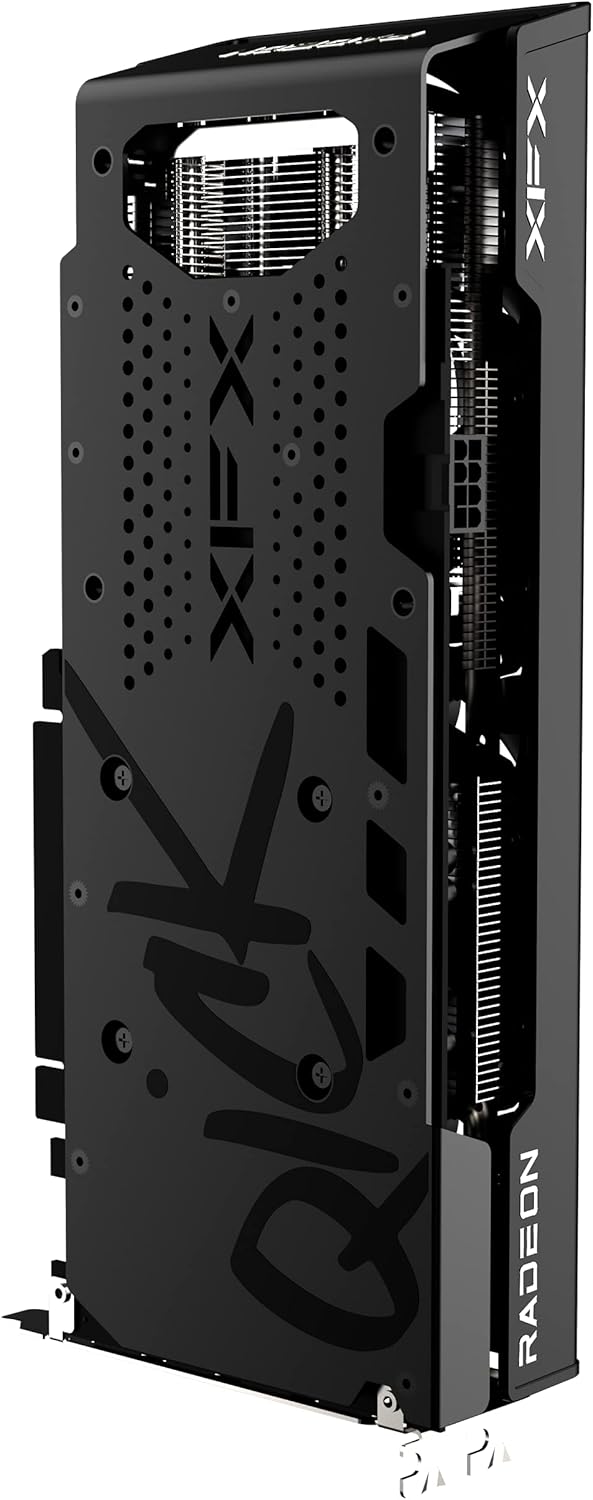
Figura 3: Posteriore view della scheda grafica, evidenziando la piastra posteriore protettiva.
4. Manutenzione
4.1 Pulizia
Regular cleaning helps maintain optimal performance and extends the lifespan of your graphics card. Use compressed air to gently remove dust from the fans and heatsink fins. Ensure the computer is powered off and unplugged before cleaning. Avoid touching the circuit board directly.
4.2 Aggiornamenti dei driver
Controllare periodicamente il sito ufficiale AMD website for the latest graphics drivers. Keeping your drivers updated ensures compatibility with new games and applications, and often includes performance improvements and bug fixes.
4.3 Monitoraggio della temperatura
Utilize the AMD Radeon Software or third-party monitoring tools to keep an eye on your GPU temperatures, especially during gaming or heavy workloads. Excessive temperatures can indicate insufficient airflow in your case or a need for cleaning.
5. Risoluzione Dei Problemi
5.1 Nessuna uscita di visualizzazione
- Controllare le connessioni: Assicurarsi che il cavo del monitor sia collegato saldamente sia alla scheda grafica sia al monitor.
- Cavi di alimentazione: Verify that all PCIe power connectors are properly seated in the graphics card.
- Ingresso monitor: Confirm your monitor is set to the correct input source (HDMI/DisplayPort).
- Carta di riposizionamento: Power off and unplug the PC, then reseat the graphics card in its PCIe slot.
5.2 Poor Performance in Games
- Aggiornamento driver: Assicurati di aver installato i driver grafici più recenti.
- Impostazioni di gioco: Adjust in-game graphics settings. While the RX 6600 XT is powerful, some demanding titles may require optimization.
- Temperatura: Monitor GPU temperatures. Overheating can lead to performance throttling.
- Applicazioni in background: Chiudere le applicazioni in background non necessarie che potrebbero consumare risorse di sistema.
5.3 Fan Noise or Overheating
- Clean Fans/Heatsink: Dust buildup can impede cooling. Refer to the cleaning section.
- Flusso d'aria della cassa: Ensure your PC case has adequate airflow with properly configured intake and exhaust fans.
- Curva del ventilatore: Adjust the fan curve in AMD Radeon Software to a more aggressive setting if temperatures remain high.
6. Specifiche
| Caratteristica | Dettaglio |
|---|---|
| Chipset | Scheda grafica AMD RX 6600 XT |
| Produttore di processori grafici | Degenerazione maculare |
| Architettura | AMD RDNA 2 |
| Memoria | 8 GB GDDR6 |
| Velocità di memoria | 16000 MHz |
| Orologio di potenziamento | Up To 2607MHz |
| Raffreddamento | XFX Speedster QICK308 Triple Fan |
| Risoluzione massima dello schermo | 7680x4320 |
| Interfaccia di uscita video | HDMI, 3x DisplayPort |
| Numero modello articolo | RX-66XT8LBDQ |
| Peso dell'articolo | 2.81 libbre |
| Dimensioni del prodotto (LxWxH) | 10.79 x 4.49 x 1.97 pollici |
7. Garanzia e supporto
For detailed warranty information and technical support, please refer to the official XFX website. Warranty terms and conditions may vary by region and retailer. It is recommended to register your product upon purchase to facilitate any future support needs.
XFX Official Websito: https://www.xfxforce.com/