
Introduzione
Thank you for choosing the Bytech BYMSWR104BK 3 Button Gaming Mouse. This manual provides essential information for setting up, operating, and maintaining your new gaming mouse. Please read this manual thoroughly before use to ensure optimal performance and longevity of your device.
Caratteristiche
- Precision Mouse: Designed for accurate tracking and responsive control.
- DPI regolabile: Customize sensitivity for various gaming and productivity needs.
- Three Responsive Buttons: Includes left-click, right-click, and scroll wheel/middle-click for efficient operation.
- Retroilluminazione colorata: Features multi-color LED lighting with 7 distinct color modes for an enhanced aesthetic experience.
- Design ergonomico: Shaped to fit comfortably in your palm, reducing fatigue during extended use.
Specifiche
| Marca | Tecnologia Bytech |
| Numero di modello | BYMSWR104BK |
| Numero di pulsanti | 3 |
| Risoluzione del movimento | 1,000 DPI |
| Modalità colore | 7 Colors (Multi-color Backlight) |
| Lunghezza del cavo | 5 piedi |
| Cambia valutazione | 1 milioni di clic |
| Peso dell'articolo | 4.9 once |
| Dimensioni del pacco | 7.17 x 4.06 x 2.68 pollici |
| Colore | Nero |
| Fonte di alimentazione | Elettrico con filo (USB) |
| Piattaforma hardware | PC |
Contenuto della confezione
- 1 x Bytech BYMSWR104BK Wired Gaming Mouse
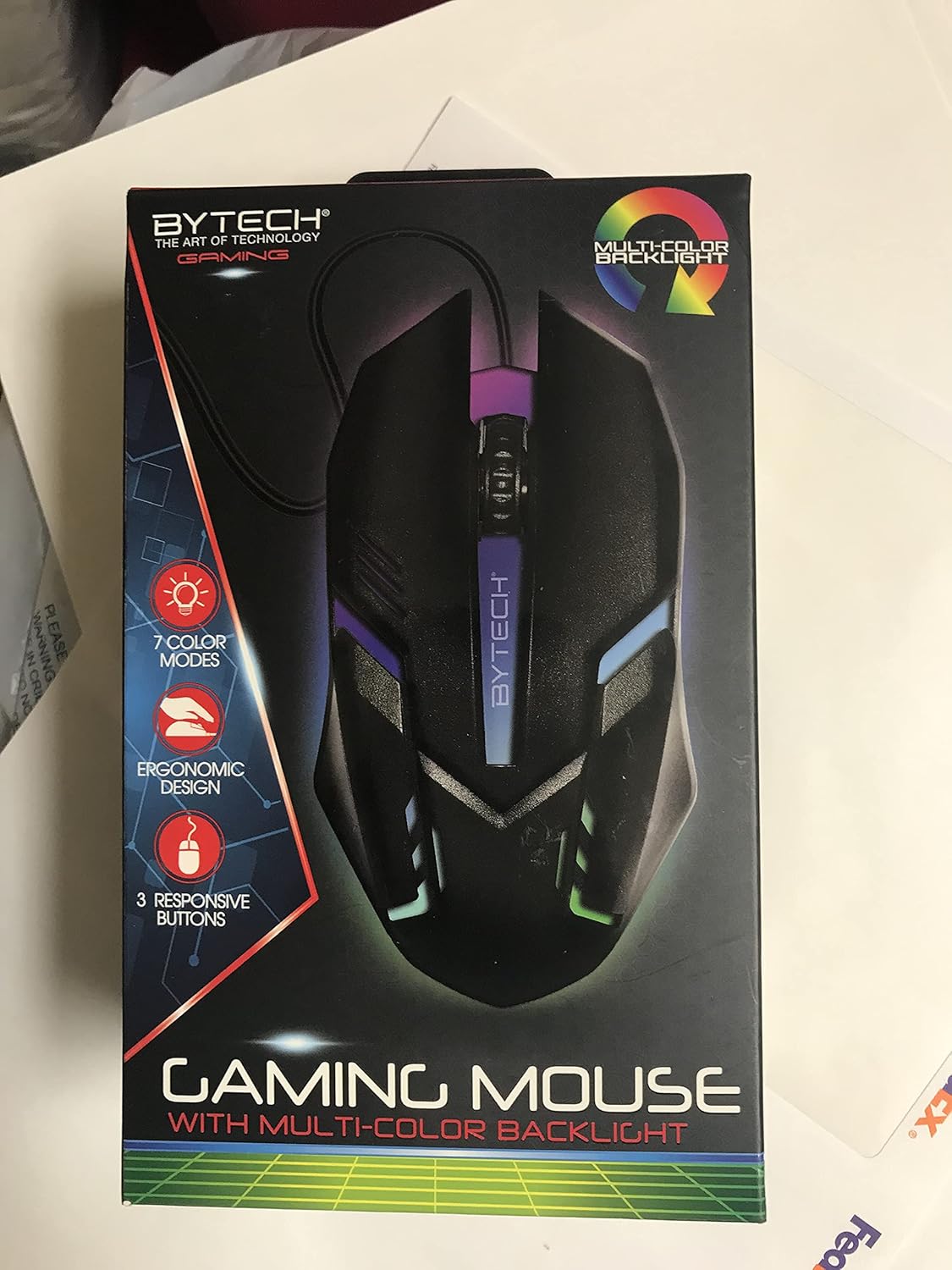
Immagine: Frontale view of the Bytech BYMSWR104BK Gaming Mouse in its retail packaging, highlighting its multi-color backlight and ergonomic design.
Impostare
- Disimballare: Estrarre con cautela il mouse da gioco dalla confezione.
- Collegare: Locate an available USB port on your computer (PC, laptop, etc.). Insert the USB connector of the Bytech BYMSWR104BK Gaming Mouse firmly into the USB port.
- Installazione del driver: The mouse is plug-and-play. Your operating system should automatically detect and install the necessary drivers. This process may take a few moments.
- Pronto all'uso: Once the drivers are installed, the mouse will be ready for immediate use. The multi-color backlight will illuminate.

Immagine: Posteriore view of the Bytech BYMSWR104BK Gaming Mouse retail packaging, detailing features, specifications, and universal compatibility.
Istruzioni per l'uso
Funzionamento di base
- Pulsante sinistro: Funzione di clic primaria, in genere utilizzata per selezionare elementi, aprire files, or interacting with software.
- Pulsante destro: Funzione di clic secondario, solitamente apre menu contestuali o fornisce opzioni aggiuntive.
- Rotellina di scorrimento (pulsante centrale): Scorrere verso l'alto o verso il basso per navigare tra i documenti e web pages. Pressing the scroll wheel acts as a middle-click button, often used for opening links in new tabs or auto-scrolling.
Regolazione DPI
The Bytech BYMSWR104BK Gaming Mouse features adjustable DPI settings. While specific buttons for DPI adjustment are not explicitly listed on the packaging, many gaming mice allow DPI changes through a dedicated button (often located near the scroll wheel) or through software. Refer to your computer's mouse settings or Bytech's official website for advanced customization options if available.
retroilluminazione a LED
The mouse features a dynamic multi-color LED backlight with 7 different color modes. These lights will automatically cycle through the modes once the mouse is connected and powered on. There is no manual control for changing modes on the mouse itself.
Manutenzione
- Pulizia: Utilizzare un panno morbido e asciutto per pulire la superficie del mouse. Per lo sporco ostinato, leggermente dampPulire il panno con acqua o una soluzione detergente delicata. Evitare l'uso di prodotti chimici aggressivi o materiali abrasivi.
- Cura del sensore: Mantenere pulito e libero da polvere o detriti il sensore ottico nella parte inferiore del mouse per garantire un tracciamento accurato.
- Gestione dei cavi: Per evitare danni, evitare di piegare bruscamente o tirare eccessivamente il cavo USB.
- Magazzinaggio: Quando non lo si utilizza, conservare il mouse in un ambiente pulito e asciutto, lontano da temperature estreme.

Immagine: Lato view of the Bytech BYMSWR104BK Gaming Mouse retail packaging, showcasing the multi-color backlight effect.
Risoluzione dei problemi
| Problema | Possibile soluzione |
|---|---|
| Il mouse non risponde |
|
| Cursore irregolare o che non si muove fluidamente |
|
| La retroilluminazione a LED non funziona |
|
Garanzia e supporto
Garanzia: This Bytech product comes with a 12-month warranty from the date of purchase. Please retain your proof of purchase for warranty claims.
Informazioni sui contatti:
- Indirizzo: 2585 West 13th Street, Brooklyn, NY 11223, USA
- Websito: www.bytechintl.com
⚠ ATTENZIONE: Questo prodotto può esporti a sostanze chimiche, tra cui il DEHP, che è noto allo Stato della California come causa di cancro, difetti alla nascita o altri danni riproduttivi. Per maggiori informazioni, vai a www.P65Warnings.ca.gov.

Immagine: In basso view of the Bytech BYMSWR104BK Gaming Mouse retail packaging, showing contact information, warranty details, and California Proposition 65 warning.