
1. Finitaview
The Total Digital Kitchen Scale (Model TES1201) is designed for precise weighing in kitchen environments. It features a high capacity of 30 kilograms and a clear LED display, making it suitable for various culinary tasks.
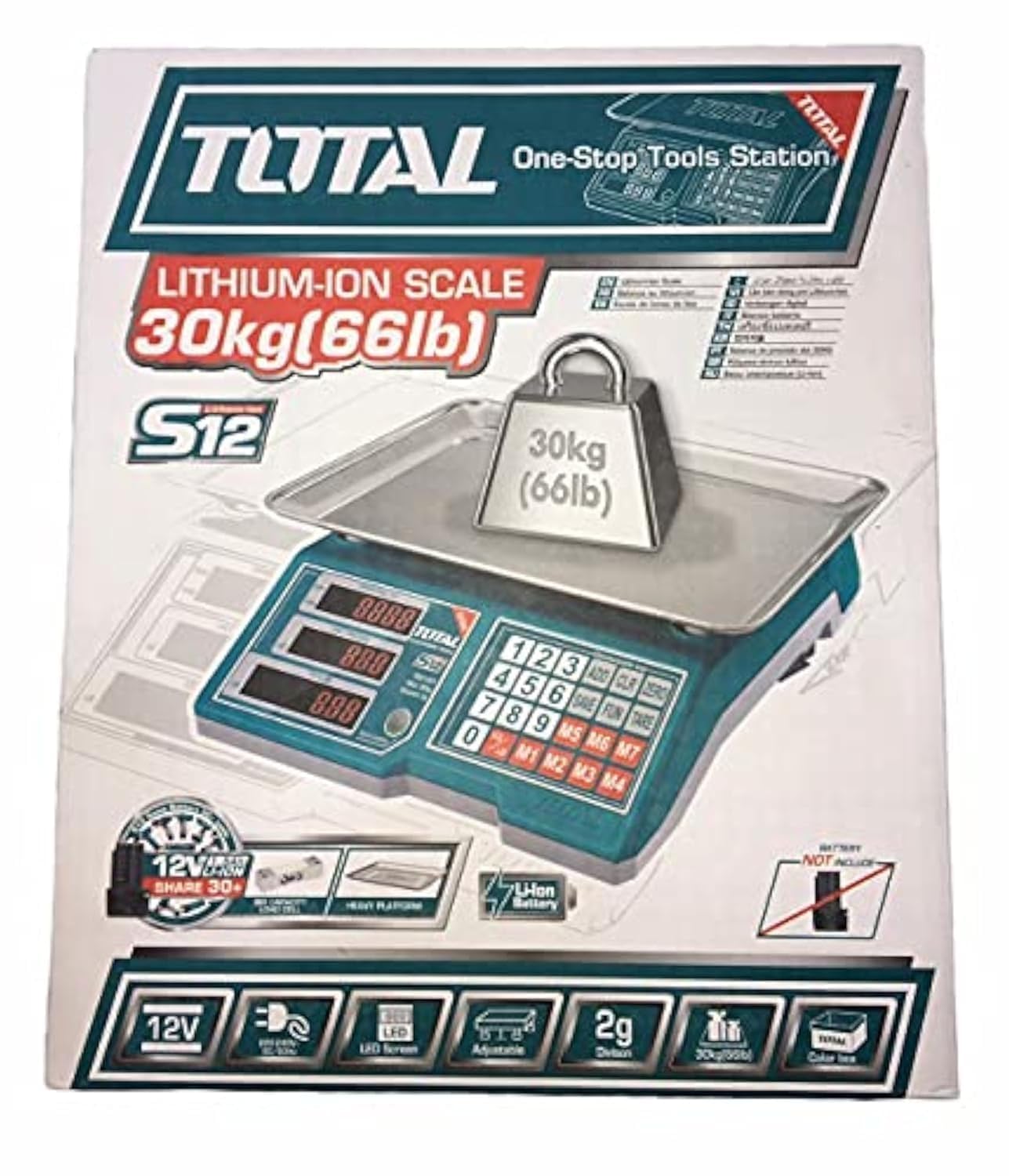
Image 1.1: Total Digital Kitchen Scale Model TES1201. This image displays the scale's main body, weighing platform, and digital display.
2. Caratteristiche del prodotto
- Alta capacità: Weighs up to 30 kilograms, suitable for a wide range of ingredients.
- Precisione digitale: Provides precise measurements for consistent results.
- Display a LED: Display digitale chiaro e di facile lettura.
- Funzione tara: Allows you to subtract the weight of a container to get an accurate measurement of its contents.
- Costruzione durevole: Made with metal material for longevity.
- Design compatto: Mini form factor for easy storage and use.
3. Informazioni sulla sicurezza
Please read all safety instructions before using the scale to prevent injury or damage to the device.
- Non superare la portata massima di 30 kg.
- Place the scale on a flat, stable surface to ensure accurate readings.
- Evitare di esporre la bilancia a temperature estreme, alla luce solare diretta o a elevata umidità.
- Non immergere la bilancia in acqua o altri liquidi. Pulire con un panno umido.amp solo tessuto.
- Keep the scale away from strong electromagnetic fields, which may affect accuracy.
- This product is not intended for commercial use or for weighing hazardous materials.
4. Contenuto della confezione
Verificare che tutti gli articoli siano presenti all'apertura della confezione:
- Total Digital Kitchen Scale (Model TES1201) - 1 unit
- User Manual - 1 copy
- Nota: le batterie non sono incluse e devono essere acquistate separatamente.
5. Impostazione
- Disimballare la bilancia: Estrarre con cautela la bilancia dalla confezione.
- Installa le batterie: Locate the battery compartment on the underside of the scale. Open the cover and insert the required batteries (e.g., AA or AAA, typically 2 or 3, though not specified in data) according to the polarity indicators (+/-). Close the battery compartment securely.
- Posizionamento: Posizionare la bilancia su una superficie dura, piana e stabile. Evitare superfici morbide come tappeti, che possono compromettere la precisione.
6. Istruzioni per l'uso
- Accensione: Premere il tasto ACCESO/SPENTO button to turn on the scale. The display will show "0.0" or "0" when ready.
- Select Unit (if applicable): If your scale supports multiple units (e.g., grams, kilograms, pounds, ounces), press the UNITÀ pulsante per scorrere le unità disponibili finché non viene visualizzata quella desiderata.
- Elementi da pesare: Place the item directly onto the center of the weighing platform. The weight will be displayed on the LED screen.
- Funzione tara: Per pesare gli articoli in un contenitore, posizionare prima il contenitore vuoto sulla bilancia. Premere il tasto TARA button (sometimes labeled "Z/T" or "T"). The display will reset to "0.0". Now, add the items you wish to weigh into the container, and the display will show only the net weight of the items.
- Spegni: Premere e tenere premuto il tasto ACCESO/SPENTO button for a few seconds to turn off the scale. The scale may also have an auto-off function to conserve battery life.
7. Manutenzione e cura
- Pulizia: Pulisci la superficie della bilancia con un panno morbido eamp panno. Non utilizzare detergenti abrasivi né immergere la bilancia in acqua.
- Magazzinaggio: Conservare la bilancia in un luogo fresco e asciutto. Evitare di posizionare oggetti pesanti sulla bilancia quando non è in uso.
- Sostituzione della batteria: If the display shows a low battery indicator (e.g., "Lo"), replace the batteries promptly to ensure accurate operation. Remove batteries if the scale will not be used for an extended period.
8. Risoluzione Dei Problemi
| Problema | Possibile causa | Soluzione |
|---|---|---|
| La bilancia non si accende. | Batterie scariche o installate in modo errato. | Controllare la polarità delle batterie. Sostituire le batterie se necessario. |
| Letture imprecise. | Uneven surface, overloaded, or interference. | Place on a flat, stable surface. Do not exceed 30 kg. Keep away from electronic devices. |
| Viene visualizzato "Lo" o "Err". | Batteria scarica o sovraccarico. | Replace batteries. Remove excess weight if overloaded. |
9. Specifiche
| Caratteristica | Dettaglio |
|---|---|
| Marca | Totale |
| Numero di modello | TES1201 |
| Tipo | Bilancia da cucina digitale |
| Capacità massima di peso | 30 chilogrammi |
| Precisione di lettura | 1 grammi |
| Tipo di visualizzazione | GUIDATO |
| Materiale | Metallo |
| Colore | Verde |
| Peso dell'articolo | 10 grammi |
| Dimensioni del pacco | Dimensioni: 37.2 x 32.4 x 11.8 cm |
| Batterie richieste | Sì (non incluso) |
| Caratteristiche speciali | High weight capacity, Tare function |
10. Garanzia e supporto
Per informazioni sulla garanzia o assistenza tecnica, consultare la documentazione inclusa con l'acquisto o contattare direttamente il rivenditore/produttore. Conservare la prova d'acquisto per eventuali reclami in garanzia.
Di solito puoi trovare le informazioni di contatto sul sito ufficiale del produttore websito o sulla confezione del prodotto.