
1. Introduzione
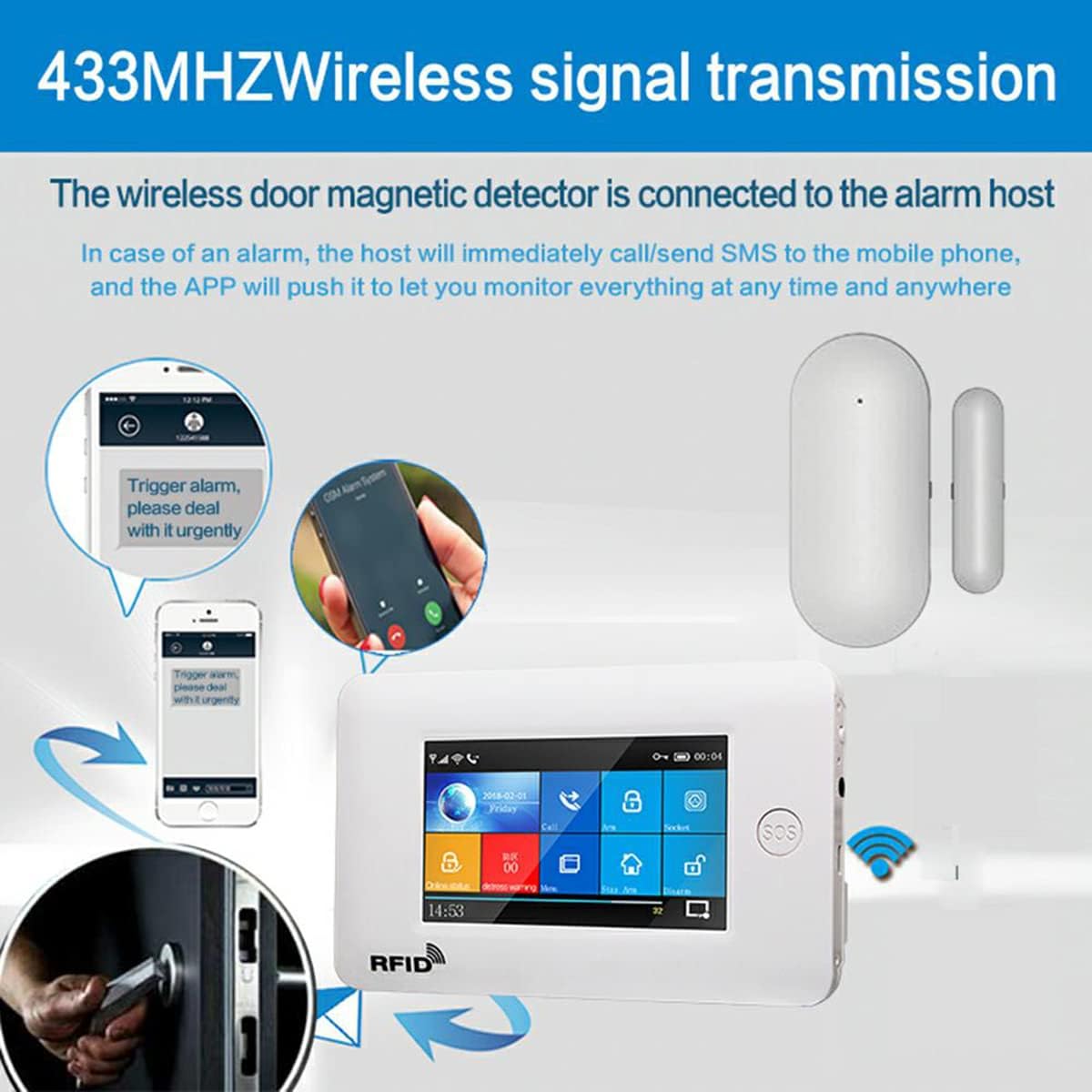
The PGST PB-68 is a wireless door/window magnetic detector designed to enhance your home security system. It operates on a 433MHz frequency and is compatible with various PGST alarm hosts, including models PG107, PG108, and PW150. This sensor detects the opening or closing of doors and windows, triggering an alarm and sending notifications to your connected smart device. This manual provides essential information for the proper installation, operation, and maintenance of your PB-68 sensor.
2. Prodotto finitoview
The PB-68 is a multi-functional wireless intelligent door magnet. It features an emergency button and dual magnetic detection. Designed with ultra-low power chip technology, it includes low-voltage fault monitoring and disassembly prevention functions. It is compatible with 1527 encoding format, offers optional oscillation resistance, and provides a long transmitting distance. This sensor is suitable for a variety of household and commercial door and window burglar alarm systems.

3. componenti
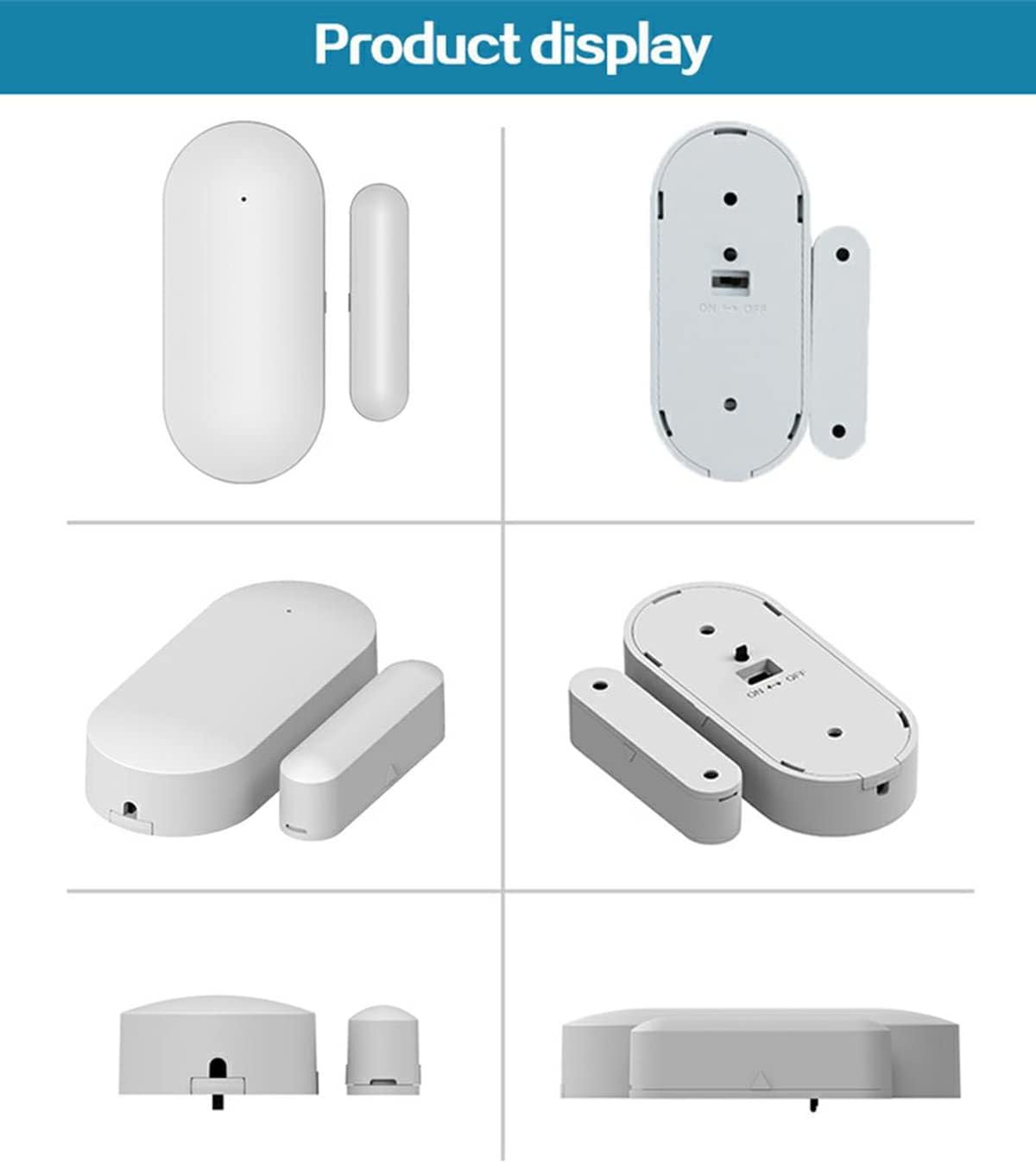
The PGST PB-68 Wireless Door Sensor consists of two main parts:
- Wireless Transmitter (Main Unit): This is the larger part of the sensor, containing the battery and transmission circuitry.
- Magnetic Stripe (Magnet): This is the smaller, passive part of the sensor.
These two components work together to detect the opening of a door or window by sensing the separation of the magnetic field.

4. Configurazione e installazione
Follow these steps to set up and install your PGST PB-68 Wireless Door Sensor:
- Preparazione: Ensure your PGST alarm host (e.g., PG107, PG108, PW150) is powered on and ready for pairing.
- Associazione con l'host dell'allarme: Refer to your specific alarm host's instruction manual for detailed pairing procedures. Generally, this involves putting the alarm host into a 'learn' or 'pairing' mode. Once the host is in pairing mode, separate the two parts of the PB-68 sensor (e.g., by opening the door/window it will be installed on) to trigger it and send a signal to the host. The host should confirm successful pairing.
- Scelta del luogo di installazione: Select a door or window where you wish to detect unauthorized entry. The sensor parts must be mounted on both the fixed frame and the moving part (door/window) so they align when closed.
- Montaggio del sensore:
- Attach the larger Trasmettitore senza fili unit to the fixed frame of the door or window.
- Attach the smaller Banda magnetica unit to the moving part of the door or window.
Ensure the two parts are aligned with each other and the gap between them is minimal (typically less than 10-15mm) when the door/window is closed. The sensor is designed for screw mounting for a secure installation.
- Prova: After installation, open and close the door/window to verify that the sensor triggers an alarm on your host system and sends notifications to your connected mobile application (e.g., Smart Life or Tuya app).

5. Istruzioni per l'uso
Once properly installed and paired with your alarm host, the PGST PB-68 sensor operates automatically:
- Rilevamento: When the door or window to which the sensor is attached is opened, the magnetic contact between the two parts of the sensor is broken.
- Trasmissione del segnale: This separation triggers the sensor to send a wireless signal (433MHz) to the connected alarm host.
- Attivazione allarme: The alarm host will then initiate its programmed response, which may include sounding an audible alarm, sending an SMS message to your mobile phone, or pushing a notification through the Smart Life or Tuya application.
- Monitoraggio continuo: The sensor is battery-powered and designed for continuous monitoring, providing security coverage around the clock.
6. Manutenzione
To ensure optimal performance and longevity of your PGST PB-68 sensor, follow these maintenance guidelines:
- Sostituzione della batteria: The sensor is powered by a CR2450 button battery (DC3V). When the battery voltage drops to 2.2-2.4V, the sensor will indicate a low battery warning to the alarm host. Replace the battery promptly to ensure continuous operation. To replace, carefully open the sensor casing, remove the old battery, and insert a new CR2450 battery, observing correct polarity.
- Pulizia: Wipe the sensor with a dry, soft cloth as needed to remove dust or dirt. Do not use liquid cleaners, solvents, or abrasive materials, as these can damage the device.
- Position Check: Periodically check that both parts of the sensor remain securely attached and properly aligned on the door/window. Ensure the gap between the two parts is still within the recommended operating distance when closed.
7. Risoluzione Dei Problemi
If you encounter issues with your PGST PB-68 Wireless Door Sensor, refer to the following troubleshooting tips:
- Il sensore non si attiva:
- Controllare il livello della batteria. Sostituire la batteria CR2450 se è scarica o scarica.
- Ensure the two parts of the sensor are aligned correctly and the gap between them is within the recommended 25-35mm when the door/window is opened.
- Verify that the sensor is properly paired with your alarm host. If unsure, attempt to re-pair the sensor according to your alarm host's manual.
- Inspect the sensor for any physical obstructions or damage.
- Falsi allarmi:
- Ensure the sensor is securely mounted and not subject to vibrations or movement that could cause unintended separation of the magnetic parts.
- Verify that the gap between the two sensor parts is not too wide when the door/window is closed.
- No Notifications on Mobile App:
- Confirm that your alarm host is connected to Wi-Fi or 4G and has a stable internet connection.
- Check that the Smart Life or Tuya application is correctly configured and running on your mobile phone.
- Review the notification settings within the app and on your phone's operating system to ensure alerts are enabled.
8. Specifiche
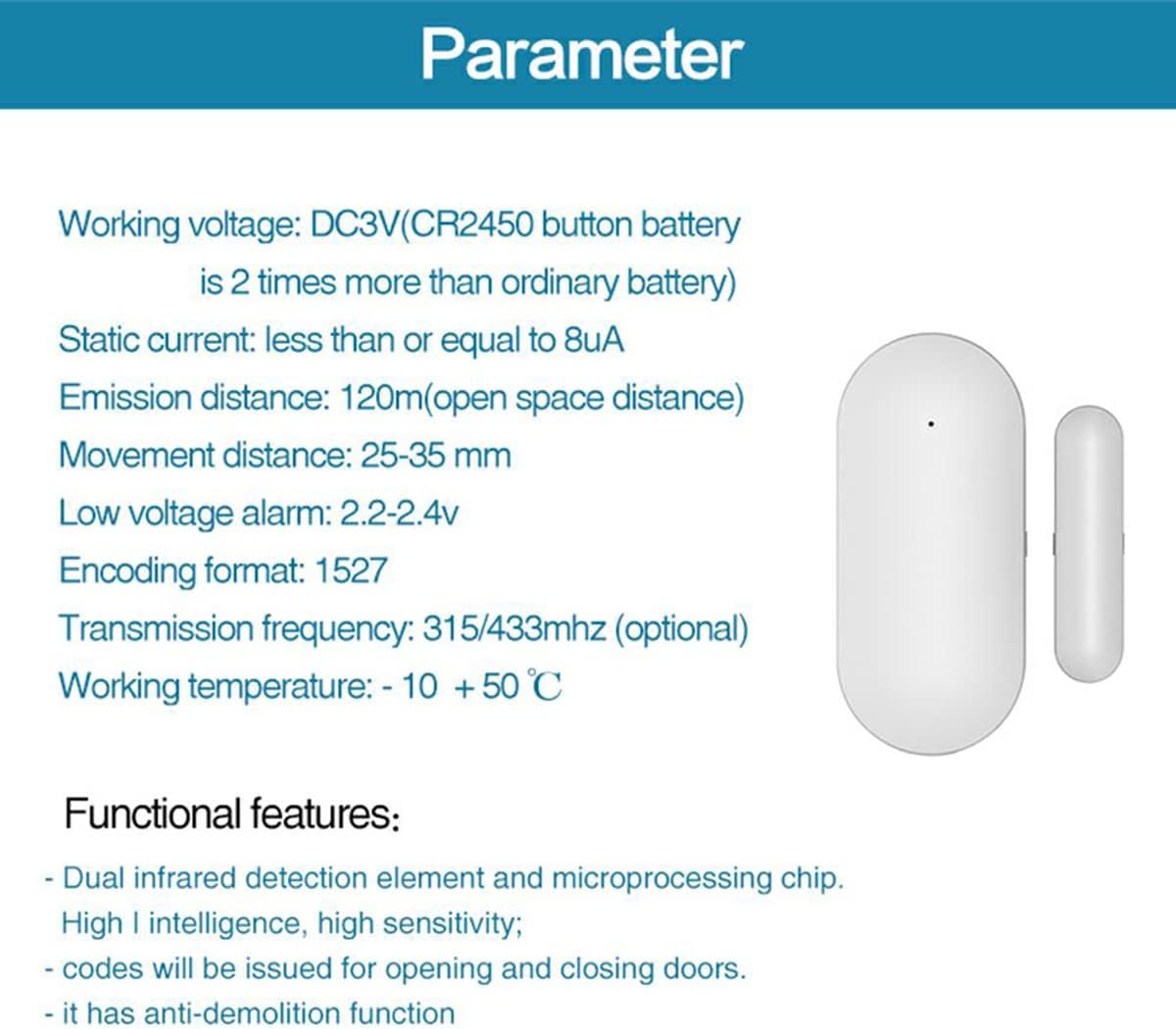
The following are the technical specifications for the PGST PB-68 Wireless Door Sensor:
| Caratteristica | Specificazione |
|---|---|
| Numero di modello | PB-68 |
| Volume di lavorotage | DC3V (batteria a bottone CR2450) |
| Corrente statica | 8uA |
| Distanza di emissione | 120m (spazio aperto) |
| Movement Distance (Trigger Gap) | 25-35 millimetri |
| Basso volumetage Allarme | 2.2-2.4 V |
| Formato di codifica | 1527 |
| Frequenza di trasmissione | 433MHz (optional 315MHz) |
| Temperatura di lavoro | da -10°C a +50°C |
| Dimensioni del prodotto | Dimensioni: 65 x 45 x 25 mm |
| Peso dell'articolo | 60g |
| Metodo di montaggio | Montaggio a vite |
| Dispositivi compatibili | PGST Alarm Host (PG107, PG108, PW150) and other home security systems |
9. Garanzia e supporto
For warranty information and technical support regarding your PGST PB-68 Wireless Door Sensor, please refer to the documentation provided with your PGST alarm host system or contact PGST customer service directly. It is recommended to keep your purchase receipt as proof of purchase for any warranty claims.