
BoxWave ClearTouch Crystal (bw-863-28206-0)
BoxWave ClearTouch Crystal Screen Protector for TOGUARD CA711
Manuale d'uso
Introduzione
The BoxWave ClearTouch Crystal Screen Protector is designed to provide a protective layer for your TOGUARD CA711 device screen. This product offers high transparency and scratch resistance, ensuring your device's display remains clear and protected from daily wear and tear. Each package includes two screen protectors, an applicator card, and a microfiber cleaning cloth.
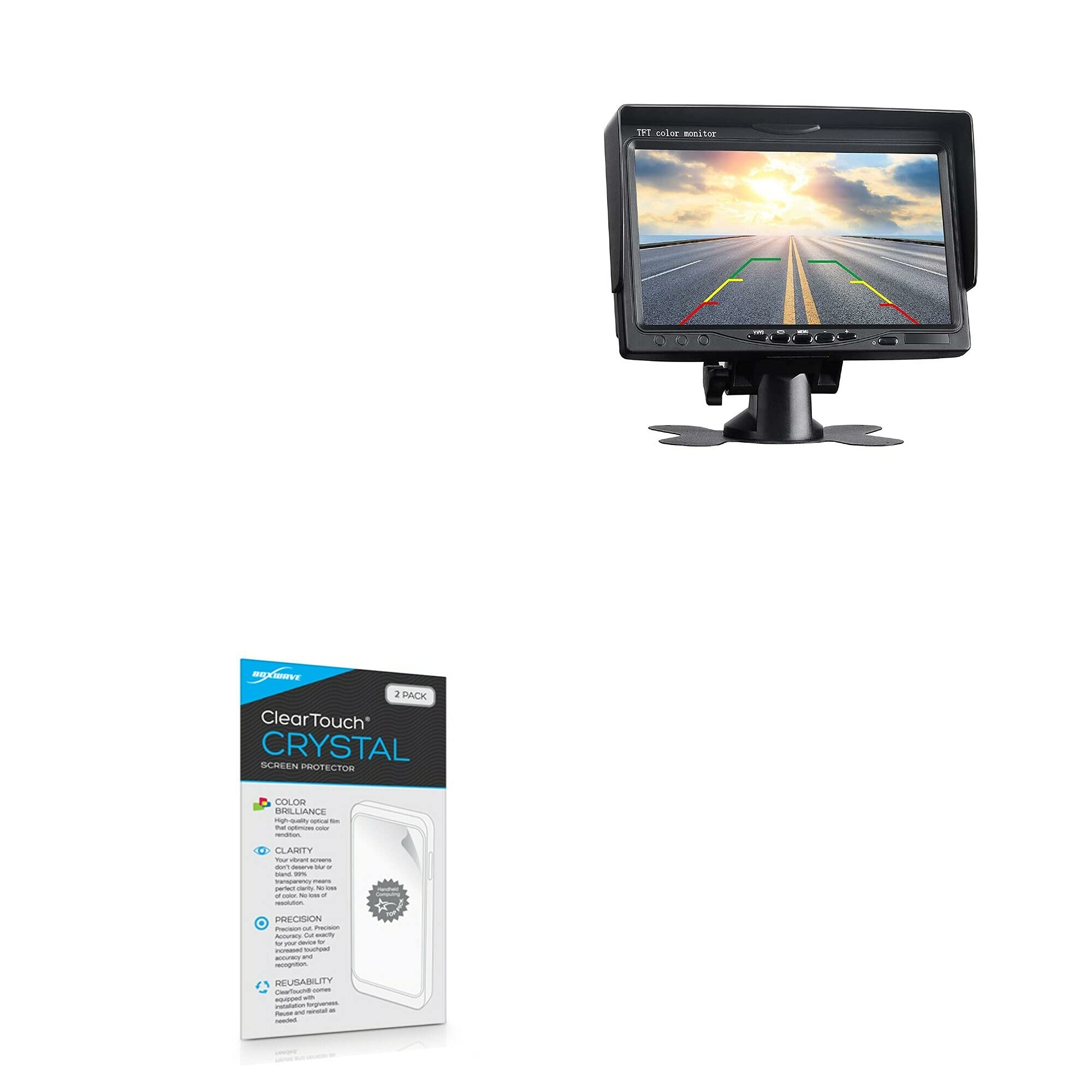
Image: Packaging for the BoxWave ClearTouch Crystal Screen Protector, highlighting its features and indicating a 2-pack.
Configurazione e installazione
Proper installation is key to achieving optimal protection and clarity. Follow these steps carefully:
- Prepara il tuo spazio di lavoro: Ensure you are in a clean, dust-free environment. Wash your hands thoroughly to avoid transferring oils or dirt to the screen or protector.
- Clean the Device Screen: Use the included microfiber cleaning cloth to thoroughly wipe down your TOGUARD CA711 screen. Ensure all dust, smudges, and fingerprints are removed. For stubborn marks, a screen cleaner (not included) can be used, followed by drying with the microfiber cloth.
- Rimuovere la polvere: If a dust-removing sticker is included (refer to image), use it to gently dab the screen surface to pick up any remaining dust particles.
- Peel Back Layer 1: Carefully peel back the protective layer labeled "1" from one end of the screen protector. Avoid touching the adhesive side.
- Allinea il protettore: Align the exposed adhesive edge of the screen protector with one edge of your device's screen. Take your time to ensure precise alignment with the screen's borders and any cutouts (e.g., camera, sensors).
- Apply and Smooth: Once aligned, slowly lower the rest of the screen protector onto the screen. Use the included applicator card to gently push out any air bubbles from the center towards the edges as you apply.
- Remove Layer 2: Once the protector is fully applied and smoothed, carefully peel off the top protective layer labeled "2" (if present).
- Ultimi ritocchi: Use the microfiber cloth to gently wipe the newly installed screen protector. Note that small air gaps around the edges may take approximately 2 days of regular use to fully clear out as the low-tack adhesive adheres completely.

Image: Contents of the BoxWave ClearTouch Crystal Screen Protector package, showing the two screen protectors, applicator card, and microfiber cleaning cloth.

Immagine: dettagliata view of the screen protector accessories, including the applicator card, microfiber cleaning cloth, and a dust removing sticker.
Funzionamento (utilizzo)
Once installed, the ClearTouch Crystal Screen Protector operates passively to enhance your device experience:
- Protezione dello schermo: The protector shields your TOGUARD CA711 screen from scratches, scuffs, and minor impacts, preserving the original display.
- Chiarezza ottica: With 99% visual transparency, the protector maintains the vibrant colors and clarity of your device's screen, ensuring an uninhibited viewesperienza di acquisizione.
- Sensibilità al tocco: The thin film design ensures that your device's touch screen responsiveness remains unaffected, allowing for smooth and accurate interaction.

Image: A visual representation of the screen protector's high definition clarity, showing a vibrant landscape through the clear film.
Manutenzione
To ensure the longevity and performance of your screen protector, follow these maintenance guidelines:
- Pulizia: Regularly wipe the screen protector with the provided microfiber cleaning cloth to remove dust, smudges, and fingerprints.
- Evitare prodotti chimici aggressivi: Do not use abrasive cleaners, alcohol, or harsh chemical solutions on the screen protector, as these can damage the film or its adhesive.
- Trattamento delicato: While the protector is scratch-resistant, avoid sharp objects or excessive force that could potentially damage the film.
Risoluzione dei problemi
If you encounter any issues with your screen protector, consider the following:
- Bolle d'aria: Small air bubbles are common immediately after installation. As noted in the setup section, the special low-tack adhesive may take up to 2 days of regular use to fully adhere, causing these small air gaps to clear out naturally. For larger, persistent bubbles, try gently pushing them towards the nearest edge with the applicator card or a soft cloth.
- Dust Particles Under Protector: If dust particles are trapped under the protector, it may be necessary to carefully lift a corner of the protector (using a piece of tape to avoid fingerprints) and use another piece of tape to dab and remove the dust. Then, re-apply the protector slowly. The ClearTouch Crystal is designed for reusability, allowing for reinstallation if needed.
- Edge Lifting: Ensure the screen and your hands were clean during installation. If edges lift, gently press them down with the applicator card. If the issue persists, the protector may need to be re-applied after ensuring the screen is perfectly clean.
Specifiche
| Marca | ScatolaWave |
| Modello | ClearTouch Crystal |
| Numero di parte | numero di telefono bw-863-28206-0 |
| Compatibilità | TOGUARD CA711 |
| Materiale | Polietilene tereftalato (PET) |
| Caratteristiche speciali | Scratch Resistant, 99% Visual Transparency, Glueless Adhesive, Reusable |
| Superficie dello schermo | Lucido |
| Numero di articoli | 2 Pellicole protettive per lo schermo |
| Peso dell'articolo | 1.6 once |
Garanzia e supporto
Information regarding product warranty and customer support was not provided in the available product data. For specific warranty details or support inquiries, please refer to the official BoxWave websito o contattare direttamente il servizio clienti.
Note importanti
- This screen protector is specifically designed for the TOGUARD CA711 device. Ensure compatibility before installation.
- The device itself (TOGUARD CA711) is not included with this product.
Ask a question about this manual
Ask about setup, troubleshooting, compatibility, parts, safety, or missing instructions. Manuals+ will review the question and use this page’s manual context to help answer it.