
1. Introduzione
The HUION Kamvas Pro 16 (4K) is a professional pen display designed for digital art, graphic design, and creative work. This device features a 4K UHD display, full lamination, anti-glare glass, and a battery-free stylus with PenTech 3.0 technology. It is compatible with various operating systems and software, offering a natural and precise drawing experience.
Please note: The Kamvas Pro 16 (4K) Pen Display is not a standalone product. It requires connection to a computer, laptop, or Android device to function.
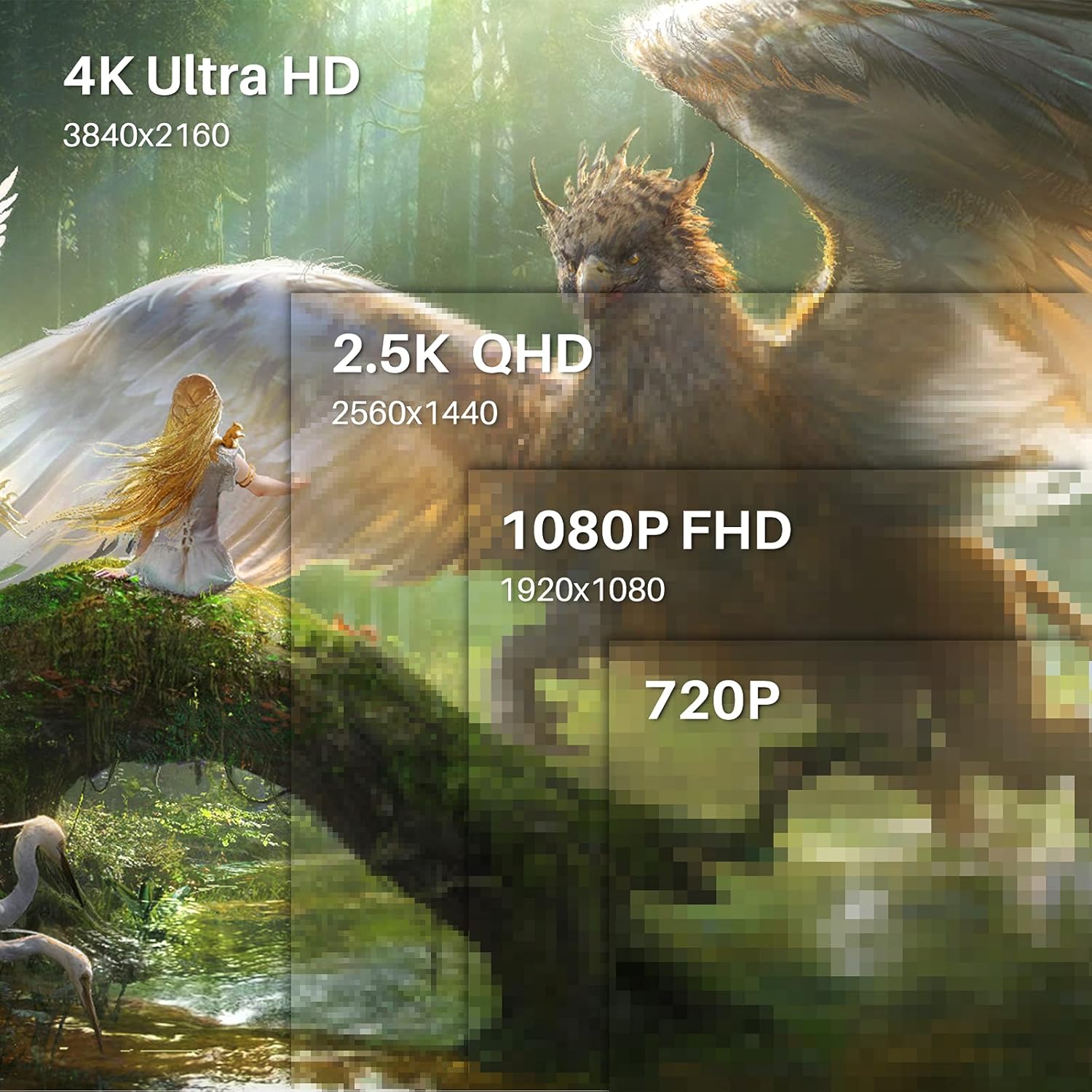
Image 1.1: The HUION Kamvas Pro 16 (4K) UHD Drawing Tablet.
2. Cosa c'è nella scatola
Verificare che tutti gli articoli siano presenti nel pacco:
- Display interattivo
- Penna digitale
- Portapenne PH05A
- Pennino x 10
- Astuccio
- Clip per pennino
- Cavo 3 in 1
- Cavo di prolunga USB
- Cavo da USB-C a USB-C
- Cavo di alimentazione USB
- USB Power Adapter
- Supporto pieghevole
- Guanto
- Panno per la pulizia
- Guida rapida

Image 2.1: All items included in the Kamvas Pro 16 (4K) package.
3. Impostazione
3.1 Collegamento a un PC
The Kamvas Pro 16 (4K) offers flexible connectivity options. You can connect it via a single 3-in-1 HDMI cable or a full-featured USB-C cable and a power cable. Ensure your device supports USB 3.1 Gen1 and DP1.2 for full-featured USB-C connection.
Video 3.1: Instructions on how to connect the Kamvas Pro 16 (4K) to a PC.
3.2 Setting Screen Resolution (macOS)
For macOS users, it is important to correctly set the screen resolution to ensure optimal display quality. The native resolution of the Kamvas Pro 16 (4K) is 3840x2160.
Video 3.2: Guide on setting the screen resolution for Kamvas Pro 16 (4K) on macOS.
3.3 Supporto regolabile
The included multi-angle adjustable stand allows you to set the tablet at an angle between 20° and 80° for comfortable drawing. This helps in reducing strain during extended use.
4. Operativo
4.1 Utilizzo della penna digitale
The digital pen PW517 features PenTech 3.0, offering 8192 levels of pressure sensitivity and ±60° tilt support for precise and natural strokes. The pen is battery-free, eliminating the need for charging.

Image 4.1: Features of the HUION PenTech 3.0 Stylus.
4.2 Adjusting OSD Menu
The On-Screen Display (OSD) menu allows you to adjust various display settings such as brightness and color temperature. The PW517 digital pen can be used to navigate and adjust these settings.
Video 4.2: Guide on how to adjust the OSD Menu on Kamvas Pro 16 (4K).
5. Caratteristiche principali
Schermo 4K UHD 5.1
Experience stunning visual clarity with a 4K UHD resolution of 3840x2160 (16:9). This provides four times more pixels than a Full HD screen, revealing intricate details in your artwork. The display boasts a 120% sRGB color gamut volume and 16.7 million display colors for vibrant and natural color presentation.

Image 5.1: Comparison illustrating the clarity of 4K UHD display.
5.2 Full-Laminated Anti-Glare Screen
The full-laminated anti-glare screen minimizes reflections and reduces eye strain. It also ensures minimal parallax between the pen tip and the cursor, providing a natural pen-on-paper drawing experience.

Image 5.2: Illustration of anti-glare etched glass reducing reflections.
5.3 Dual USB-C Ports
Dual USB-C ports offer versatile connectivity, allowing easy connection to PCs, Macs, and Android devices. This simplifies cable management and provides a tidy workspace.
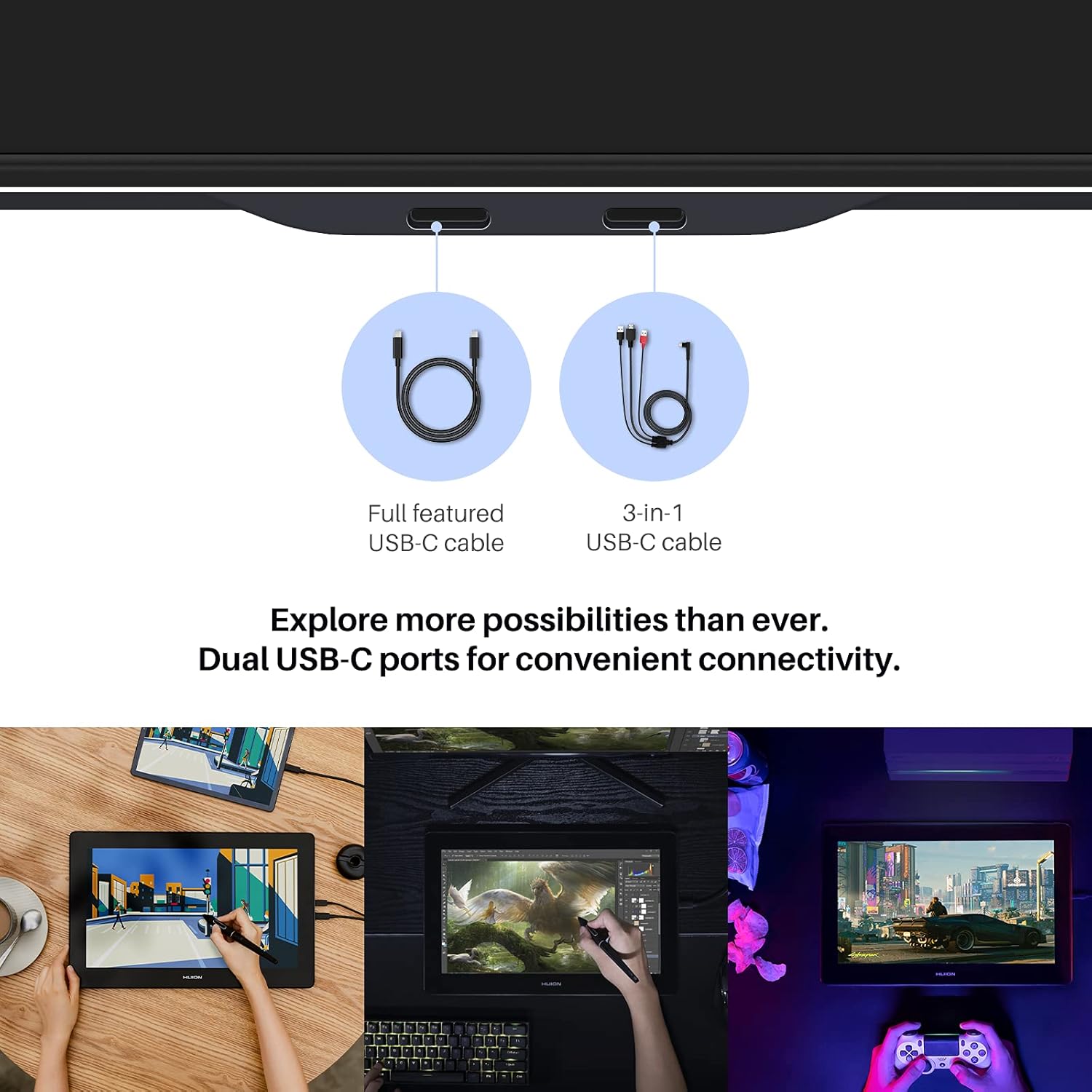
Image 5.3: Dual USB-C ports for convenient connectivity.
6. Compatibilità
The Kamvas Pro 16 (4K) is broadly compatible with various operating systems and mainstream design software.
6.1 Sistemi operativi supportati
- Windows 7 o superiore
- macOS 10.12 o versione successiva
- Linux (Ubuntu 20.04 LTS)
- Android phones and tablets (supporting USB3.1 GEN and DP1.2)
6.2 Compatible Software
Works seamlessly with popular creative software including, but not limited to:
- Adobe Photoshop
- Corel Painter
- Studio di fumetti
- SAI
- Zbrush
- Medibang Paint

Immagine 6.1: Passoview of compatible operating systems and software.
7. Specifiche
| Caratteristica | Dettaglio |
|---|---|
| Dimensioni del prodotto | 13.6 x 7.65 x 0.1 pollici |
| Peso dell'articolo | 7.65 libbre |
| Numero modello articolo | La GT1561 |
| Tecnologia di connettività | Da USB-C a USB-C |
| Sensibilità alla pressione | 8192 livelli |
| Compatibilità del sistema operativo | Android 6.0+, Linux (Ubuntu 20.04 LTS), Windows 7+, macOS 10.12+ |
| Caratteristiche speciali | 4K UHD resolution, 60° Tilt Support, Anti-Glare Glass, Full Lamination, USB-C Connection |
8. Manutenzione
Per garantire la longevità e le prestazioni ottimali del tuo Kamvas Pro 16 (4K), segui queste linee guida per la manutenzione:
- Pulizia: Use the provided cleaning cloth to gently wipe the screen. Avoid harsh chemicals or abrasive materials.
- Magazzinaggio: Quando non in uso, conservare la compressa in un luogo pulito e asciutto, lontano dalla luce solare diretta e da temperature estreme.
- Pennini: Replace the pen nibs when they show signs of wear to maintain drawing precision. Use the included nib clip for easy replacement.
- Cura del cavo: Handle connection cables carefully to prevent damage. Avoid bending or twisting them excessively.
9. Risoluzione Dei Problemi
If you encounter any issues with your Kamvas Pro 16 (4K), consider the following:
- Nessun display/alimentazione: Ensure all cables are securely connected and the power adapter is functioning. If using a USB-C to USB-C connection, confirm your device provides sufficient power or connect the additional power cable.
- La penna non risponde: Check if the pen nib is properly inserted. Reinstall the tablet driver on your computer.
- Risoluzione errata: Refer to Section 3.2 for instructions on setting the screen resolution, especially for macOS.
- Problemi con i driver: Download the latest drivers from the official HUION websito per il tuo sistema operativo specifico.
10. Garanzia e supporto
For warranty information and technical support, please refer to the warranty policy document included in your product package or visit the official HUION websito. Conservare la ricevuta d'acquisto come prova d'acquisto per eventuali reclami in garanzia.
Ufficiale Websito: www.huion.com