
5Rcom MT2005
Manuale utente per il supporto TV mobile 5Rcom
Model: MT2005 | Brand: 5Rcom
Introduzione
The 5Rcom Rolling TV Stand is designed to provide a versatile and stable solution for displaying your television. This mobile TV cart supports TVs from 23 to 65 inches, with a maximum load capacity of 88 lbs. It features height adjustment, tilt functionality, and 360° lockable wheels for easy mobility and secure positioning. The stand also includes integrated cable management and a low-profile X-shaped base for optimizing space.

Image: The 5Rcom Rolling TV Stand, featuring a television mounted on its adjustable pole and a stable X-shaped base with wheels.
Informazioni sulla sicurezza
Please read all instructions carefully before assembly and use. Failure to follow these instructions may result in property damage, serious injury, or death. If you have any questions, please contact customer support.
- Non superare la capacità di peso massima di 88 libbre (40 kg).
- Assicurati che lo schema VESA del tuo televisore sia compatibile con il supporto (da 100x100 mm a 400x400 mm).
- Always ensure all screws and connections are securely tightened before use.
- Do not attempt to move the stand with a TV attached over uneven surfaces or obstacles.
- Lock the wheels when the stand is in its desired position to prevent accidental movement.
- Tenere bambini e animali domestici lontani dal supporto durante il montaggio e la regolazione.
- Use caution when adjusting height or tilt to avoid pinching or dropping the TV.
Contenuto della confezione
Verificare che tutti i componenti siano presenti e integri prima di iniziare il montaggio. Se qualche componente risulta mancante o danneggiato, non procedere con il montaggio e contattare l'assistenza clienti.
- Palo di supporto principale
- X-shaped Base
- Lockable Wheels (4x)
- Staffe di montaggio TV
- Accessory Shelf (optional)
- Roku/Apple TV Mount (optional)
- Hardware Kit (various screws, washers, spacers)
- Cable Management Clips/Straps
- Strumenti di montaggio (ad esempio, chiave a brugola)
Istruzioni di montaggio
Follow these steps carefully to assemble your 5Rcom Rolling TV Stand. It is recommended to have two people for certain steps, especially when mounting the TV.
- Fissare le ruote alla base: Securely attach the four lockable wheels to the X-shaped base using the provided hardware. Ensure they are tightened to prevent wobbling.

Image: The 360° rotating lockable wheels, designed for silent and smooth movement without scratching floors.
- Montare il palo principale: Connect the main support pole sections if they are separate. Attach the assembled pole to the center of the X-shaped base.
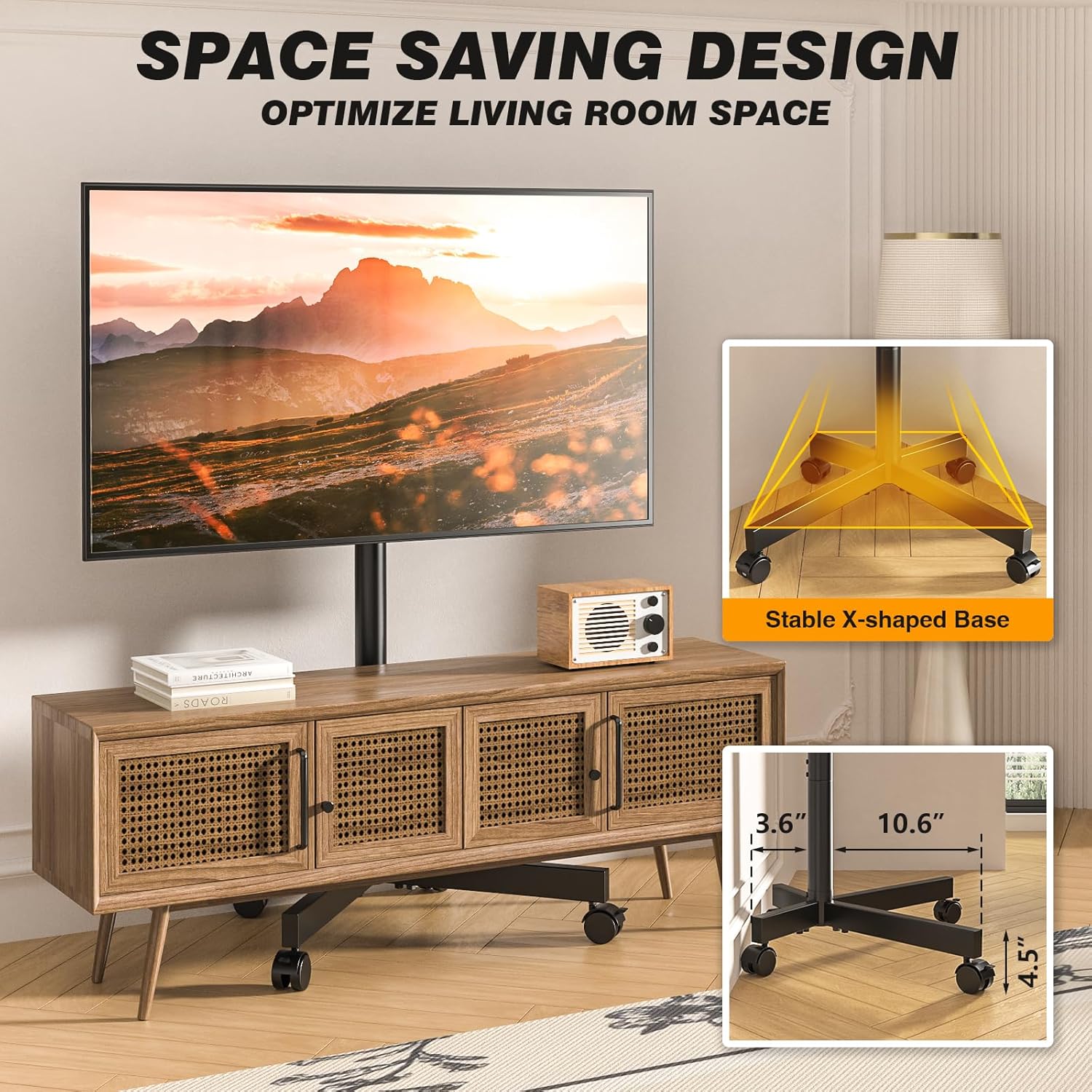
Image: The stable X-shaped base, illustrating its compact design suitable for various spaces.
- Install TV Mounting Brackets: Attach the vertical TV mounting brackets to the back of your television using the appropriate screws and spacers from the hardware kit. Refer to your TV's manual for VESA compatibility and screw length.
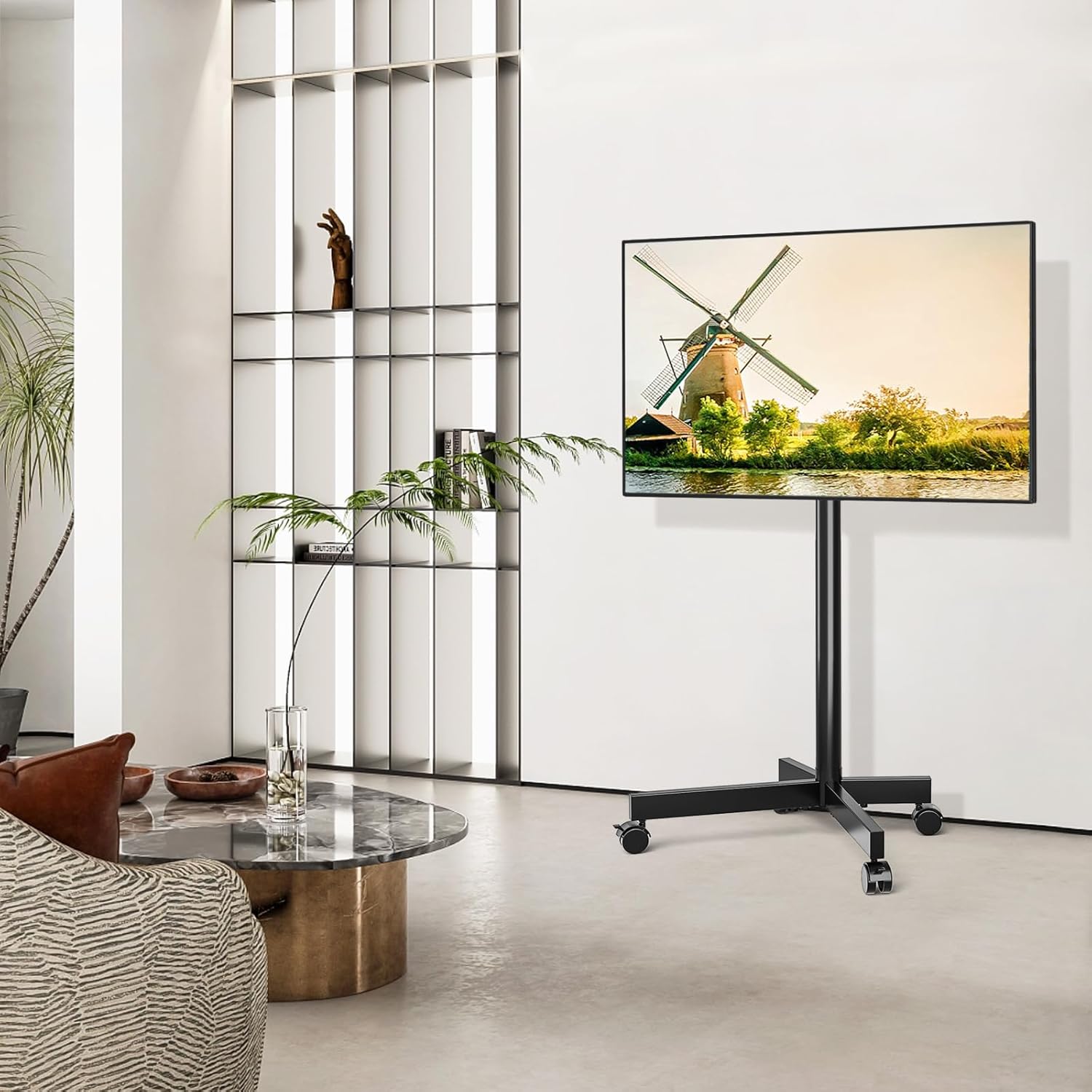
Image: VESA compatibility chart and included screw assortment for attaching TV mounting brackets.
- Montare la TV sul supporto: Carefully lift the TV with the attached brackets and hook them onto the main support pole's mounting plate. Ensure the TV is centered and level. Secure the TV using the safety lock mechanism on the stand.
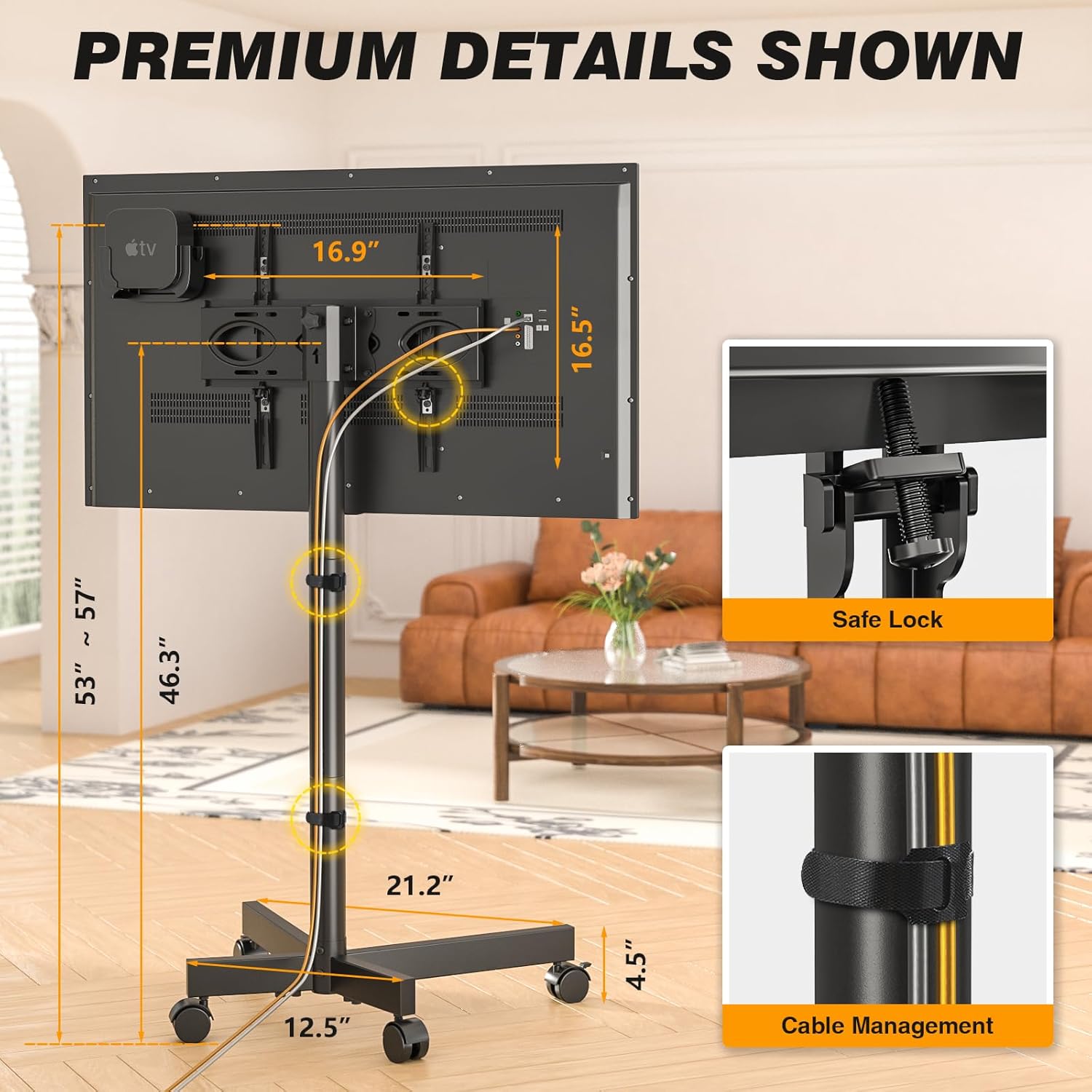
Image: Close-up of the safety lock feature and cable management solution on the TV stand.
- Attach Accessory Shelf and Roku/Apple TV Mount (Optional): If desired, attach the accessory shelf and the Roku/Apple TV mount to the main pole at your preferred height.

Image: The dedicated mount for Roku Ultra or Apple TV, designed to keep streaming devices neatly behind the television.
- Gestione dei cavi: Use the provided cable management clips or straps to neatly route and secure all cables along the main support pole.
Assemblaggio e funzionalitàview Video
Video: An official demonstration of the 5Rcom Rolling TV Stand, showcasing its assembly process, adjustable features, and mobility.
Istruzioni per l'uso
- Regolazione dell'altezza: The TV stand offers 3 levels of height adjustment, ranging from 53 to 57 inches. To adjust, loosen the height adjustment screws on the main pole, slide the TV to the desired height, and re-tighten the screws securely.

Image: Visual representation of the TV stand's adjustable height and tilt features, allowing for optimal viewangoli di inclinazione.
- Inclinazione della TV: The TV mount allows for a tilt range of -2° to +5°. This feature helps reduce glare and optimize viewing angles. Loosen the tilt knobs on the side of the TV mounting plate, adjust the TV to the desired angle, and then firmly tighten the knobs.
- Spostamento del supporto: To move the TV stand, unlock all four wheels by flipping their locking levers. Gently push or pull the stand to its new location. Once in position, lock all wheels to ensure stability. The silent, anti-scratch wheels are designed for smooth movement across various floor types.
Manutenzione
- Pulizia: Pulisci il supporto con un panno morbido eamp panno. Evitare l'uso di detergenti abrasivi o solventi che potrebbero danneggiare la finitura.
- Ispezioni: Controllare periodicamente tutte le viti e i collegamenti per assicurarsi che siano ben serrati e sicuri. Serrare nuovamente se necessario.
- Cura delle ruote: Keep the wheels free of debris (hair, dust, etc.) to ensure smooth rolling.
Risoluzione dei problemi
| Problema | Possibile causa | Soluzione |
|---|---|---|
| Il supporto è traballante/instabile. | Collegamenti allentati; pavimento irregolare; TV troppo pesante o grande. | Ensure all screws are tightened. Move to a level surface. Verify TV weight and size are within limits. |
| Le ruote non girano fluidamente. | Wheels locked; debris in wheels. | Unlock all wheels. Clean any debris from the wheel casters. |
| Impossibile regolare l'altezza o l'inclinazione della TV. | Le manopole/viti di regolazione sono troppo strette. | Loosen the respective knobs/screws before attempting adjustment. Re-tighten after adjustment. |
| La TV non è compatibile con il supporto. | Schema VESA errato; TV troppo grande/pesante. | Verify your TV's VESA pattern matches the stand's compatibility (100x100mm to 400x400mm). Check TV weight and size against specifications. |
Specifiche
- Modello: MT2005
- Marca: 5R com
- Materiale: Metallo
- Colore: Nero
- Peso dell'articolo: 15.38 libbre
- Dimensioni del prodotto: 21.2 x 16.1 x 56.6 pollici
- Dimensioni TV compatibili: 23 - 65 pollici
- Capacità di carico massima: 88 libbre (40 kg)
- Compatibilità VESA: da 100x100mm a 400x400mm
- Regolazione dell'altezza: 3 levels (approx. 53 to 57 inches)
- Angolo di inclinazione: da -2° a +5°
- Tipo di movimento: Inclinazione, rotolamento
- Tipo di montaggio: Montaggio a pavimento
- Paese di origine: Cina
Garanzia e supporto
5Rcom products are manufactured with quality and performance in mind. For information regarding warranty coverage, product support, or to purchase replacement parts, please visit the official 5Rcom websito o contattare il loro servizio clienti.
For further assistance, please refer to the contact information provided on the product packaging or the official 5Rcom brand store on Amazon:
Ask a question about this manual
Ask about setup, troubleshooting, compatibility, parts, safety, or missing instructions. Manuals+ will review the question and use this page’s manual context to help answer it.