
1. Introduzione
The FLYLINKTECH CF800 is a portable lithium battery jump starter designed to provide emergency starting power for 12V vehicles. It features a high-capacity battery, multiple charging outputs, and an integrated LED flashlight, making it a versatile tool for automotive emergencies and outdoor activities.
2. Informazioni sulla sicurezza
Leggere tutte le avvertenze e le istruzioni di sicurezza prima di utilizzare questo prodotto. Il mancato rispetto di queste istruzioni può causare scosse elettriche, incendi o lesioni gravi.
- Always wear eye protection and protective clothing when jump starting a battery.
- Non permettere il cl positivo e negativoampper toccarsi.
- Non avviare una batteria congelata.
- Tenere il dispositivo lontano dalla portata dei bambini.
- Non esporre il dispositivo alla pioggia o a temperature estreme.
- Garantire una ventilazione adeguata durante l'uso.
- Se l'acido della batteria entra in contatto con la pelle o gli occhi, sciacquare immediatamente con acqua pulita e consultare un medico.
3. Contenuto della confezione
Verifica che tutti gli articoli siano presenti nel tuo pacco:
- FLYLINKTECH Lithium Jump Starter (CF800)
- Cavi di avviamento intelligenti con schermo LCD
- Cavo di ricarica di tipo C.
- Cavo CC da 12 V
- Guida per l'utente
- Custodia da trasporto in EVA

Image: Contents of the FLYLINKTECH CF800 package.
4. Caratteristiche del prodotto
- High Capacity & Peak Current: 3000A peak current and 20000mAh capacity, capable of starting 12V vehicles (up to 10.0L gas or 9.0L diesel engines).
- Banca di alimentazione portatile: Equipped with a 15W Type-C input port and dual USB outputs (one with Quick Charge 3.0) for charging smartphones, tablets, and other electronic devices. Includes a 12V DC output port with a cigarette lighter adapter.
- Smart Jumper Clamps: Features high-quality, gold-plated smart clamps with comprehensive protection mechanisms and an integrated LCD screen displaying battery voltage and warnings.
- Torcia LED multifunzionale: Offers 4 modes: flashlight, SOS, strobe, and red/blue strobe for various emergency and utility lighting needs.
5. Configurazione: ricarica dell'avviatore di emergenza
Before first use, fully charge the FLYLINKTECH CF800 jump starter.
- Connect the provided Type-C charging cable to the jump starter's Type-C input port.
- Connect the other end of the Type-C cable to a USB wall adapter (not included) or a car charger. Ensure the charger provides at least 2A output.
- The LED indicators on the jump starter will illuminate to show the charging progress. All four LEDs will be solid when fully charged.
- La ricarica richiede in genere dalle 3 alle 4 ore.
Si consiglia di ricaricare il dispositivo ogni 3-6 mesi per mantenere la batteria in condizioni ottimali, anche se non viene utilizzato.
6. Istruzioni per l'uso
6.1. Avviamento di emergenza di un veicolo
Per avviare il veicolo con i cavi, seguire attentamente questi passaggi:
- Ensure the jump starter is at least 75% charged (three LED indicators solid).
- Spegnere il motore del veicolo e tutti gli accessori.
- Plug the smart jumper cable into the jump starter's EC5 port. Ensure a secure connection.
- Collegare il polo rosso (positivo, +)amp al terminale positivo della batteria del veicolo.
- Collegare il polo nero (negativo, -) clamp to the negative terminal of your vehicle's battery. The LCD screen on the smart clamp will display the battery voltage. If an error is detected, it will show a warning.
- Start your vehicle's engine. If it doesn't start on the first attempt, wait at least 30 seconds before trying again. Do not attempt more than 3 consecutive starts.
- Una volta avviato il veicolo, rimuovere immediatamente il polo nero (negativo)amp dalla batteria del veicolo, seguito dal polo rosso (positivo)amp.
- Scollegare il cavo di avviamento intelligente dall'avviatore.

Immagine: Guida passo passo per avviare un'auto con i cavi.
6.2. Utilizzo come power bank portatile
The CF800 can charge various electronic devices:
- Uscite USB: Connect your device's USB charging cable to either the USB1 (QC3.0) or USB2 port on the jump starter.
- Uscita 12 V CC: Use the provided 12V DC cable with a cigarette lighter adapter to power 12V accessories.

Image: The CF800 functioning as a portable power bank.
6.3. Utilizzo della torcia a LED
La torcia LED integrata ha quattro modalità:
- Modalità torcia: Per accendere la torcia, tenere premuto il pulsante di accensione per 3 secondi.
- Modalità strobo: Short press the power button again to switch to strobe mode.
- Modalità SOS: Premere brevemente di nuovo il pulsante di accensione per passare alla modalità SOS.
- Red/Blue Strobe Mode: Short press the power button again to activate the red and blue warning strobe.
- To turn off the flashlight, short press the power button until it cycles off, or press and hold the power button for 3 seconds.
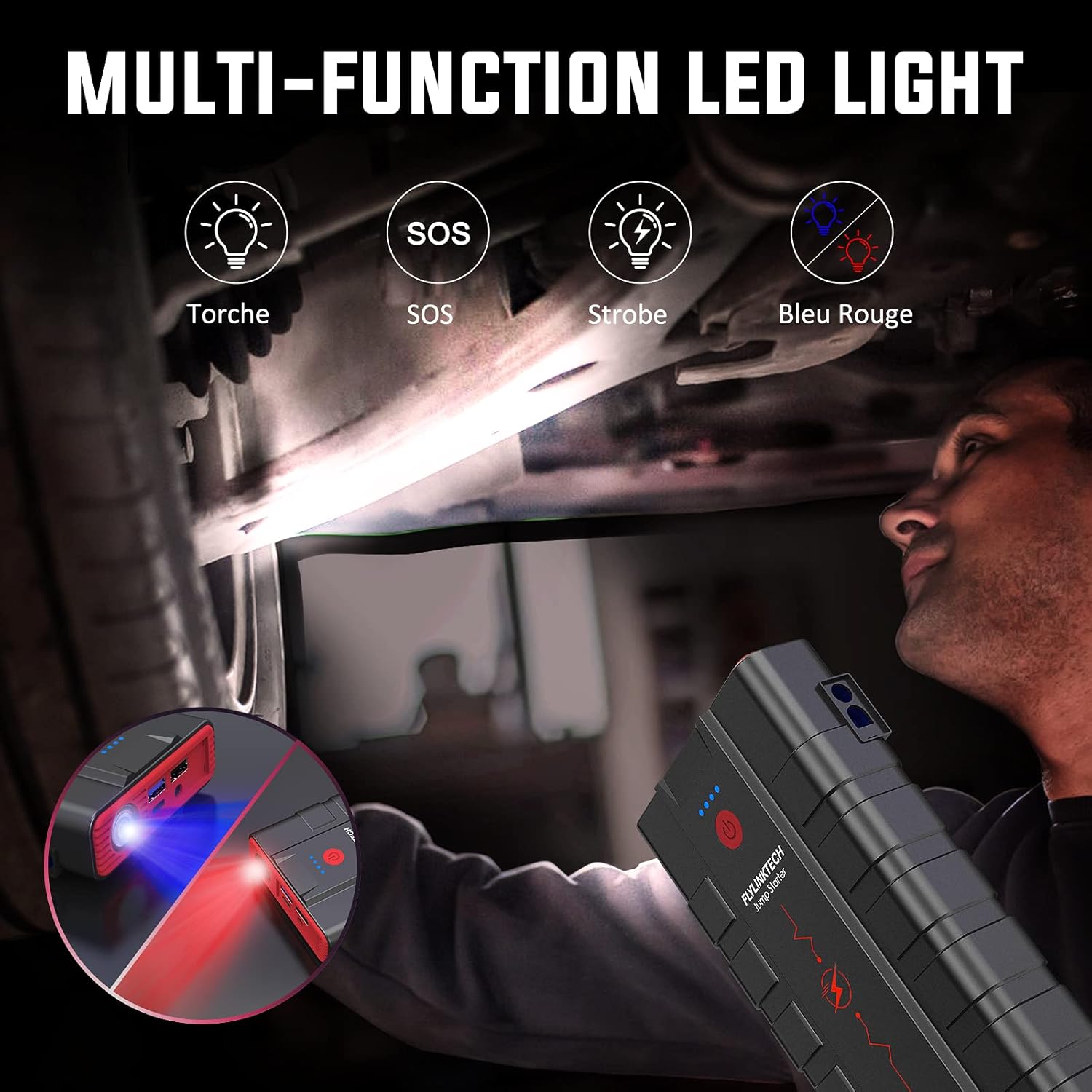
Image: Demonstrating the multi-function LED light.
7. Manutenzione
- Pulizia: Pulisci il dispositivo con un panno asciutto e morbido. Non utilizzare prodotti chimici aggressivi o materiali abrasivi.
- Magazzinaggio: Conservare l'avviatore di emergenza in un luogo fresco e asciutto, lontano dalla luce solare diretta e da temperature estreme.
- Ricarica: For optimal battery life, recharge the unit every 3-6 months, even if it has not been used.
- Mantenere le porte libere da polvere e detriti.
8. Risoluzione Dei Problemi
If you encounter issues, refer to the following common problems and solutions. The smart clamp's LCD screen provides valuable diagnostic information.
| Problema | Possibile causa | Soluzione |
|---|---|---|
| Il jump starter non si accende. | La batteria è scarica. | Ricaricare completamente l'avviatore di emergenza. |
| Il veicolo non si avvia. | clamp connessione. | Controlla la smart clamp's LCD for error messages. Ensure clamps are connected to the correct battery terminals (red to positive, black to negative). |
| Il veicolo non si avvia. | Batteria dell'avviatore di emergenza troppo scarica. | Assicurarsi che l'avviatore di emergenza sia sufficientemente carico (almeno al 75%). |
| cl . intelligenteamp shows error/warning. | Reverse polarity, short circuit, low voltage, alto volumetage, surriscaldamento. | Refer to the specific error code on the LCD screen and correct the issue (e.g., reconnect clamps, allow device to cool). |
| Il dispositivo non si carica. | Cavo o adattatore difettoso. | Try a different Type-C cable and a different USB wall adapter. |

Immagine: Smart clamp features and safety protections.
9. Specifiche
| Caratteristica | Specificazione |
|---|---|
| Numero di modello | CF800 |
| Picco Amprabbia | 3000A |
| Capacità della batteria | 20000mAh |
| Composizione delle celle della batteria | Ioni di litio |
| Voltage | 12 Volt |
| Compatibilità del motore | Fino a 10.0 l a benzina, 9.0 l a gasolio |
| Ingresso (tipo C) | 15W |
| Uscita USB 1 (QC3.0) | 5V/3A, 9V/2.4A, 12V/1.5A |
| Uscita USB 2 | 5V/2.4A |
| DC Output | 12-16V/8A |
| Dimensioni del prodotto | 9.06 x 4.72 x 1.57 pollici |
| Peso dell'articolo | 2.46 libbre |
| Temperatura di esercizio | da -20°C a +50°C |
10. Garanzia e supporto
FLYLINKTECH provides professional after-sales service for this product. If you encounter any problems or have questions, please contact FLYLINKTECH customer service. Refer to the contact information provided in the original product packaging or on the official FLYLINKTECH website for assistance. Our 7*24 hour customer service is available to help you.