
Iproda 1169YM
Manuale utente del laptop Iproda
Model: 1169YM | Brand: Iproda
1. Introduzione
This manual provides essential information for the safe and efficient use of your Iproda 1169YM Laptop. The Iproda Laptop is a versatile 2-in-1 convertible device, designed for portability and performance. It features a 360-degree hinge, allowing it to transform between laptop and tablet modes, and an intuitive touchscreen display.
We recommend reading this manual thoroughly to understand all features and ensure proper operation and maintenance of your device.

Image: The Iproda Laptop showcasing its 360-degree convertible design and touchscreen capabilities.
2. Caratteristiche principali
- Design convertibile 2 in 1: The laptop features a 360-degree hinge, allowing it to be used as a traditional laptop or folded into a tablet. It is ultra-thin at 0.5 inches and weighs 2.2 pounds, making it highly portable.
- Processore ad alte prestazioni: Equipped with an efficient Intel Celeron N4100 processor (up to 2.4 GHz), 4 GB DDR4 RAM, and 64 GB SSD storage, ensuring smooth operation for daily tasks.
- Vibrant Touchscreen Display: Features an 11.6-inch FHD IPS display with 1920x1080 resolution and multi-point precision touchscreen functionality.
- Windows 10 Pro: Comes with an authorized and activated Windows 10 Pro operating system.
- Batteria a lunga durata: A 3500 mAh battery provides up to 8 hours of usage for work, reading, browsing, or entertainment.
- Connettività versatile: Includes a Type-C port (for power), Micro-HDMI (for external display), Micro-USB, Micro-SD card slot (expandable up to 128 GB), and a headphone jack.
- Archiviazione espandibile: Supports M.2 2242 SSD expansion (up to 512 GB) for additional storage capacity.
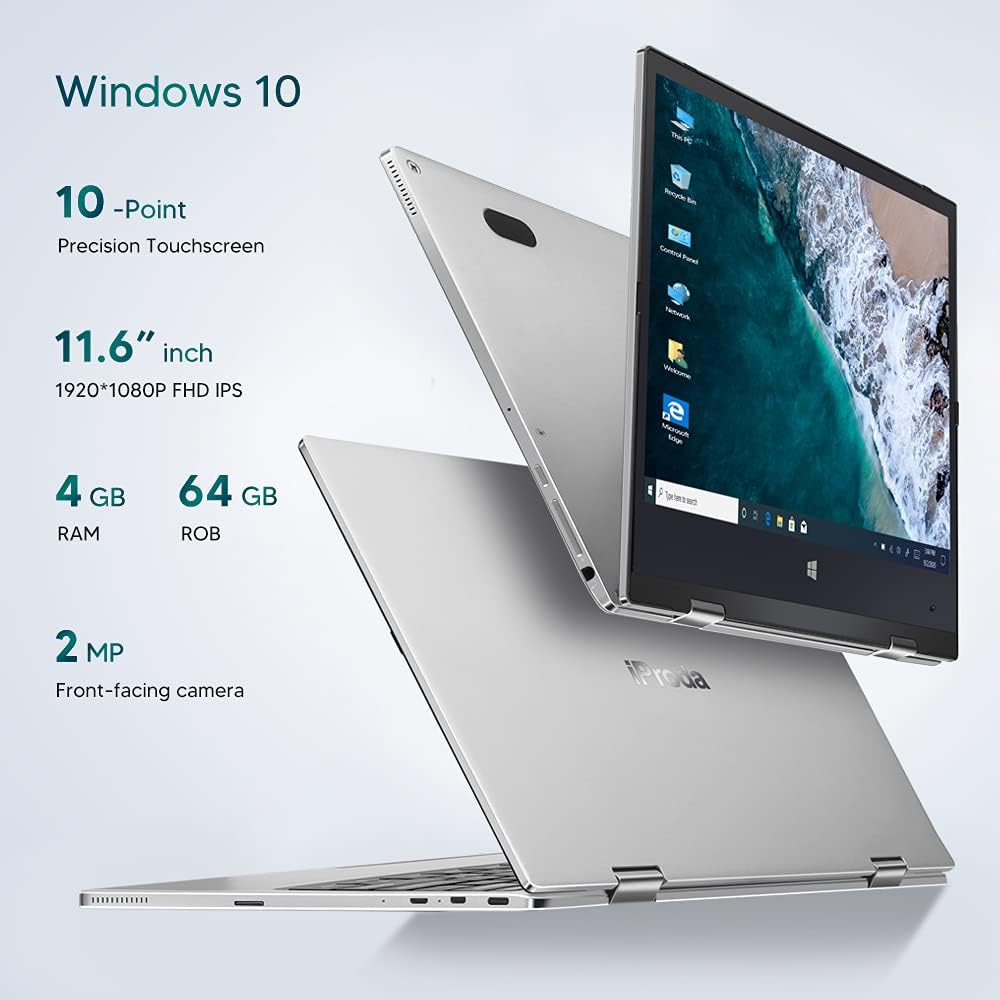
Immagine: Oltreview of key specifications including display, memory, and camera.
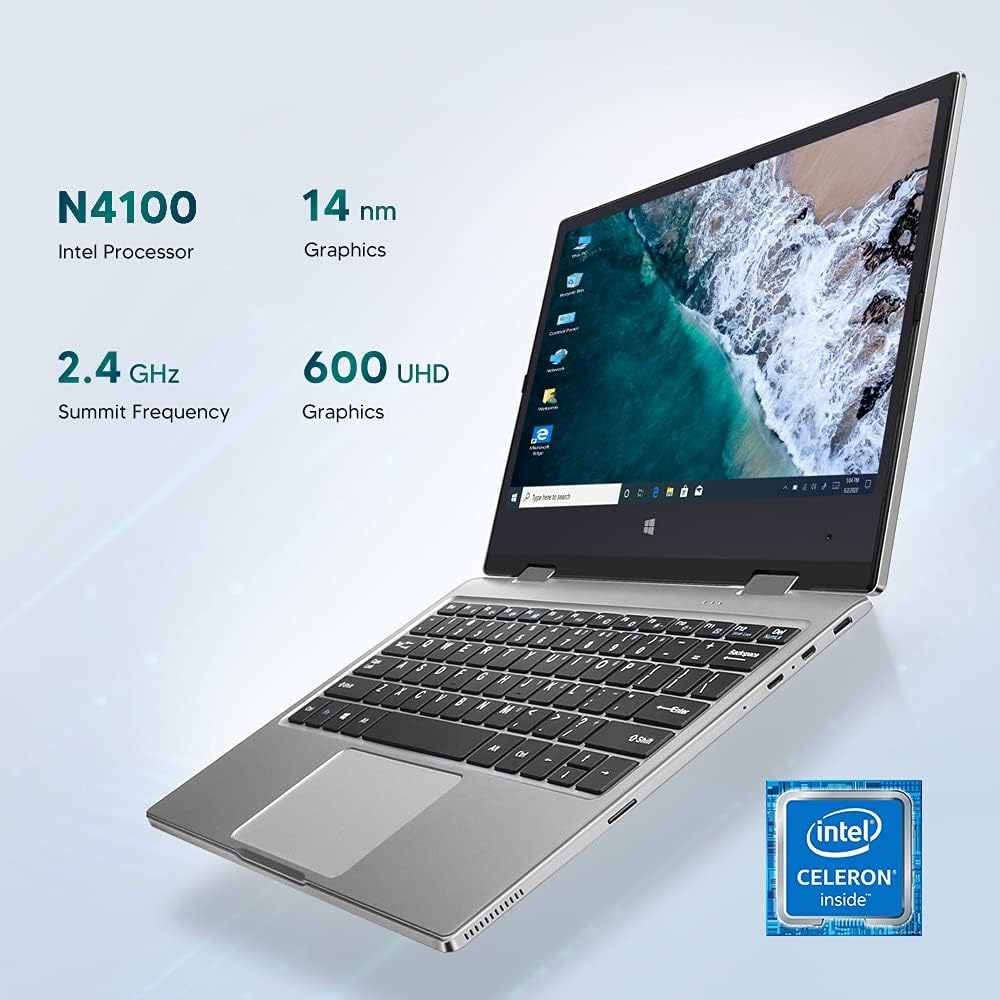
Image: Details of the Intel Celeron N4100 processor and integrated graphics.

Image: The laptop's slim and lightweight design.
3. Configurazione iniziale
- Disimballaggio: Estrarre con cautela il laptop e tutti gli accessori dalla confezione. Assicurarsi che tutti i componenti siano presenti: laptop, alimentatore e documentazione.
- Carica della batteria: Before first use, connect the power adapter to the Type-C port on the laptop and plug it into a power outlet. Allow the battery to charge fully. The charging indicator light will typically change color or turn off when fully charged.
- Accensione: Press and hold the Power Button located on the side of the laptop until the screen illuminates.
- Configurazione iniziale di Windows: Follow the on-screen instructions to complete the Windows 10 Pro setup. This includes selecting your language, region, connecting to a Wi-Fi network, and creating a user account.
- Connetti le periferiche: If desired, connect external devices such as a mouse, keyboard, or external monitor using the available ports (Micro-USB, Micro-HDMI). Note: For standard USB 2.0 devices, a Micro-USB to USB 2.0 OTG cable is required.

Image: Illustration of the laptop's ports and buttons for connectivity and control.
4. Istruzioni per l'uso
4.1. Using the 2-in-1 Convertible Feature
The Iproda Laptop's 360-degree hinge allows for flexible usage modes:
- Modalità portatile: Configurazione standard del laptop per la digitazione e la produttività.
- Modalità tenda: Fold the screen back to stand the laptop in a "tent" shape, ideal for watching videos or presentations.
- Modalità Stand: Fold the screen back further, resting the keyboard face down, for a compact display.
- Modalità Tablet: Fold the screen completely back against the base for a full tablet experience, utilizing the touchscreen.
4.2. Funzionalità touchscreen
The 11.6-inch display supports 10-point precision touch. You can interact with Windows 10 Pro directly on the screen using gestures similar to a smartphone or tablet. Common gestures include tapping, swiping, pinching to zoom, and two-finger scrolling.
4.3. Collegamento a display esterni
Use the Micro-HDMI port to connect your laptop to an external monitor or projector. You may need an appropriate Micro-HDMI to HDMI cable (not included). Once connected, you can configure display settings in Windows to extend or duplicate your screen.
4.4. Videoconferenza
The integrated 2MP front-facing camera and microphone enable video conferencing. Ensure you have a stable internet connection and appropriate software (e.g., Zoom, Microsoft Teams) installed.
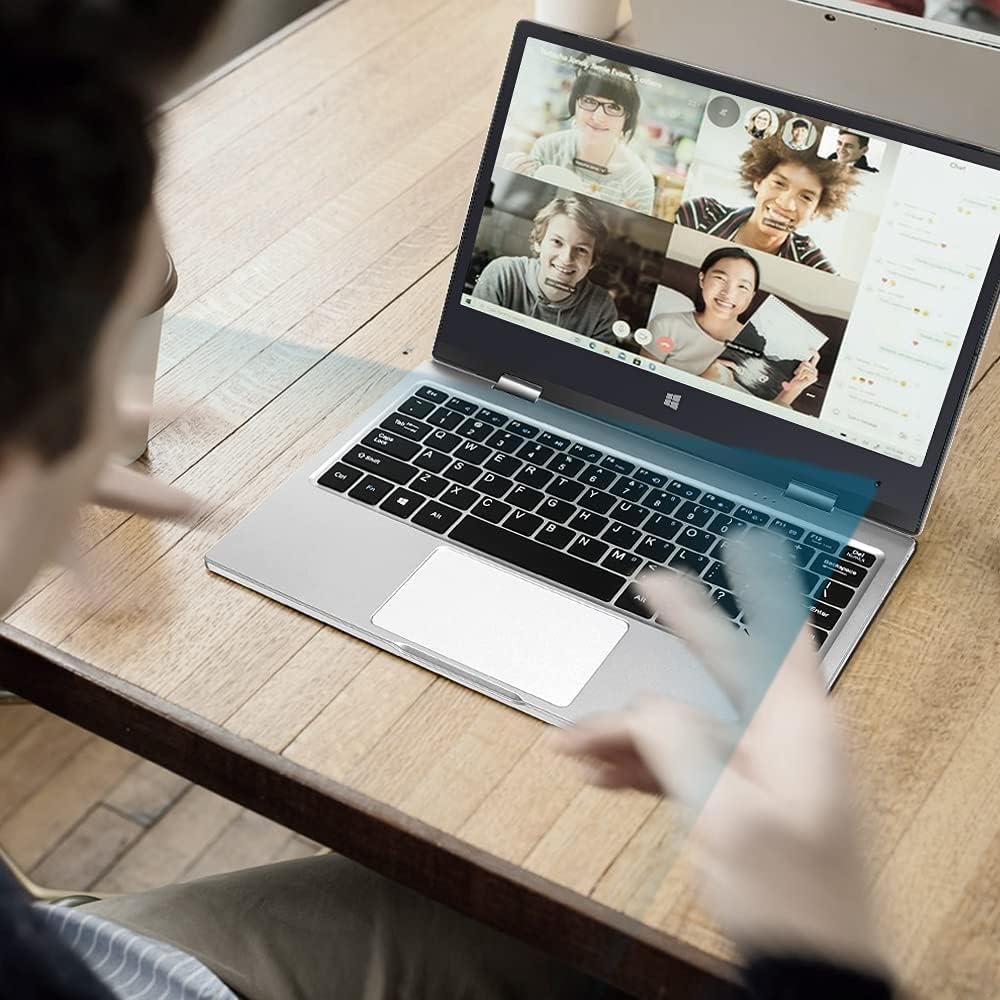
Image: The laptop in use for a video conference.
Image: Detail of the front-facing camera during a video call.
5. Manutenzione e cura
- Pulizia dello schermo: Utilizzare un panno morbido e privo di lanugine, specificamente progettato per l'elettronica. Per le macchie ostinate, strofinare leggermenteampen the cloth with water or a screen cleaner solution (avoid harsh chemicals).
- Pulizia del telaio: Wipe the exterior with a soft, dry cloth. Avoid liquid contact with ports and openings.
- Cura della batteria: Per prolungare la durata della batteria, evitare di scaricarla completamente frequentemente. Conservare il portatile in un luogo fresco e asciutto quando non viene utilizzato per lunghi periodi.
- Espansione dello spazio di archiviazione: The laptop supports M.2 2242 SSDs (128GB/256GB/512GB, not included) for expanding storage. Refer to a qualified technician for installation to avoid damaging the device.
- Aggiornamenti software: Aggiorna regolarmente Windows 10 Pro e i driver dei dispositivi per garantire prestazioni e sicurezza ottimali.

Image: Illustration of the M.2 SSD slot for storage expansion.

Immagine: dettagliata view of the M.2 SSD installation for storage expansion.
6. Risoluzione Dei Problemi
If you encounter issues with your Iproda Laptop, try the following common troubleshooting steps:
- Il portatile non si accende:
- Ensure the power adapter is securely connected to both the laptop's Type-C port and a working power outlet.
- Lasciare caricare il laptop per almeno 30 minuti prima di provare ad accenderlo nuovamente.
- Prova una presa di corrente diversa.
- Lo schermo è vuoto o non risponde:
- Press the Power Button briefly to see if the screen wakes up from sleep.
- Perform a hard reset by holding the Power Button for 10-15 seconds until the laptop powers off, then restart it.
- If connected to an external display, ensure the display cable is properly connected and the external display is powered on.
- Problemi di connettività Wi-Fi:
- Controlla se il Wi-Fi è abilitato nelle impostazioni di Windows.
- Riavvia il router Wi-Fi e il laptop.
- Assicurati di essere nel raggio di azione della tua rete Wi-Fi.
- Il touchscreen non risponde:
- Riavviare il portatile.
- Assicurarsi che lo schermo sia pulito e privo di detriti.
- Check for any pending Windows updates that might include touchscreen driver fixes.
Se questi passaggi non risolvono il problema, consultare la sezione Garanzia e supporto per ulteriore assistenza.
7. Specifiche tecniche
| Caratteristica | Specificazione |
|---|---|
| Marca | Iproda |
| Numero di modello | 1169 anni |
| Colore | Argento |
| Fattore di forma | Laptop (2-in-1 Convertible) |
| Dimensioni dello schermo | 11.6 pollici |
| Risoluzione dello schermo | 1920 x 1080 pixel (FHD IPS) |
| Marca del processore | Intel |
| Tipo di processore | Processore Intel Celeron N4100 |
| Velocità del processore | Fino a 2.4 GHz |
| Dimensioni RAM | 4 GB |
| Tecnologia RAM | DDR4 |
| Dimensioni del disco rigido | 64 GB |
| Tipo di disco rigido | Unità SSD |
| Coprocessore grafico | Grafica Intel UHD 600 |
| Connettività wireless | Wi-Fi (2.4 GHz) |
| Sistema operativo | Windows 10 Pro |
| Capacità della batteria | 3500 mAh (26.6 Wattora) |
| Durata media della batteria | 8 ore |
| Porti | Type-C (Power), Micro-HDMI, Micro-USB, Micro-SD Card Slot, Headphone Jack |
| Dimensioni (L x P x A) | Dimensioni: 27.43 x 18.8 x 1.27 cm |
| Peso | 997.9 g (circa 2.2 libbre) |
8. Garanzia e supporto
The Iproda Laptop comes with a one-year warranty. This warranty covers manufacturing defects and ensures the quality of all Iproda products. For warranty claims or technical support, please contact Iproda customer service.
If you encounter any problems or have questions regarding your device, please do not hesitate to contact us. Please have your model number (1169YM) and purchase information ready when contacting support.
Informazioni sui contatti: Si prega di fare riferimento al rivenditore website or your purchase documentation for specific customer service contact details.
Ask a question about this manual
Ask about setup, troubleshooting, compatibility, parts, safety, or missing instructions. Manuals+ will review the question and use this page’s manual context to help answer it.