
1. Introduzione
This manual provides essential information for the safe and efficient installation, operation, and maintenance of your LEDVANCE ORBIS SPARKLE SMART+ WiFi Ceiling Light. Please read these instructions carefully before use and retain them for future reference.
The LEDVANCE ORBIS SPARKLE SMART+ WiFi Ceiling Light is a smart, dimmable LED luminaire designed for indoor use, offering tunable white light (2700K to 6500K) and a decorative sparkle effect. It integrates seamlessly with smart home systems via WiFi, allowing control through the LEDVANCE SMART+ WiFi app, Amazon Alexa, or Google Assistant.
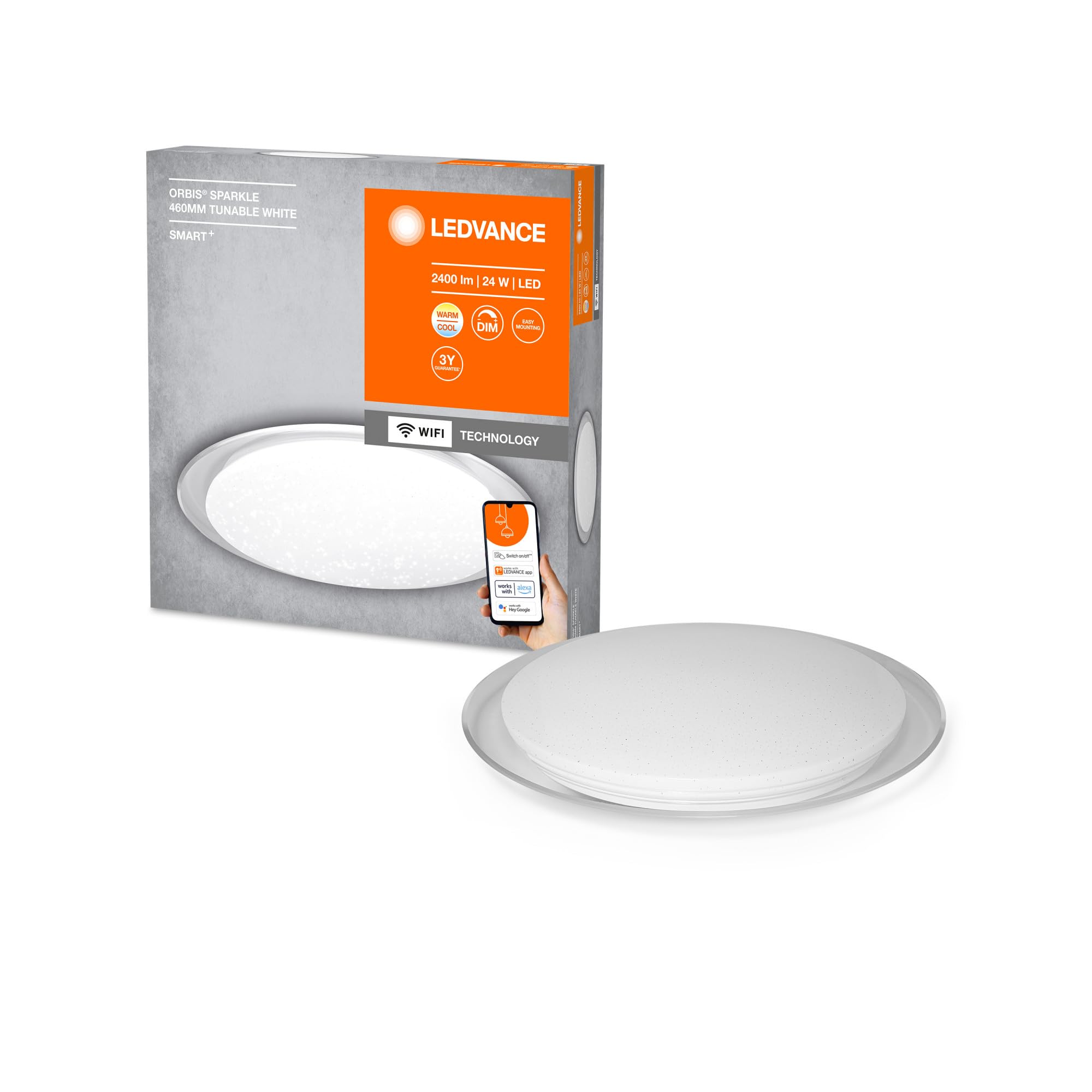
Image: The LEDVANCE ORBIS SPARKLE SMART+ WiFi Ceiling Light providing illumination in a room.
2. Informazioni sulla sicurezza
- Sicurezza elettrica: Installation must be performed by a qualified electrician in accordance with local wiring regulations. Always switch off the power supply at the main fuse box before installation or maintenance.
- Solo per uso interno: This product is designed exclusively for indoor applications. Do not expose to moisture or extreme temperatures.
- Gestione: Handle the luminaire with care to avoid damage. Do not attempt to modify the product.
- Pulizia: Scollegare l'alimentazione prima della pulizia. Utilizzare un panno morbido e asciutto. Non utilizzare detergenti abrasivi o solventi.
- Sorgente luminosa: The LED light source is non-replaceable. If the light source reaches its end of life, the entire luminaire must be replaced.
3. Contenuto della confezione
Verificare che tutti i componenti siano presenti prima di iniziare l'installazione.
- 1 x LEDVANCE ORBIS SPARKLE SMART+ WiFi Ceiling Light
- Staffa di montaggio
- Viti di montaggio e tasselli
- Manuale di istruzioni (questo documento)
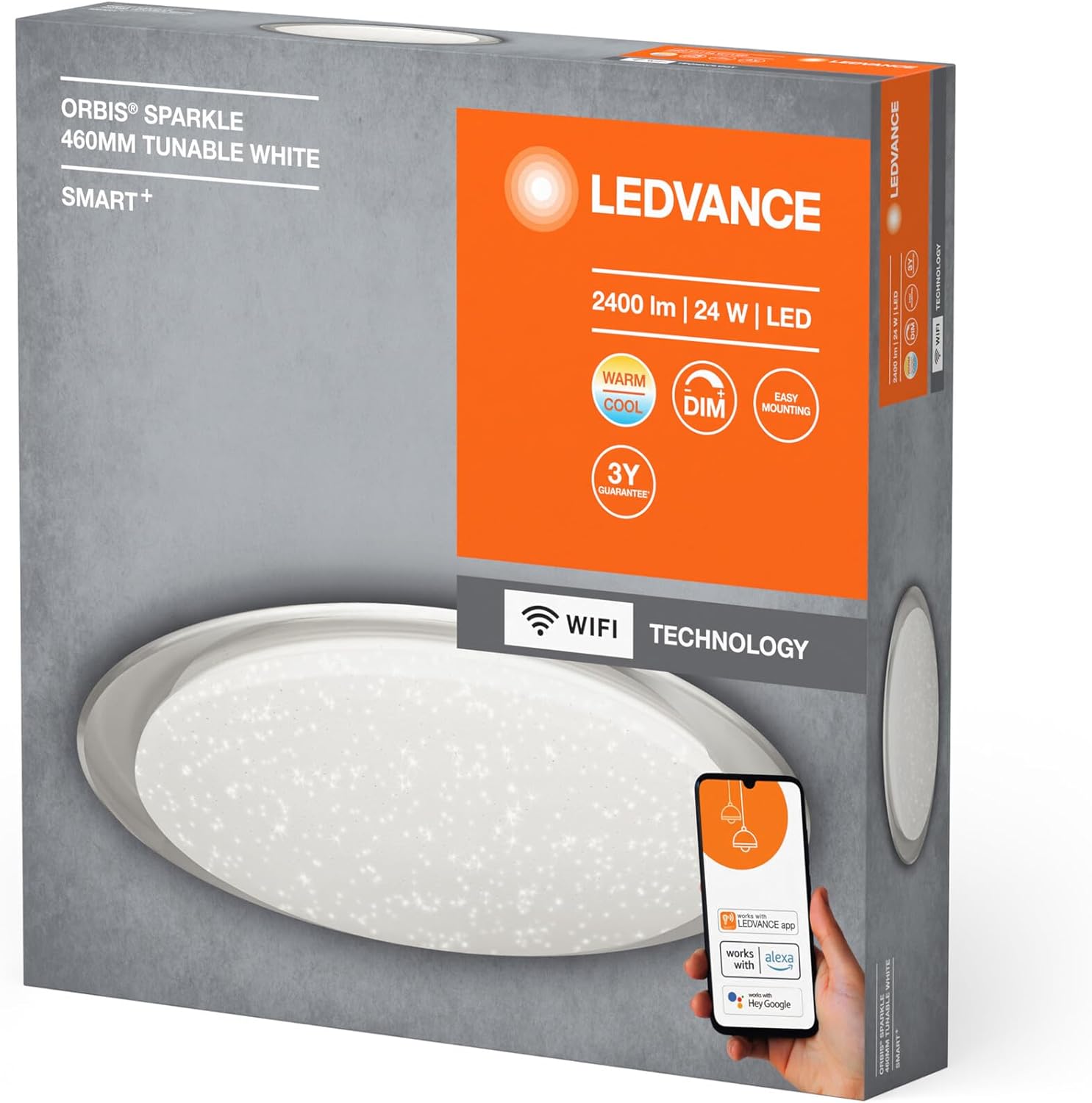
Image: Product packaging showing the LEDVANCE ORBIS SPARKLE SMART+ WiFi Ceiling Light and its features.
4. Configurazione e installazione
Follow these steps for proper installation. Ensure power is OFF before starting.
- Prepararsi per l'installazione: Switch off the main power supply at the circuit breaker to prevent electrical shock.
- Staffa di fissaggio: Secure the mounting bracket to the ceiling using the provided screws and wall plugs. Ensure the bracket is firmly attached to a suitable surface.
- Collegamento elettrico: Connect the household electrical wires to the terminals on the luminaire. Ensure correct polarity (Live, Neutral, Earth) as per local regulations.
- Fissare la lampada: Carefully attach the LEDVANCE ORBIS SPARKLE SMART+ WiFi Ceiling Light to the mounting bracket. Ensure it is securely fastened.
- Ripristina alimentazione: Once the luminaire is securely installed and wired, restore power at the circuit breaker.

Image: Technical drawing showing the dimensions of the LEDVANCE ORBIS SPARKLE SMART+ WiFi Ceiling Light (Ø 460mm, height 76mm).
5. Istruzioni per l'uso
5.1 Smart Home Integration (LEDVANCE SMART+ WiFi App)
To control your LEDVANCE ORBIS SPARKLE SMART+ WiFi Ceiling Light, you need to connect it to the LEDVANCE SMART+ WiFi app.
- Scarica l'app: Download the LEDVANCE SMART+ WiFi app from the App Store (iOS) or Google Play Store (Android). The app requires at least Android 4.4 or iOS 9.0.
Scarica l'app LEDVANCE SMART+ WiFi - Registrati/Accedi: Apri l'app e segui le istruzioni sullo schermo per creare un account o accedere.
- Aggiungi dispositivo: Follow the app's instructions to add a new device. Ensure your smartphone or tablet is connected to a 2.4 GHz WiFi network.
- Modalità di accoppiamento: The light will enter pairing mode automatically when first powered on. If not, cycle the power switch OFF-ON three times until the light blinks.
- Controllare: Once paired, you can control the light's brightness, color temperature (2700K-6500K), and activate the sparkle effect directly from the app.

Image: Product packaging highlighting compatibility with the LEDVANCE SMART+ app, Amazon Alexa, and Google Assistant.
5.2 Controllo vocale (Amazon Alexa / Google Assistant)
After successful integration with the LEDVANCE SMART+ WiFi app, you can link your light to Amazon Alexa or Google Assistant for voice control.
- Collega account: Open your Amazon Alexa or Google Home app. Navigate to the "Skills" or "Works with Google" section.
- Cercare LEDVANCE SMART+: Cercare and enable the "LEDVANCE SMART+" skill/service.
- Collegare: Collega il tuo account LEDVANCE SMART+ al tuo account Alexa o Google.
- Scopri i dispositivi: Ask Alexa or Google Assistant to "discover devices" or manually add the light through the app.
- Comandi vocali: Ora puoi usare comandi vocali come:
- "Alexa/Hey Google, turn on [Light Name]"
- "Alexa/Hey Google, dim [Light Name] to 50%"
- "Alexa/Hey Google, set [Light Name] to warm white"
- "Alexa/Hey Google, change [Light Name] to cool white"
6. Manutenzione
- Pulizia: Ensure the power is off before cleaning. Wipe the surface of the luminaire with a soft, dry, or slightly damp cloth. Do not use harsh chemicals, abrasive cleaners, or sprays directly on the light.
- Nessuna parte riparabile dall'utente: The LED light source is integrated and cannot be replaced by the user. Do not attempt to open or repair the luminaire.
- Controlli regolari: Periodically check the mounting for security.
7. Risoluzione Dei Problemi
| Problema | Possibile causa | Soluzione |
|---|---|---|
| La luce non si accende. | No power supply; incorrect wiring; faulty luminaire. | Check power supply at the circuit breaker. Verify wiring connections. If problem persists, contact support. |
| Impossibile connettersi al Wi-Fi/all'app. | Incorrect WiFi password; not on 2.4 GHz network; light not in pairing mode; app issues. | Ensure correct WiFi password. Connect phone to 2.4 GHz WiFi. Cycle power OFF-ON three times to enter pairing mode. Restart app or phone. |
| Il controllo vocale non funziona. | Not linked to Alexa/Google Assistant; incorrect device name; internet connectivity issues. | Ensure LEDVANCE SMART+ skill is enabled and accounts are linked. Verify device name in Alexa/Google Home app. Check internet connection. |
| La luce tremola o si comporta in modo irregolare. | Unstable power supply; interference; internal fault. | Check power supply stability. Ensure no strong interference sources nearby. If problem persists, contact support. |
8. Specifiche
| Numero di modello | 4058075573475 |
| Marca | LEDVANCE |
| Tipo di prodotto | Smart WiFi Dimmable LED Ceiling Light |
| Dimensioni (L x P x A) | Dimensioni: 46 x 46 x 7.6 cm |
| Peso | 800 grammi |
| Materiale | Alloy Steel, Polycarbonate |
| Fonte di alimentazione | AC |
| Voltage | 240 Volt |
| Cosatage | 24 Watt |
| Flusso luminoso | 2500 lumen |
| Temperatura del colore | 2700 - 6500 Kelvin (Tunable White) |
| Dimmerabile | SÌ |
| Connettività | Wi-Fi (2.4 GHz) |
| Metodo di controllo | Application (LEDVANCE SMART+ WiFi), Voice (Amazon Alexa, Google Assistant) |
| Durata | 25,000 ore |
| Classe di efficienza energetica | F |
| Uso interno/esterno | Al chiuso |
9. Garanzia
LEDVANCE provides a 3-year guarantee for this product. Please refer to the official LEDVANCE website or your purchase documentation for detailed warranty terms and conditions. Retain your proof of purchase for warranty claims.
10. Supporto
For technical assistance, troubleshooting beyond this manual, or warranty inquiries, please contact LEDVANCE customer support through their official websito o le informazioni di contatto fornite con il prodotto.
You can also visit the LEDVANCE brand store on Amazon for more product information: Negozio Amazon LEDVANCE